UNmemos
approvedby UNcore
A faithful Memos-inspired flash-capture plugin. Timeline, tags, reactions, comments, and more. - This plugin has not been manually reviewed by Obsidian staff.
UNmemos
A faithful Memos-inspired flash-capture plugin for Obsidian. Type a thought, hit send, and it lands on a beautiful timeline — everything stored locally as native Obsidian Canvas files.
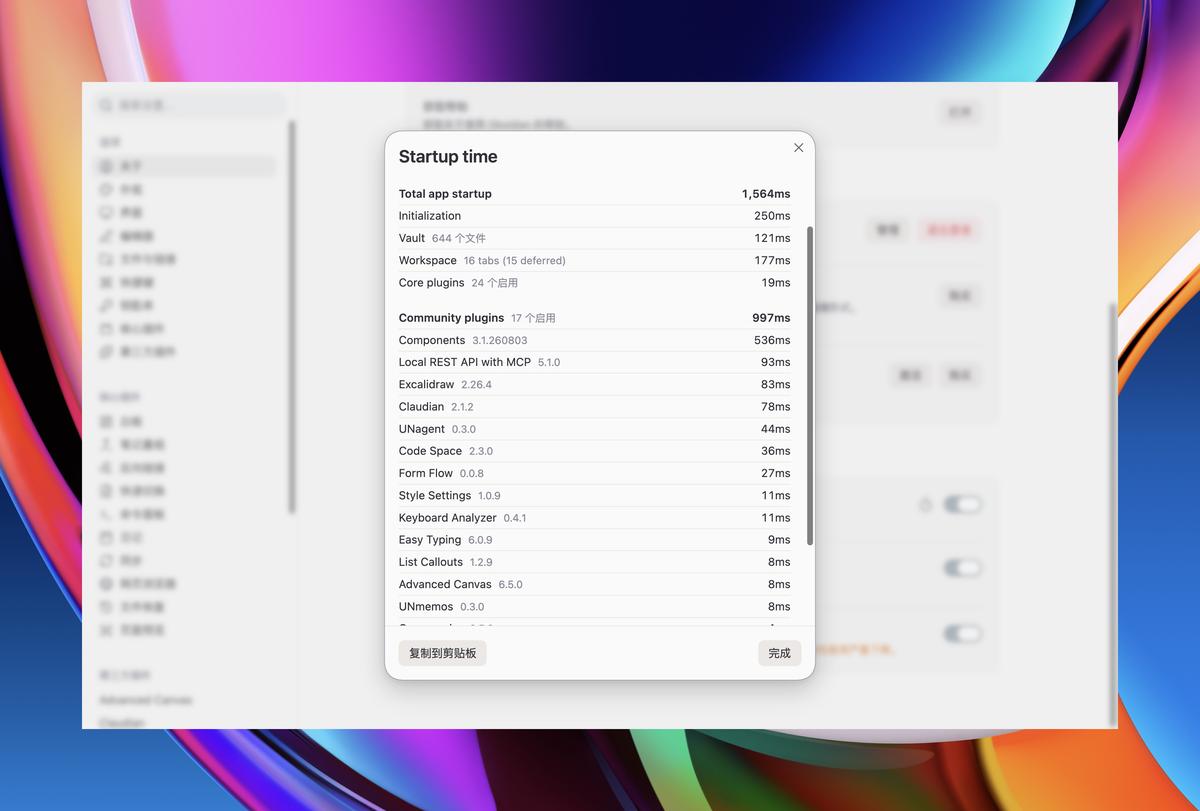
Part of the UN series by UNcore. ⚡ ~20ms load time — capture ideas before you even finish thinking.
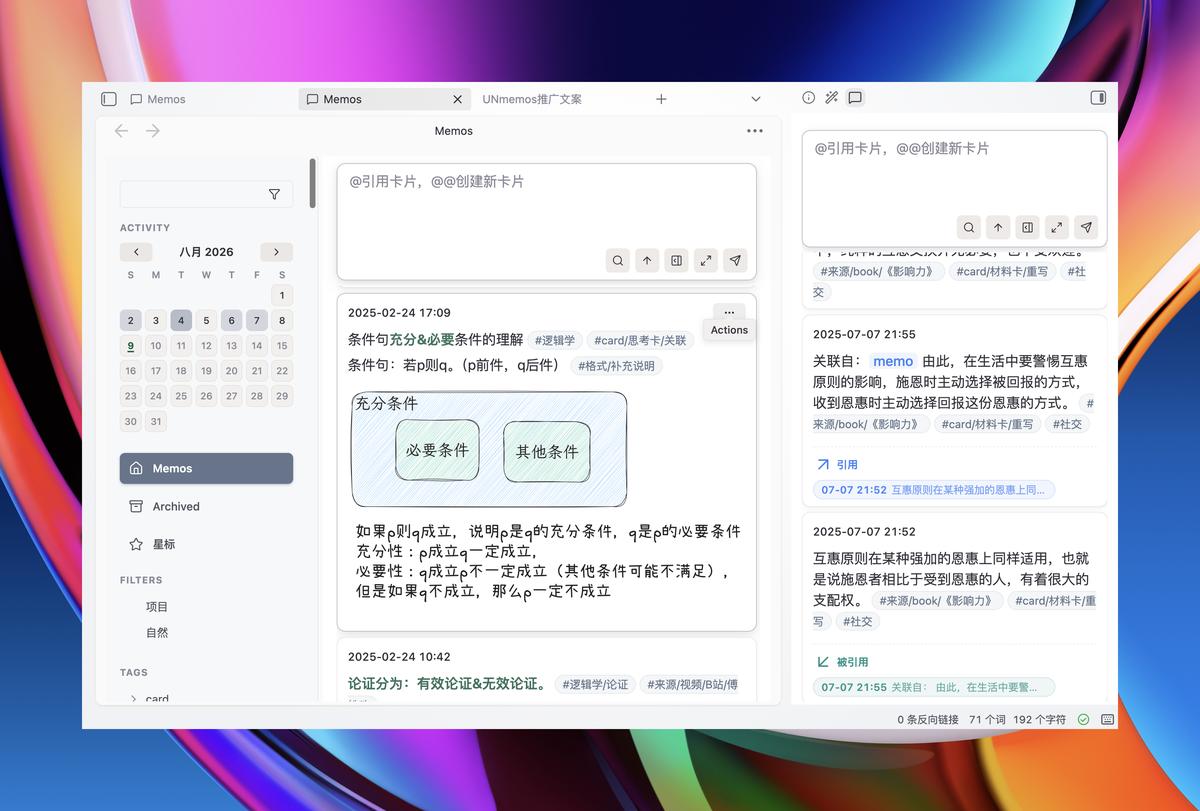
✨ Features
| Feature | Description |
|---|---|
| ⚡ Flash Capture | Top input box with Cmd/Ctrl+Shift+M shortcut; drafts auto-saved, crashes don't lose your thoughts |
| 📅 Timeline | Chronological memo cards grouped by day, plus an activity heatmap |
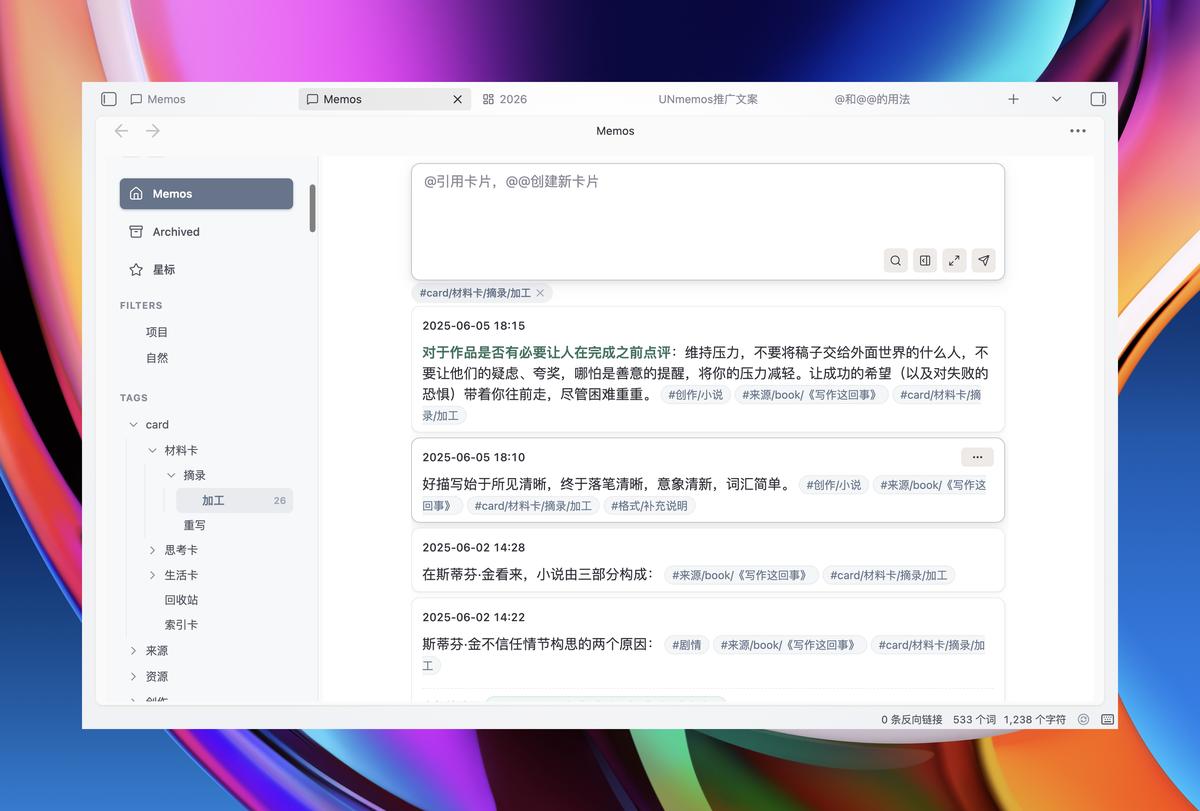
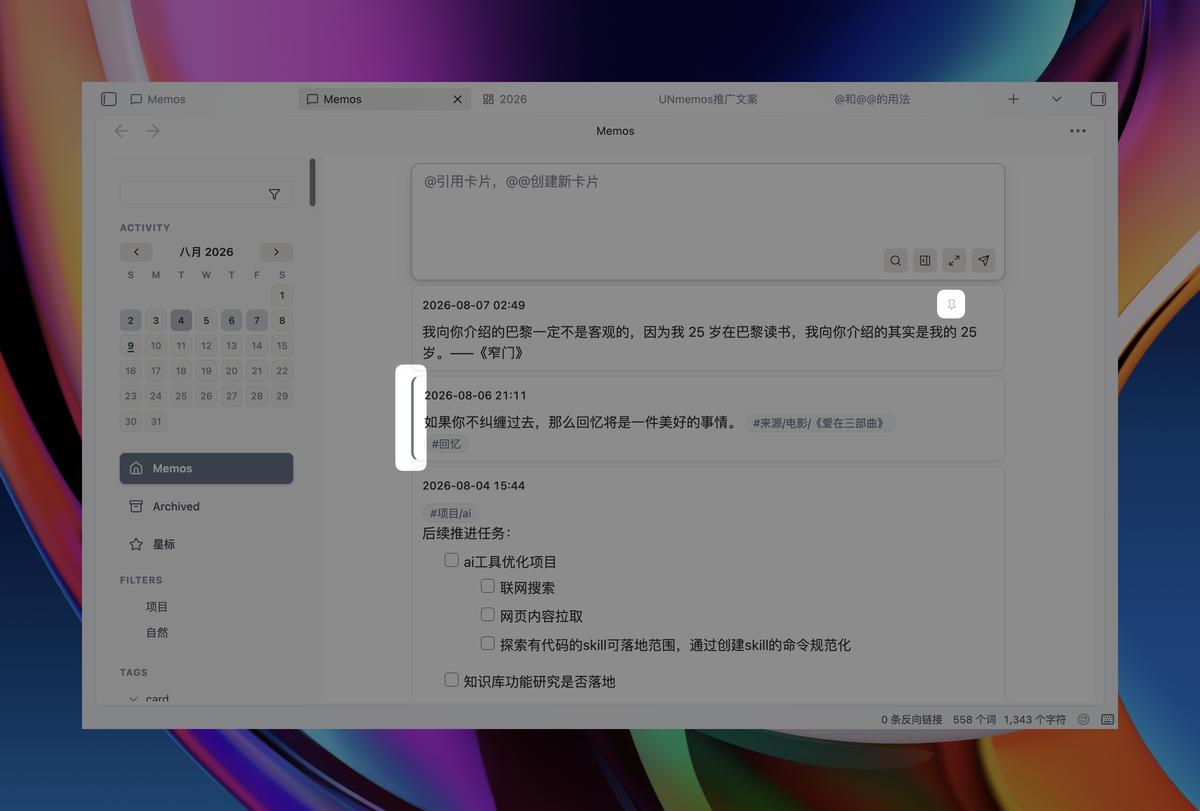
| 🏷️ Smart Tags | Auto-extract #tags from text; sidebar tree with pinning, drag-reorder, and one-click filtering |
| ⭐ Star & Archive | Bookmark important memos; configurable auto-deletion for archived items |
| 🔍 Advanced Filters | Full-text / tag / date range filtering with flomo-style saved presets |
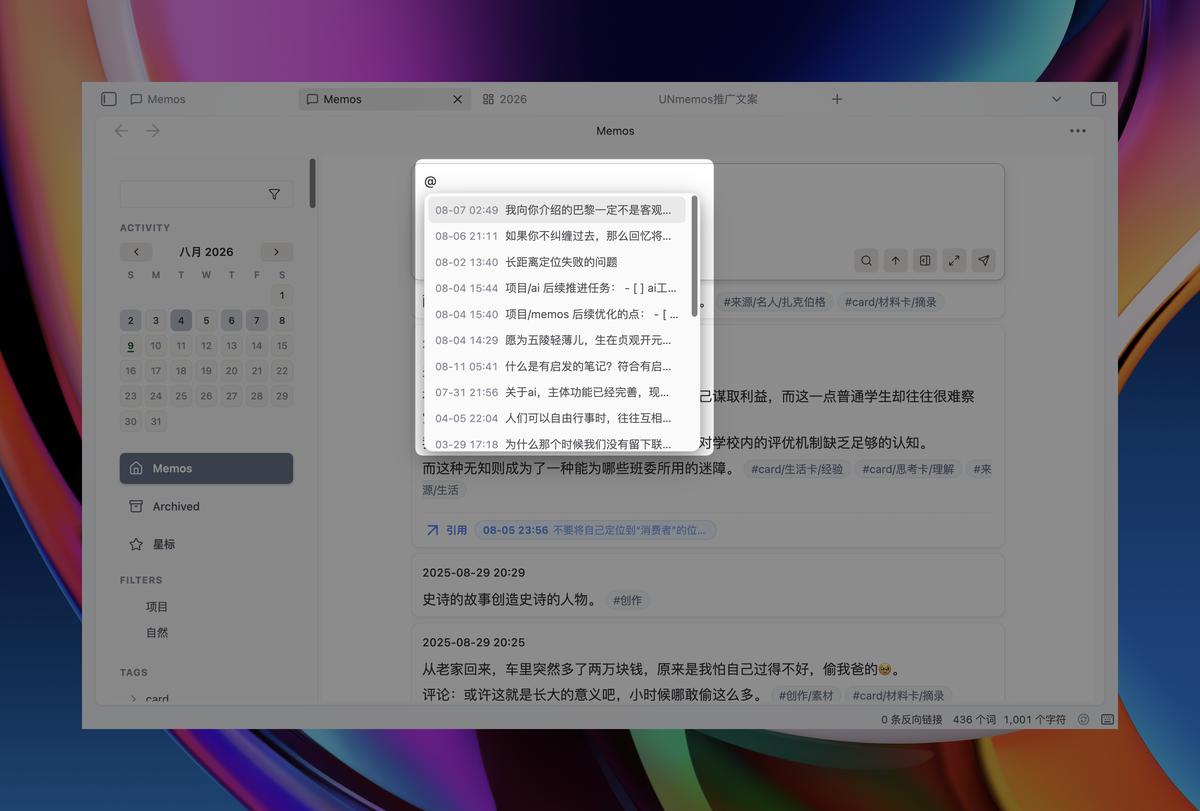
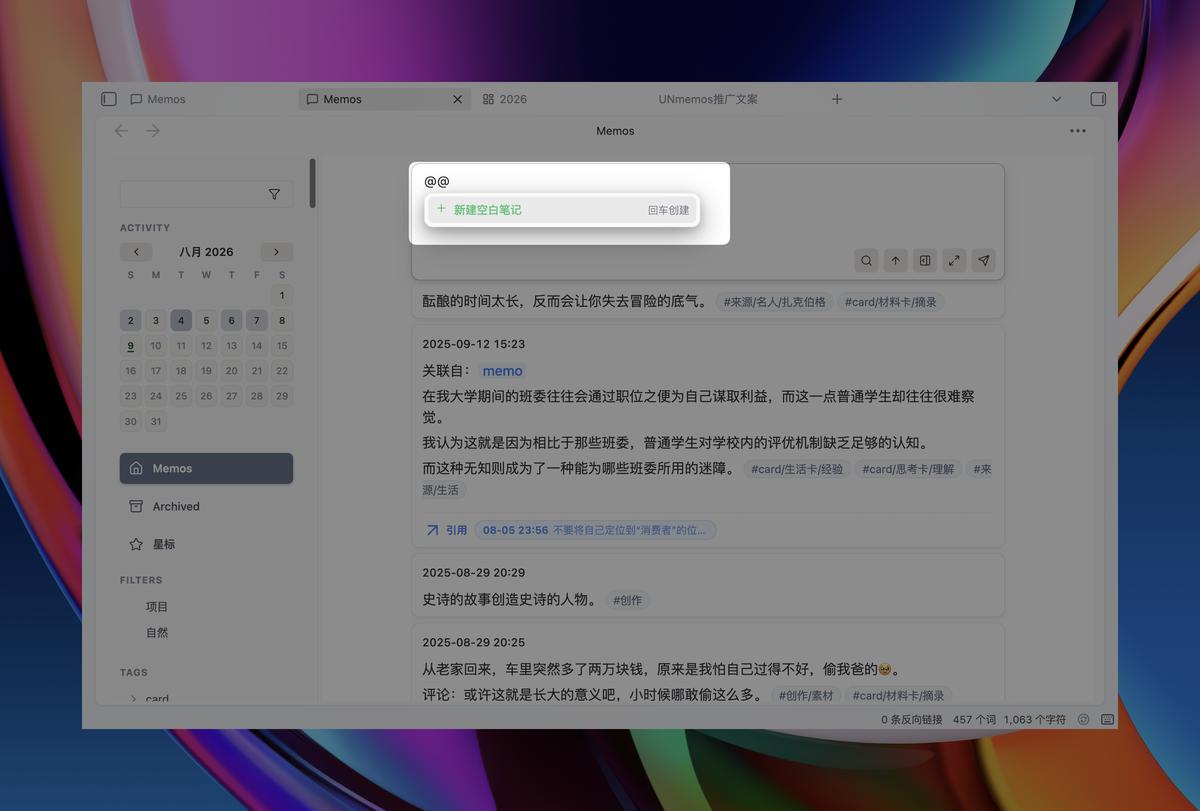
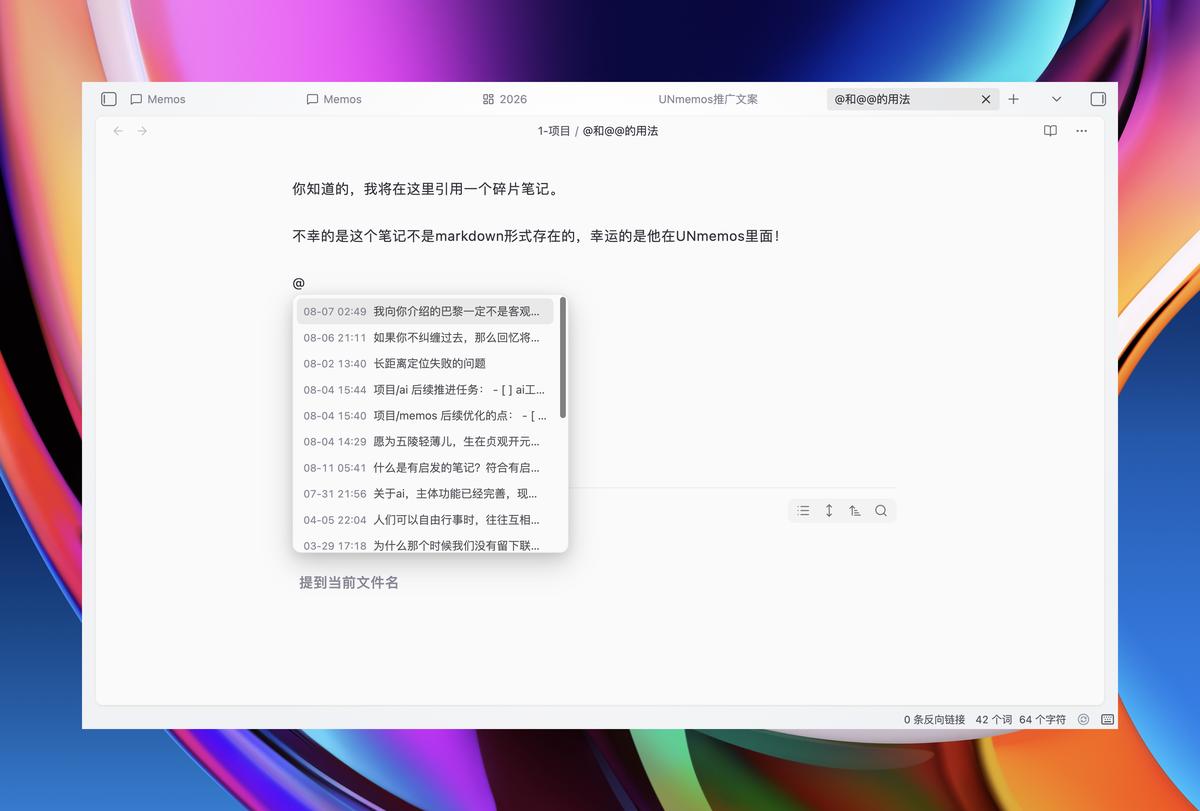
| @ Mention System | In any editor — source mode, live preview, canvas nodes — type @ to reference or @@ to create new linked memos |
| ✍️ Inline Editing | Click any card to edit with full Markdown support: #tags, [[wikilinks]], ![[embeds]], code blocks |
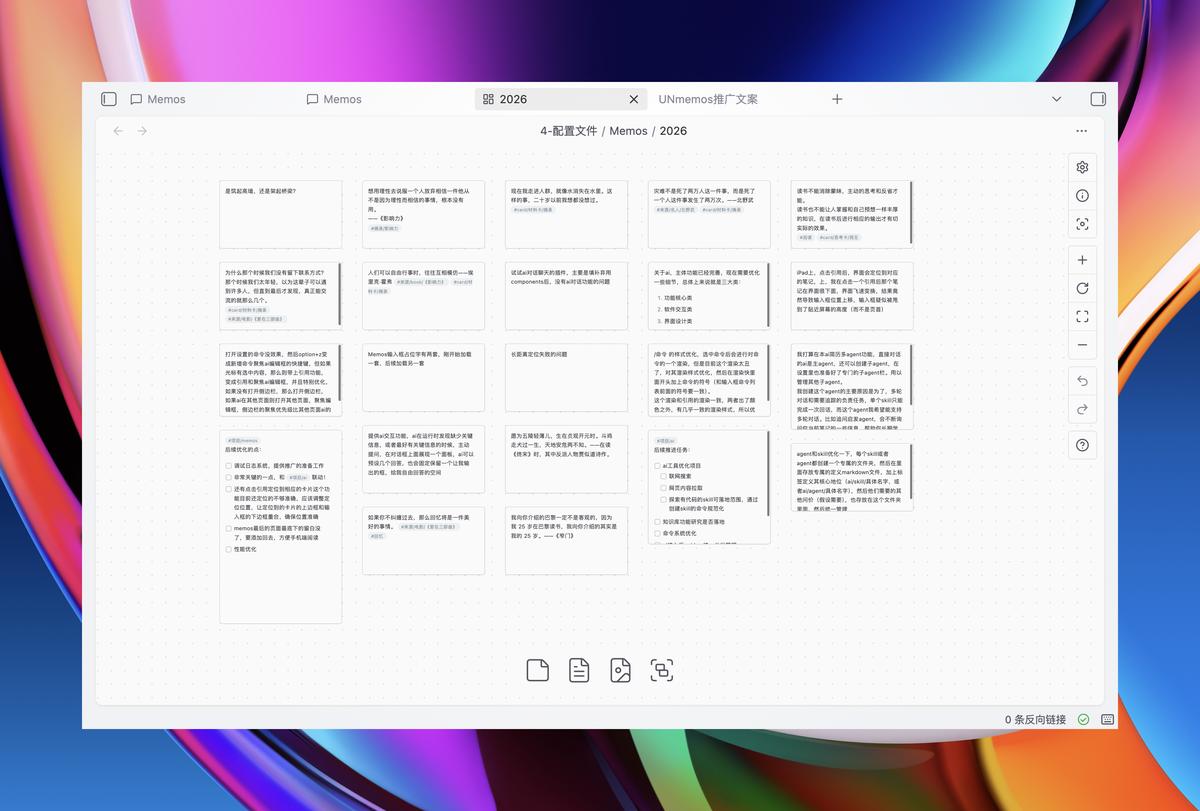
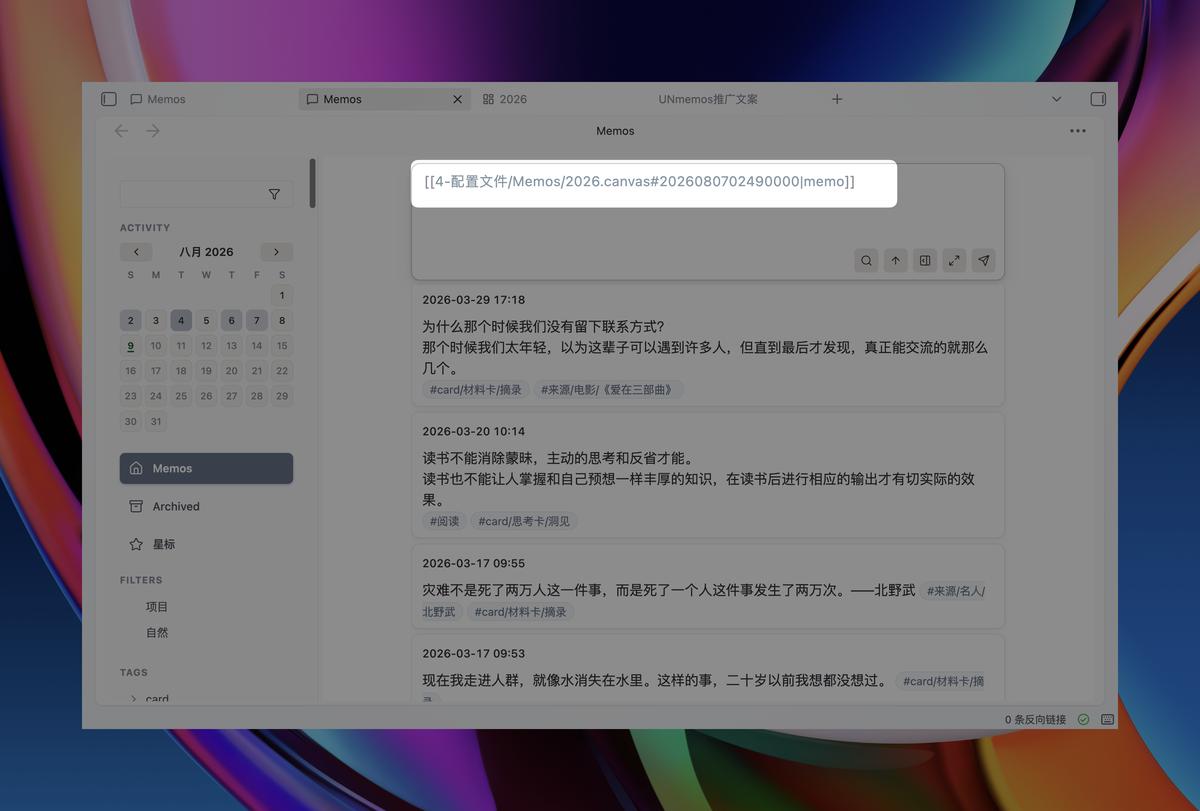
| 🧩 Canvas-Native Storage | Memos stored as .canvas files (Memos/{year}.canvas) — first-class Obsidian citizens |
| 🔗 Bidirectional Links | Uses Obsidian's native linking engine — hover previews, backlink counts, seamless integration with all community plugins |
| 🔄 Flomo Import | Built-in AI-guided migration tool to import your flomo notes with tags, images, and links intact |
| 🌐 Bilingual UI | Chinese / English interface; custom accent color; full mobile responsive design |
🖥️ Platform Support
Fully tested across all platforms:
| Platform | Status | Details |
|---|---|---|
| Desktop (macOS/Windows/Linux) | ✅ | Full keyboard shortcuts, three-column layout |
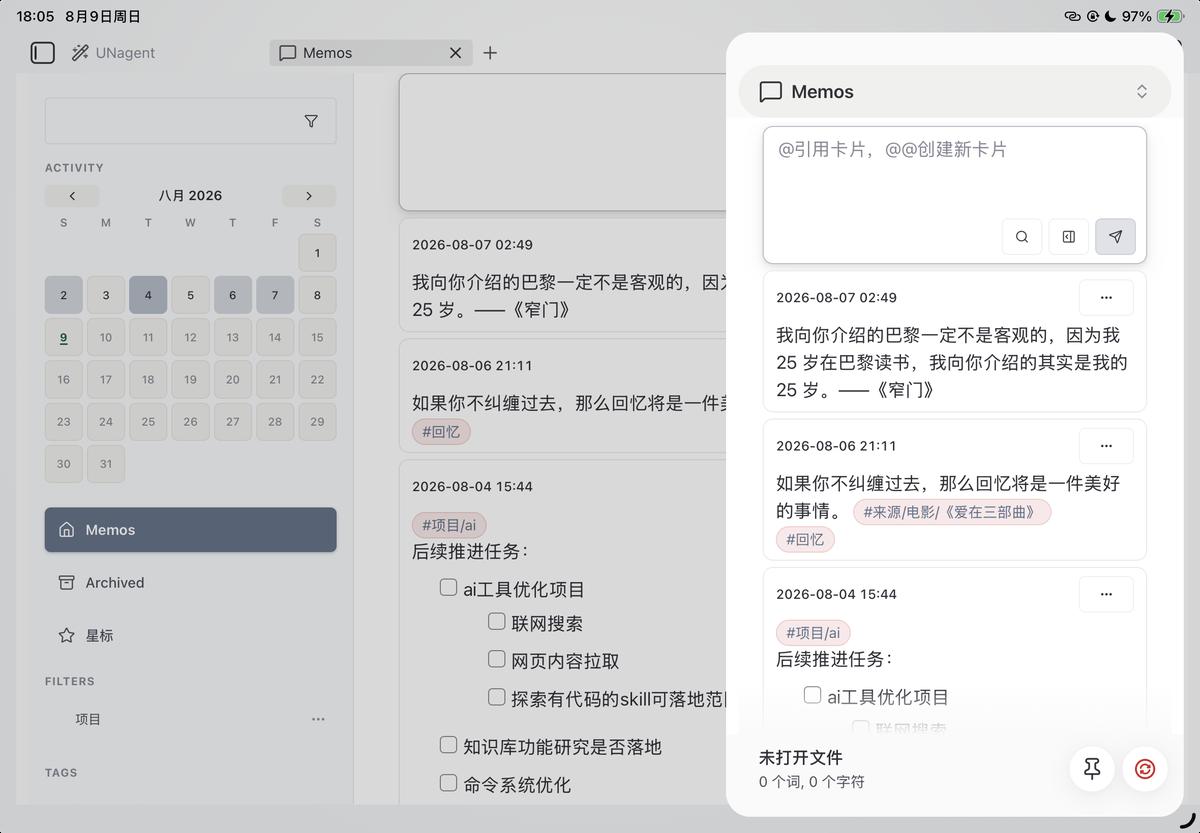
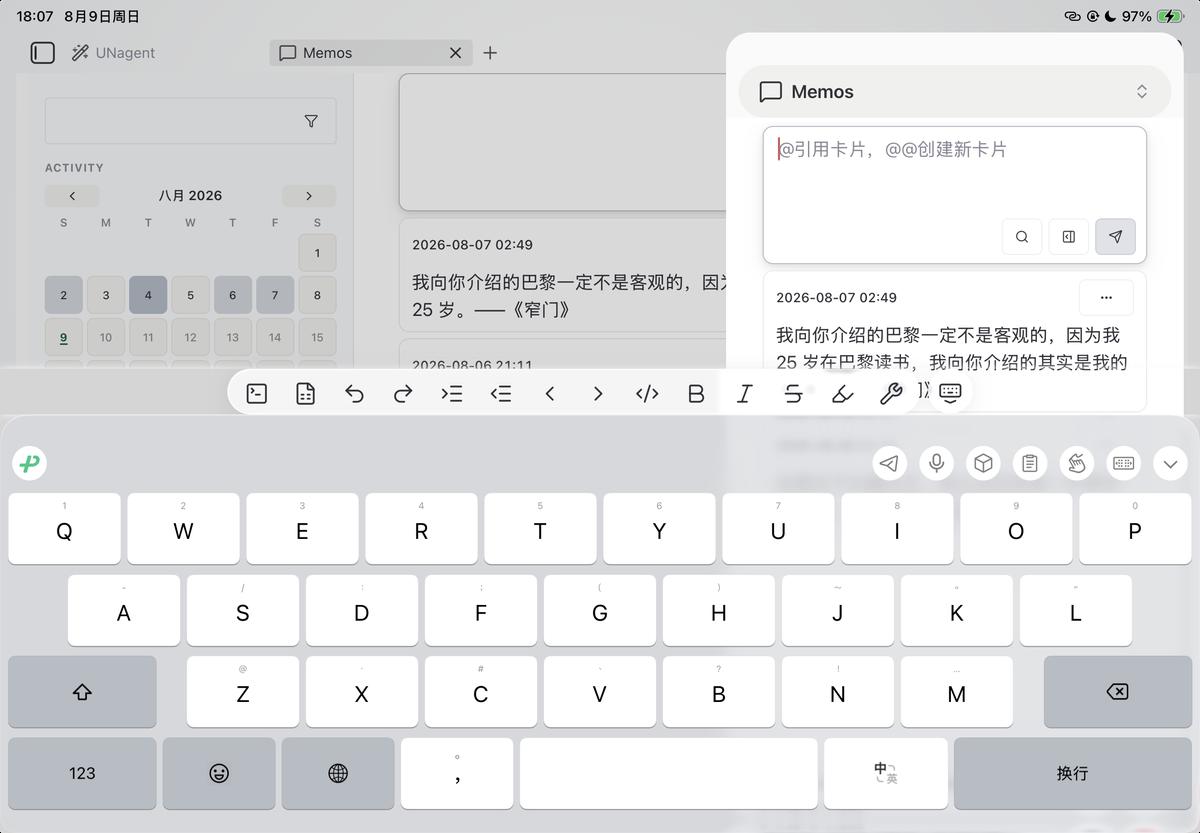
| Tablet (iPadOS) | ✅ | Responsive layout adapted for larger touch screens |
| Mobile (iOS) | ✅ | Touch-optimized with adaptive input field behavior |
🔒 Privacy
UNmemos is fully offline:
- Zero network requests
- Zero telemetry collection
- Data lives entirely within your vault (
.canvasfiles) - Optional debug log is strictly opt-in, in-memory only, exported by you
No accounts. No cloud. No background processes.
中文说明
UNmemos 是一款受 Memos 和 flomo 启发的闪念速记插件,专为 Obsidian 用户打造。随手一条想法,秒存时间线——所有数据都以 Obsidian 原生 Canvas 文件保存。
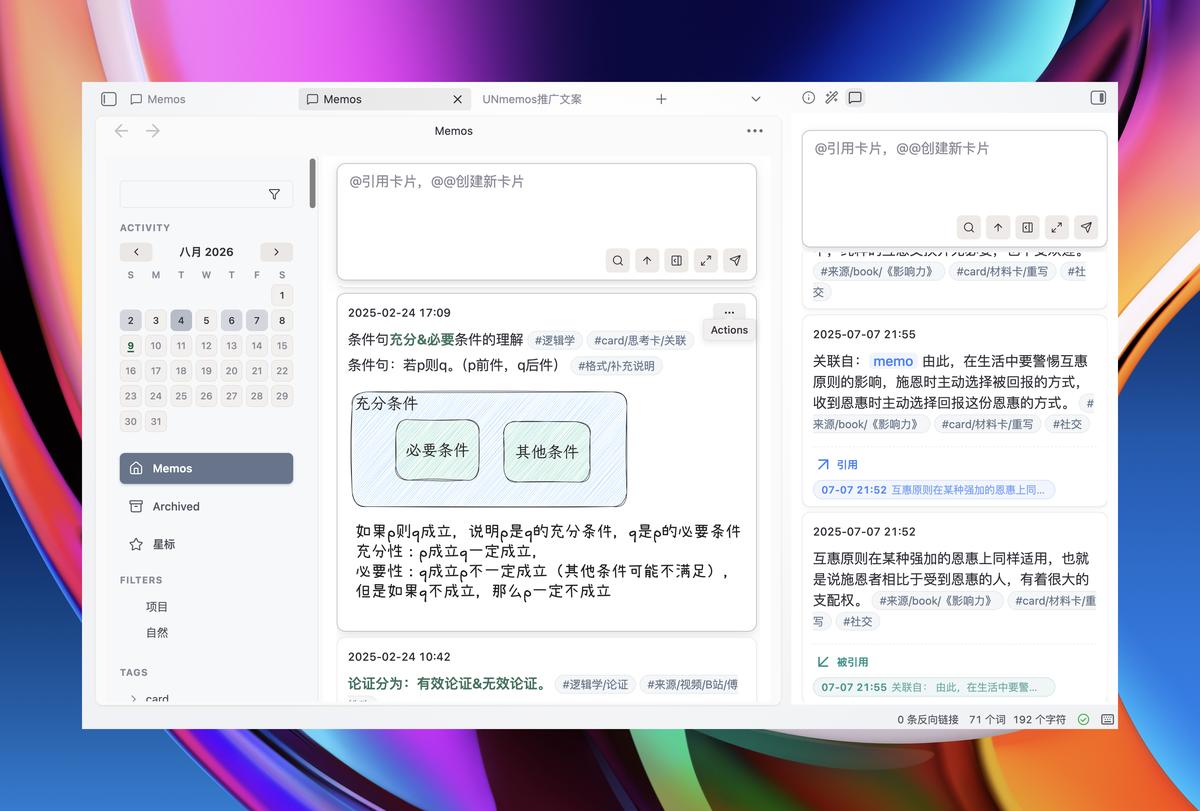
🚀 功能一览
| 功能 | 说明 |
|---|---|
| ⚡ 闪念速记 | 顶部输入框随时打开;Cmd/Ctrl+Shift+M 快速启动,+N 直达输入框;草稿自动保留,崩溃不丢灵感 |
| 📅 时间线 | 按天分组的卡片流 + 月度活跃度热力图,一眼看到你的思维脉搏 |
| 🏷️ 标签系统 | 正文 #标签 自动提取到侧边栏树形结构,支持置顶、拖拽排序、一键过滤 |
| ⭐ 星标与归档 | 重要内容加星标;归档内容可设置保留天数后自动清理(默认不清理) |
| 🔍 高级过滤 | 全文搜索 / 标签筛选 / 日期范围组合过滤,flomo 风格的已保存快捷方式一键复用 |
| @ 提及系统 | 在任意编辑器(源码 / 实时预览 / 白板文本节点)输入 @ 引用已有 memo,@@名字 快速新建并关联 |
| ✍️ 卡片内联编辑 | 点击卡片即可修改,完整 Markdown 支持:#标签、[[双链]]、![[嵌入]]、代码块等 |
| 🧩 Canvas 原生存储 | 数据存在 Memos/{年份}.canvas 文件中,Obsidian 第一公民——白板视图中直接拖拽排列,双向同步 |
| 🔗 双向链接集成 | 底层使用 Obsidian 内置双链引擎,天然适配:悬浮预览、反链计数、与任何第三方插件完美配合 |
| 🔄 Flomo 导入 | 设置页内置 AI 引导的导入指南,一键迁移浮墨笔记数据(含标签、图片、双链) |
| 🌐 双语界面 | 中文 / English 界面无缝切换;自定义主题色;移动端完整适配 |
🖥️ 平台支持
全平台全面适配,体验一致流畅:
| 平台 | 状态 | 说明 |
|---|---|---|
| 桌面端 (macOS/Windows/Linux) | ✅ | 完整快捷键支持,三栏布局 |
| 平板端 (iPadOS) | ✅ | 大屏响应式布局,操作空间充裕 |
| 手机端 (iOS) | ✅ | 触摸交互优化,随时随地捕捉闪念 |
🔒 隐私安全
UNmemos 完全离线运行:
- 零网络请求
- 零遥测数据收集
- 数据存储 100% 本地(你的 Vault)
- 可选调试日志默认关闭,仅存在于内存中,由你主动导出
没有账号、没有云端、没有后台。只读写你自己的 canvas 文件。
Installation
Community Plugins (Recommended)
Search "UNmemos" in Obsidian → Settings → Community Plugins → Browse → Install.
Manual
- Download the latest release files (
main.js,styles.css,manifest.json) from Releases - Copy them into
<vault>/.obsidian/plugins/unmemos/ - Reload Obsidian and enable the plugin
Usage
Quick Start
1. Open UNmemos view: Cmd/Ctrl+Shift+M
2. Type your thought in the top input box
3. Press Enter or click the send button
4. Your memo appears on the timeline instantly
@ Mention System
Type @ in any editor context to reference existing memos:
- Hover over references for inline preview
- Check backlinks to see how your knowledge network grows
- Use
@@nameto quickly create a new memo and link it in one step
The @ syntax works everywhere in Obsidian — not just inside UNmemos views.
Screenshots
Key Features
| Canvas Storage | @ Mention Picker | @@ Create Card | Global Syntax |
|---|---|---|---|
 |  |  |  |
Organization Tools
| Tags & Filters | Pinned & Starred | Native Links | Performance |
|---|---|---|---|
 |  |  |  |
Mobile Views
| Tablet (Collapsed) | Tablet (Expanded) | Mobile (Collapsed) | Mobile (Expanded) |
|---|---|---|---|
 |  | 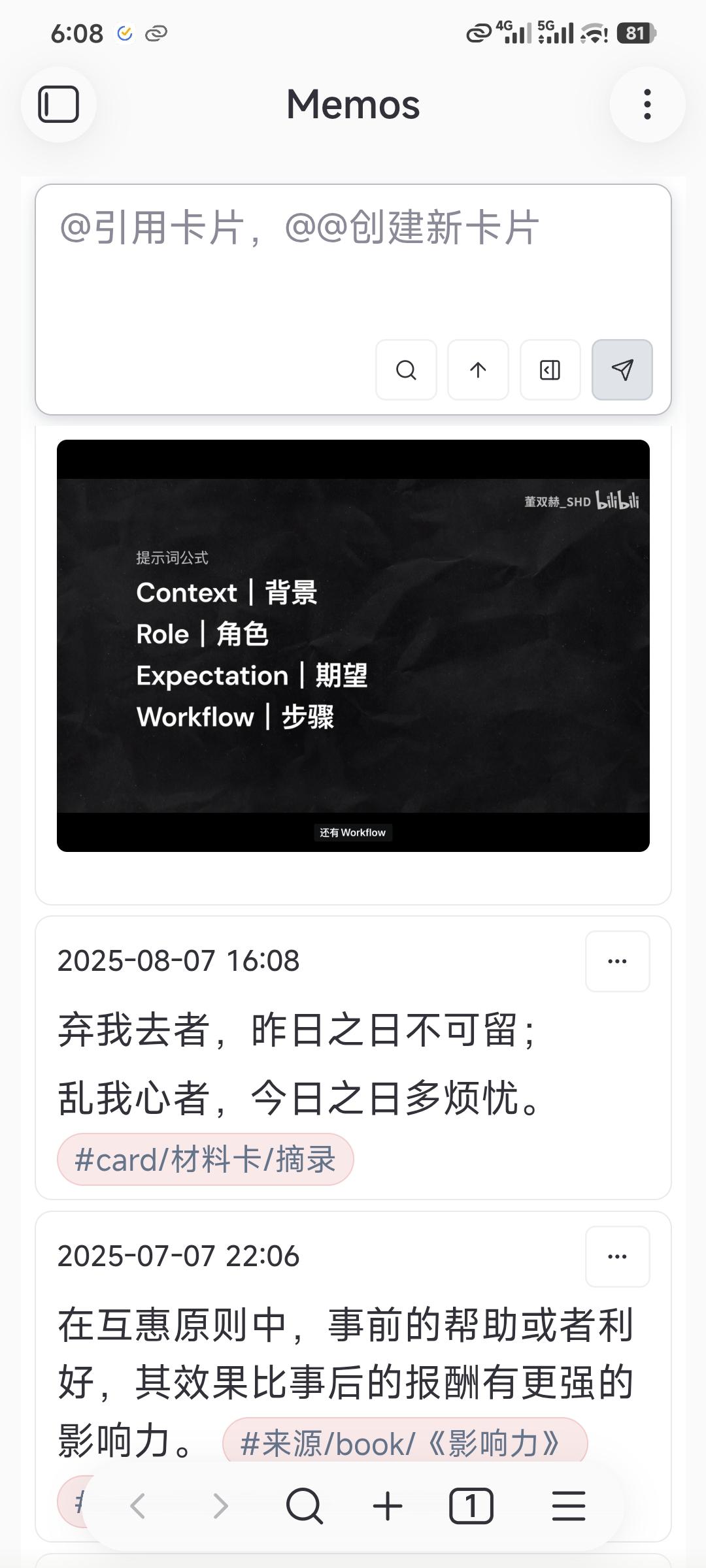 | 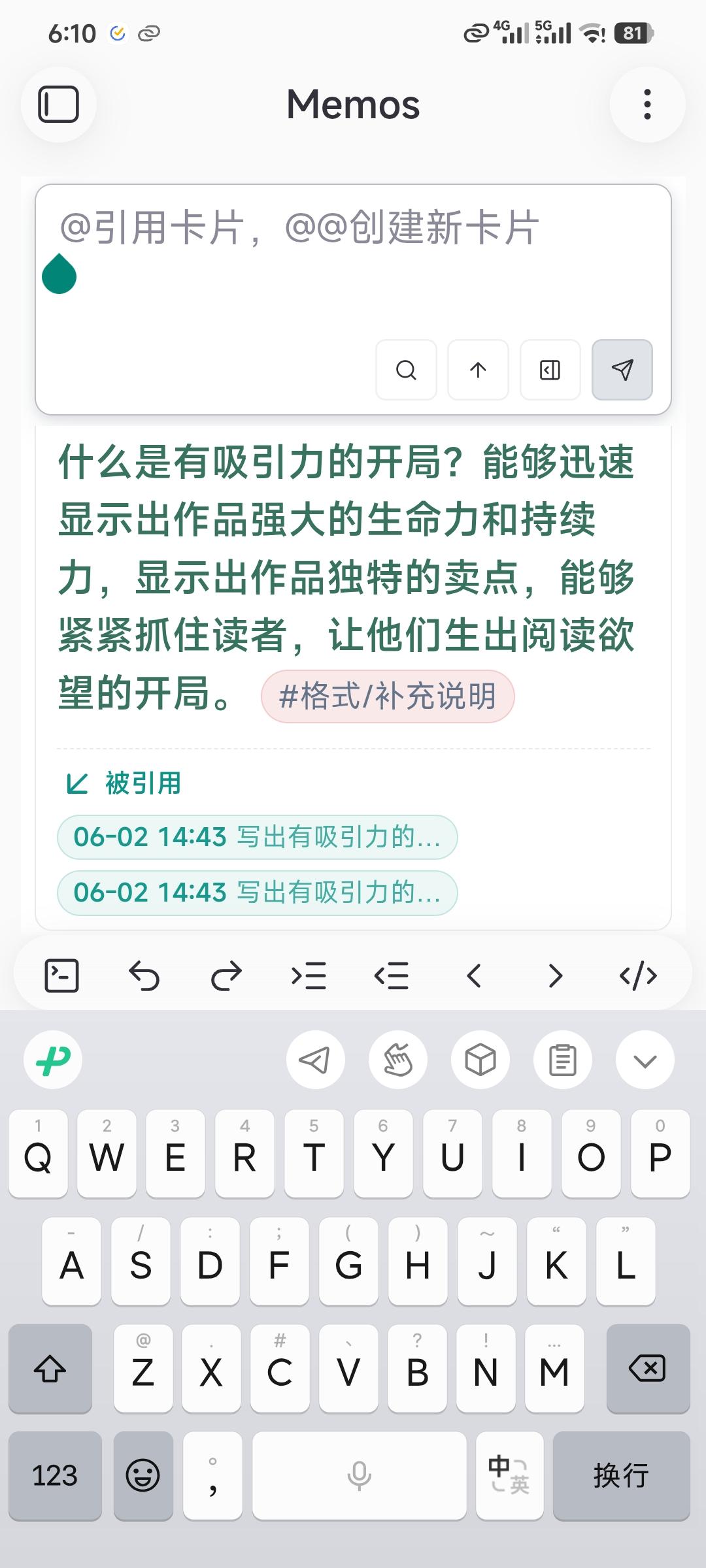 |
License
Source Available License — 商用需授权。
Support
Enjoying UNmemos? Consider supporting development:
- ⭐ Star this repo
- 🐛 Report bugs via GitHub Issues
- 💡 Suggest features via GitHub Discussions
For plugin developers
Search results and similarity scores are powered by semantic analysis of your plugin's README. If your plugin isn't appearing for searches you'd expect, try updating your README to clearly describe your plugin's purpose, features, and use cases.