Mention Things
approvedby stracker-phil
Forked from saibotsivad/obsidian-at-people
Define a list of prefixes to trigger an autocomplete suggestion to insert a link.
Mention Things
Obsidian plugin that adds support to mention other notes via customizable signs. Most commonly used to @-mention people:
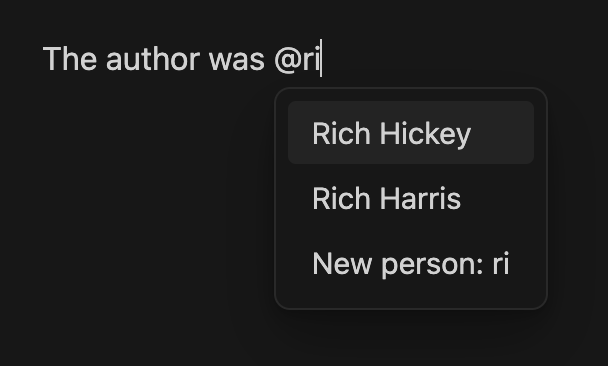
When you hit enter on a suggestion, it'll create a link that looks like this:
The author was [[@Rich Hickey]]
and leave the cursor at the end.
Credits: This plugin is based on saibotsivad/obsidian-at-people by Tobias Davis
Options
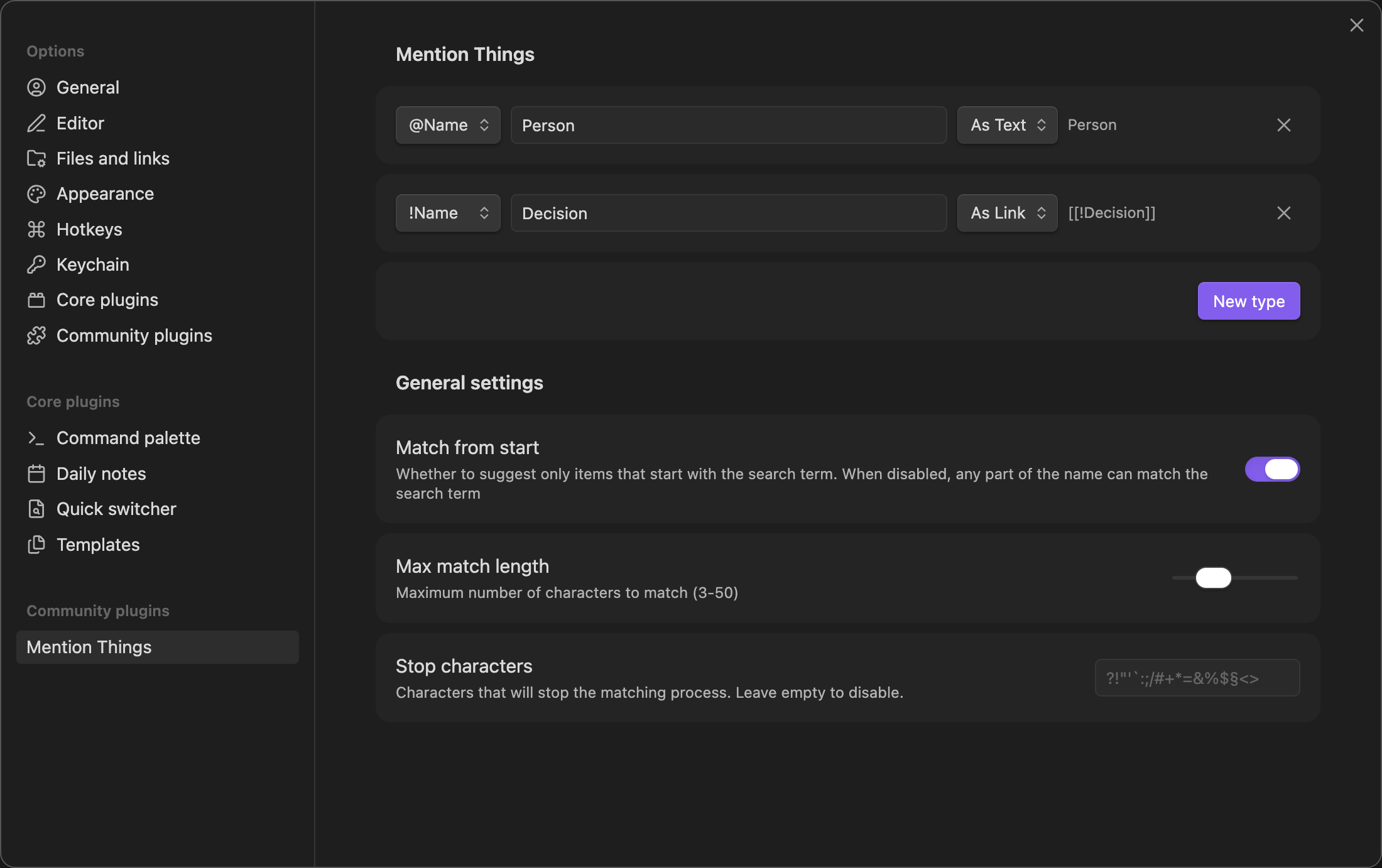
Mention Types
Character - The symbol (like "@" or "&") that triggers the suggestion box while typing. Each character can be associated with a different type of mention.
Label - A descriptive name (like "Person" or "Project") that appears in the suggestion box when creating new entries. This helps identify what type of content you're creating.
Type - Whether the note-name should be inserted as a real link, or if you just want to auto-complete the filename as plain-text (useful when using Virtual Linker or similar plugins)
General Settings
Match from start - When enabled, only suggests items that begin with your search term. Recommended for faster, more precise matching.
Max match length - Limits how many characters you can type before suggestions stop appearing. Prevents suggestions from showing when typing longer text that happens to start with a mention character.
Stop characters - Any character in this list will immediately close the suggestion box when typed. Helpful for quickly dismissing suggestions when you type punctuation or special characters.
Changelog
1.1.0
- New: Mention type (link/text)
- New: Links use your Obsidian configuration (WikiLink or Markdown link)
- New: Preview of the generated mention item
- Change: Improved prefix list, removed invalid characters like
>
1.0.2
- Change: Switched to new Settings API
1.0.1
- Public release
License
Published and made available freely under the Very Open License.
For plugin developers
Search results and similarity scores are powered by semantic analysis of your plugin's README. If your plugin isn't appearing for searches you'd expect, try updating your README to clearly describe your plugin's purpose, features, and use cases.