Mouse Navigation
approvedby hobeom
Enables smooth navigation using mouse gestures for scrolling and switching pages.
Mouse Navigation Plugin for Obsidian
Overview
Mouse Navigation is an intuitive and powerful plugin for Obsidian that enhances navigation through mouse gestures. Whether you're scrolling through pages, switching between documents, this plugin provides a fluid experience by letting you control actions with simple mouse movements.
Features
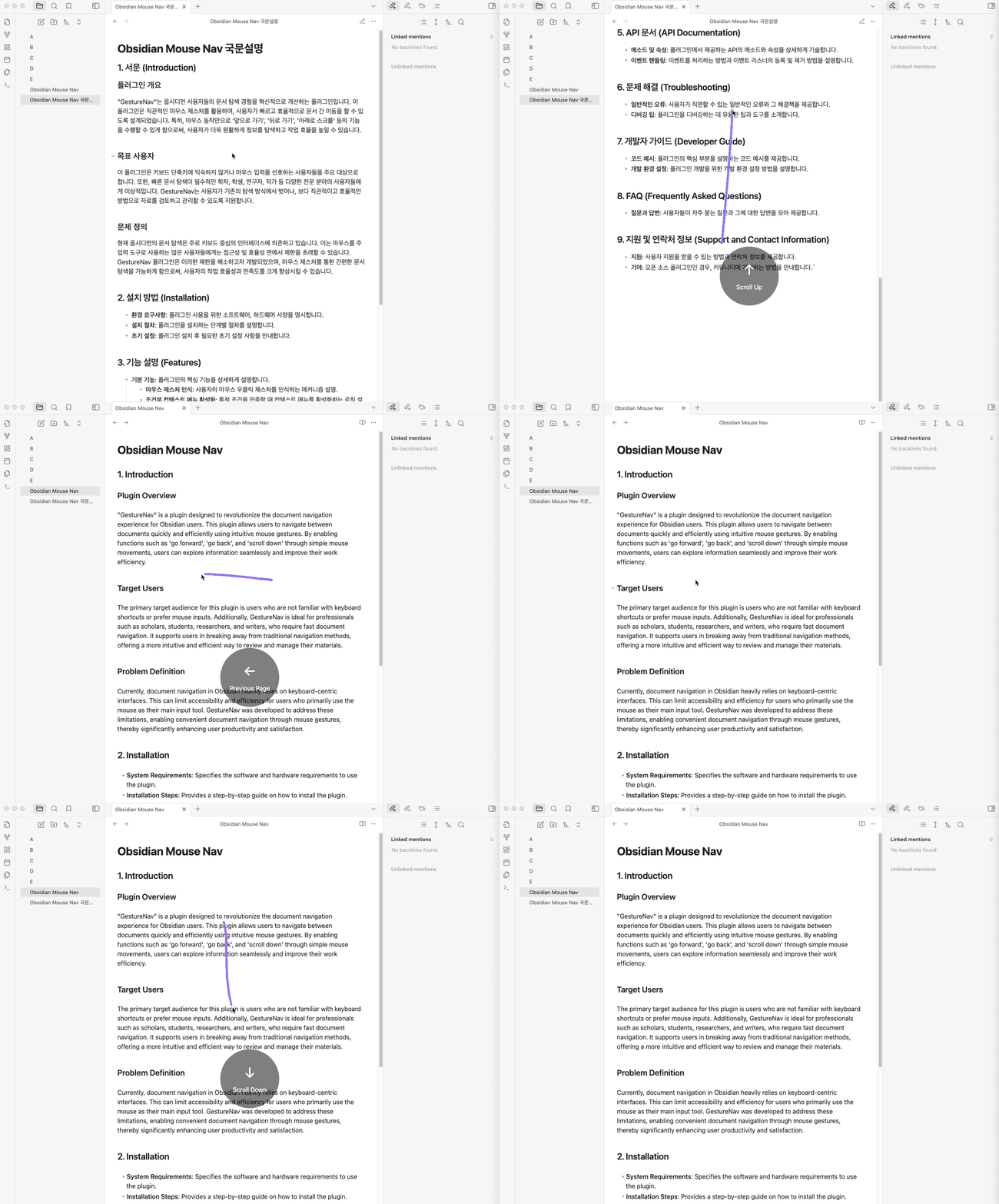
- Customizable Mouse Gestures: Currently, navigation is performed using right-click mouse gestures to move forward, backward, or scroll up/down.
- Visual Feedback: Gesture actions are visually represented on the screen with smooth animations.
- Draw-on-Screen: As you perform gestures, see your mouse movements tracked like a pencil on the screen, providing clear visual feedback.
- Flexible Gesture Settings: Assign built-in actions or custom Obsidian command IDs to each gesture, disable individual actions, or reset the mappings to their defaults.
Key Capabilities
- Next/Previous Navigation: Use left and right gestures to switch between documents.
- Scroll Control: Up/down gestures let you scroll to the top or bottom of the document quickly.
- Visual Indicator: A sleek visual overlay shows the detected gesture, making navigation clear and responsive.
Installation
- Go to the Community Plugins section in Obsidian.
- Search for Mouse Navigation.
- Install and activate the plugin.
- Customize the settings to configure your preferred gesture actions.
Usage
Once installed, simply hold the right mouse button and move your mouse in the desired direction to trigger the gesture action (e.g., move left to go back, right to go forward).
Optional diagonal gestures
In the plugin settings, select Modern (v2) as the gesture engine and turn on Enable diagonal gestures. This option is off by default, including for existing installations. The four diagonal action selectors appear when it is enabled; each supports the same built-in actions, custom command IDs, and None option as other gestures.
The default mappings follow Mouse Gesture Events:
| Gesture | Default action in Obsidian |
|---|---|
| ↗ Up-right | Reload the Obsidian app |
| ↙ Down-left | Reopen the last closed tab |
| ↘ Down-right | Navigate forward in history |
| ↖ Up-left | Navigate back in history |
Mouse Gesture Events uses ↗ to refresh the browser page. Here it runs the existing Reload app action, which reloads the Obsidian app.
Draw each diagonal as a single straight stroke. Existing two-step gestures, such as ↓ →, remain available; combinations containing a diagonal are not supported. Diagonal gestures are only available in the Modern engine.
For plugin developers
Search results and similarity scores are powered by semantic analysis of your plugin's README. If your plugin isn't appearing for searches you'd expect, try updating your README to clearly describe your plugin's purpose, features, and use cases.