Move Files
approvedby nitishkhurana
Moves all the files linked to a open md file to a folder and updates the link in md file.
Move Files Plugin
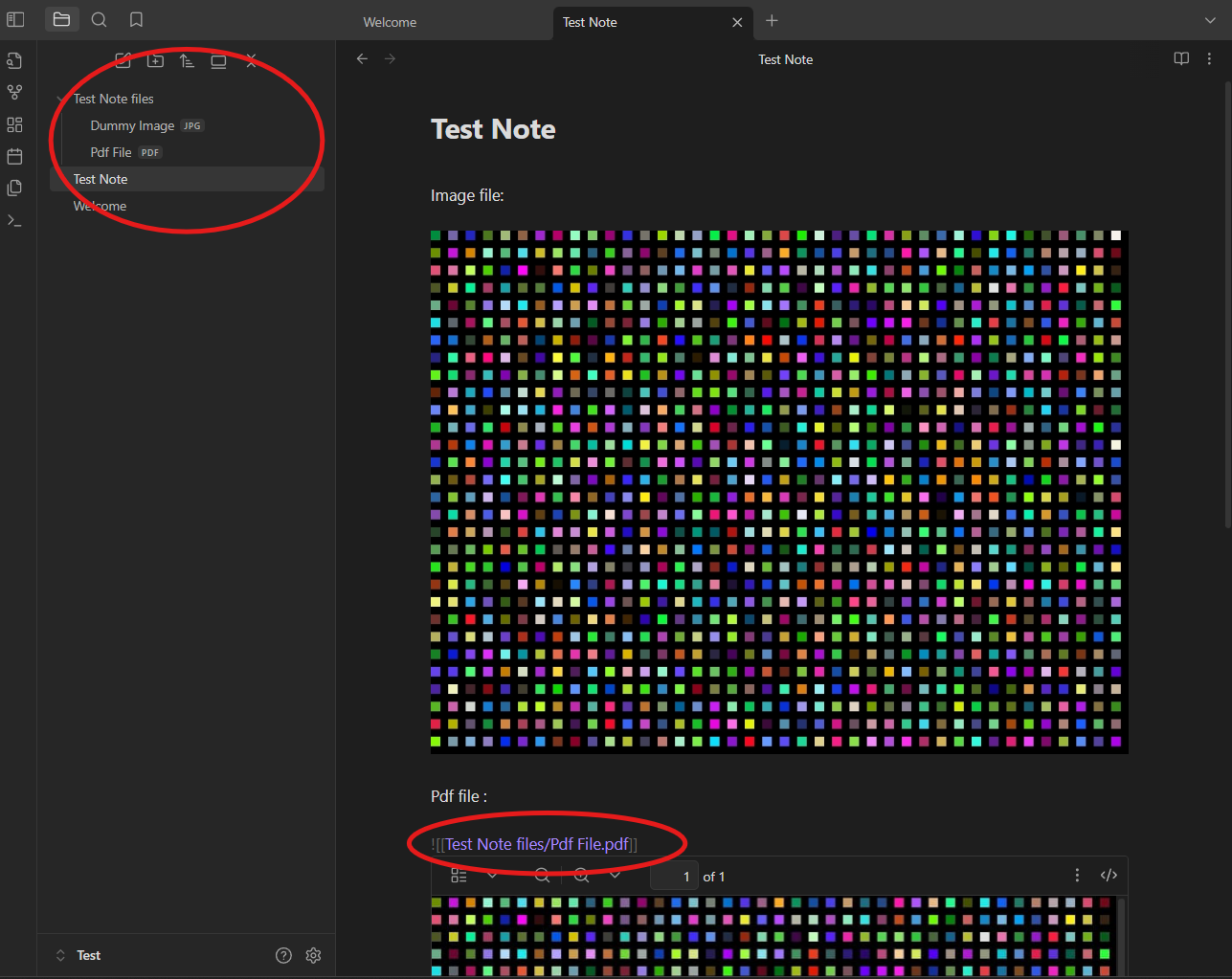
When editing a note, open command pallete and run "Move Files Plugin: Move linked files and update links". This will create a folder with Name: "{filename} files" and move all the linked files for e.g. png,pdf,jpg...etc to this folder. It will also udpate the links in the note.
Updates
Version 1.2.0 : Added support/settings for retaining the folder structure while creating the new folder. Version 1.1.0 : Added support/settings for moving the open note/md files also to the folder.
Settings
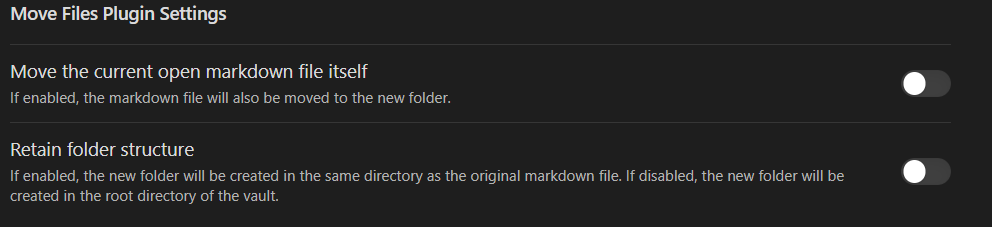
Two settings are available:
- Move the open note/md file as well to the folder created.
- Retain the folder structure, folder with linked files will be created in the same path as that of the note/md file. If disabled, the folder will be created in the root directory of the vault.
Example

Run the command and all the files are moved to the folder as shown below.
Tip
Use the https://github.com/reorx/obsidian-paste-image-rename
plugin to automatically rename the copied images/file's as per you custom settings.
Acknowledgement
Developed it to keep the note and their linked files organised so as to keep the vault clean and organized.
Inspired from the Image Collector Plugin
https://github.com/tdaykin/obsidian_image_collector
For plugin developers
Search results and similarity scores are powered by semantic analysis of your plugin's README. If your plugin isn't appearing for searches you'd expect, try updating your README to clearly describe your plugin's purpose, features, and use cases.