by volodymyrkoval
Compose the mobile navigation bar: any command, any icon, any order, separately for phone and tablet.
↓ 27 downloadsUpdated 3d agoMIT
Navbar Composer
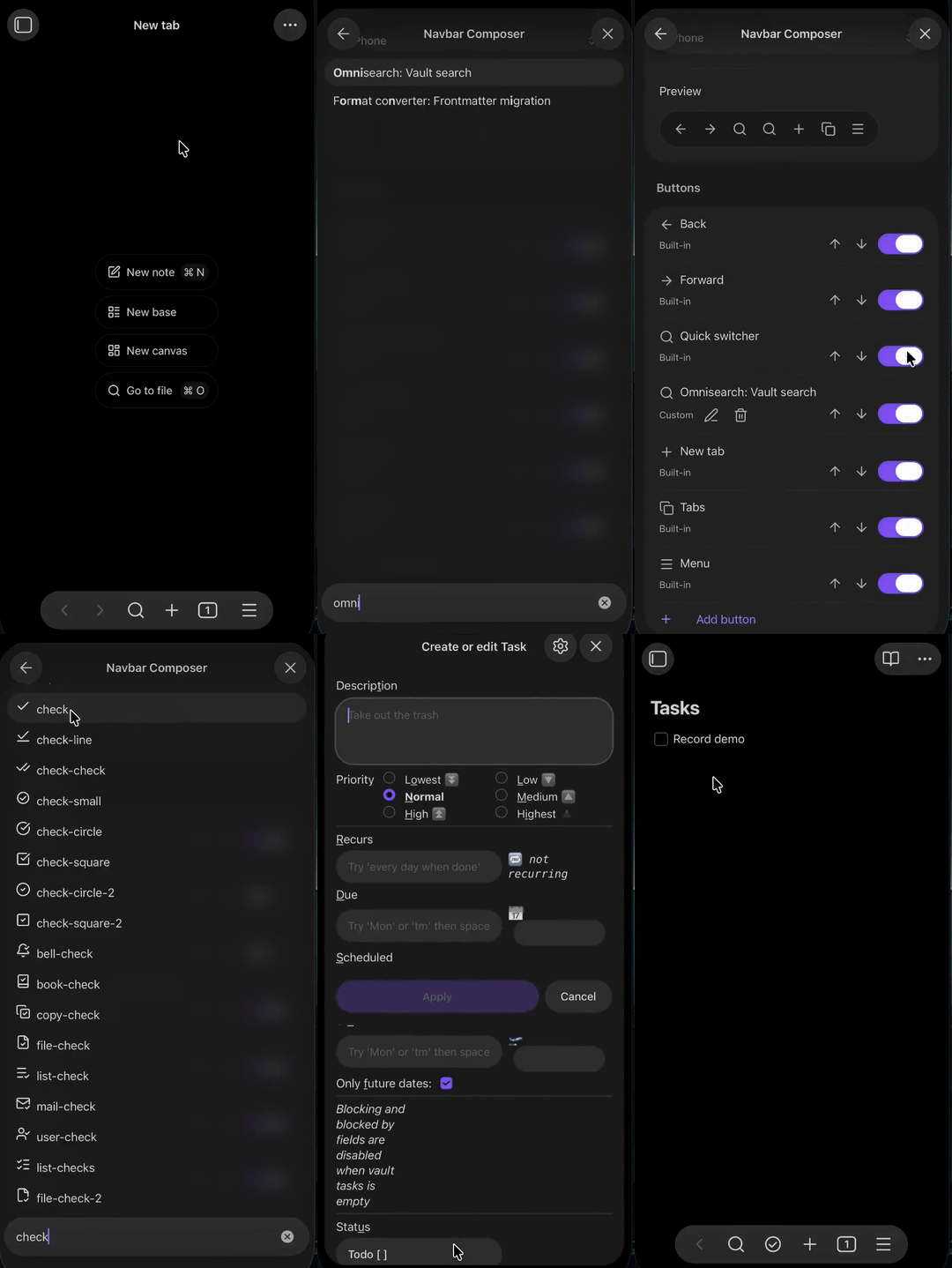
Customise Obsidian's mobile navigation bar: add buttons for any command, hide the built-in ones and change their order. Works on phones and on tablets, where Obsidian normally hides the bar. Each device has its own layout.
Setup
- Install Navbar Composer from Community plugins and enable it.
- Open Settings → Navbar Composer and choose the device.
- Tap Add button, then choose a command and an icon.
- Use ↑/↓ to reorder and the toggles to show or hide buttons. Changes apply immediately.
On tablets, the bar appears once at least one button is turned on. It hides while you scroll down or edit, as on a phone.
Notes
- The device type is detected when Obsidian starts. Rotation, Split View and Stage Manager don't switch layouts until a restart.
- The plugin uses undocumented parts of Obsidian, so an Obsidian update may break it until the plugin is updated.
License
MIT
For plugin developers
Search results and similarity scores are powered by semantic analysis of your plugin's README. If your plugin isn't appearing for searches you'd expect, try updating your README to clearly describe your plugin's purpose, features, and use cases.