by woodamsclark
A configurable mobile toolbar that detaches into an eight-direction gesture launcher.
toolbar+
A customizable mobile toolbar that detaches into an eight-direction gesture pad.
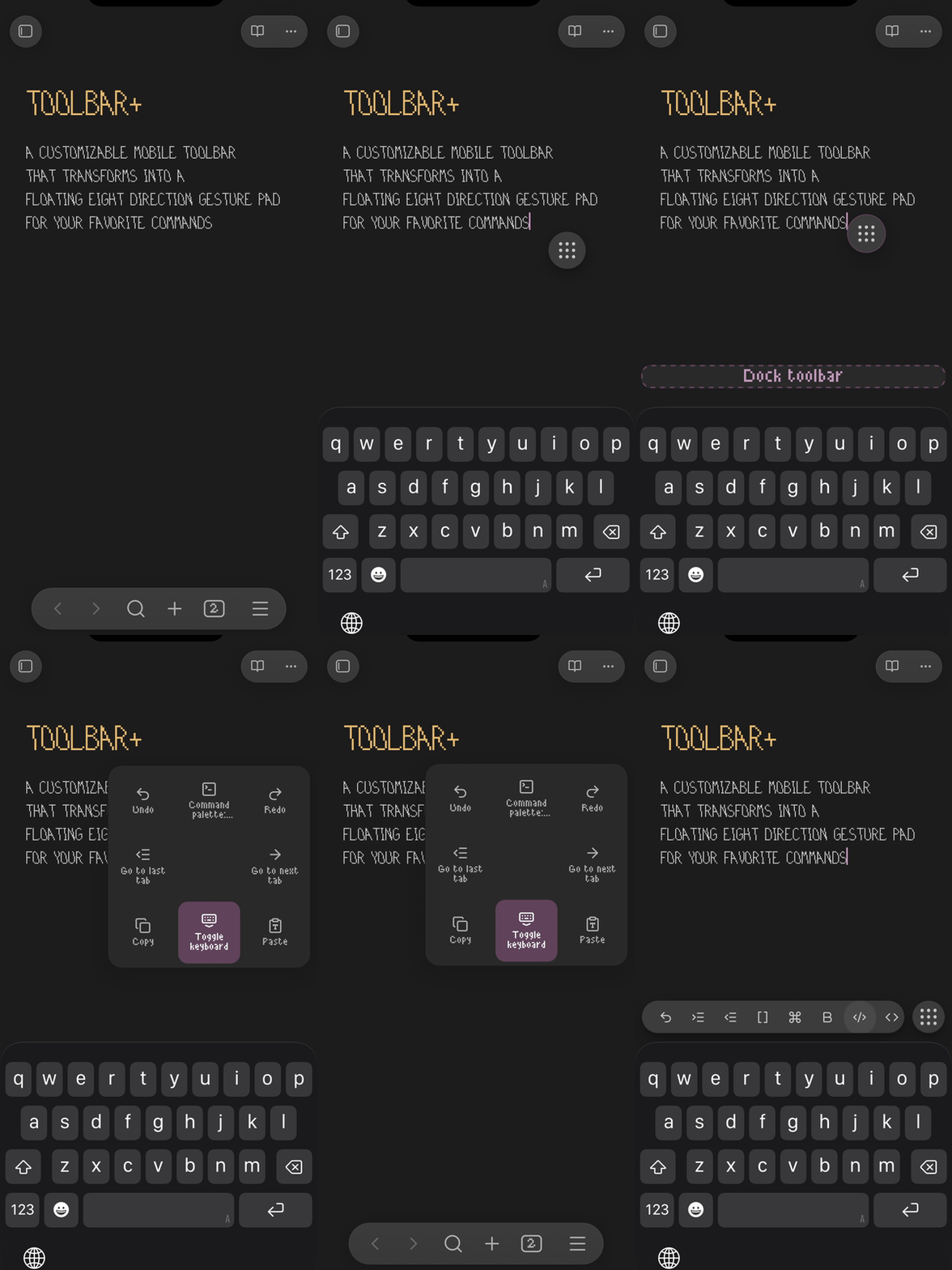
Flick down on the nine-dot handle while docked to hide the keyboard. No need to hold first. The toolbar stays docked and returns when you reopen the keyboard.
How to use it
Open a Markdown note and bring up the keyboard to see the toolbar.
- Tap a toolbar button to run its command.
- Tap the nine-dot handle to customize buttons, icons, and gestures.
- Hold the docked handle, then drag to detach it and place the floating control.
- Flick the floating handle in a direction and release to run its command. Return to the center before releasing to cancel.
- Hold the floating handle, then drag to the bottom target and release to dock it again.
Customize commands
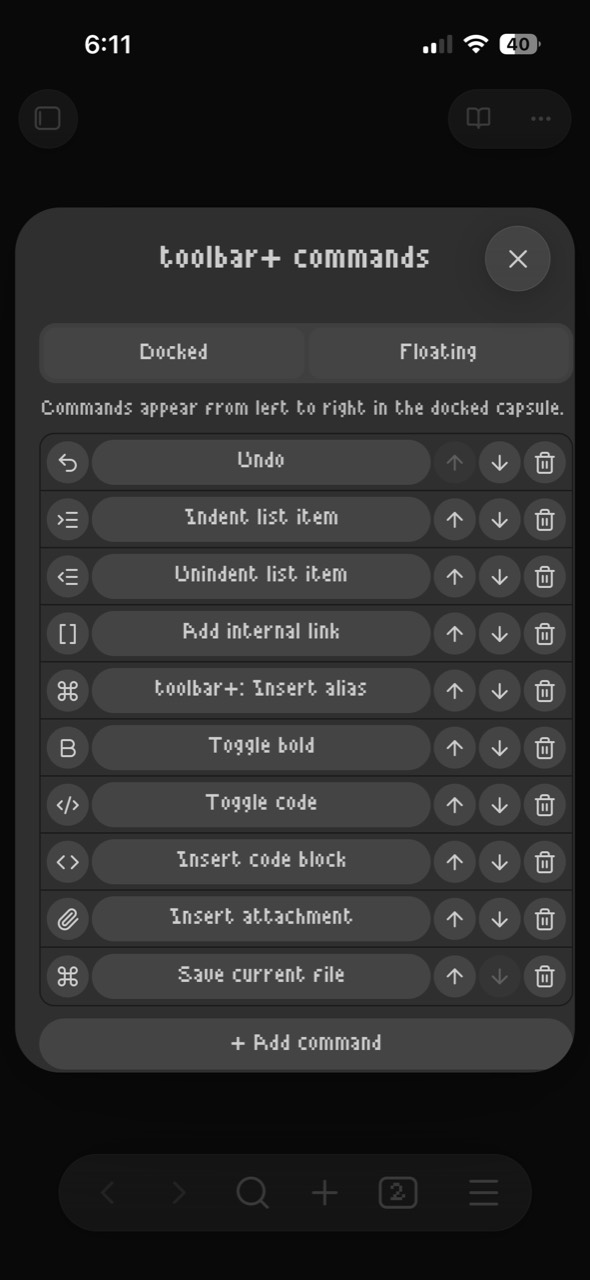
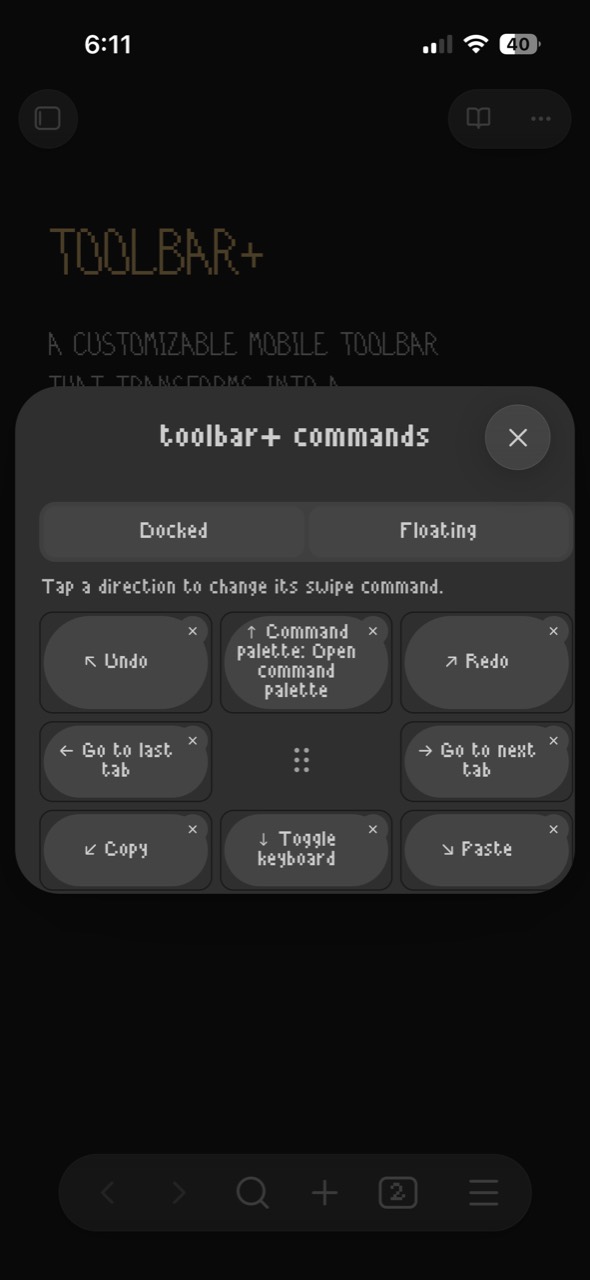
Add, remove, reorder, and change docked toolbar commands, or assign a command to each floating gesture. Choose any available Obsidian or community-plugin command.
Default floating gestures
| ↖ Undo | ↑ Command palette | ↗ Redo |
|---|---|---|
| ← Previous tab | • Handle / configure | → Next tab |
| ↙ Copy | ↓ Toggle keyboard | ↘ Paste |
Settings → toolbar+ controls the gesture grid, vibration, hold duration, and flick distance. Enable Show on desktop there to use it with a mouse or trackpad.
The Command Palette also offers Dock toolbar, Float gesture control, and Insert alias, which wraps selected text in [[|selected text]] so you can choose the linked note.
Requires Obsidian 1.13.7+. Version 0.1.20 is verified on iPhone; Android is untested.
Licensed under MPL 2.0.
For plugin developers
Search results and similarity scores are powered by semantic analysis of your plugin's README. If your plugin isn't appearing for searches you'd expect, try updating your README to clearly describe your plugin's purpose, features, and use cases.