by Azdmjiny
Adds a smooth Neovide-style cursor trail to Markdown editors.
Neovide Cursor Trail
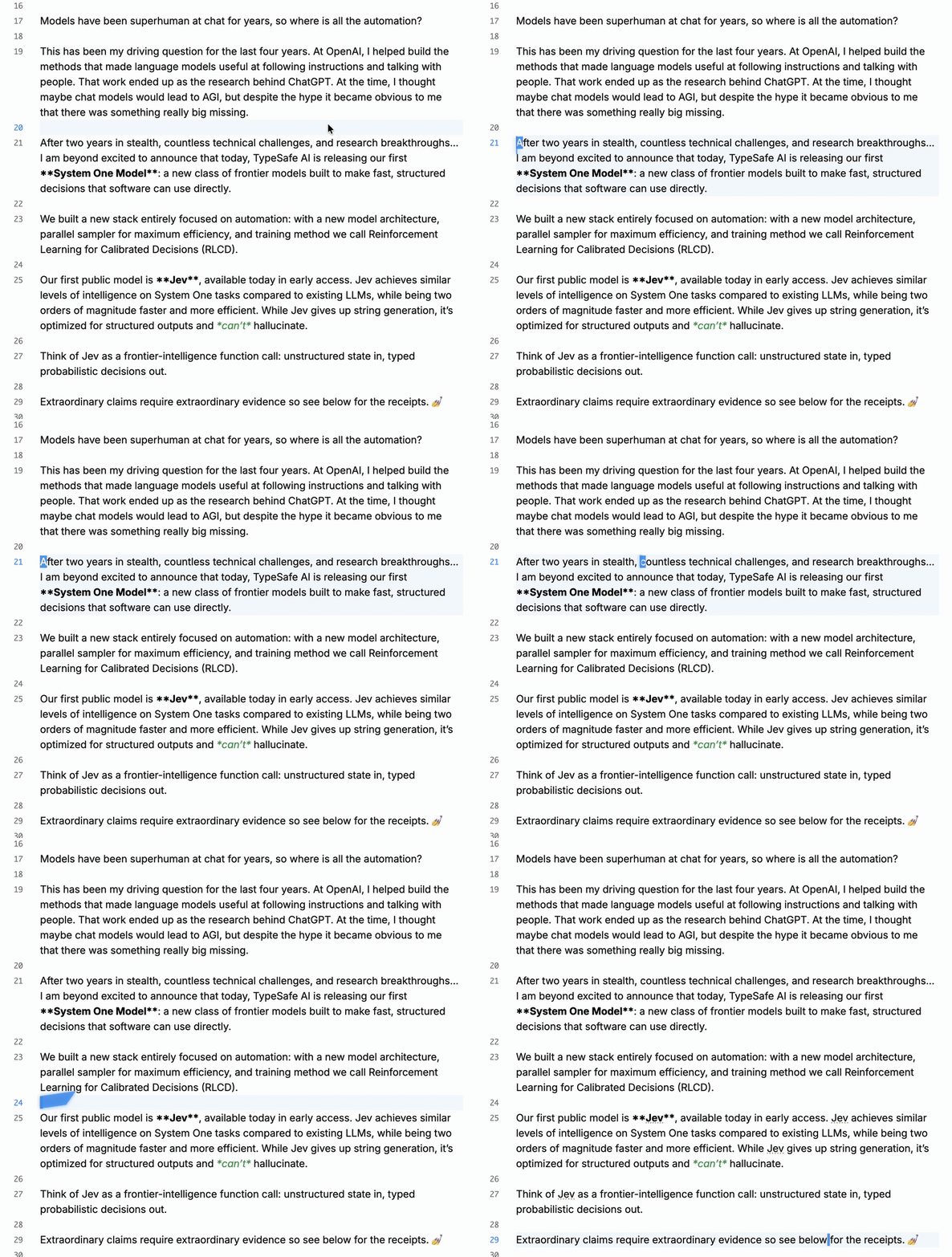
A smooth, four-corner spring cursor trail for Obsidian's desktop Markdown editor, adapted from Neovide-Cursor. It works in both Source mode and Live Preview. Each editor pane animates independently, so the trail does not fly between files or panes.
Demo
Installation
Once the plugin is listed in the community directory, open Settings → Community plugins → Browse in Obsidian, search for Neovide Cursor Trail, and install it.
Until then, you can install it manually:
- Download
main.js,manifest.json, andstyles.cssfrom the latest GitHub release. - Put the three files in
<your vault>/.obsidian/plugins/neovide-cursor-trail/. - Enable Neovide Cursor Trail under Settings → Community plugins.
The plugin does not require VS Code or Custom CSS and JS Loader.
Settings
You can adjust the animation duration, trail strength, opacity, glow, and color, or turn the effect off. By default, the trail follows the current theme's editor cursor color. You can also enter a custom six-digit hex color. The animation pauses when your system's Reduce motion setting is enabled.
Scope
- Works only in the desktop Markdown editor, in Source mode and Live Preview.
- Animates the primary cursor only. The native cursor remains visible while selecting text, using multiple cursors, composing text with an input method, scrolling, or moving focus away from the editor.
- Does not animate cursors in Canvas, search fields, property fields, Reading view, or Obsidian mobile.
Build from source
Use Node.js 22 or newer to build and run the tests:
npm ci
npm run build
npm test
The build writes main.js to the repository root. Install it together with manifest.json and styles.css.
Release process
Keep the versions in package.json, manifest.json, and versions.json in sync. Push a tag that exactly matches the version in manifest.json (for example, 0.1.0, without a v prefix). GitHub Actions builds and tests the plugin, then creates a draft release containing the three installable files. Add release notes and publish the release. For the first community directory submission, sign in at Obsidian Community, connect your GitHub account, and submit this repository. The plugin becomes searchable in Obsidian after the directory accepts it.
Credits and license
The four-corner spring model and motion parameters are adapted from 30d98f9b2/Neovide-Cursor by LengineerC. Azdmjiny maintains this plugin and added its Obsidian integration, settings, and lifecycle management. The plugin is licensed under MIT; the original copyright notice is preserved in LICENSE.
For plugin developers
Search results and similarity scores are powered by semantic analysis of your plugin's README. If your plugin isn't appearing for searches you'd expect, try updating your README to clearly describe your plugin's purpose, features, and use cases.