Nested Markdown Renderer
approvedby joechen
Renders nested GFM tables and repairs indented callouts in Live Preview. - This plugin has not been manually reviewed by Obsidian staff.
Nested Markdown Renderer


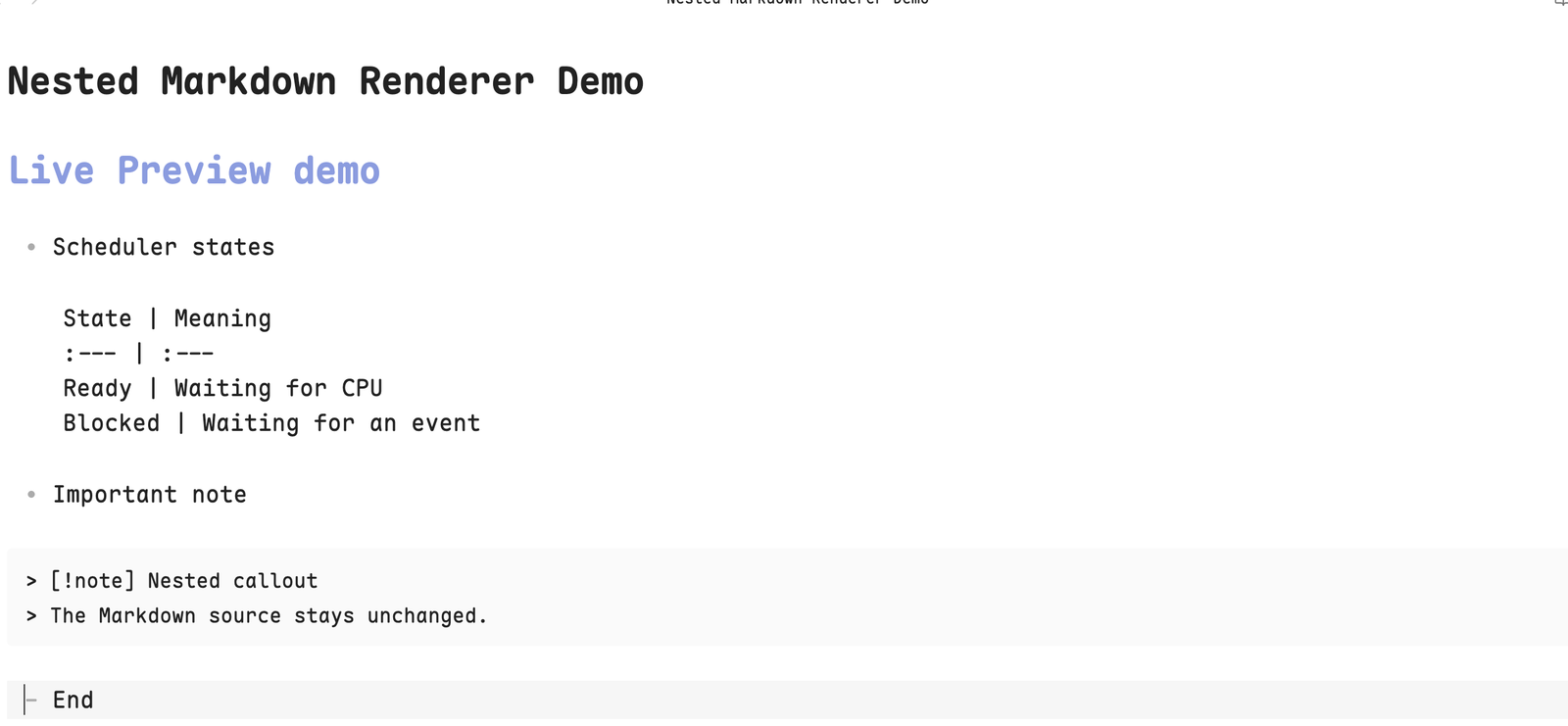
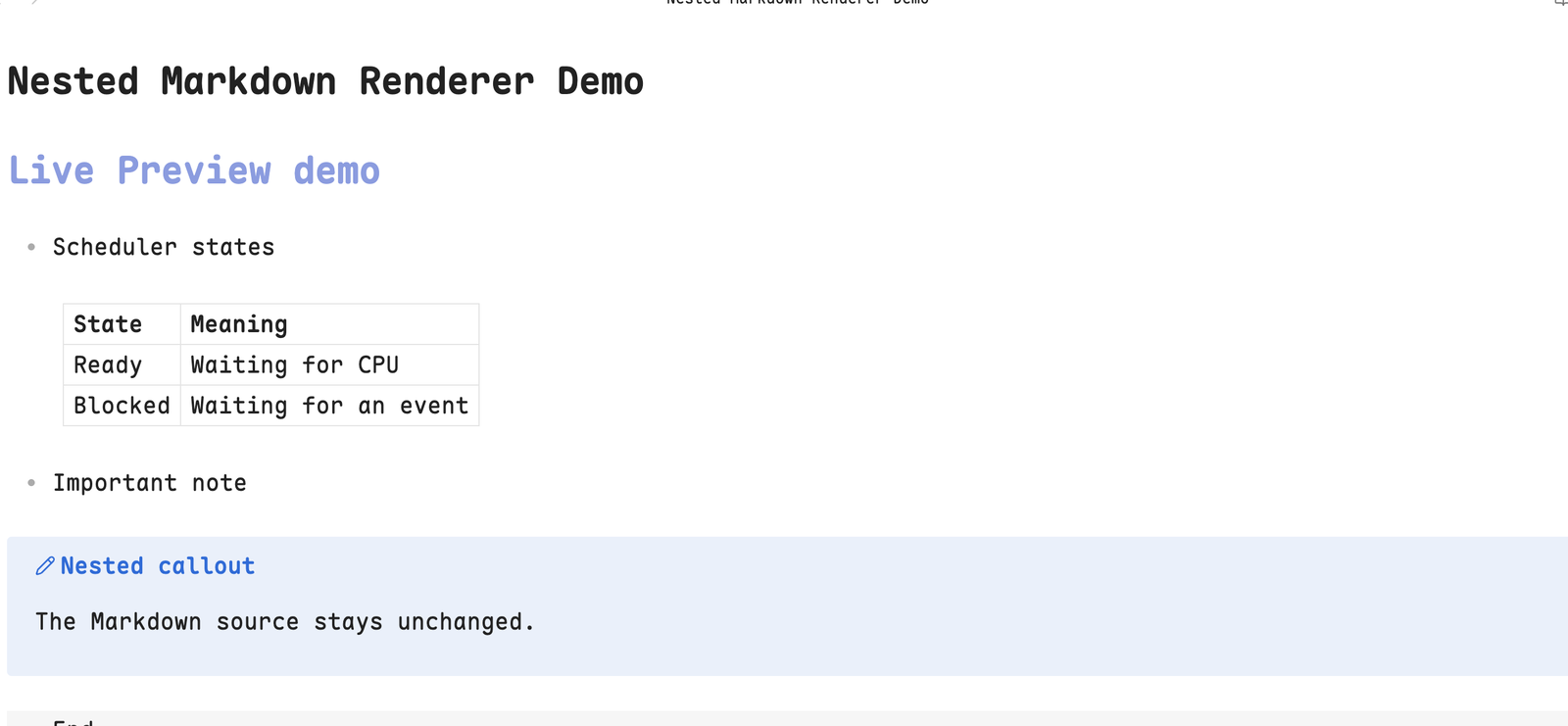
Render nested Markdown tables and indented callouts correctly in Obsidian Live Preview without changing note source.
Why
Obsidian Reading view can render GFM tables nested inside list items, but Live Preview may leave the same table as pipe-delimited source text. Indented callouts can similarly degrade into code blocks. Nested Markdown Renderer closes those two gaps while preserving immediate source editing.
Features
- Renders nested GFM tables as semantic HTML
<table>elements. - Supports optional leading and trailing pipes, escaped pipes, alignment markers, and single-column tables.
- Preserves inline Markdown, links, and integrations that process rendered tables.
- Repairs indented callouts that appear as code blocks in Live Preview.
- Keeps folded callouts folded.
- Reveals the original Markdown when the cursor enters a table or the rendered table is clicked.
- Never rewrites note content.
- Works entirely offline and makes no network requests.
Supported syntax
- Comparison

	Feature | Live Preview | Reading view
	:--- | :---: | ---:
	Semantic table | Yes | Yes
Leading and trailing pipes remain optional, as defined by GFM. The table must be nested under a list item and its header and delimiter rows must have matching column counts.
Indented callouts use normal Obsidian syntax:
- Important detail

	> [!note]- Collapsed note
	> Callout content.
Installation
Community directory
- Open Settings → Community plugins in Obsidian.
- Select Browse and search for Nested Markdown Renderer.
- Install and enable the plugin.
You can also open the listing directly: Add to Obsidian.
BRAT
- Install the BRAT plugin.
- Run BRAT: Add a beta plugin for testing.
- Enter
JoeChen2me/obsidian-nested-markdown-renderer. - Enable Nested Markdown Renderer under Settings → Community plugins.
Manual installation
- Download
main.js,manifest.json, andstyles.cssfrom the latest GitHub release. - Place them in
<vault>/.obsidian/plugins/nested-markdown-renderer/. - Reload Obsidian and enable Nested Markdown Renderer.
Compatibility
- Obsidian 1.12.7 or later.
- Desktop only in the initial release.
- Tested on macOS with Live Preview.
Reading view already renders these blocks correctly and is left untouched.
Limitations
- The plugin only handles tables nested beneath list items. Top-level tables remain under Obsidian's native renderer.
- Callout repair relies on Obsidian's current Live Preview DOM structure because no public preprocessing hook exists for this case.
- Mobile support is intentionally disabled until dedicated mobile testing is complete.
Similar plugins
Indented Table improves the readability of pipe-delimited source with editor decorations. Nested Markdown Renderer instead renders a semantic table and also repairs nested callouts. The implementations are independent.
Privacy and security
Nested Markdown Renderer:
- does not collect telemetry;
- does not read or write files through Obsidian's Vault or Adapter APIs;
- does not persist or transmit note content;
- does not access the network;
- does not execute remote code.
It only inspects the active CodeMirror document and rendered editor DOM.
Development
npm install
npm run check
npm run dev
npm run dev watches TypeScript sources and writes main.js at the repository root. Copy main.js, manifest.json, and styles.css into the plugin folder in a test vault, then reload the plugin.
License
For plugin developers
Search results and similarity scores are powered by semantic analysis of your plugin's README. If your plugin isn't appearing for searches you'd expect, try updating your README to clearly describe your plugin's purpose, features, and use cases.