by Wanja Zemke
Not anOther Pdf Exporter. Export notes to publication-ready PDFs via Pandoc and the Eisvogel LaTeX template. Docker-powered toolchain, no LaTeX install required.
NOPE
NOPE ( Not anOther Pdf Exporter ) turns Obsidian notes into publication-ready PDFs through a Docker-based Pandoc/LaTeX pipeline. You write in Obsidian, keep your notes modular and export a polished PDF without installing a local TeX distribution.
The core authoring model is atomic: chapters, theorems, tables, glossary entries, diagrams and other reusable blocks live in their own notes and are embedded into a main document. Cross-references number themselves ("Theorem 1.1", "Table 5"), glossaries and bibliographies build themselves, branding comes from a note.
Under Construction: NOPE is still in early development. The Plugin is not stable yet and there may be breaking changes. Feedback and contributions are very welcome to help shape the direction of the plugin.
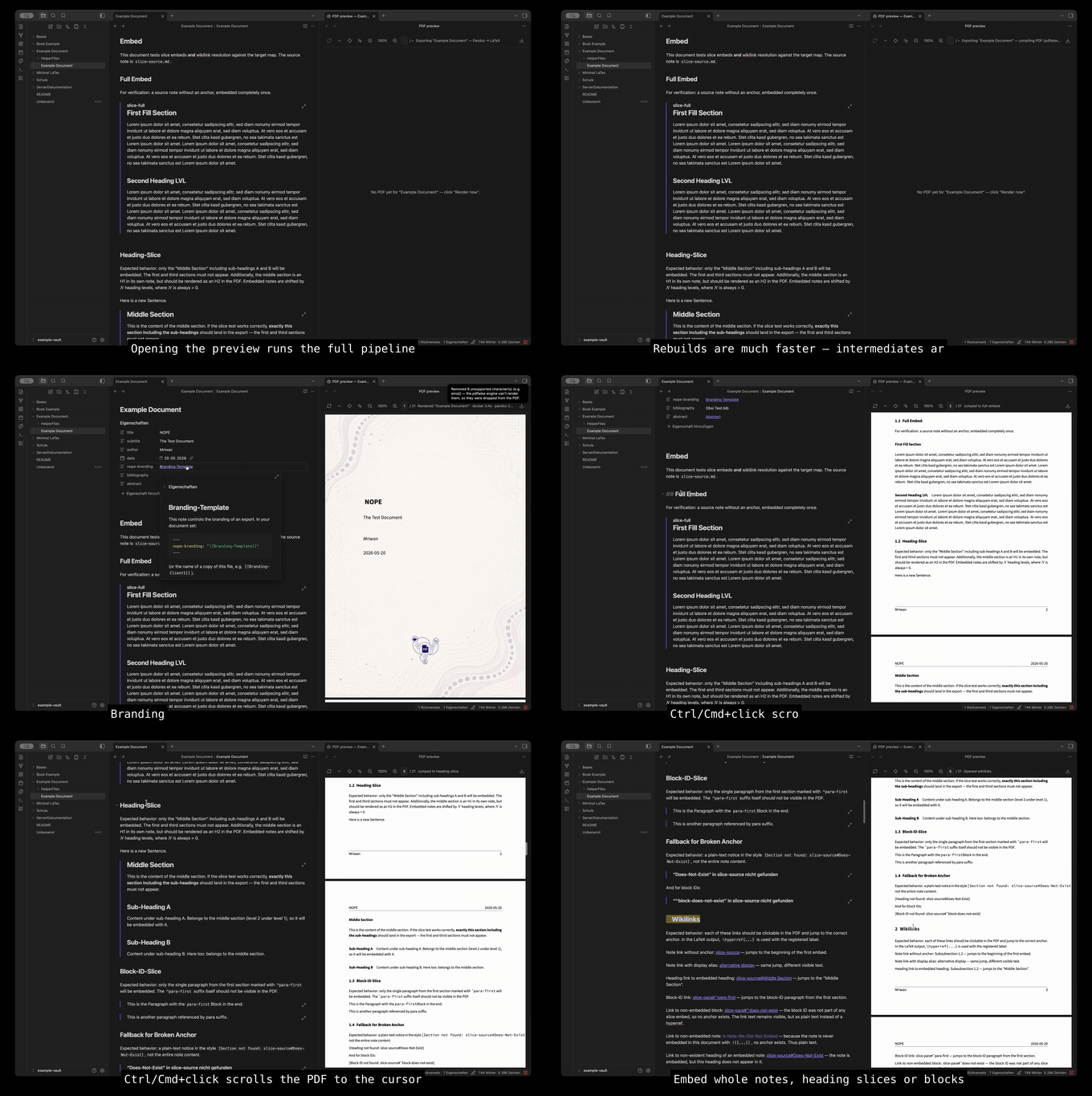
Full feature tour (video):
https://github.com/user-attachments/assets/962cc7c4-eca4-4ed5-a45c-2170d8e9f676
Documentation
See NOPE wiki. Feature pages show the Markdown source next to the exported PDF, built by the pipeline itself:
- Getting started: install, first export, live preview
- Atomic notes, embeds & refs: the concept everything builds on
- Structured blocks: tables, math, theorems, mermaid, figures, code blocks & stat blocks
- Branding & custom templates: reusable looks per document type, own LaTeX templates, per-document packages
- Reference: every frontmatter key, all commands, troubleshooting
Install
Platform support: Only Linux and macOS are tested. Windows is experimental and currently untested. Feedback and reports are very welcome.
- Install Docker (Docker Desktop or any compatible runtime).
- Install the Nope plugin from the Obsidian community plugins and enable it.
- Run Open PDF preview from the command palette.
The first export pulls the prebuilt pipeline image from ghcr.io/mriwan/nope-pipeline (1–3 minutes). After that, exporting is a single command. The settings page runs preflight checks and pinpoints anything missing.
AI skill integration
The Install AI conventions skill command copies NOPE's authoring conventions into the vault as a skill, so AI assistants generate correctly structured atomic notes (proper latex-env frontmatter, embeds, captions) instead of inline approximations.
License
Copyright (C) 2026 Wanja Zemke
NOPE is free software: you can redistribute it and/or modify it under the terms of the GNU General Public License v3.0 as published by the Free Software Foundation, either version 3 of the License, or (at your option) any later version.
It is distributed in the hope that it will be useful, but WITHOUT ANY WARRANTY; without even the implied warranty of MERCHANTABILITY or FITNESS FOR A PARTICULAR PURPOSE. See the full license text in LICENSE for details.
A note on AI assistance
Parts of this codebase were written with the help of Claude. Everything was reviewed, tested and understood before being committed.
For plugin developers
Search results and similarity scores are powered by semantic analysis of your plugin's README. If your plugin isn't appearing for searches you'd expect, try updating your README to clearly describe your plugin's purpose, features, and use cases.