by remageht
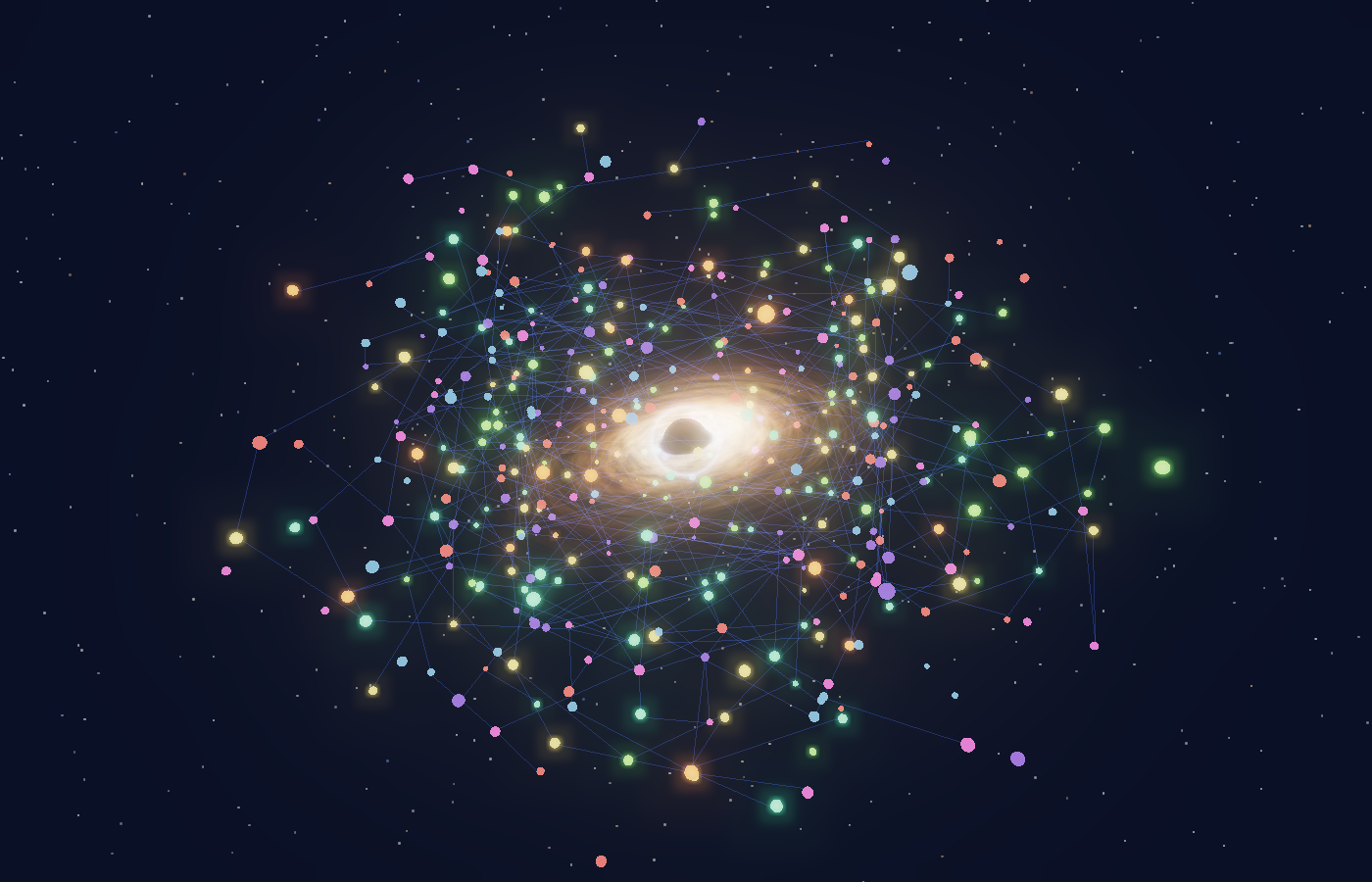
A 3D note graph with an animated accretion disk, star-like notes and a live dashboard.
Note Galaxy

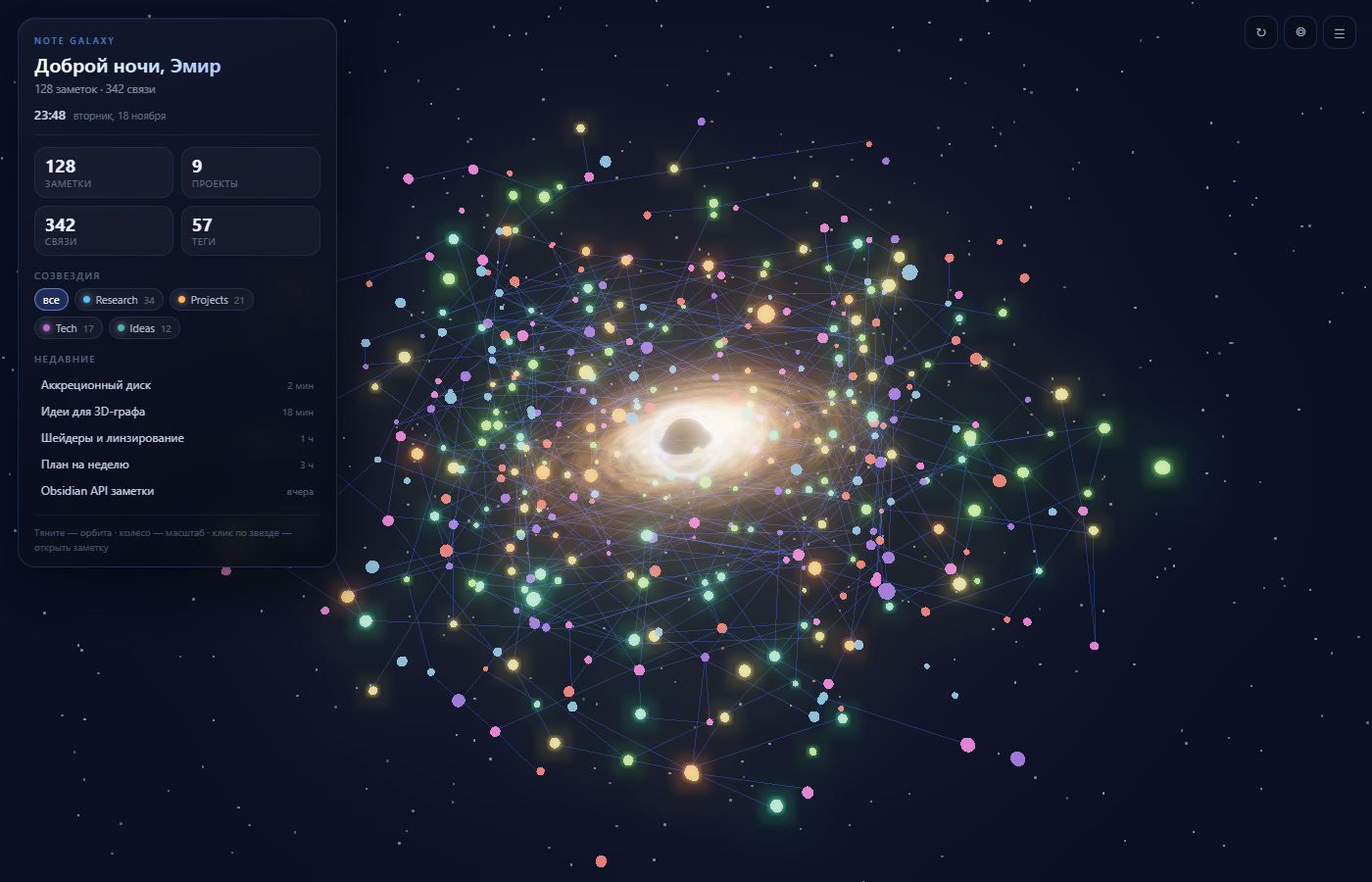
A 3D note graph for Obsidian. Notes become stars orbiting an animated black hole, projects glow as golden cores, and a dashboard greets you with the day's context.
Features
- 3D graph — force layout (spiral + springs + soft shell), notes slowly drift and bob.
- Accretion disk — GLSL shader with differential rotation, turbulent clumps, a temperature gradient and Doppler beaming on one side.
- Bloom —
UnrealBloomPassfor the disk, the photon ring and the stars. - Dashboard — time-of-day greeting, clock, stats (notes / projects / links / tags), folder "constellations" with a filter, and recent notes.
- Interaction — hover highlights a star's links and title, click opens the note, scroll zooms, drag orbits.
- 11 languages — English, Русский, Українська, Deutsch, Español, Français, Italiano, Português (Brasil), Polski, 简体中文, 日本語. Auto-detected from Obsidian, switchable in settings.
- Procedural celestial shaders & rings — stars with convective boiling plasma, gas giants with atmospheric bands and Cassini-divided rings, terrestrial planets with oceans and Rayleigh scattering, and vertex-displaced craggy asteroids.
- Keplerian orbital dynamics — notes orbit with differential angular velocities according to Kepler's laws, updating connection lines dynamically at 60 FPS.
- Photon pulse packets — glowing energy packets continuously traverse links between connected notes.
- Dedicated Dashboard view — open the dashboard in the right sidebar or split pane with live fly-to camera navigation.
- Focal gravity center — right-click or use the toolbar button to center the whole galaxy around any note or tag-star ("Solar System" mode).
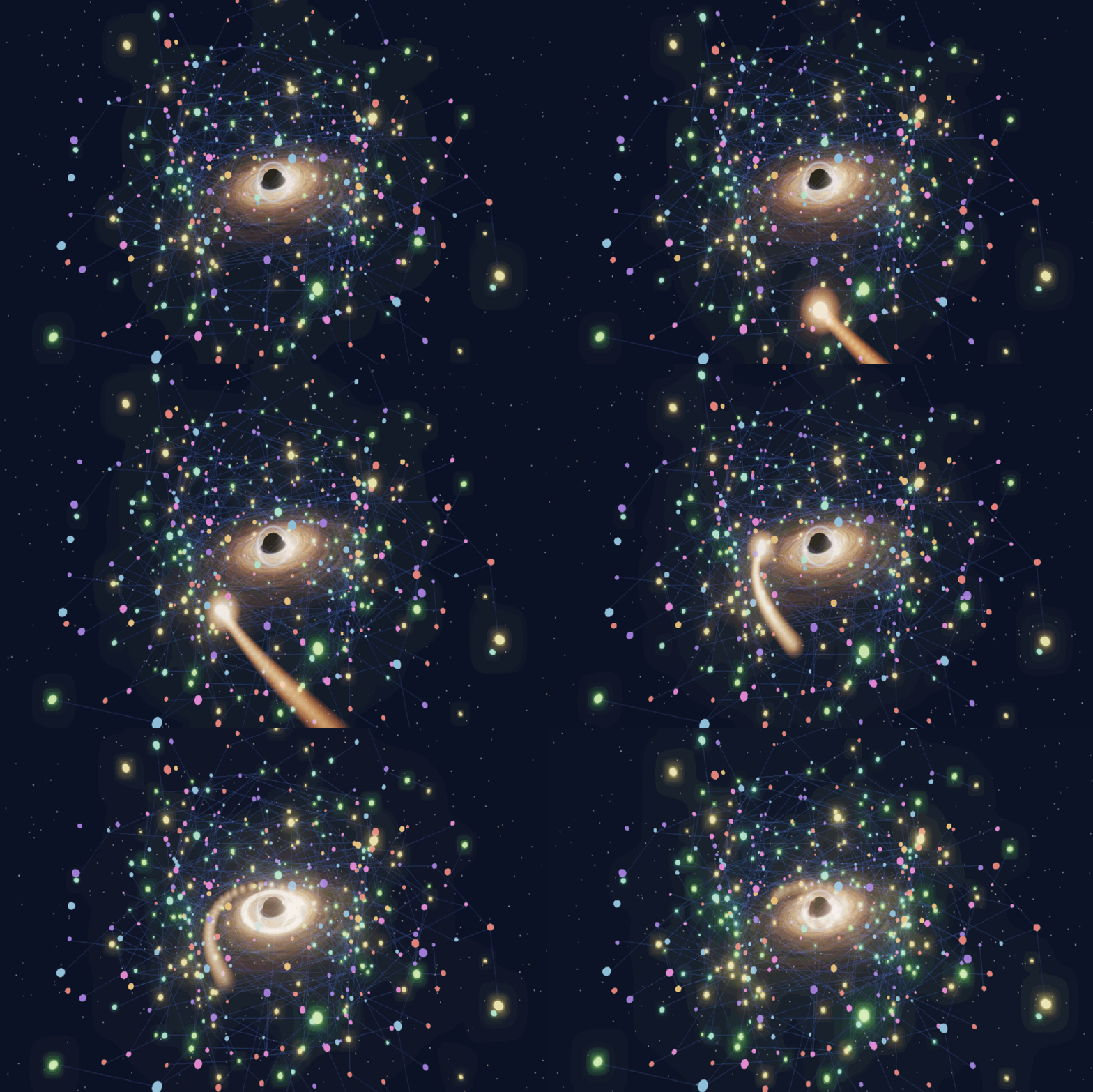
- Infall transition — opening a note sends it spiralling into the horizon, with a shock ring at the crossing. Skipped when the system asks for reduced motion.
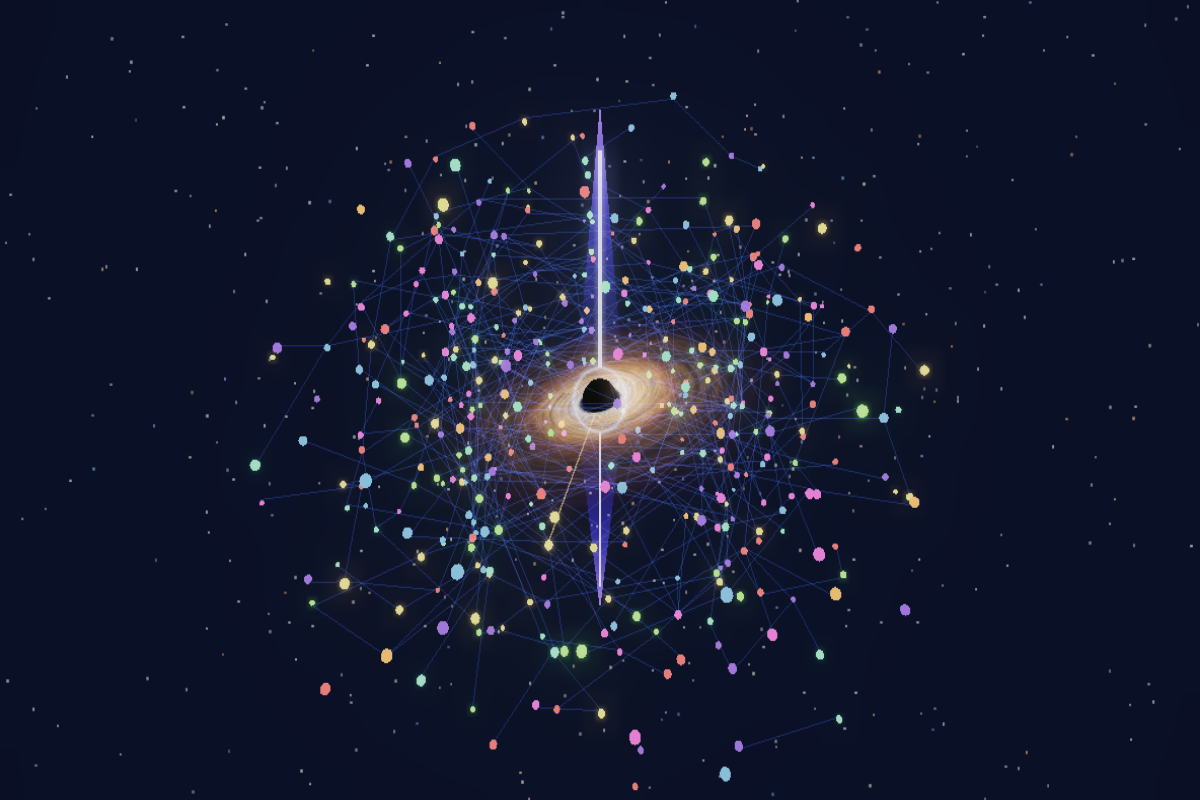
- Quasar jets — the most connected note powers jets above and below the disk and feeds them with a visible accretion stream.
- Activity layout — recently edited notes orbit closer to the disk and glow hotter, stale ones drift out to the shell and cool down.
- Adaptive quality — glow and resolution step down when frames drop, and a lost WebGL context rebuilds itself instead of freezing on a black canvas.
Opening a note
Quasar jets
Install
Manual
- Download
main.js,manifest.jsonandstyles.cssfrom the latest release. - Put them into
<vault>/.obsidian/plugins/note-galaxy/. - Enable Note Galaxy in Settings → Community plugins.
BRAT
Add the repository remageht/note-galaxy in the BRAT plugin and click Add Plugin.
Usage
Open the graph with the orbit ribbon icon or run Note Galaxy: Open 3D graph from the command palette. In the view: drag to orbit, scroll to zoom, click a star to open the note.
Notes are ranked by link degree, so the most connected ones make it into the scene.
A note counts as a project when it lives in a project/projects/проект/проекты
folder, has a #project/#проект tag, or type: project in frontmatter.
Settings
| Setting | What it does |
|---|---|
| Language | Auto / English / Русский, applies without reload |
| Name for the greeting | Good evening, … |
| Dashboard | Show or hide the side panel |
| Note labels | Titles of the most connected notes in space |
| Glow (bloom) | Halo strength |
| Disk speed | Accretion disk animation speed |
| Star size | Scale of note dots |
| Galaxy rotation | Rotation speed of the note cloud |
| Maximum notes | How many nodes to render |
Development
npm install
npm run dev     # watch build into main.js
npm run build   # type-check + production bundle
src/
  main.ts              plugin entry, commands, settings
  i18n/                dictionaries and locale matching
  view/GraphView.ts    ItemView: scene, camera, raycasting, labels
  scene/blackhole.ts   black hole, accretion disk, starfield
  scene/notes.ts       instanced note stars and links
  data/graph.ts        graph from metadataCache
  data/layout.ts       3D force layout
  ui/dashboard.ts      dashboard panel
A standalone scene preview lives in preview/:
npx esbuild preview/preview.ts --bundle --format=iife --outfile=preview/bundle.js
Then open preview/index.html in a browser.
Adding a language
- Copy
src/i18n/en.tstosrc/i18n/<code>.tsand translate the strings. - Add the code to
LanguageCodeinsrc/i18n/types.ts. - Import the dictionary and add it to
DICTSandLANGUAGESinsrc/i18n/index.ts. - Run
npm run build. The settings dropdown picks the new language automatically.
Credits
Built with three.js (MIT). The bundled license notice is
preserved at the end of main.js.
License
For plugin developers
Search results and similarity scores are powered by semantic analysis of your plugin's README. If your plugin isn't appearing for searches you'd expect, try updating your README to clearly describe your plugin's purpose, features, and use cases.