Camera
approvedby aldrinjenson
Create and save snaps or video recordings.
★ 38 stars↓ 16,088 downloadsUpdated 2y ago
Obsidian Camera
Camera plugin for Obsidian(https://obsidian.md).
Note: This software is in Beta and may have some issues in certain systems like mobile devices
Features
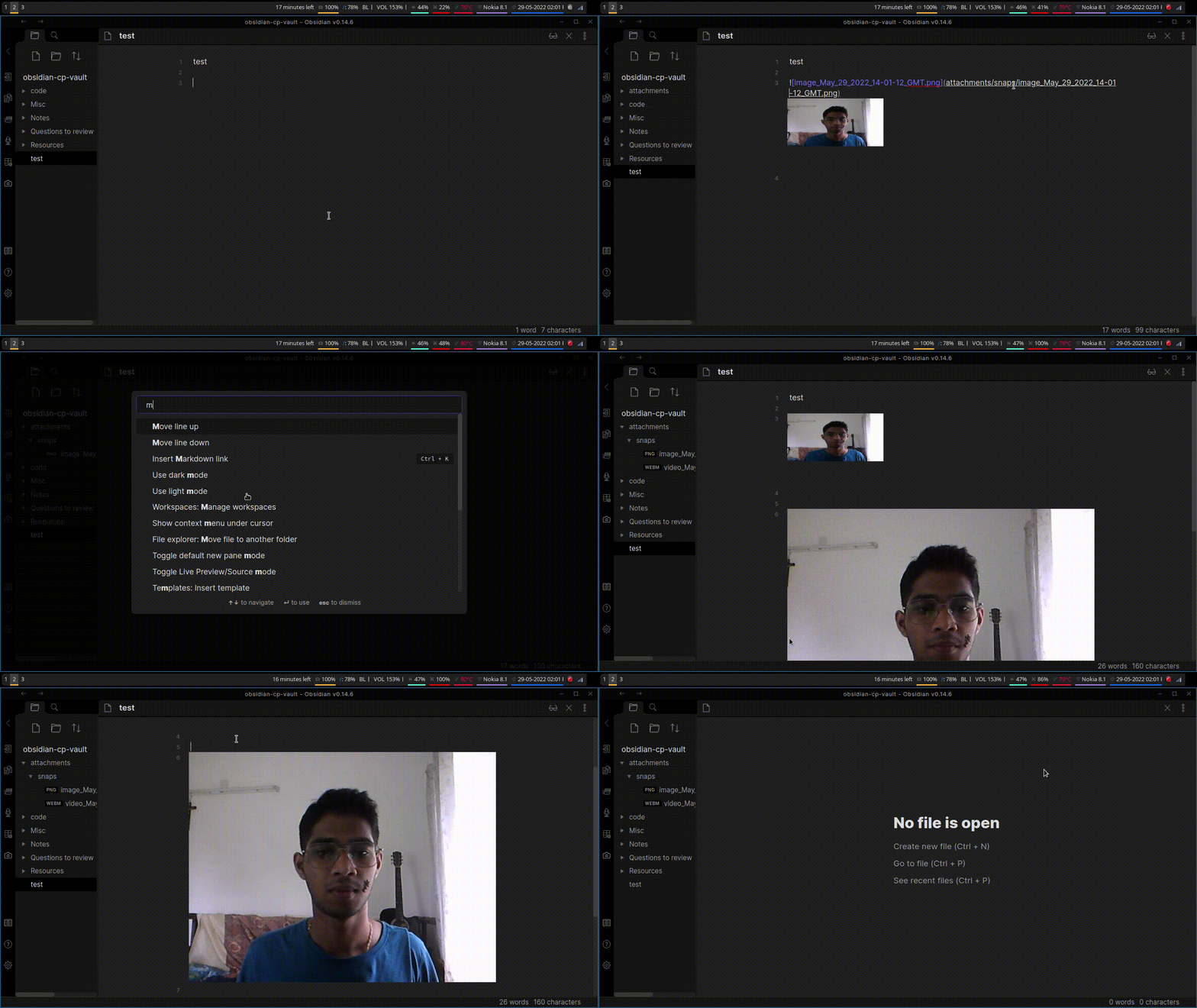
- Take photo and video recordings and have them saved in vault
- Create and paste links to the recording automatically if a markdown file is open
- File picker
Note
- This was built primarily with Obsidan-desktop in mind
- Mobile version mostly works, but there may be some differences depending on the mobile manufacturer
Installataion
Install directly by browsing from community plugins.
Or
Manual Installation:
- Create a new folder called obsidian-camera in
VaultFolder/.obsidian/pluginsfolder - Copy the
main.jsandmanifest.jsonfiles to this folder - reload Obsidian
- enable "Obsidian Camera" extension under Settings>Community plugins>Installed pluggins
Usage:
- Open command palette and search for "camera" once the extension is enabled OR
- Click the camera icon in the left ribbon
Demo
For plugin developers
Search results and similarity scores are powered by semantic analysis of your plugin's README. If your plugin isn't appearing for searches you'd expect, try updating your README to clearly describe your plugin's purpose, features, and use cases.