PDF Highlights
approvedby akaalias
Extract highlights, underlines and annotations from your PDFs.
★ 242 stars↓ 112,196 downloadsUpdated 5y ago
Extract your PDF text-highlights into Obsidian
This plugin allows you to extract highlighted and underlined text from your PDFs into a markdown file in your Obsidian vault.
How it works
After you've installed and activated the plugin:
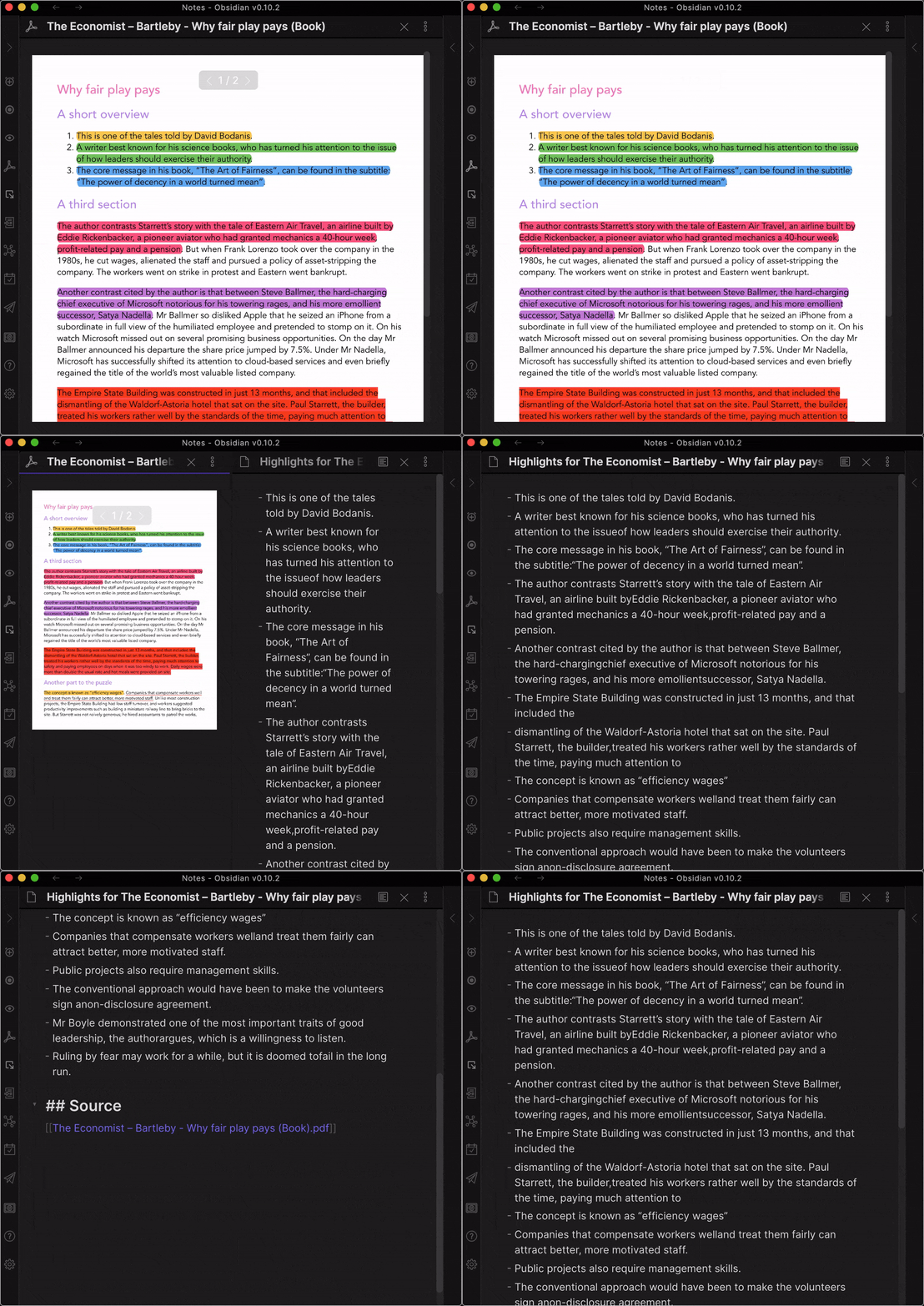
- Drop your highlighted PDF into your Obsidian vault
- Open the PDF in Obsidian
- Click the "PDF" icon in the left sidebar
Demo with default settings
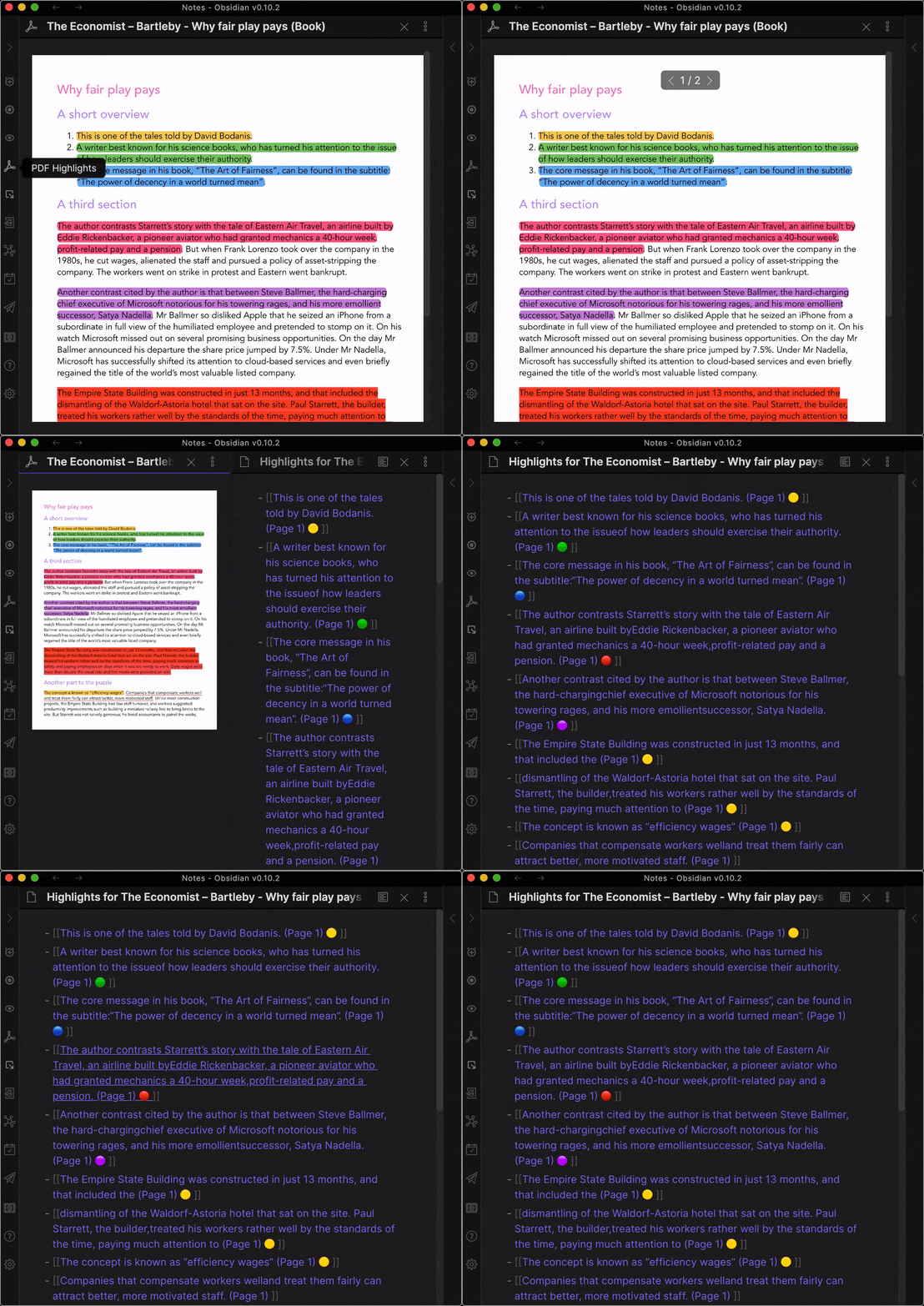
Demo with all optional settings turned on
Optional settings
- Include page number (Default: off)
- Include highlight color (Default: off)
- Create links (Default: off)
Backlog
The list of features and improvements for this plugin.
ICEBOX
- Record demo video, quick-start walk-through for new users
TODO
- Auto-create notes from links with highlight/annotation as quote with backlink to source PDF
- Group highlights by highlight color (Optional)
- Add progress bar/modal to show "Processed Page 5/10 (50%)" or similar for longer PDFs
- Fix missing space after newline (Very complex)
DOING
...
DONE
- Refactor pdfjs import to not overload Obsidian worker (Ideas from @lishid?)
- Show highlight color (Optional)
- Auto-link list items (Optional)
- Refactor/extract PDF from main.ts
- Add Page-number to each highlight (Optional)
- Sort highlights by position in document and page (Mandatory)
- Extract unsorted list of HIGHLIGHT annotations
- Extract unsorted list of TEXT annotations
- Extract unsorted list of UNDERLINE annotations
- Decide if to integrate with existing Highlights Plugin
Contribute
I'd love to hear from you, so please check out the Contribution page to get in touch!
Major Thanks
This plugin stands on the shoulders of Joseph Devietti and his 2012 pull-request for PDFJS.
For plugin developers
Search results and similarity scores are powered by semantic analysis of your plugin's README. If your plugin isn't appearing for searches you'd expect, try updating your README to clearly describe your plugin's purpose, features, and use cases.