QR Code Generator
approvedby rudimuc
QR code generator.
★ 41 stars↓ 12,691 downloadsUpdated 2y agoMIT



QR Code Generator Obsidian Plugin
This is a plugin for Obsidian to display QR Codes.
The library used for generating QR Codes is node-qrcode.
Installation
From within Obsidian
From Obsidian v0.9.8, you can activate this plugin within Obsidian by doing the following:
- Open Settings > Third-party plugin
- Make sure Safe mode is off
- Click Browse community plugins
- Search for "QR Code Generator"
- Click Install
- Once installed, close the community plugins window and activate the newly installed plugin
From Github
- Clone this repository
- Follow the instructions of the official Obsidian Sample Plugin to deploy it in your local installation
Usage
Type the qrcode keyword to use the QR Code Plugin.
```qrcode
https://github.com
```
The result will be this:
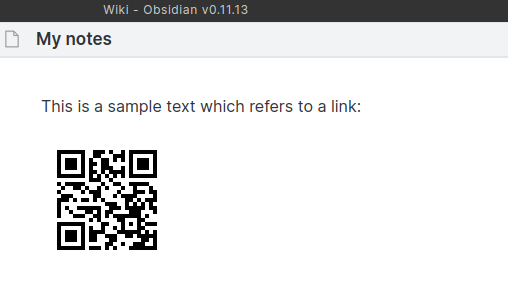
For complex QR Code generation (which means customizable codes) use the keyword qrcode-complex instead.
```qrcode-complex
{
   "text": "this is my data",
   "width": 400,
   "margin": 20,
   "dark": "#0FF",
   "light": "#FFF",
   "errorCorrectionLevel": "M"
}
```
You have the following options:
| parameter | required | description |
|---|---|---|
| text | yes | The data/content for the code |
| width | optional (default = auto) | integer value for the size |
| margin | optional (default = 4) | Define how much wide the quiet zone should be. |
| dark | optional (default = #000000) | RGB or RGBA Hex-Code for the dark Pixels |
| light | optional (default = #FFFFFF) | RGB or RGBA Hex-Code for the light Pixels |
| errorCorrectionLevel | optional (default = L) | Defines the error resistance. Possible values: L = 7% / M = 15% / Q = 25% / H = 30% - The percentage indicates the maximum amount of damaged surface after which the symbol becomes unreadable. |
Version History
1.2.1
- Issue #7: Changed the plugin name to be compliant with the Obsidian rules.
1.2.0
- Updated to new plugin structure
- Some small code refactorings
1.1.0
- Fixed the import issue
- Updated to qrcode lib version 1.5
1.0.2
- Error Correction Level added
1.0.1
- Fixed Issue #1 New Keyword for complex QR Codes with settings
- Plugin class name changed
1.0.0
- Initial Release
📈 Star History
For plugin developers
Search results and similarity scores are powered by semantic analysis of your plugin's README. If your plugin isn't appearing for searches you'd expect, try updating your README to clearly describe your plugin's purpose, features, and use cases.