Zoom
approvedby vslinko
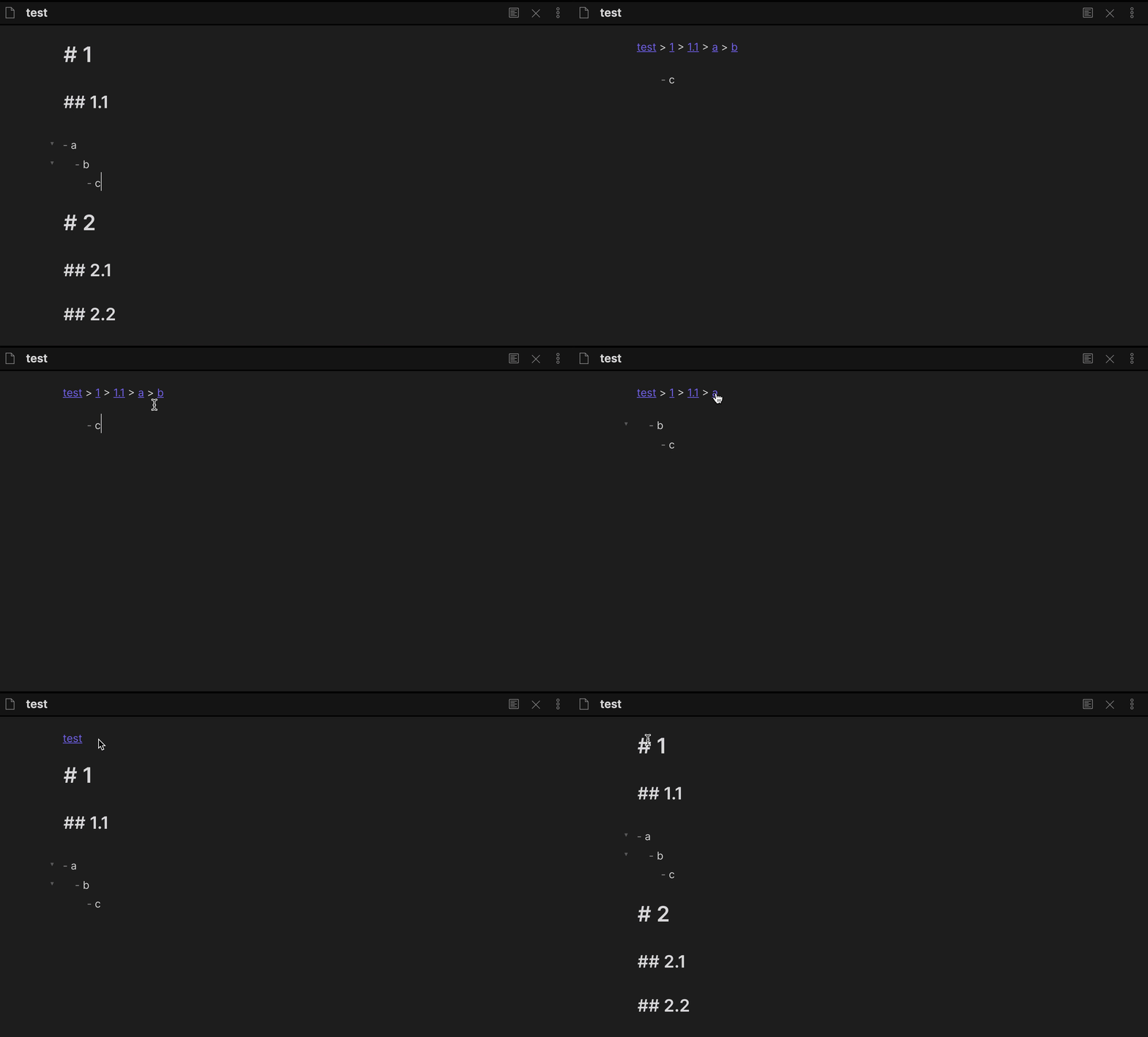
Zoom into heading and lists.
Obsidian Zoom


Zoom into heading and lists
⁉️ Discuss ideas or ask a question
⚙️ Follow the development process
🐛 Report issues
Demo
How to install
From within Obsidian
You can activate this plugin within Obsidian by doing the following:
- Open Settings > Third-party plugin
- Make sure Safe mode is off
- Click Browse community plugins
- Search for "Zoom"
- Click Install
- Once installed, close the community plugins window and activate the newly installed plugin
Manual installation
Download main.js, manifest.json, styles.css from the latest release and put them into <vault>/.obsidian/plugins/obsidian-zoom folder.
Features
Zoom in to a specific list or heading
Hide everything except the list/heading and its content.
| Command | Default hotkey (Windows/Linux) | Default hotkey (MacOS) |
|---|---|---|
| Zoom in | Ctrl. | Command. |
| Zoom out the entire document | CtrlShift. | CommandShift. |
| Setting | Default value |
|---|---|
| Zooming in when clicking on the bullet | true |
Debug mode
Open DevTools (Command+Option+I or Control+Shift+I) to copy the debug logs.
| Setting | Default value |
|---|---|
| Debug mode | false |
Pricing
This plugin is free for everyone, however, if you would like to thank me or help with further development, you can donate in one of the following ways:
Patrons & Supporters
I want to say thank you to the people who support me, I really appreciate it!
- Lucas D
- Philipp K.
- Daniel B.
- Mat Rhein (@mat_rhein7)
- Ollie Lovell
- Faiz MK (@faizkhuzaimah)
- more patrons and anonymous supporters
For plugin developers
Search results and similarity scores are powered by semantic analysis of your plugin's README. If your plugin isn't appearing for searches you'd expect, try updating your README to clearly describe your plugin's purpose, features, and use cases.