Open Terminal Panel
approvedby aione314159
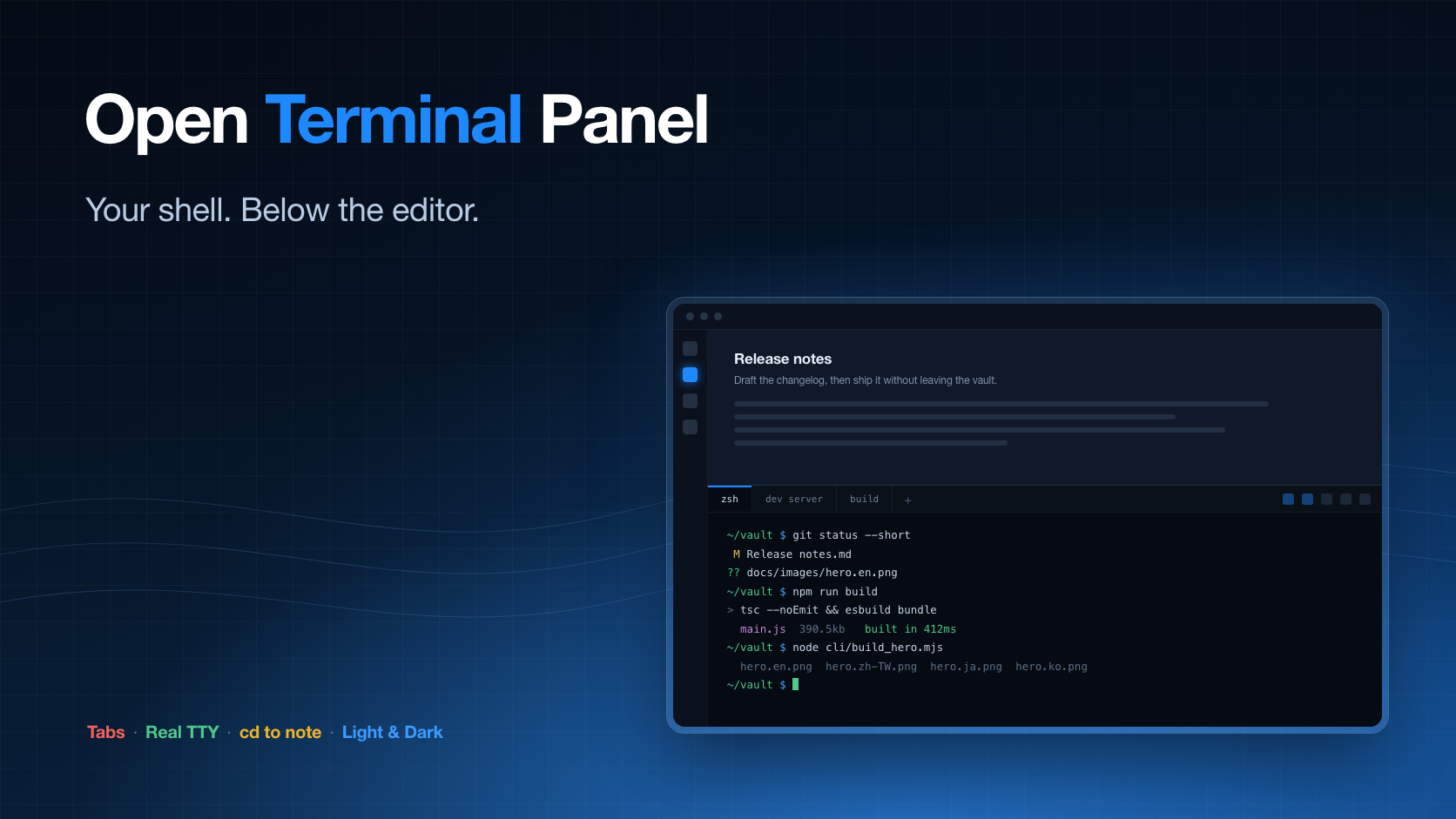
A real terminal below the editor: several shells in tabs, each with a real TTY, plus one-click cd to your vault or to the folder of the note you are editing. - This plugin has not been manually reviewed by Obsidian staff.
Open Terminal Panel
An Obsidian plugin that docks a real terminal below the editor — several shells in tabs, each with its own TTY. Desktop only.






A real terminal inside Obsidian. It opens as a panel below the editor — where a terminal belongs in an editor window — and keeps several shells in tabs.
📥 Download · 💡 What it does · ⚙️ Settings · 🖥️ Real TTY · 🐞 Report an issue
Not a fake shell: every tab gets a real TTY, so vim, htop, git rebase -i, a dev
server and colored output all behave the way they do in your terminal app.
Desktop only. The plugin drives a native pty and cannot run on mobile.
What it does
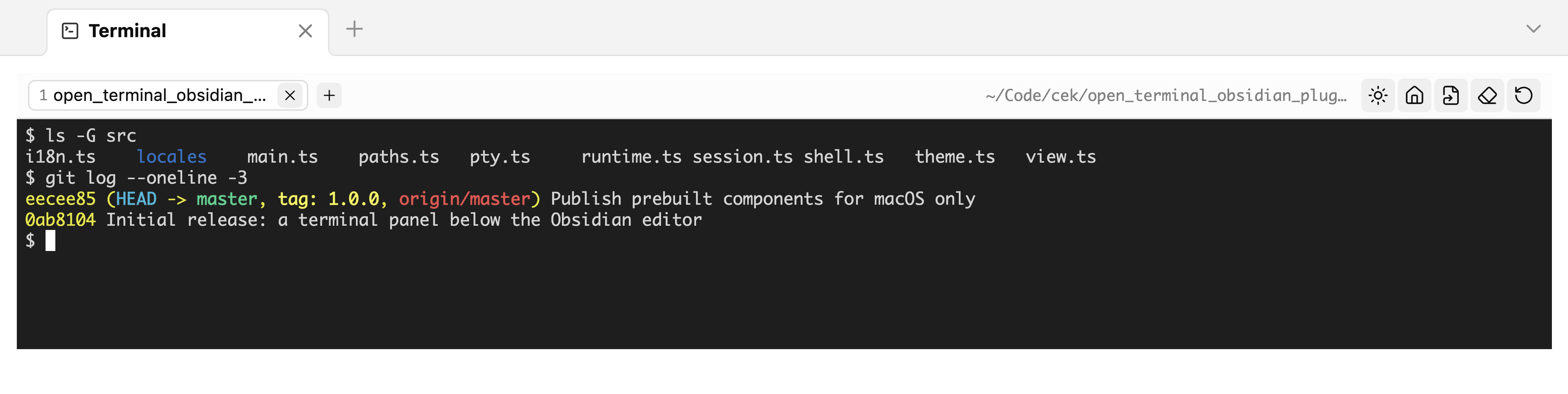
- Opens below the editor, and comes back on the next start if you left it open. Its height is a share of the editor area that you set once; the divider stays draggable.
- Tabs. Each tab is its own shell. Closing one kills that shell and nothing else, and a shell that exits keeps its output so you can still read what happened.
- Jump to a folder. One button types
cdto the vault, another to the folder of the note you are editing. Paths are quoted, so a folder named$(id)is typed, not executed. - Its own palette. Light or dark, deliberately independent of the Obsidian theme: the 16 ANSI colors need a fixed contrast baseline to stay readable.
- Six interface languages, following Obsidian by default.
Install
From the community store
Install and enable Open Terminal Panel, then open the panel. The first time, it asks to
download one more piece: node-pty, the native module that provides the TTY.
The store only ever installs main.js, manifest.json and styles.css, so a native
binary cannot travel with a plugin. Instead the panel shows the exact URL — an asset
on this repository's own release, matching the plugin version and your platform — and
waits for you to press the button. Nothing is downloaded in the background, and the
archive is unpacked only into the plugin's own folder. The SHA-256 of what was
downloaded is printed after the install, and the same checksum is published next to
the release as node-pty-<platform>.tar.gz.sha256.txt.
To do it yourself instead, unpack that archive into
<vault>/.obsidian/plugins/open-terminal-panel/.
Prebuilt components are published for macOS on Apple silicon and Intel — those are
the builds this project can produce and verify. On Windows or Linux the panel says so
and you install from source instead, which builds node-pty on the machine itself.
From source
git clone https://github.com/aione314159/open-terminal.git
cd open-terminal
./cli/install_obsidian_plugin.sh            # first vault found in obsidian.json
./cli/install_obsidian_plugin.sh /path/to/vault
This builds the bundle, copies it into the vault, and installs node-pty from your
own npm install — so the download step never appears. Then reload community plugins
in Obsidian and enable Open Terminal Panel.
Use
| Where | What |
|---|---|
| Ribbon icon | Open the panel |
| Command palette | Open / toggle the panel, new tab |
+ in the tab strip | New tab in the configured working folder |
| Middle click a tab | Close it |
| Header buttons | cd to vault · cd to the note's folder · clear · restart · light/dark |
A tab whose shell has exited keeps its output, struck through in the tab strip. Press restart to get a live shell back in the same folder.
Settings
| Setting | Default | Notes |
|---|---|---|
| Working folder | vault folder | Where new tabs start. ~ is expanded. A folder that no longer exists falls back to the vault. |
| Shell path | $SHELL | Started as a login shell, so PATH and your profile are complete — Obsidian is launched from the GUI and inherits almost nothing. |
| Always open on startup | off | Opens the panel on every start. Off, the panel follows the saved workspace: it comes back only if it was open when you quit. |
| Panel height | 30 % | Share of the editor area. |
| Palette | dark | Terminal only; does not follow the Obsidian theme. |
| Font size | 12 px | Applies to every tab. |
| Interface language | follow Obsidian | English and 繁體中文 are reviewed; 日本語, 한국어, Deutsch, Français are community translations. |
"Test the setup" in the settings tab checks the shell path, the working folder and whether the native component is installed.
How it works
main.ts      plugin, settings tab, panel placement below the editor
view.ts      the panel: tab strip, header actions, one visible session
session.ts   one shell — an xterm instance bound to a pty
runtime.ts   first-run download and unpack of the native component
pty.ts       loads node-pty from the plugin folder by absolute path
theme.ts     the two 16-color palettes
i18n.ts      string lookup; tables live in src/locales/
node-pty is native and cannot be bundled by esbuild, nor is it on Obsidian's module
resolution path — hence loading it by absolute path out of the plugin folder, and
hence the first-run download that puts it there.
Placing the panel uses createLeafBySplit on the most recent leaf of the root split,
so it lands under the editor rather than inside a sidebar. Its height is set through
setDimension on the leaf's tab container — and on every sibling, because a container
left unsized is treated as "as small as possible" and the terminal would take the
whole area. setDimension is not public API; if a future Obsidian release drops it,
the panel simply opens at the default split height and stays usable.
Development
npm install
npm run dev      # esbuild watch
npm run build    # tsc --noEmit + production bundle

./cli/pack_pty_runtime.sh          # build the node-pty archive for this platform
node cli/test_unpack.mjs           # unpack it with the plugin's own reader and verify
node cli/build_hero.mjs            # regenerate docs/images/hero.<lang>.png
Adding a language means one file in src/locales/ and one line in its index.ts.
src/locales/zh.ts is the source of truth for the key set — the build fails if any
other table is missing a key.
Releasing: tag the commit with the version in manifest.json, attach main.js,
manifest.json, styles.css and the node-pty-<platform>.tar.gz archives with their
.sha256.txt files.
License
MIT
For plugin developers
Search results and similarity scores are powered by semantic analysis of your plugin's README. If your plugin isn't appearing for searches you'd expect, try updating your README to clearly describe your plugin's purpose, features, and use cases.