Uncommon Terminal
approvedby Ron Amosa
Run a real shell in a pane, rendered by Ghostty's terminal parser. Mouse-aware TUIs scroll properly. macOS and Linux. - This plugin has not been manually reviewed by Obsidian staff.
Uncommon Terminal
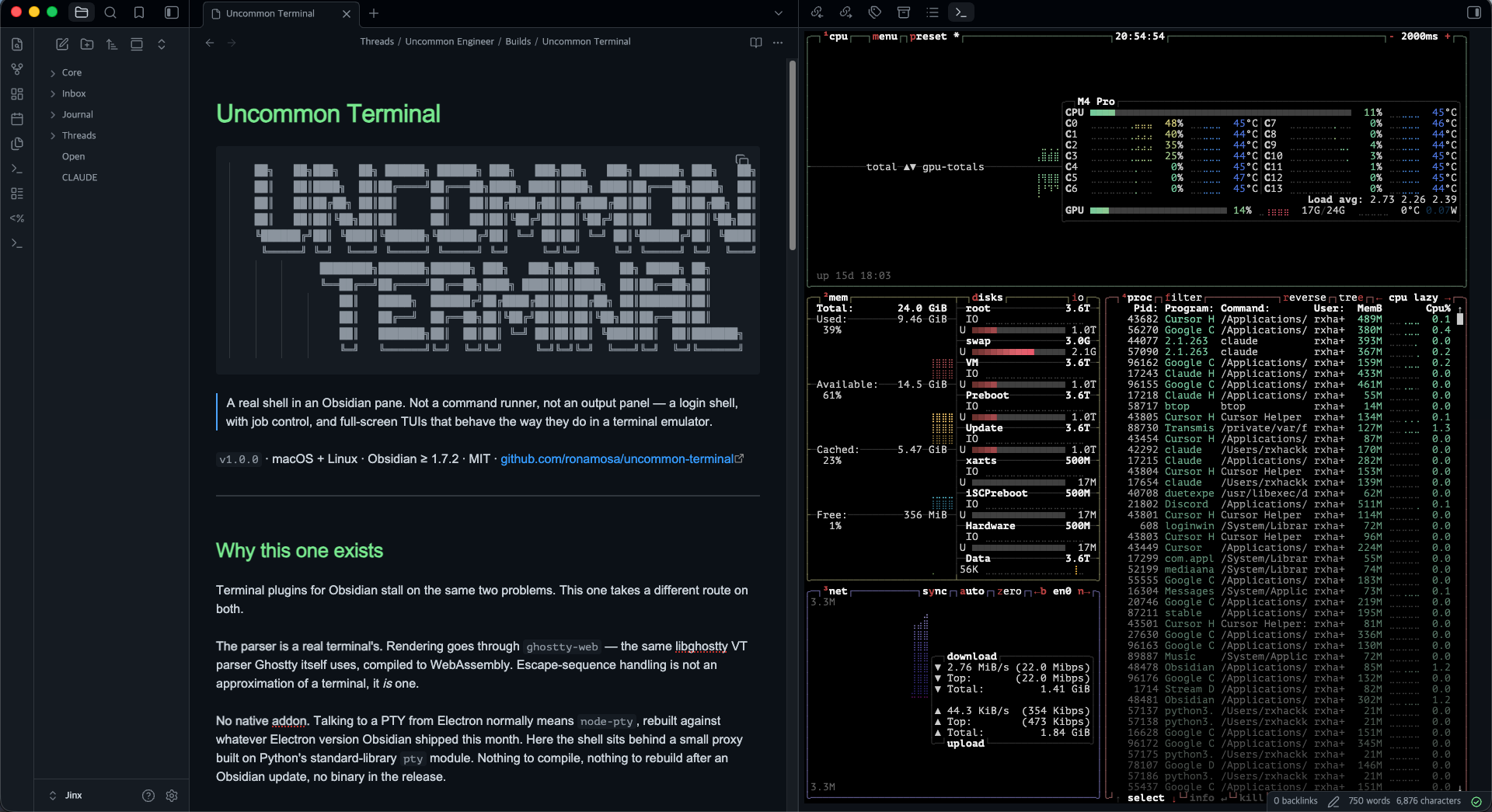
A real shell in an Obsidian pane. Not a command runner, not an output panel — a terminal, with a login shell, job control, and full-screen TUIs that behave the way they do in a terminal emulator.
Why this one
Terminal plugins for Obsidian usually stall on the same two problems, and this one takes a different route on both.
The parser. Rendering is handled by ghostty-web, which
compiles the same libghostty VT parser that the Ghostty terminal uses to
WebAssembly. So the escape-sequence handling is a real terminal's, not an
approximation of one.
The shell process. Talking to a PTY from Electron normally means
node-pty, a native addon that has to be rebuilt against whichever Electron
version Obsidian shipped this month. Instead, the shell runs behind a small
proxy built on Python's standard-library pty module. There is nothing to
compile, nothing to rebuild after an Obsidian update, and no binary in the
release. Python 3 is already on every macOS install and effectively every
Linux one.
Mouse-aware TUIs scroll properly
This is the reason the plugin exists.
Web terminals typically handle the scroll wheel in two branches: on the normal
screen they scroll their own scrollback, and on the alternate screen they
translate the wheel into Up and Down arrow keys. The arrow fallback is right
for pagers like less and man. It is wrong for any TUI that enables mouse
reporting and scrolls its own viewport — those apps never see the wheel events
they are waiting for, and they read the arrow keys they get instead as
navigation. Scrolling appears to do nothing, or does something surprising.
Uncommon Terminal checks whether the running app is on the alternate screen and has asked for mouse tracking. When both hold, it encodes the wheel as a genuine mouse-button report — SGR when the app has negotiated DEC mode 1006, legacy X10 otherwise — and writes it to the PTY. Everything else falls through unchanged, so pagers keep their arrow keys.
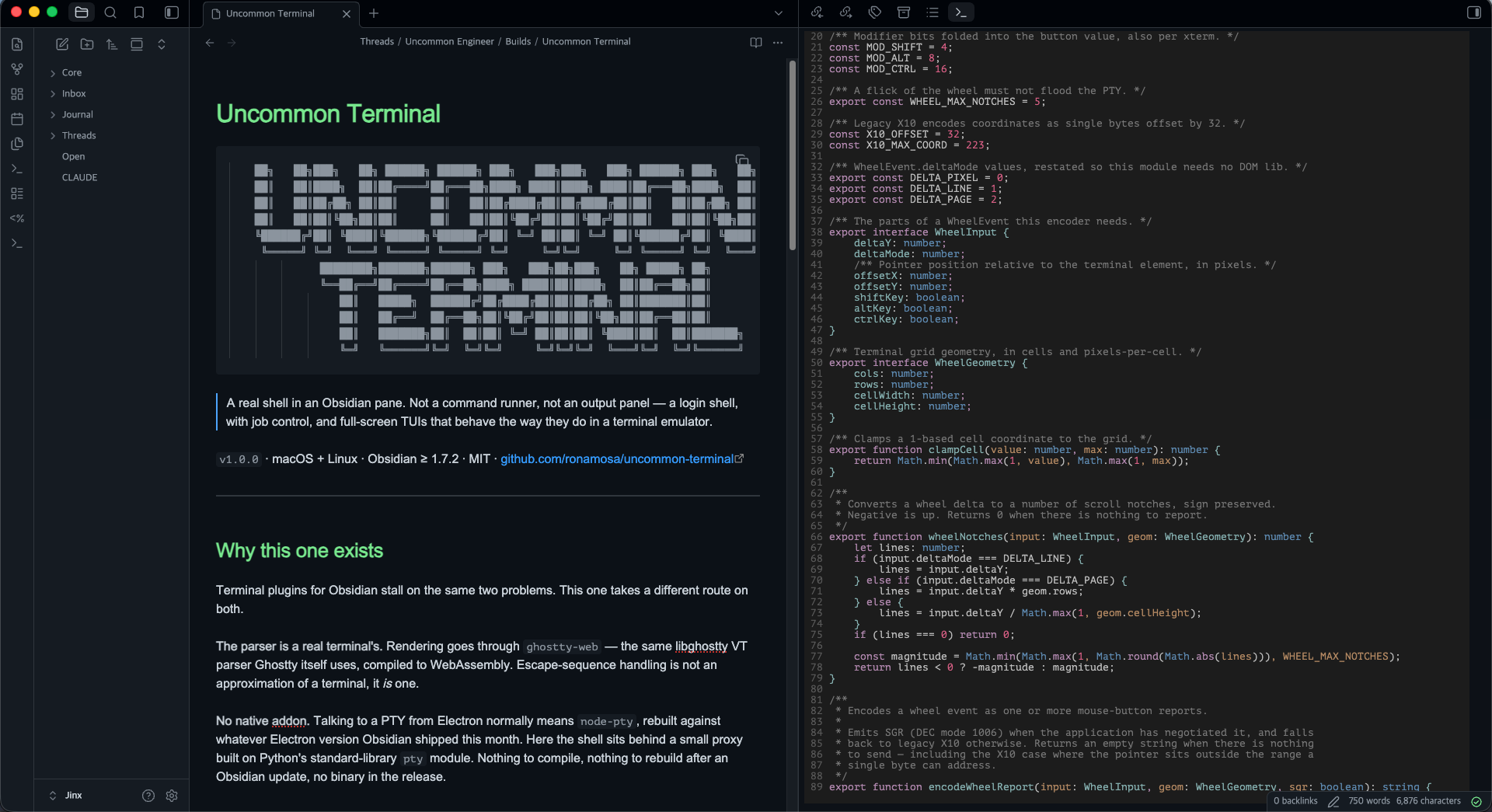
The encoder above, open in the terminal it ships in.
Requirements
- macOS or Linux. Windows is not supported.
- Python 3, with the standard library intact. Almost certainly already present; the plugin detects it and tells you plainly if it is missing.
- Obsidian 1.7.2 or later, desktop only.
Usage
Open a terminal from the ribbon icon, or from the command palette:
| Command | What it does |
|---|---|
| Open terminal | Opens one, or focuses the terminal already open |
| Open terminal in a new split | Always opens another, independent terminal |
| Restart the shell in this terminal | Restarts the shell, keeping the scrollback |
Right-clicking a file or folder in the explorer offers Open terminal here, which starts a shell in that directory.
Every terminal is fully independent — its own shell, its own scrollback, its own working directory. Open as many as you like, in tabs, splits, sidebars, or a pop-out window.
Configuration
If you use Ghostty, the plugin reads your existing config from
~/.config/ghostty/config (or the macOS Application Support location) and
follows it for font, colors, cursor, scrollback, shell, and keybinds. Nothing
to set up twice.
Colors set with theme = <name> are resolved too, including the
dark:One,light:Other form, which follows whether your vault is in light or
dark mode.
Settings in Obsidian override that config where you set them. Where neither has an opinion, the terminal borrows the vault's own appearance — its monospace font and its accent colors — before falling back to a built-in palette chosen for a light or dark background. So the resolution order is:
Obsidian settings → ~/.config/ghostty/config → your Obsidian theme → built-in defaults
Font, color, cursor, and scrollback changes apply to terminals that are already open, and the palette follows the vault when you switch between light and dark.
Keybinds
Keybinds from your Ghostty config are merged with a small built-in set and
intercepted in the capture phase, so a key meant for the shell never reaches
Obsidian's global hotkeys. The built-ins are copy, paste, and the
kitty-protocol newlines for shift+enter and cmd+enter that TUIs use for a
soft line break.
Installing
Not in the community catalogue yet — the submission is under review. Until it
lands, install it by hand: take main.js, manifest.json and styles.css from
the latest release, put them in
<vault>/.obsidian/plugins/uncommon-terminal/, and enable the plugin under
Settings → Community plugins.
To build it yourself:
npm install
npm run check                  # lint, tests, and a production build
./deploy.sh /path/to/vault     # install into a vault
npm run dev watches and rebuilds. There is no main.js in the repo — it is
a build artifact, published as a release asset.
How it fits together
Three layers and one process boundary:
| Layer | What it is |
|---|---|
src/main.ts, src/view.ts | The plugin and its view. One terminal per leaf, independent of the others. |
ghostty-web | libghostty's VT parser as WebAssembly, plus a canvas renderer. Booted once. |
pty_helper.py | A stdlib pty proxy, one process per terminal. |
The helper's protocol is small and worth knowing if you touch either side:
argv[1] is the shell, stdin and stdout carry raw bytes, and fd 3 is a
resize control pipe taking 4-byte big-endian frames (rows uint16, cols
uint16). The Python source is bundled into main.js as text and written next
to the plugin whenever the copy on disk differs — so editing pty_helper.py
does nothing until you rebuild.
The pure logic — config parsing, keybind matching, wheel encoding — lives in
modules with no DOM dependency and is covered by tests: npm test.
Credits
This plugin began as a fork of obsidian-ghostty-terminal by Mayank Lavania, which is where the Python-PTY approach and the initial Obsidian integration come from. That work is MIT licensed, and this one keeps its copyright alongside its own. Thank you.
It has since been restructured, and the wheel handling, settings, process lifecycle, and test suite are new here.
ghostty-webby Coder — MIT- Ghostty by Mitchell Hashimoto, whose VT parser and config format this builds on. This plugin is not affiliated with the Ghostty project.
License
MIT. See LICENSE.
For plugin developers
Search results and similarity scores are powered by semantic analysis of your plugin's README. If your plugin isn't appearing for searches you'd expect, try updating your README to clearly describe your plugin's purpose, features, and use cases.