by theluckystrike
Limit native spellcheck to the paragraph under the cursor.
Paragraph Spell Focus
Paragraph Spell Focus limits native spellcheck to the paragraph under the caret. It is for writers who want spelling help during an edit, without red marks under names in other parts of the note. The free core follows one caret in a focused Markdown editor. It does not change the note text.
A paragraph is a run of nonblank lines. A blank line separates two paragraphs. This definition also keeps adjacent lines of a list in one range. The plugin uses the spelling service that Obsidian already provides. It does not add a dictionary or choose a language. Enable the native spelling option before you use focus.
Features
Free paragraph focus
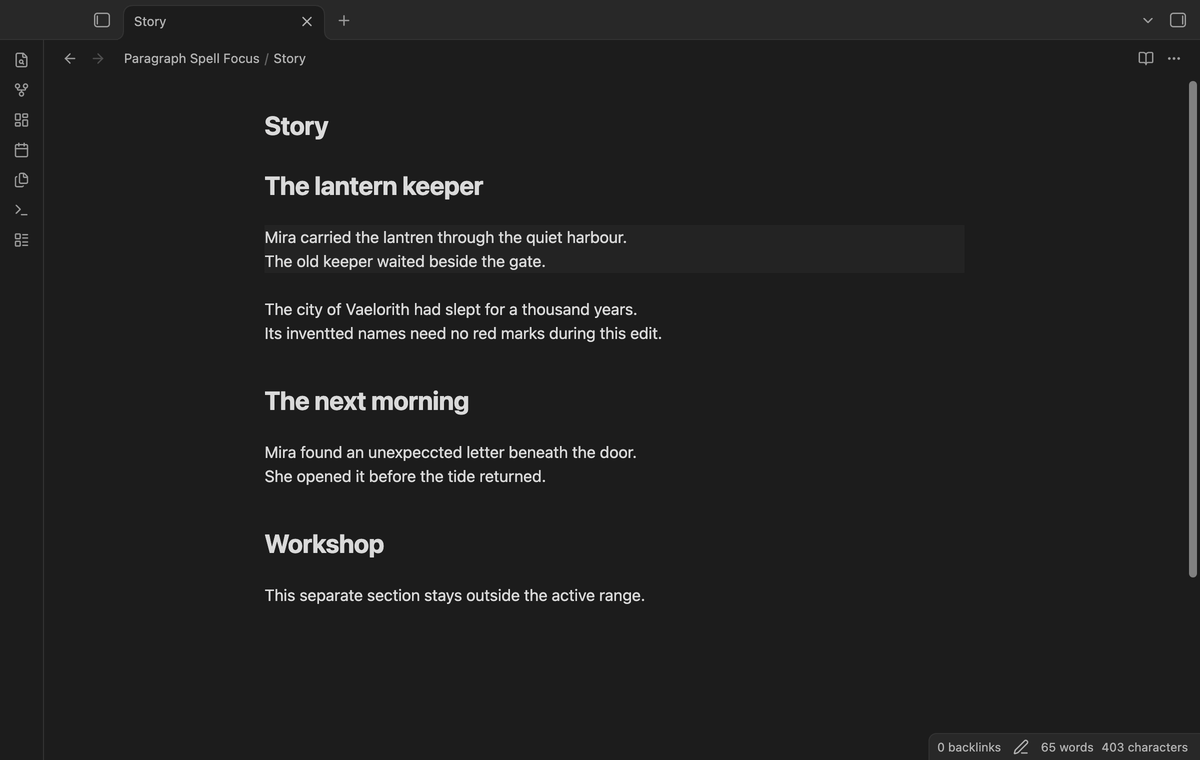
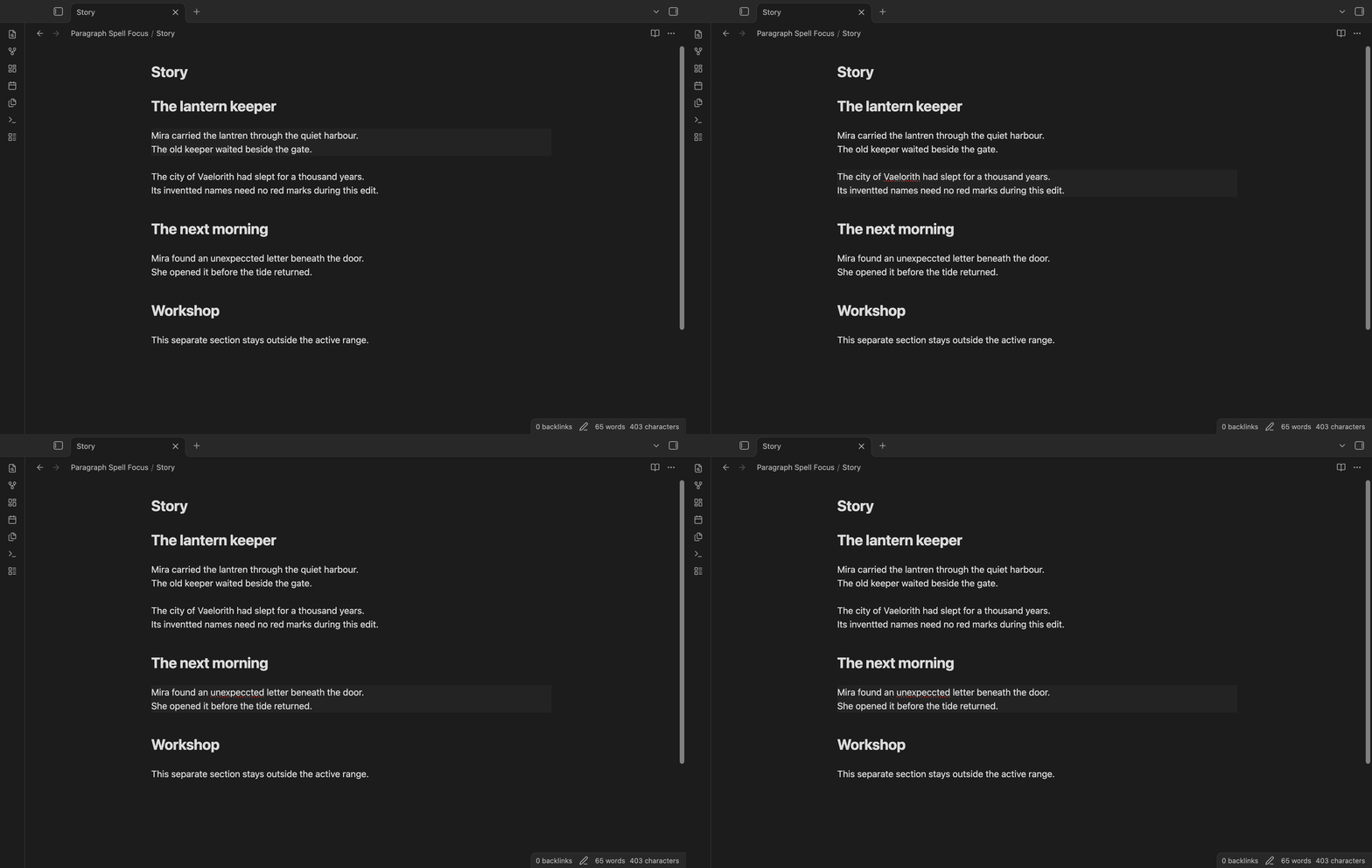
Move the caret into a paragraph. Native spelling stays available in that range. The plugin suppresses spelling in the other displayed lines. An optional background shows the range that follows the caret. Turn that background off if you prefer your usual editor colours.
Use Toggle paragraph spelling focus to restore normal native spelling. You can also use the toggle in the plugin settings. The free command stays available without an account. The plugin does not set a default hotkey. Assign one in Obsidian if you need quick access while writing.
Section focus with Pro
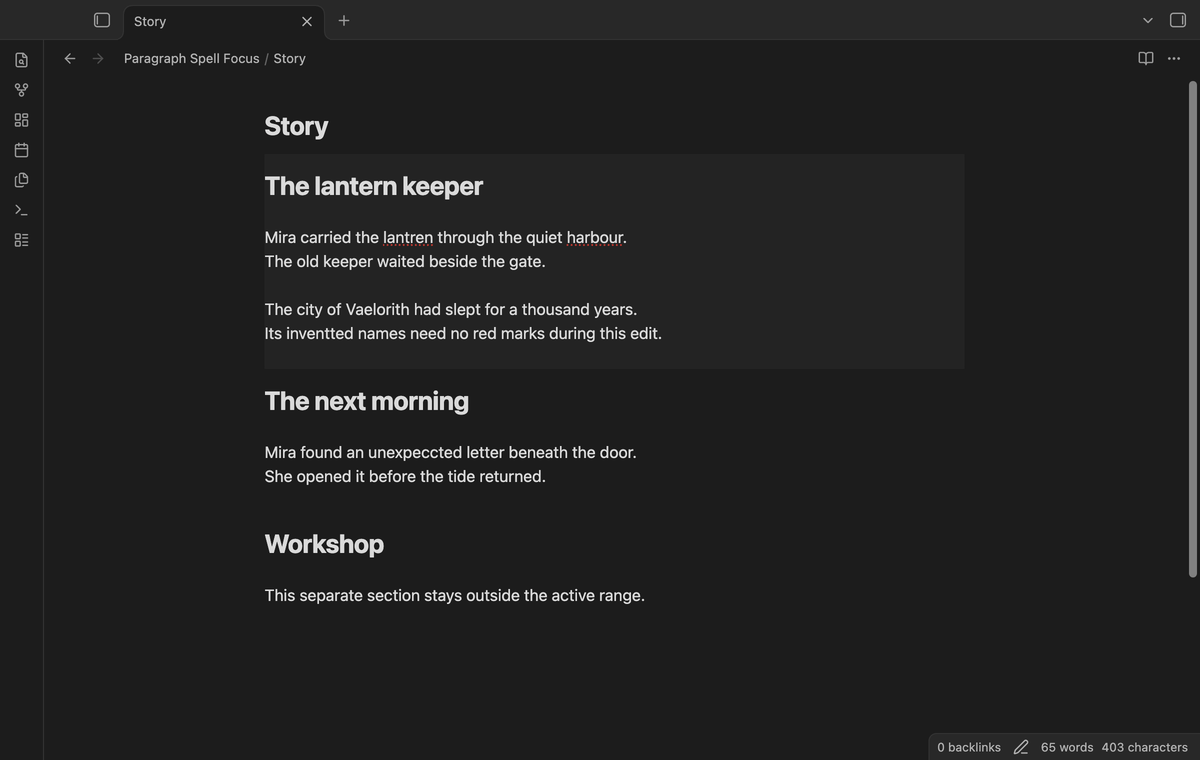
Pro adds a larger range for a longer edit. Section scope starts at the nearest ATX heading above the caret. It ends before the next heading of the same or a higher level. Child headings after the caret stay in the range. This lets you edit a passage that contains several paragraphs.
A caret under a child heading uses that child section. Text before the first heading uses the opening part of the note. Heading-like lines inside fenced code and initial frontmatter do not set section boundaries. Section focus supports headings written with hash marks. It does not use Setext headings written with underlines.
Saved folder rules with Pro
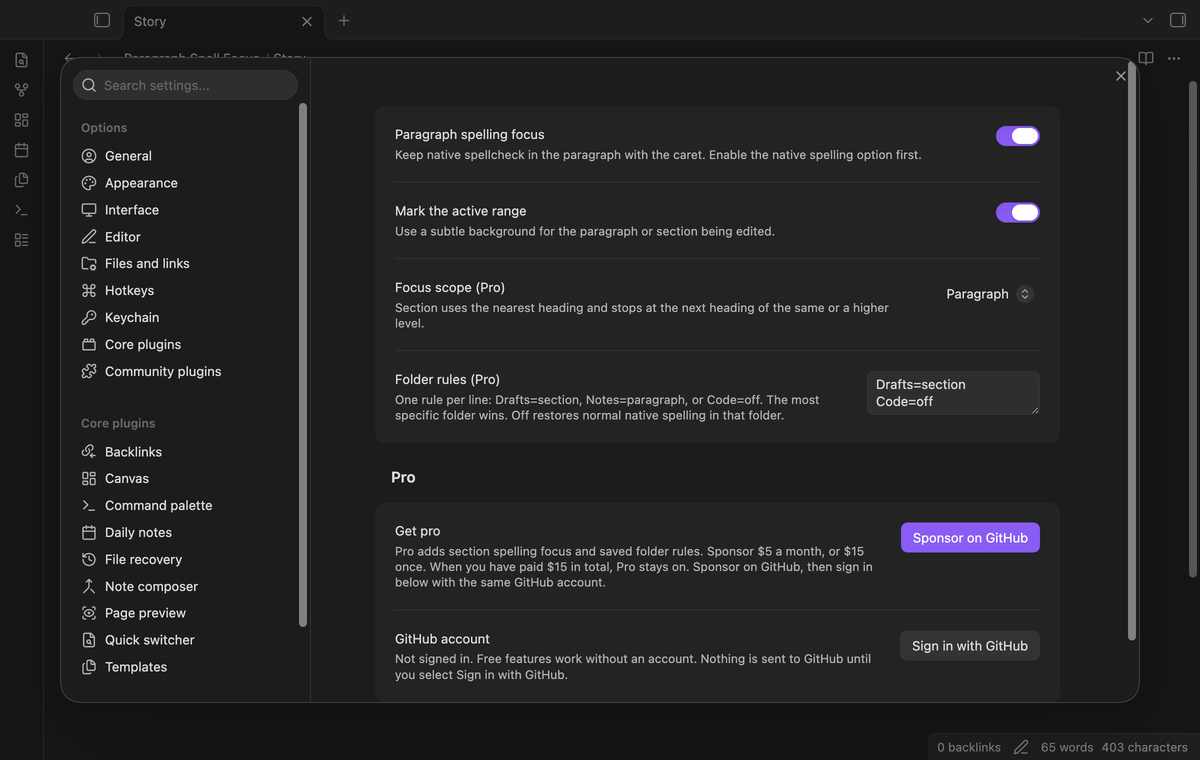
Pro can remember a scope for a folder and its child folders. Use one rule per line. A rule can select paragraph scope, section scope, or normal native spelling. For example, Drafts=section selects a larger range for drafts. Code=off turns focus off in that folder. Off restores normal spelling; it does not disable the native service.
The most specific matching folder wins. A rule for Work does not match Workshop. A rule for Work/Drafts takes precedence inside that folder. Saved rules stay in the plugin data after sign out. The free policy ignores those rules and uses paragraph scope.
Install
This package is for the desktop Obsidian app. Download the release files when a release is available. Create a folder named paragraph-spell-focus in your vault's .obsidian/plugins folder. Put main.js, manifest.json, and styles.css in that folder. Reload the plugin list. Enable Paragraph Spell Focus.
For a source build from an exported repository, run npm ci. Then run npm run build. Copy the same three output files into a test vault first. Check the behaviour with your preferred theme before you use it in a writing vault. No separate spelling server is needed for the free feature.
Usage
Open a Markdown note in editing mode. Put the caret in the paragraph you want to edit. Confirm that the native spelling option is on. A misspelled word in that paragraph can receive the usual native underline. Move the caret to another paragraph to change the range. The plugin does not correct words by itself.
For a quick comparison, use the toggle command to turn focus off. The background disappears, and the editor returns to its native document scope. Turn focus on again to resume paragraph scope. The command does not replace the document or create a backup because it does not write note content.
With Pro, select Section in the focus scope control. Add folder rules if different parts of the vault need different scopes. Use vault-relative folder paths. Do not use an absolute disk path. The rules do not open folders outside the vault. A malformed rule is ignored when settings are saved.
Settings
Paragraph spelling focus controls whether focus is active. Mark the active range controls the background. These two controls are free. Focus scope and Folder rules require Pro. A rule has a folder path, an equals sign, and one of paragraph, section, or off.
The plugin accepts up to 100 saved folder rules. It ignores duplicate folder entries after the first valid entry. It rejects parent path segments. Folder names are case-sensitive. Use the path shown in your vault. Section scope falls back to paragraph scope for a note above two million characters to limit work during cursor movement.
FAQ
Does this turn spelling on? No. The plugin only suppresses spelling outside the range. Obsidian's native option and its syntax exclusions remain in control. If the native option is off, this plugin does not enable it.
Does it control LanguageTool or Harper? No. Those plugins can draw their own marks. This plugin scopes the browser's native spelling. Disable another checking plugin during a comparison if you need to identify which service draws a mark.
What happens with a selection? One text selection uses the paragraph at its moving end. This keeps native correction menus available. Several carets suppress native checking in the displayed lines. Place one caret to resume focus. Moving focus out of the editor also suppresses those checks. Reading view has no editing caret.
Will existing underlines disappear at once? The native browser controls underline refresh. It can retain a mark until it checks the line again. The range background shows the current scope. This plugin does not replace the native suggestion menu or force a spelling pass.
Does it change my files? Focus changes editor attributes. It does not change spelling, formatting, frontmatter, or note text. Plugin settings are stored separately. Disabling the plugin removes its editor extension through the normal plugin lifecycle.
Payment, account and network
The core features are free. Pro features need a GitHub Sponsors sponsorship of theluckystrike: $5 a month or more, or $15 once. A total payment of $15 meets the payment requirement for Pro without further payment. Sign-in and the checks below still apply. Your notes stay readable and editable with or without Pro.
GitHub handles the payment. Sponsor at https://github.com/sponsors/theluckystrike. You need no account for the free features. Pro needs the GitHub account that sponsors.
Until you select "Sign in with GitHub" in the settings, Paragraph Spell Focus makes no network requests. Sign in uses the GitHub device flow. Paragraph Spell Focus sends its public client ID and the scope read:user to https://github.com/login/device/code and shows you a code. While you enter the code at https://github.com/login/device, it asks https://github.com/login/oauth/access_token every few seconds to check the sign-in status. The scope permits profile reads only. GitHub needs this access to show the sponsorship tier. It grants no repository scope and no write access.
After sign in, Paragraph Spell Focus sends one query to https://api.github.com/graphql. It checks if the signed-in account sponsors theluckystrike. It asks for the tier and the total payment to theluckystrike. The plugin reuses a successful check for 7 days. Failed checks can retry after 6 hours. Select Refresh to request an earlier check. It sends no note content, file names or other vault data, and it has no telemetry.
After a successful check, Pro can work offline for up to 14 days. Sign out or a negative sponsorship answer turns Pro off. The plugin stores the GitHub token through the secret storage API of Obsidian. It does not put the token in its saved settings or its local sponsorship data. The local storage of this device keeps your GitHub login, the tier and the time of the last check. Sign out clears the token. You can also revoke the access in your GitHub settings, under Applications.
Support
Report a problem in the product repository when that repository is available. Include the Obsidian version, the plugin version, the theme, and the scope you selected. State whether the native spelling option is enabled. Describe whether a mark follows the caret after you type in the affected line. Use a small invented example instead of private writing. A screenshot of the range can help distinguish a scope problem from a native spelling refresh delay.
For plugin developers
Search results and similarity scores are powered by semantic analysis of your plugin's README. If your plugin isn't appearing for searches you'd expect, try updating your README to clearly describe your plugin's purpose, features, and use cases.