PDF Printer
approvedby cubexy
Convert PDF documents to images directly in your notes without external dependencies.
Obsidian PDF Printer



PDF Printer is a plugin for the Obsidian editor that converts PDF documents in your vault into images, making it easy to embed and annotate PDF content directly in your notes.
Features
- Convert PDF documents into WEBP images inside Obsidian
- Batch conversion of multi-page PDFs
- Simple command to trigger conversion
- User-definable image quality
Installation
Direct installation
PDF Printer was added to the official community plugins! Just search for "PDF Printer" in Obsidian's "Community Plugins" tab.
Manual install
- Copy the project files into your vault's
.obsidian/plugins/pdf-printer/folder - Restart (or reload) Obsidian
- Enable PDF Printer in Settings > Community plugins
Usage
- Select a link to a
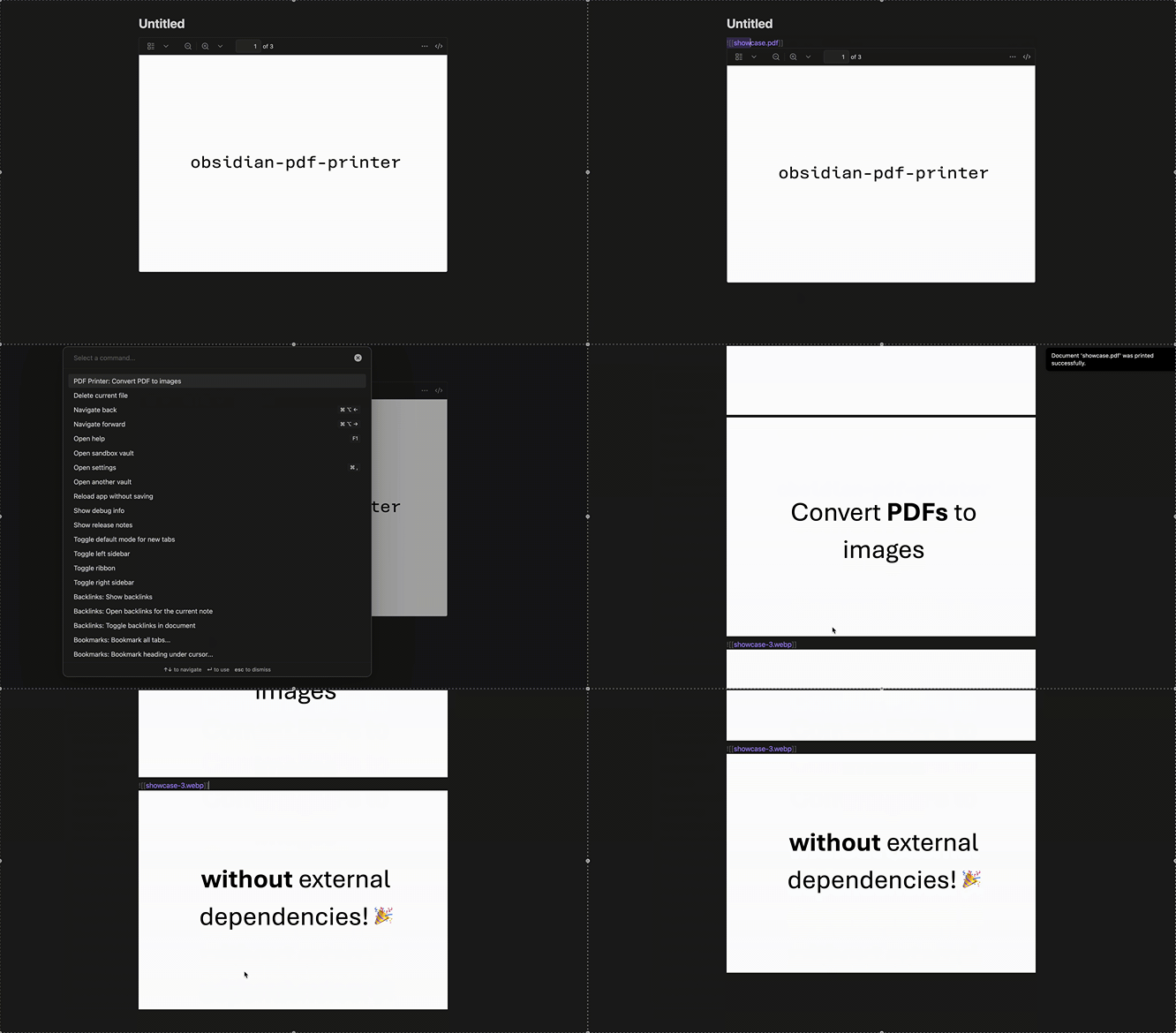
![[file.pdf]] - Open the Command Palette and run PDF Printer: Convert PDF to images
- Images will be generated, saved in a seperate folder and the PDF link will be replaced with the WEBP image links for the pages
Configuration
- Image quality can be set from 0 (lowest) to 1 (highest) in the settings. A lower value reduces image quality, but also decreases file size.
- A folder for printed images can be set to better organize your vault.
- A link to the printed PDF file can be shown above the printed pages.
- The format for embedded images can be set to allow for custom image widths and integrations with more specific workflows.
Contributing
Contributions are welcome! Please open an issue or submit a pull request on the GitHub repository.
License
This project is licensed under the MIT License.
For plugin developers
Search results and similarity scores are powered by semantic analysis of your plugin's README. If your plugin isn't appearing for searches you'd expect, try updating your README to clearly describe your plugin's purpose, features, and use cases.