by sumi-1124
Tag passages inside PDFs with colored highlights, notes, and a tag browser.
Updated todayMIT
PDF Tagger for Obsidian
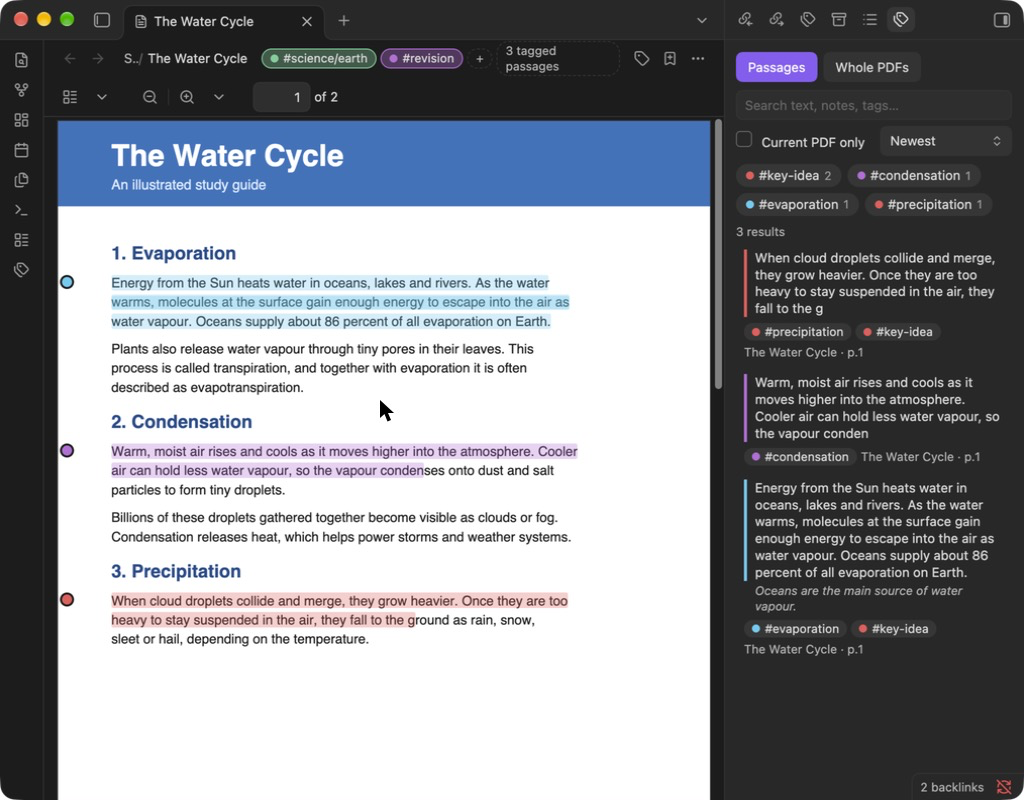
Tag passages inside your PDFs while you read, see them as colored highlights, and browse everything you've tagged from one sidebar.
Screenshots
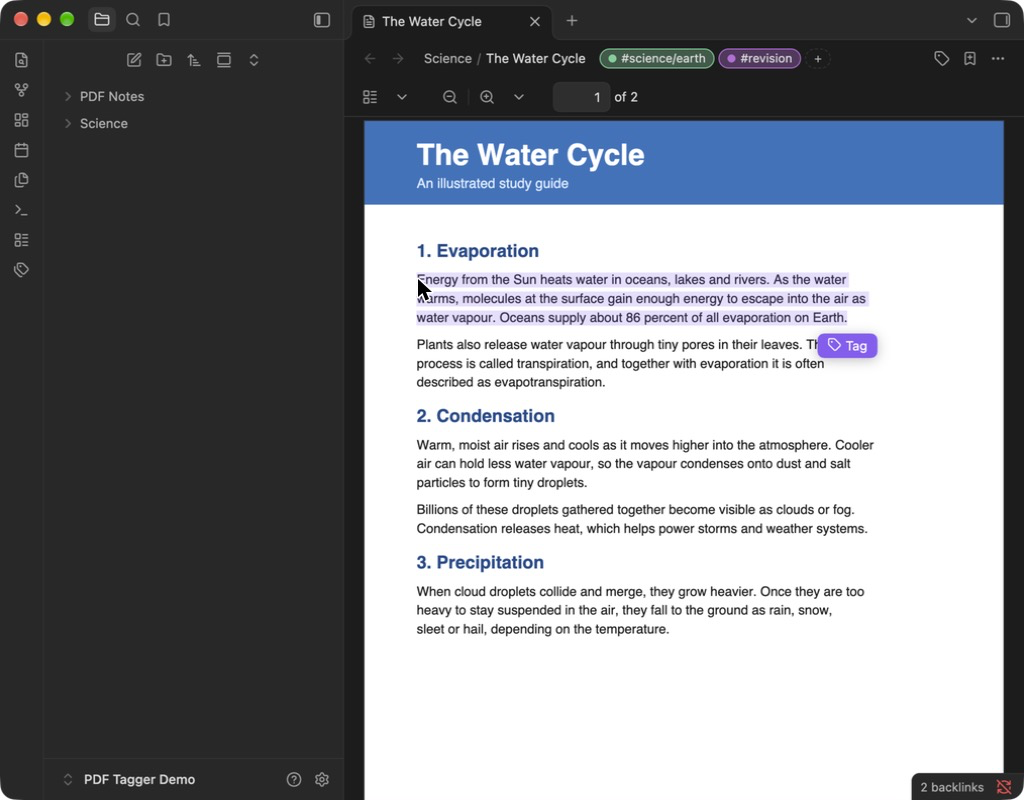
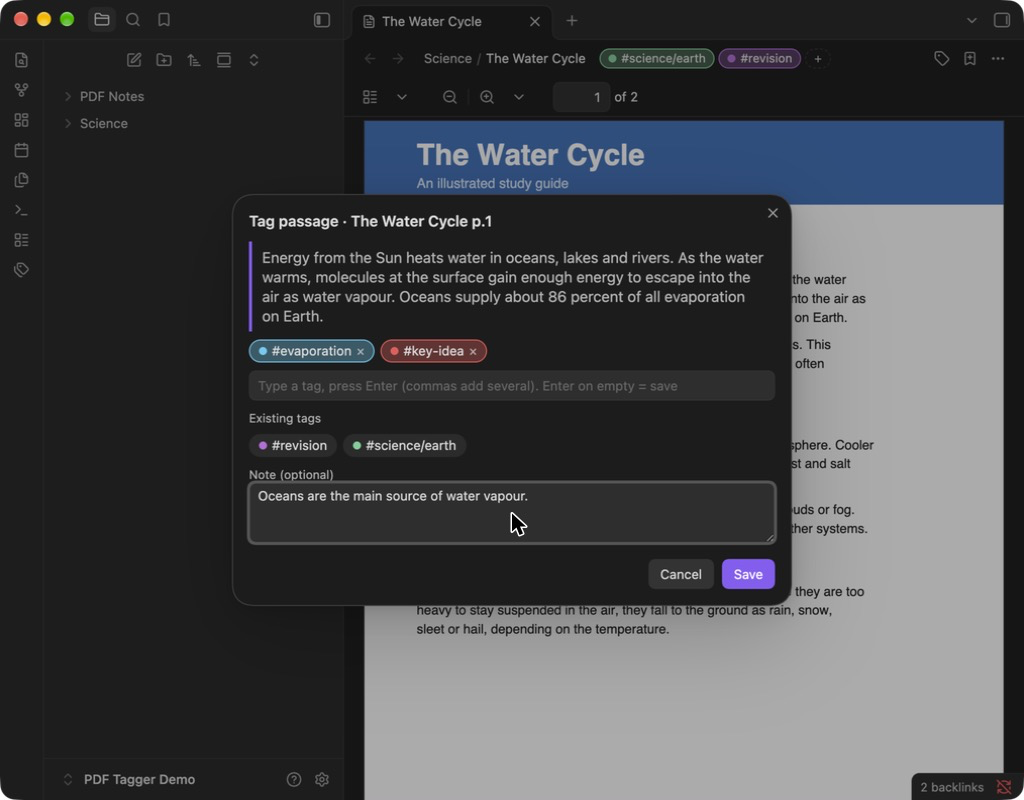
| Select text, click Tag | Add tags and an optional note |
|---|---|
 |  |
Features
- Tag passages: select text in a PDF and click the Tag button that pops up. Add tags and an optional note.
- One-click repeat: the ↻ button tags the selection with the tags you used last.
- Highlights on the page: tagged passages are drawn in their tag's color. Click the dot in the margin to edit, copy or delete a passage.
- Tag browser (ribbon tag icon):
- Filter by one or more tags, search text and notes, or limit to the current PDF.
- Sort by date or by PDF and page.
- Click a passage to jump straight to it.
- Tag management: right-click a tag to rename it, export it or remove it everywhere. Set tag colors in settings.
- Export to notes: create a
Tag - <tag>.mdnote per tag, with every quote linked back to its spot in the PDF. These notes stay up to date automatically. - Whole-PDF tags: tag an entire PDF, and optionally sync the tags to a companion note so Obsidian's tag pane picks them up.
Commands
| Command | What it does |
|---|---|
| Tag selected text in PDF | Opens the tag dialog for the current selection |
| Tag selected text with last used tags | Tags instantly, with no dialog |
| Tag whole PDF | Tags the open PDF file |
| Show passages in current PDF | Opens the browser filtered to this PDF |
| Toggle passage highlights | Shows or hides highlights |
| Export passages for a tag to a note | Writes Tag - <tag>.md notes |
| Sync whole-PDF tags to companion note | Writes the tags into a note's frontmatter |
| Open PDF tag browser | Opens the sidebar |
Installation
- Download
main.js,manifest.jsonandstyles.cssfrom the latest release. - Put them in
<your vault>/.obsidian/plugins/pdf-tagger/. - Reload Obsidian and enable PDF Tagger in Settings → Community plugins.
How data is stored
Tags are kept in the plugin's data.json. Your PDFs are never modified. Renaming or deleting a PDF inside Obsidian keeps its tags in sync.
License
MIT
For plugin developers
Search results and similarity scores are powered by semantic analysis of your plugin's README. If your plugin isn't appearing for searches you'd expect, try updating your README to clearly describe your plugin's purpose, features, and use cases.