GitHub Commit Embed
pendingby Arcangelo Massari
Auto-detect GitHub commit URLs on paste and embed them as portable HTML cards.
GitHub Commit Embed
Embed GitHub commits as beautiful cards in your Obsidian notes. Simply paste a commit URL and choose to embed it as a styled card.
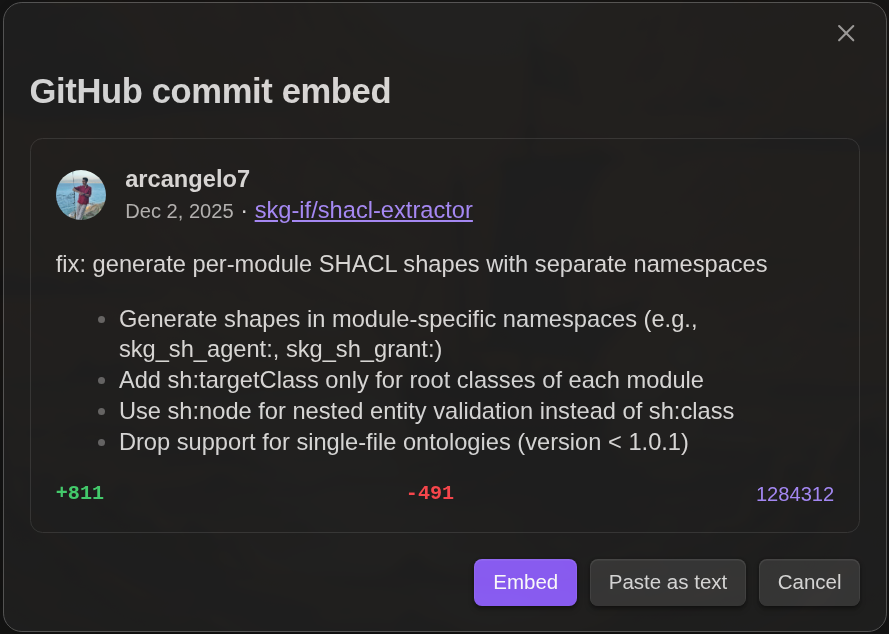
How it works
- Copy a GitHub commit URL (e.g.,
https://github.com/arcangelo7/github-commit-embed/commit/37f48bffd26329505282d72c1e1ab8298fdc438c) - Paste it in any note
- A dialog appears with a preview of the commit
- Choose:
- Embed - Insert a styled card with author, date, message, and stats
- Paste as text - Insert the plain URL
- Cancel - Do nothing
The embedded card is pure HTML with inline styles, so it renders correctly everywhere - even in other Markdown viewers or when exporting notes.
Installation
From community plugins
- Open Settings > Community plugins
- Click "Browse" and search for "GitHub Commit Embed"
- Click "Install", then "Enable"
Manual installation
- Download
main.js,manifest.json, andstyles.cssfrom the latest release - Create folder
.obsidian/plugins/github-commit-embed/in your vault - Copy the downloaded files into the folder
- Enable the plugin in Settings > Community plugins
Network usage
This plugin fetches commit data from the GitHub API (api.github.com) when you paste a commit URL. No data is sent except the commit URL you're embedding. GitHub's API has a rate limit of 60 requests per hour for unauthenticated requests.
Development
npm install    # Install dependencies
npm run dev    # Watch mode with auto-rebuild
npm run build  # Production build
npm run lint   # Run eslint with obsidianmd plugin
License
MIT
For plugin developers
Search results and similarity scores are powered by semantic analysis of your plugin's README. If your plugin isn't appearing for searches you'd expect, try updating your README to clearly describe your plugin's purpose, features, and use cases.