GitHeat
pendingby boerduoss
Displays a GitHub-style heatmap of local git commits.
Git Heatmap Plugin
A plugin for Obsidian that provides a GitHub-style contribution heatmap visualization of your local Git commits inside your vault. Track your commit habits and vault change frequency over time with an intuitive visual representation!
How it works
This plugin reads commit history from the Git repository that your vault is located in. It runs local git log commands to:
- Count how many commits happened each day (used to generate the heatmap)
- Query commit details for a selected date (commit message, time, hash)
The heatmap is rendered inside a Markdown code block (git-heatmap) and updates each time the note is rendered.
All commands are executed locally, and no data is uploaded.
Note: This plugin requires Git to be installed and is desktop-only (Obsidian Desktop).
Usage
Showing the Heatmap
Add the following code block to any note:
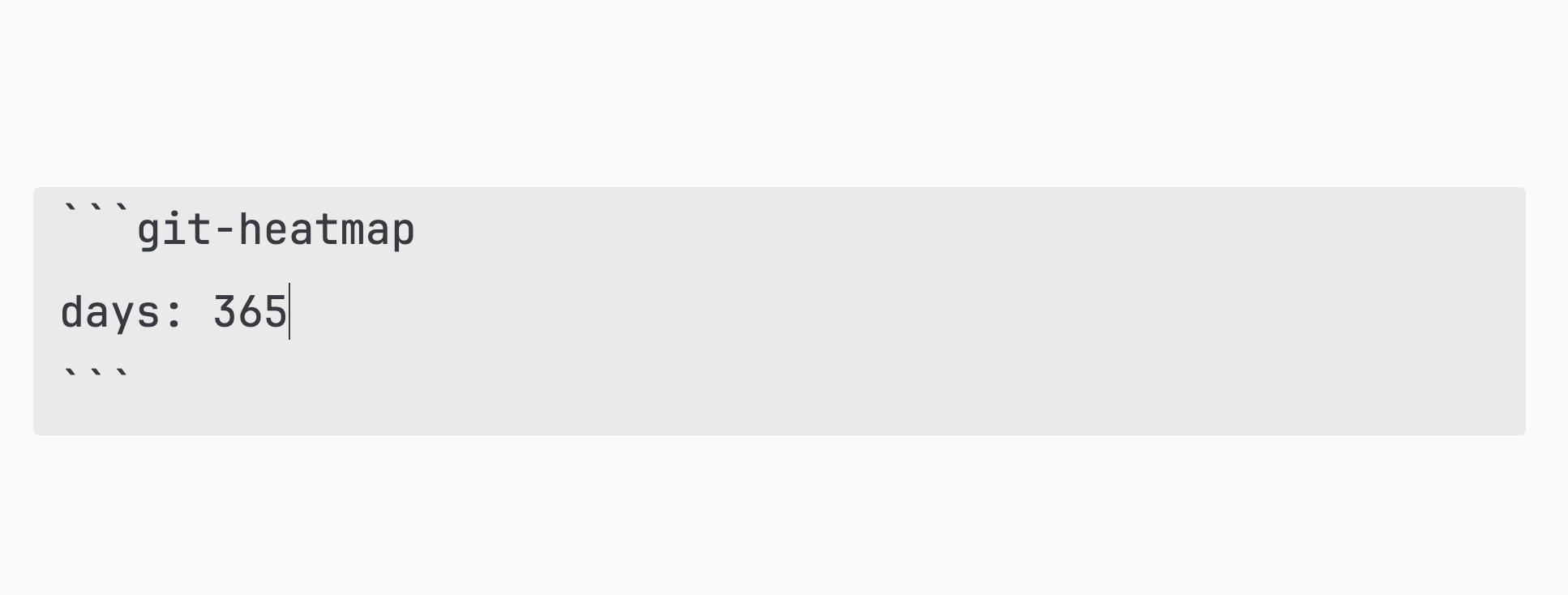
daysis optional, default is365- The heatmap will render automatically when the note git is opened
Interacting with the Heatmap
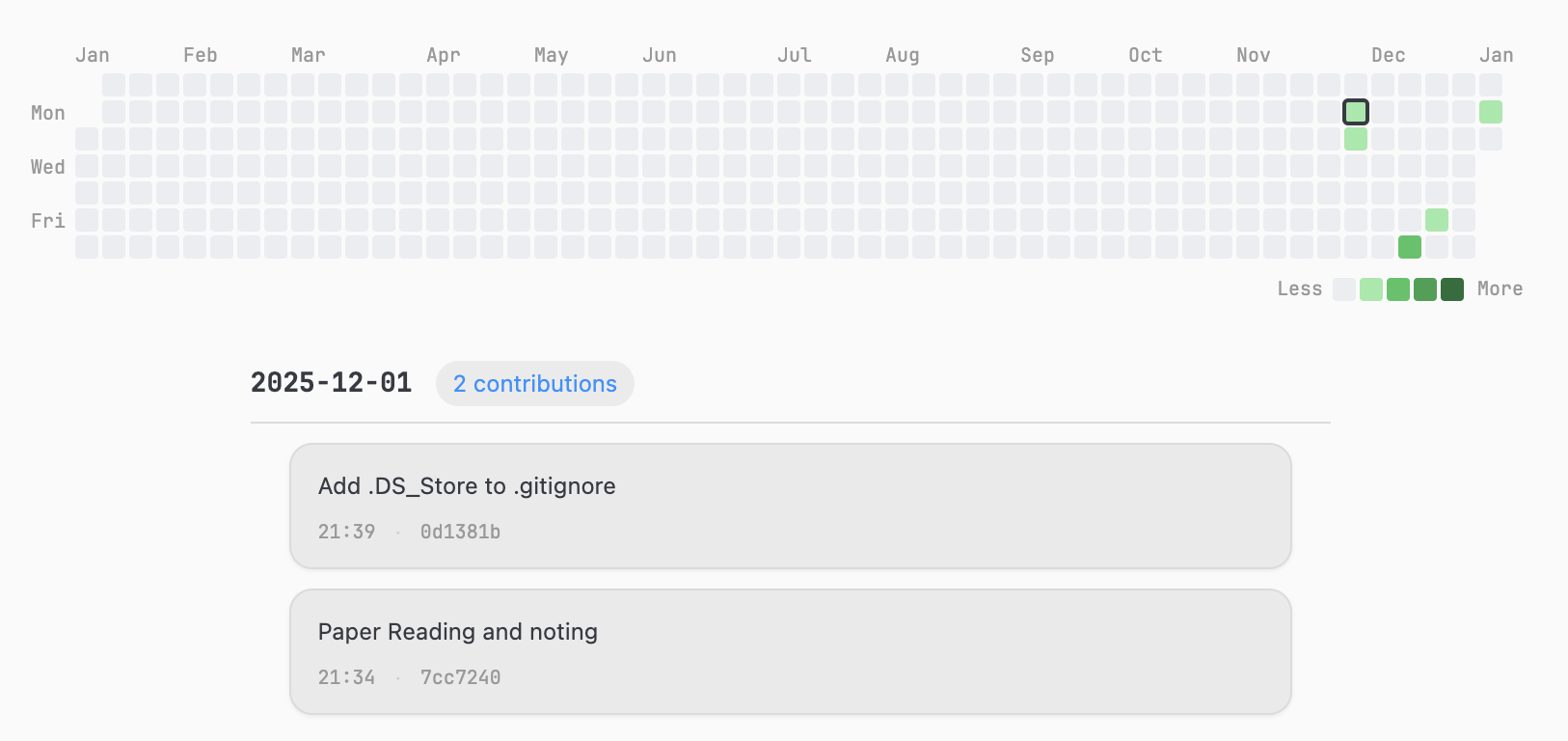 In the heatmap view, you can:
- Click any day cell to highlight it and view commit details below
- Hover over cells to see a tooltip with the date and commit count
- Use keyboard arrow keys
↑ ↓ ← →to move the selection and update details instantly
(This includes 0-commit days as well)
Installation
Community Plugin (coming soon)
This plugin can be published to the Obsidian community plugin list in the future.
Manual Installation
- Download the files from the latest Release:
main.jsmanifest.jsonstyles.css
- Place them under:
Vault/.obsidian/plugins/git-heatmap/
- Open Obsidian → Settings → Community plugins
- Enable Git Heatmap Plugin
Requirements
- Obsidian Desktop (Windows / macOS / Linux)
- Vault must be a Git repository
gitmust be available in your system PATH
Mobile (iOS/Android) is not supported because it cannot execute local Git commands.
Contributing
If you have any ideas for improving the plugin, please open an issue or submit a pull request.
Some ideas I'd love to add:
- More color themes and palette customization
- Support for author filtering (e.g., only show commits by you)
- Optional display for commit authors / branches
- Performance optimization for very large repos
For plugin developers
Search results and similarity scores are powered by semantic analysis of your plugin's README. If your plugin isn't appearing for searches you'd expect, try updating your README to clearly describe your plugin's purpose, features, and use cases.