Chat Memo
pendingby WHK
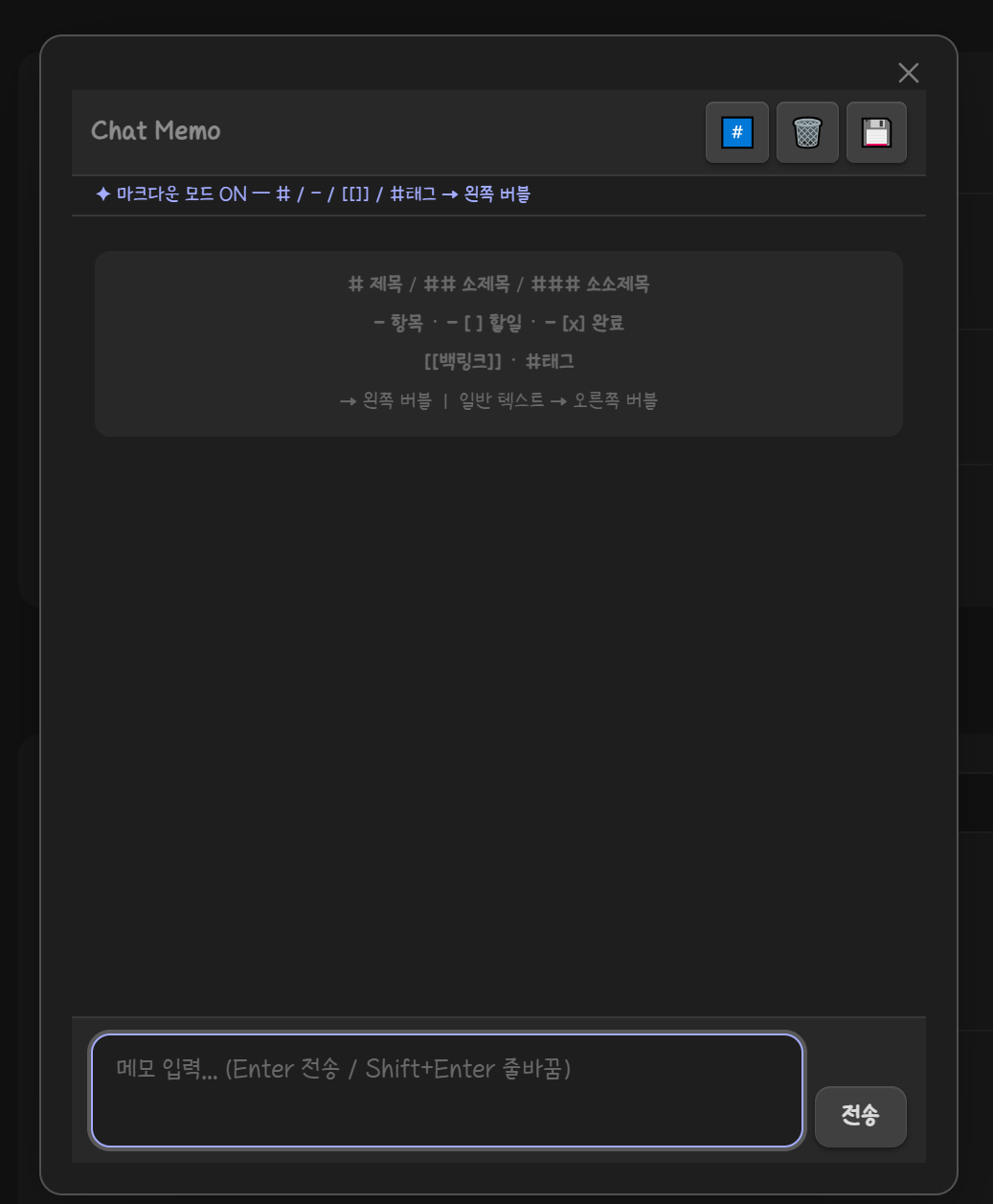
Quick memo panel in a chat bubble style. Supports markdown headings for left-side display.
Chat Memo — Obsidian Plugin
A chat-style memo plugin for Obsidian.
Type thoughts like a chat message — save them as beautifully structured notes.


✨ Features
- Chat-style input UI — Enter memos in a familiar chat bubble interface
- Markdown Mode — Automatically parses and visually distinguishes:
# Heading 1/## Heading 2/### Heading 3- itembullet lists- [ ] todo/- [x] donecheckboxes[[Backlink]]internal links#taghashtags
- Save to Vault — Exports your chat session as a well-formatted Markdown note with YAML frontmatter (tags, links, date)
- Auto-open on startup — Optionally pop up Chat Memo every time Obsidian launches
📸 Screenshots
🚀 Installation
From Obsidian Community Plugins (Recommended)
- Open Settings → Community Plugins
- Disable Safe Mode if prompted
- Click Browse and search for Chat Memo
- Click Install, then Enable
Manual Installation
- Download the latest release
- Extract
main.js,styles.css,manifest.jsoninto your vault at:
.obsidian/plugins/chat-memo/ - Reload Obsidian and enable the plugin in Settings → Community Plugins
🎮 Usage
Opening Chat Memo
- Click the chat bubble icon in the left ribbon
- Or use the Command Palette:
Chat Memo: Open popup
Input Syntax (Markdown Mode ON)
| Input | Display | Saved as |
|---|---|---|
# Title | H1 bubble (left) | # Title |
## Sub | H2 bubble (left) | ## Sub |
### Sub | H3 bubble (left) | ### Sub |
- item | Bullet bubble (left) | - item |
- [ ] task | Todo bubble (left) | - [ ] task |
- [x] done | Done bubble (left) | - [x] done |
[[Note]] | Backlink bubble (left) | linked in frontmatter |
#tag | Tag badge (left) | added to frontmatter tags |
| Any other text | Self bubble (right) | - content |
When Markdown Mode is OFF, all input is treated as plain text (right bubble).
Saving Notes
- Click the 💾 button in the toolbar — or press Escape / close the modal
- Enter a note title (defaults to today's date)
- Optionally add extra tags (comma-separated, no
#needed) - Click Save → the note opens instantly in your vault
Generated frontmatter example:
---
date: 2025-01-15
tags: [idea, project]
links: ["[[SomeNote]]"]
---
⚙️ Settings
| Setting | Default | Description |
|---|---|---|
| Auto-open on startup | ON | Opens Chat Memo popup every time Obsidian launches |
| Markdown Mode | ON | Parses #, -, [[]], #tag into styled left-side bubbles |
🛠 Development
# Clone the repository
git clone https://github.com/Dec32th/obsidian-chat-memo
cd obsidian-chat-memo

# Install dependencies
npm install

# Build
npm run build

# Dev mode (watch)
npm run dev
Copy main.js, styles.css, manifest.json into your vault's plugin folder to test.
📋 Roadmap
- Edit / delete individual bubbles
- Image / file attachment support
- Export as PDF
- Multi-session history
🤝 Contributing
Contributions, issues, and feature requests are welcome!
Please check the issues page before opening a new one.
- Fork the repo
- Create your branch:
git checkout -b feat/my-feature - Commit your changes:
git commit -m 'feat: add my feature' - Push:
git push origin feat/my-feature - Open a Pull Request
📄 License
MIT © 2026 WHK
For plugin developers
Search results and similarity scores are powered by semantic analysis of your plugin's README. If your plugin isn't appearing for searches you'd expect, try updating your README to clearly describe your plugin's purpose, features, and use cases.