Cleaning Service
pendingby Denis Proskurin
Performs cleanup tasks on the vault.
Cleaning service plugin
This plugin helps keeping the vault under control, by possibily removing the following resources.
Orphan files
These are media or attachments that are not referenced anywhere. Cleaning service looks also in frontmatters (for example for annotation-target or similar)
Empty files
These are files either empty or consisting only of whitespace (newlines, tabs, and so on)
Empty directories
Cleaning service can identify and remove empty directories from your vault. A directory is considered empty if it contains no files and only contains other empty directories (or no subdirectories at all). This helps keep your vault structure clean by removing unnecessary empty directories.
Big files
You can specify a limit size and Cleaning service will prompt you delete big files. Use it at your own risk. By default Cleaning service will prompt if about to delete a big file, even if the "ask confirmation" setting is disable.
Expired notes
Cleaning service uses an approach similar to Obsidian Expiring Notes in which a (configurable) attribute is looked for in the frontmatter in order to set an expiration date to notes. For Example:
---
expires: 2022-09-01
---
Cleaning service also comes with utilities command used to easily set expiration date into notes.
Excluded files
Cleaning service can exclude files that are excluded by Obsidian (Settings->Files & Links->Excluded files) but users can also specify different criterias for exclusions (for example based on file extension or path).
How to run
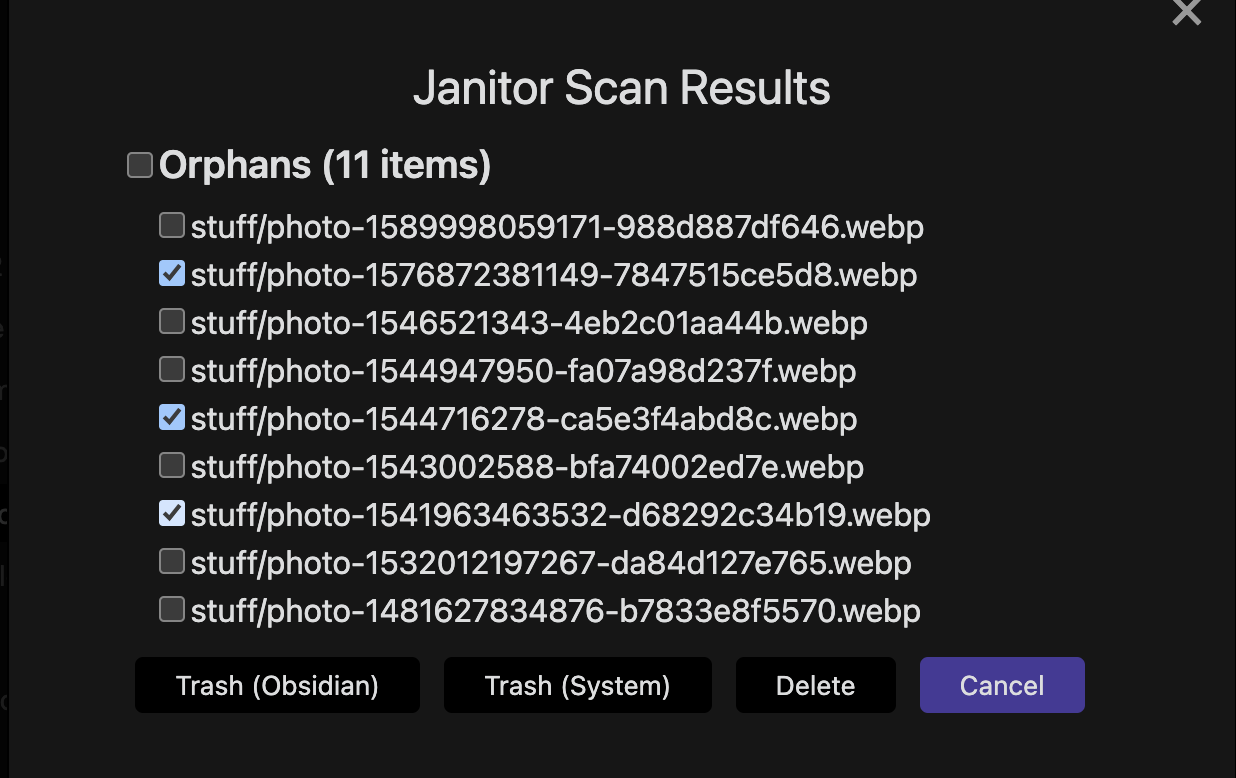
Cleaning service could be set to run at startup. If "ask confirmation" is set, it will prompt the user with a confirmation dialog. User can select which files to delete and which action to perform (trash in Obsidian, trash in OS or delete permanently).
Cleaning service scan can also be launched from a ribbon button or from commands.
Copyrights
This plugin is fork obsidian-janitor plugin.
First version of plugin was rewriten 15.07.2025
Development
Process is described here
For plugin developers
Search results and similarity scores are powered by semantic analysis of your plugin's README. If your plugin isn't appearing for searches you'd expect, try updating your README to clearly describe your plugin's purpose, features, and use cases.