Text Class
pendingby Elling
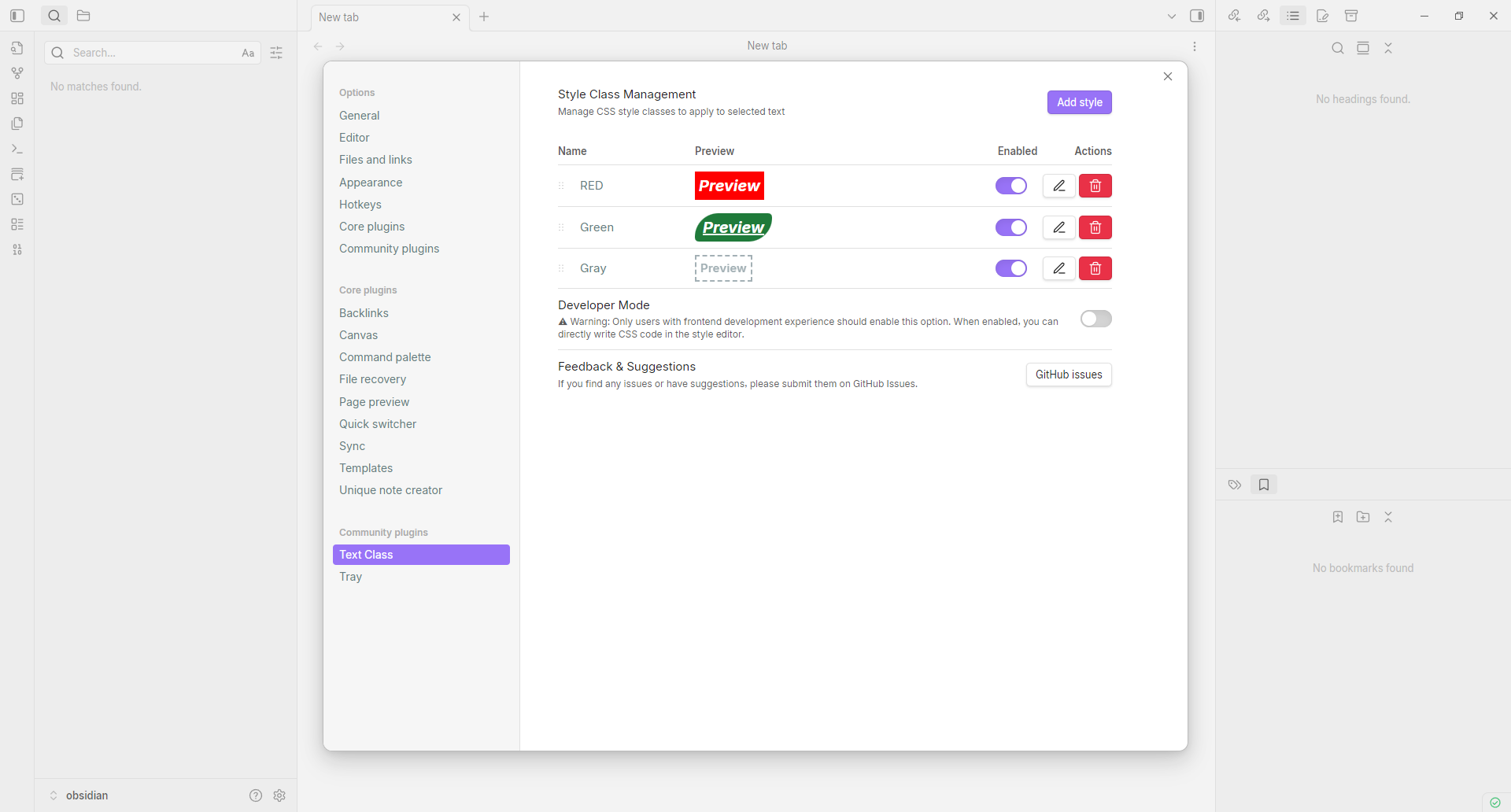
Apply custom CSS classes to selected text. Manage styles in settings and apply them via right-click context menu.
Text Class

Apply custom CSS classes to selected text in Obsidian.
GitHub: https://github.com/elling19/obsidian-text-class
English
Features
- Custom CSS Classes: Define your own CSS classes with custom styles in the settings
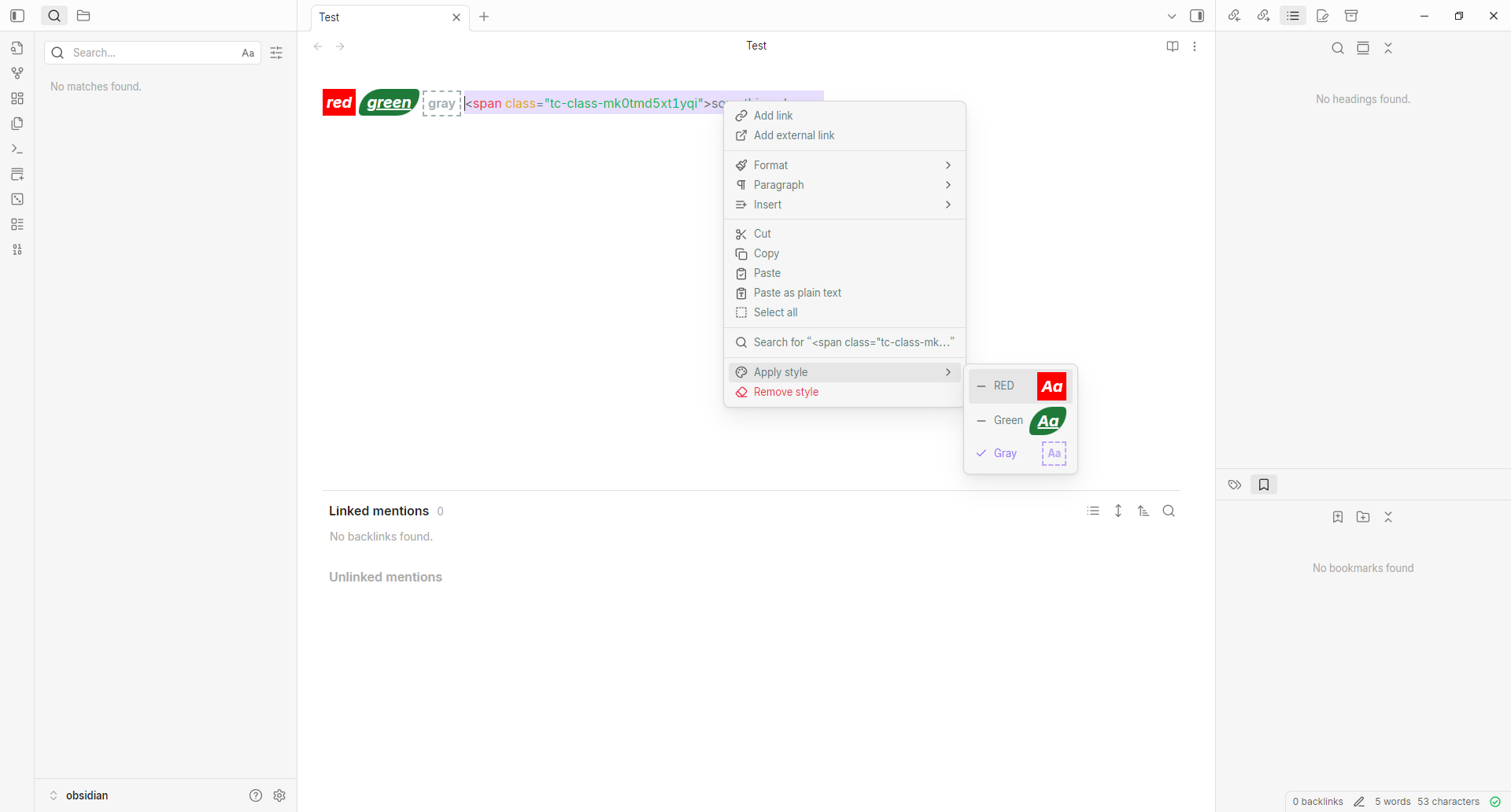
- Right-Click Menu: Apply styles to selected text via context menu
Installation
- Open Obsidian Settings
- Go to Community plugins and disable Safe mode
- Click Browse and search for "Text Class"
- Install the plugin and enable it
Manual Installation
- Download
main.js,styles.css, andmanifest.jsonfrom the latest release - Create a folder
text-classin your vault's.obsidian/plugins/directory - Copy the downloaded files into this folder
- Reload Obsidian and enable the plugin in Settings → Community plugins
Usage
- Configure Styles: Go to Settings → Text Class to add, edit, or remove CSS classes
- Apply Styles:
- Select text in the editor
- Right-click to open the context menu
- Choose Apply Text Style and select a style
- Remove Styles: Right-click on styled text and select Remove Text Style
Example Styles
| Name | CSS Style |
|---|---|
| Highlight | background-color: yellow; |
| Important | color: red; font-weight: bold; |
| Code | font-family: monospace; background: #f0f0f0; padding: 2px 4px; |
Feedback
If you have any issues or suggestions, please submit them at: GitHub Issues: https://github.com/elling19/obsidian-text-class/issues
中文说明
功能特点
- 自定义 CSS 类:在设置中定义自己的 CSS 类和样式
- 右键菜单:通过右键菜单为选中文本应用样式
安装方法
- 打开 Obsidian 设置
- 进入 第三方插件,关闭 安全模式
- 点击 浏览 并搜索 "Text Class"
- 安装并启用插件
手动安装
- 从最新发布版本下载
main.js、styles.css和manifest.json - 在你的仓库
.obsidian/plugins/目录下创建text-class文件夹 - 将下载的文件复制到该文件夹
- 重新加载 Obsidian,在设置 → 第三方插件中启用
使用方法
- 配置样式:进入 设置 → Text Class 添加、编辑或删除 CSS 类
- 应用样式:
- 在编辑器中选中文本
- 右键打开上下文菜单
- 选择 应用文本样式 并选择一个样式
- 移除样式:右键点击已应用样式的文本,选择 移除文本样式
样式示例
| 名称 | CSS 样式 |
|---|---|
| 高亮 | background-color: yellow; |
| 重要 | color: red; font-weight: bold; |
| 代码 | font-family: monospace; background: #f0f0f0; padding: 2px 4px; |
反馈与建议
如果您发现问题或有任何建议,请在以下地址提交: GitHub Issues: https://github.com/elling19/obsidian-text-class/issues
License
MIT License
For plugin developers
Search results and similarity scores are powered by semantic analysis of your plugin's README. If your plugin isn't appearing for searches you'd expect, try updating your README to clearly describe your plugin's purpose, features, and use cases.