Lock Cards
pendingby Erez Korn
Lock selected Canvas cards to prevent moving and resizing.
Lock Cards
Lock selected Canvas cards to prevent moving and resizing.
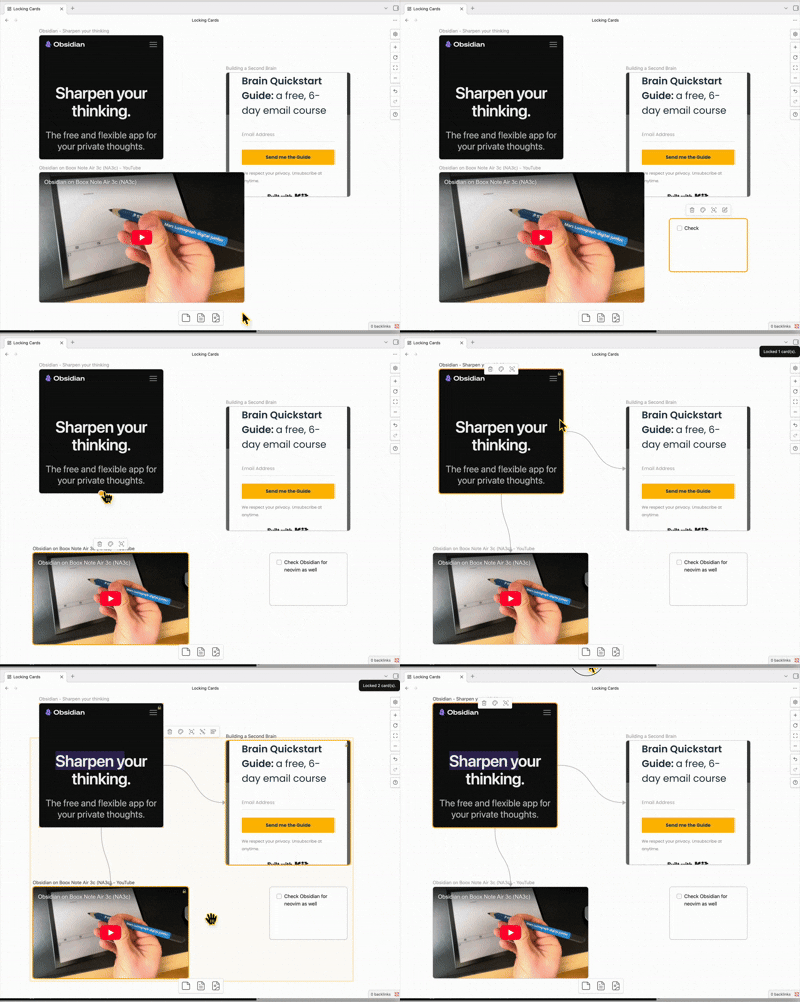
Usage
- Open a Canvas.
- Select one or more cards.
- Run the command Toggle lock for selected canvas cards.
Locked cards are visually marked and attempts to move/resize them are reverted.
Settings
- Disable lock while shift is held: temporarily allow moving locked cards by holding shift.
Install (manual)
Copy these files into:
<Vault>/.obsidian/plugins/lock-cards/
main.jsmanifest.jsonstyles.css
Then reload Obsidian and enable the plugin in Settings → Community plugins.
Development
- Install dependencies:
npm install - Watch build:
npm run dev - Production build:
npm run build - Lint:
npm run lint
Troubleshooting
- If commands don’t appear, make sure the plugin is enabled and Obsidian has been reloaded.
For plugin developers
Search results and similarity scores are powered by semantic analysis of your plugin's README. If your plugin isn't appearing for searches you'd expect, try updating your README to clearly describe your plugin's purpose, features, and use cases.