One Click Lock
pendingby LI Heng-Jun
Lock notes in one click to prevent accidental edits.
One Click Lock
Lock Obsidian notes in one click to prevent accidental edits.
一键锁定 Obsidian 笔记,防止误编辑。
Demo / 演示
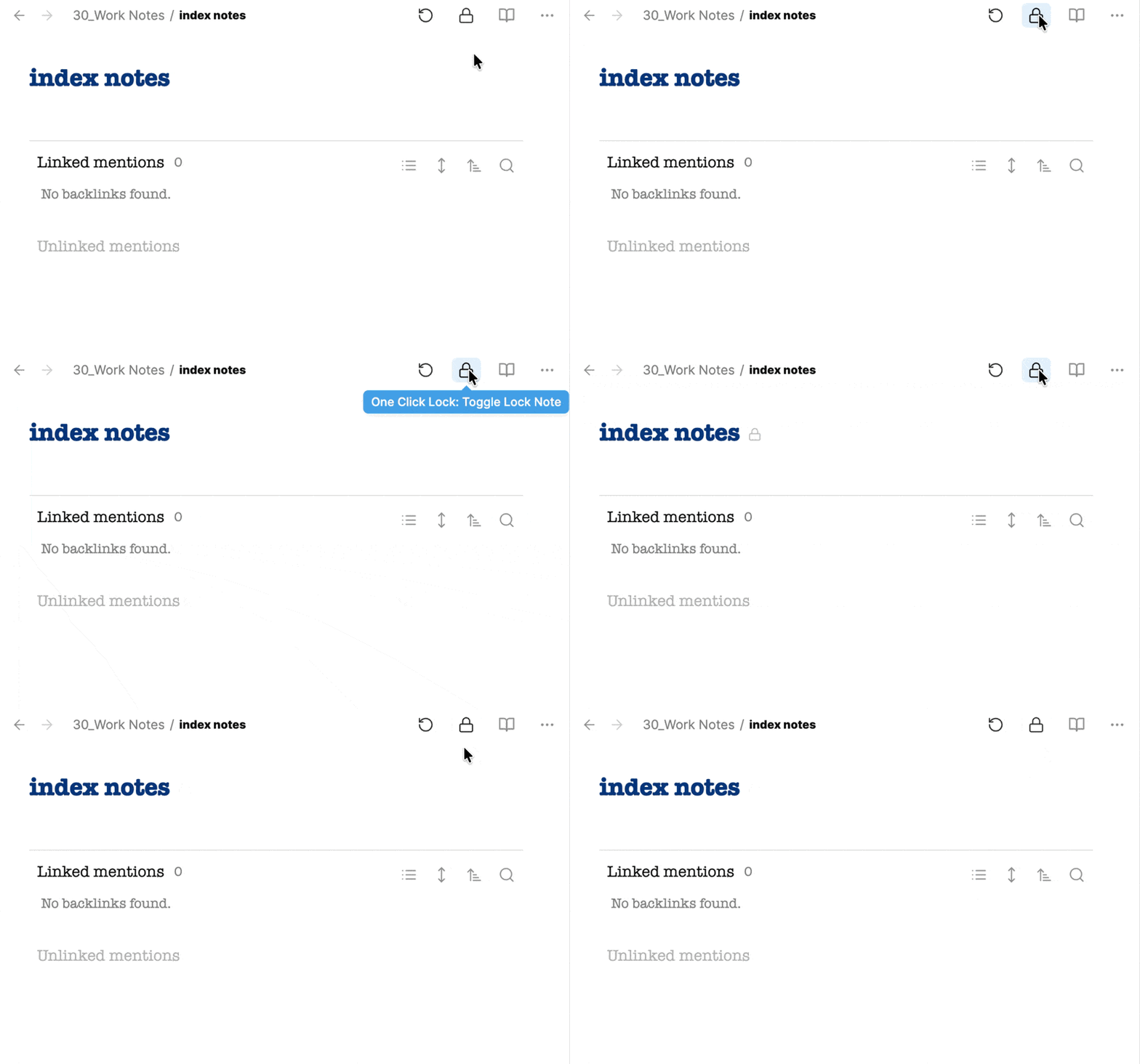
Features / 功能
- One Click: Lock/unlock via sidebar ribbon icon
- Menu: Right-click menu support
- Command: Command palette support (can bind hotkey)
- Lock Scope: Properties area and title
- Visual Indicator: Lock icon in title and file explorer
- Cross-platform: Works on desktop and mobile
- 一键操作:通过侧边栏图标锁定/解锁
- 菜单支持:右键菜单操作
- 命令面板:支持命令面板(可绑定快捷键)
- 锁定范围:Properties 区域和标题
- 视觉提示:标题和文件导航栏显示锁图标
- 跨平台:支持桌面和移动端
Installation / 安装
Manual Installation / 手动安装
- Download
main.js,manifest.json,styles.cssfrom the latest release - Create folder
.obsidian/plugins/one-click-lock/in your vault - Copy the three files into the folder
- Restart Obsidian
- Enable "One Click Lock" in Settings → Community Plugins
- 从 最新 Release 下载
main.js、manifest.json、styles.css - 在你的 vault 中创建文件夹
.obsidian/plugins/one-click-lock/ - 将三个文件复制到该文件夹
- 重启 Obsidian
- 在 设置 → 第三方插件 中启用 "One Click Lock"
Usage / 使用方法
Method 1: One Click (Recommended) / 方法一:一键操作(推荐)
Click the lock icon 🔒 in the left sidebar ribbon.
点击左侧边栏的锁图标 🔒。
Method 2: Menu / 方法二:菜单
- Open note / 打开笔记
- Click
···menu (top right) / 点击右上角···菜单 - Click Lock Note / Unlock Note / 点击 Lock Note 或 Unlock Note
Method 3: Command Palette / 方法三:命令面板
- Press
Cmd/Ctrl + P - Type
Toggle Lock Note - Press Enter
How It Works / 工作原理
When locked, the plugin adds locked: true to the note's frontmatter and:
锁定时,插件会在 frontmatter 中添加 locked: true,并且:
- Disables editing in Properties area / 禁用 Properties 区域编辑
- Disables title editing / 禁用标题编辑
- Shows a lock icon in title / 在标题后显示锁图标
- Shows a lock icon in file explorer / 在文件导航栏显示锁图标
- Hides add/remove property buttons / 隐藏添加/删除属性按钮
- Auto-hides Properties area if only
lockedproperty exists / 如果只有locked属性则自动隐藏 Properties 区域
Changelog / 更新日志
v1.1.0
- Added lock icon display in note title
- Added lock icon display in file explorer
- Auto-hide Properties area when only
lockedproperty exists - Improved mobile support
v1.0.0
- Initial release
License / 许可证
MIT
For plugin developers
Search results and similarity scores are powered by semantic analysis of your plugin's README. If your plugin isn't appearing for searches you'd expect, try updating your README to clearly describe your plugin's purpose, features, and use cases.