WOL Reference Tools
pendingby iaremarkus
Look up Bible verses and references from [wol.jw.org](https://wol.jw.org), and add them to your notes inline, in a modal or popover, or in the sidebar.
WOL Reference Tools
An Obsidian plugin that lets you look up Bible verses and references from wol.jw.org, and add them to your notes inline, in a modal or popover, or in the sidebar.
How it works
ℹ️ The plugin sends the 'value' of the reference - whatever is within the !!, and send that value to a Cloudflare worker, which does a search on wol.jw.org, eg: [https://wol.jw.org/en/wol/l/r1/lp-e?q=ps83:18](https://wol.jw.org/en/wol/l/r1/lp-e?q=ps83:18). It then uses cheerio to parse the HTML, and returns an object containing the reference text and the verse text.
{
  "results": [
    "<p class=\"line\"><span class=\"verse\"><span class=\"verse-number\">18 </span>May people know that you, whose name is Jehovah,</span></p><p class=\"line-secondary\"><span class=\"verse\">You alone are the Most High over all the earth.</span></p>"
  ]
}
Some light formatting is applied for styling purposes, but the results are left otherwise unchanged.
How to use
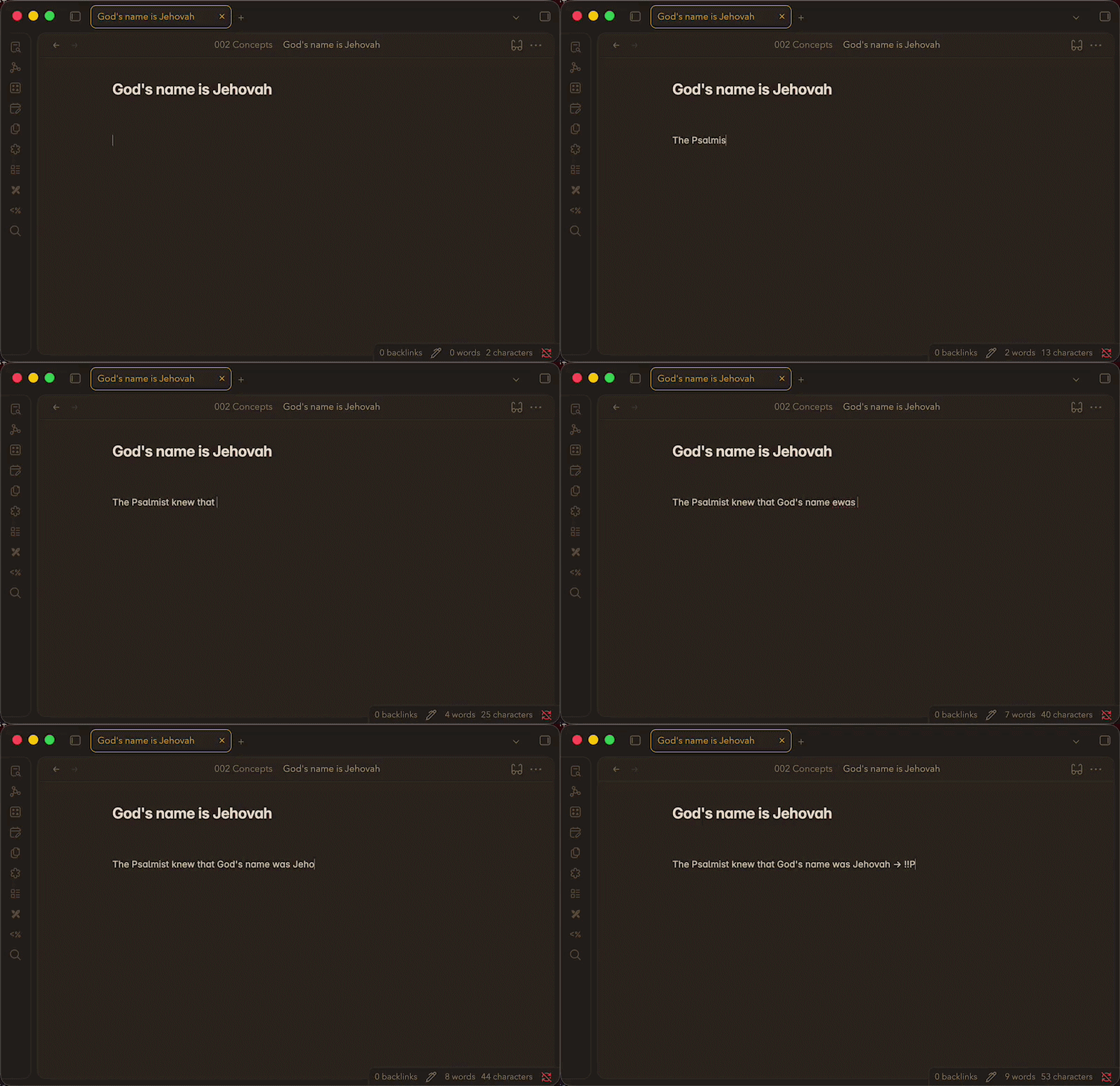
Wrap any reference in !!double exclamation marks!! and it becomes a clickable link. Click it to see the full text from wol.jw.org in a modal or popover. The sidebar panel automatically lists and loads all references in the active note.
To show a verse inline within your note as you're typing, add a > after the double exclamation marks:
!!John 3:16!!>
Add scriptures to your frontmatter using the double exclamation marks and combine that with a dataviewjs query to show any references you've added:
---
scriptures:
  - "!!Daniel 12:1!!"
  - "!!Revelation 12:7, 9!!"
---
const scriptures = dv.current().scriptures ?? [];
scriptures.forEach(s => dv.paragraph(s + "> <br />"));
Features
- Inline reference links —
!!John 3:16!!renders as a styled, clickable link in both Reading and Live Preview modes - Modal & popover display — choose how results appear (configurable in settings)
- Sidebar panel — all references in the current note are fetched and displayed in the right panel
- Inline callout —
!!John 3:16!!>renders the full result as an inline block directly in the editor - In-memory caching — results are cached for 30 minutes per session to avoid redundant requests
Usage
| Syntax | Result |
|---|---|
!!John 3:16!! | Clickable inline link; click to open result |
!!Isaiah 40:8!! | Works for any Bible book or WOL search term |
!!John 3:16!!> | Renders result inline as a callout block |
!!John 3:16; Romans 8:28!! | Semicolons separate multiple refs in one marker |
Settings
| Setting | Description |
|---|---|
| Reference Display Option | Choose Modal Dialog or Pop-over for click behaviour |
| Reference cache | Clear the in-memory cache to force fresh fetches |
Author
For plugin developers
Search results and similarity scores are powered by semantic analysis of your plugin's README. If your plugin isn't appearing for searches you'd expect, try updating your README to clearly describe your plugin's purpose, features, and use cases.