Today Pane
pendingby imaikosuke
Always display today's daily note in a side panel.
Obsidian Today Pane



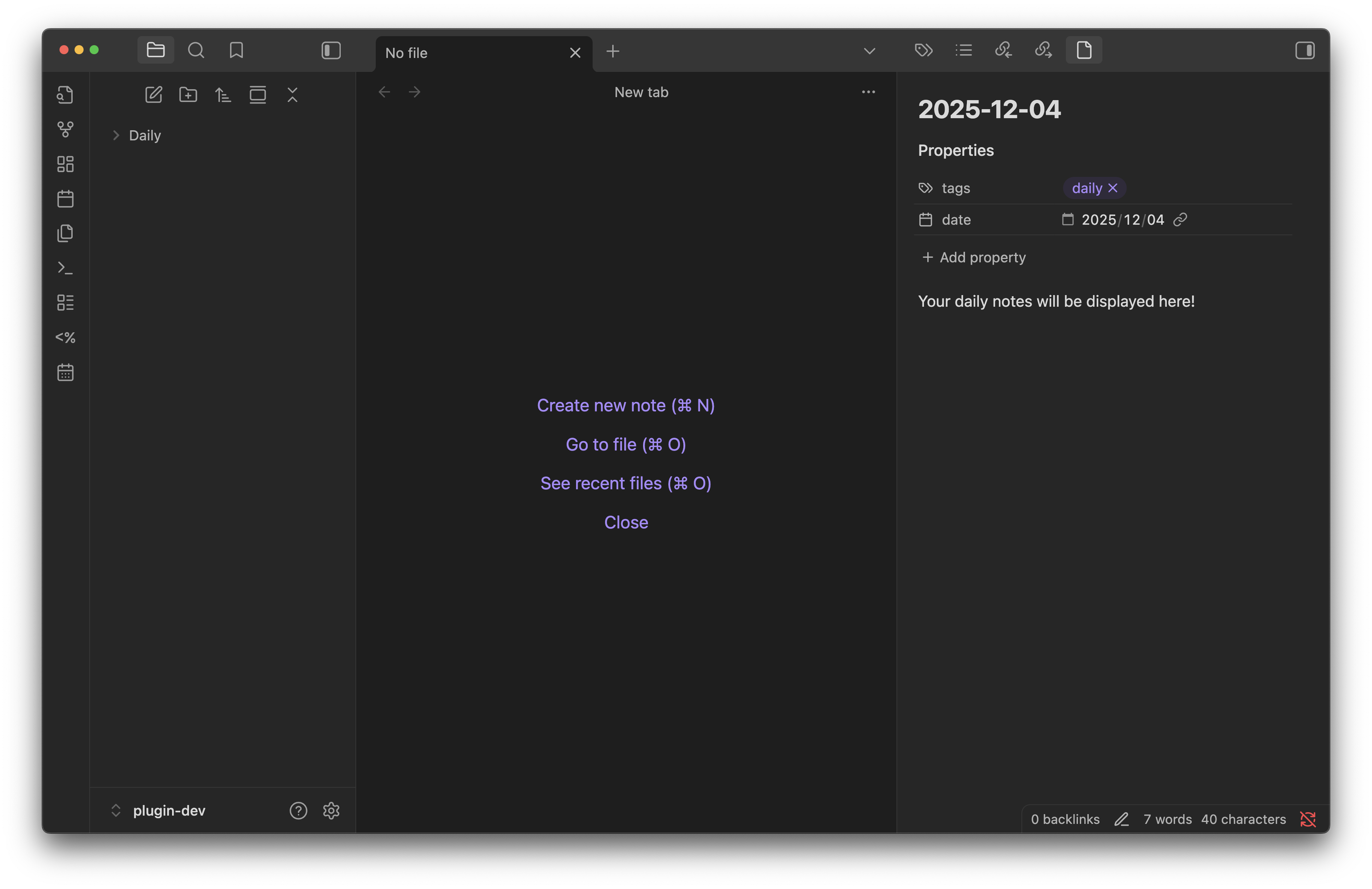
A plugin that always displays today's daily note in the right sidebar. When you open Obsidian, today's note is automatically displayed, making it easy to keep daily records and manage tasks efficiently.
Note: This plugin is currently planned for registration in the Obsidian Community Plugins. Currently, only manual installation is supported.
Why This Plugin?
Without this plugin, displaying your daily note in the right sidebar requires manual work:
- Open the daily note
- Drag and drop the note to the right side panel
- Since the date is fixed, you need to repeat this operation every day
With Today Pane, all this manual work is eliminated. Simply launch Obsidian, and today's note will automatically appear in the right sidebar, with the date automatically updated.
Features
- Auto-display: Automatically displays today's daily note in the right sidebar when Obsidian starts
- Manual open: Open today's note anytime using the ribbon icon or command palette
- Auto-create: If today's note doesn't exist yet, it will be automatically created from your template
- Daily note overrides: Optionally override the default Obsidian daily notes folder, format, and template
- Template date replacement: Automatically replaces the
date:field in the template's frontmatter with the current date - Duplicate prevention: If the same note is already open, it won't be opened again
- Desktop only: This plugin is designed for desktop use only (not available on mobile)
Usage
Basic Usage
-
Daily Notes Plugin Setup: To use this plugin, you need to have Obsidian's Daily Notes feature (core plugin) enabled
- Enable it in Settings → Core plugins → Daily notes
- Setting up the daily notes folder and date format will help this plugin work correctly
-
Auto-display on Startup: Once the plugin is enabled, today's note will automatically appear in the right sidebar when you launch Obsidian
-
Manual Opening:
- Ribbon Icon: Click the calendar icon in the left sidebar
- Command Palette: Press
Cmd/Ctrl + Pand type "Open Today's Note" to execute
Settings
From Settings → Community plugins → Today Pane, you can change the following settings:
- Auto-open on startup: Whether to automatically open today's note when Obsidian starts (Default: Enabled)
- Daily note folder: (Optional) Override the folder where daily notes are stored
- Daily note format: (Optional) Override the date format for daily notes
- Daily note template file: (Optional) Override the template file used for creating new daily notes
License
MIT
For plugin developers
Search results and similarity scores are powered by semantic analysis of your plugin's README. If your plugin isn't appearing for searches you'd expect, try updating your README to clearly describe your plugin's purpose, features, and use cases.