Single File Daily Notes
approvedby pranavmangal
Create and manage daily notes in a single file.
Single File Daily Notes


An Obsidian plugin for creating and managing daily notes in a single file.
Features
Create and manage daily notes
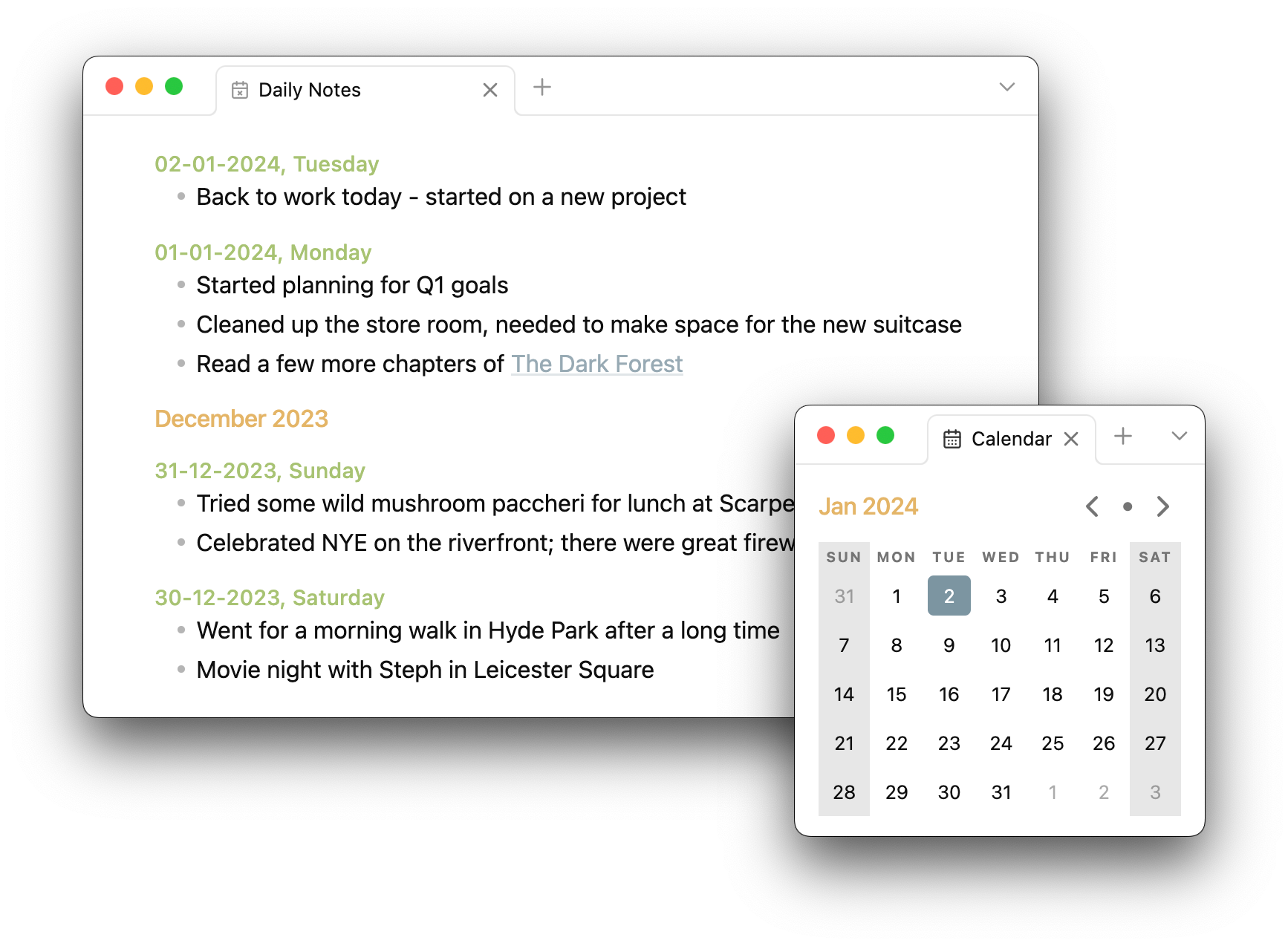
The plugin will create a new note for today automatically and select the dummy entry for immediate editing. If today's note already exists, it will try to position the cursor for appending/editing the existing note.
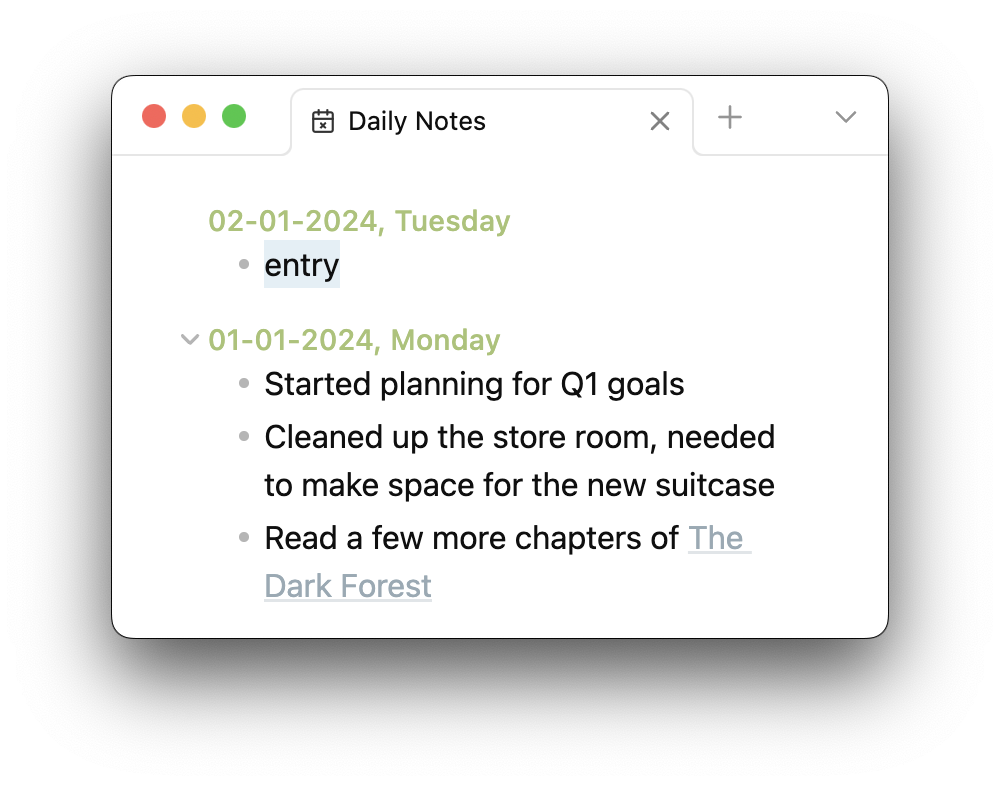
The result is a single standard Markdown file:
#### 02-01-2024, Tuesday

-   entry

#### 01-01-2024, Monday

-   Started planning for Q1 goals
-   Cleaned up the store room, needed to make space for the new suitcase
-   Read a few more chapters of [[The Dark Forest]]
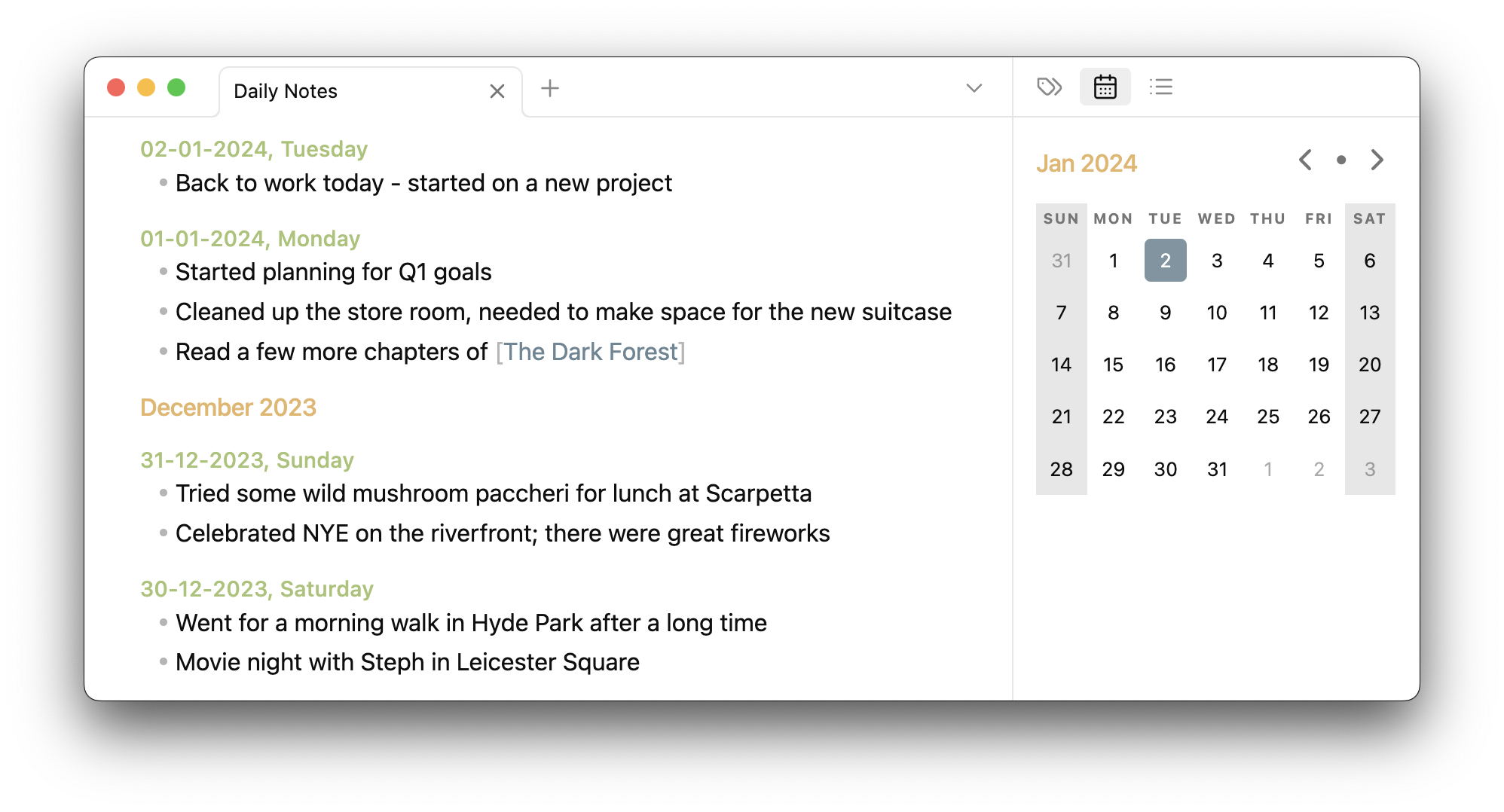
Use a calendar view
This plugin has a built-in calendar view that is displayed in the sidebar. This can be used to quickly jump to the daily note for a chosen date, and create one if it does not exist.
This calendar view can be shown/hidden using the command palette (⌘ + P).
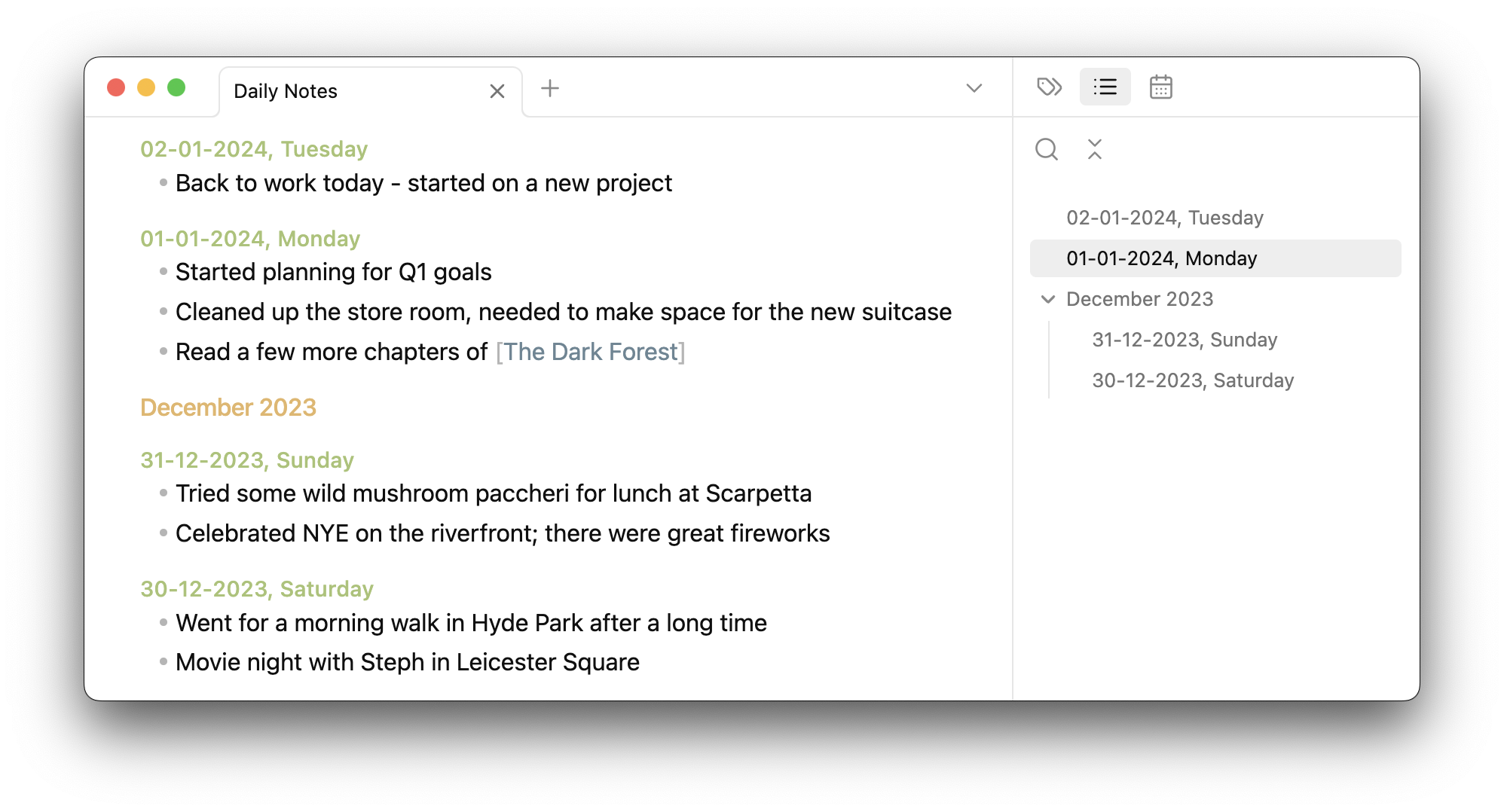
See an outline view
Since daily notes are formed by using standard Markdown headings, Obsidian's built-in outline view can be used to browse through them.
Configurability
You are able to configure:
- The name for the daily notes file
- The location of file
- The type of headings used for daily notes
- The date format used for daily notes
Installation
The plugin is available on the official community plugins list maintained by Obsidian.
Otherwise, the plugin can be installed via BRAT.
Usage
- Disable Obsidian's built-in core daily notes plugin from settings.
- This plugin does not yet interact with notes created by the core plugin, or any other community plugins designed to work with it.
- While keeping it enabled will not affect either plugin, it may cause confusion.
- Open this plugin's settings to configure it to your preferences
- Click on the ribbon icon or select "Open daily notes" via the command palette (
⌘ + P) to create the daily notes file. - Once created, the file can be opened like a regular file, via the ribbon icon or the command palette.
- Start editing!
Why
The in-built daily notes system in Obsidian is pretty decent, however it works by creating a separate file for each note. There are plugins to better manage these notes and display them in different views, but they still don't change the underlying file structure.
I didn't want hundreds of files in my vault dedicated to these daily notes, especially when they were quite small individually, which is why I created this plugin.
If you prefer writing longer and detailed daily notes, and wish to use the rest of Obsidian's plugin ecosystem that extends the built-in plugin, then this plugin might not be the best option for you.
For plugin developers
Search results and similarity scores are powered by semantic analysis of your plugin's README. If your plugin isn't appearing for searches you'd expect, try updating your README to clearly describe your plugin's purpose, features, and use cases.