Paste Image As
pendingby jffaust
Allows pasting images as JPEG or WebP format, with configurable quality settings.
Obsidian Paste Image As
This is a simple plugin for Obsidian that allows pasting images as JPEG or WebP.
The plugin adds a command called Paste Image As: Configured format for which you can bind whatever hotkey you want.
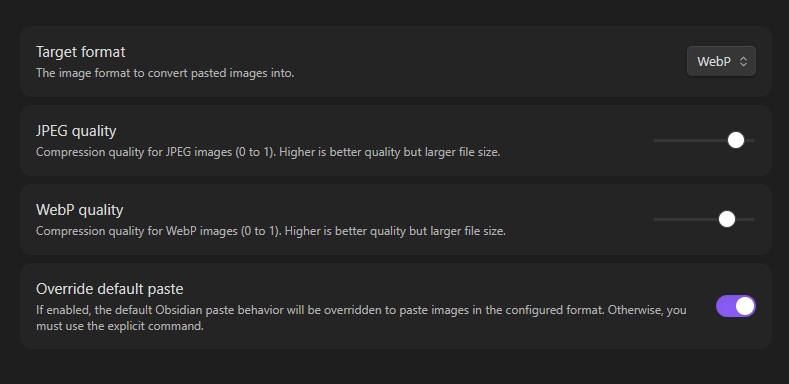
You can choose your prefered format, level of quality and also override the default Obsidian paste in the plugin's settings:
Manually installing the plugin
- Head over to the latest release and download
main.jsandmanifest.json - Copy those files to your vault
VaultFolder/.obsidian/plugins/paste-image-as/.
For plugin developers
Search results and similarity scores are powered by semantic analysis of your plugin's README. If your plugin isn't appearing for searches you'd expect, try updating your README to clearly describe your plugin's purpose, features, and use cases.