Redstone Copilot
pendingby Den Volkov aka MadAsket
Codex-powered AI-copilot. Works within your OpenAI subscription plan and no API key required.
Redstone Copilot
A modern, convenient Codex-powered AI-copilot sidebar for Obsidian.



[!NOTE] This plugin is powered by the Codex CLI. Works within your OpenAI subscription plan and no API key required. More info about Codex CLI.
[!WARNING] Desktop-only: macOS, Windows and Linux are supported. Mobile is not supported.
Redstone Copilot
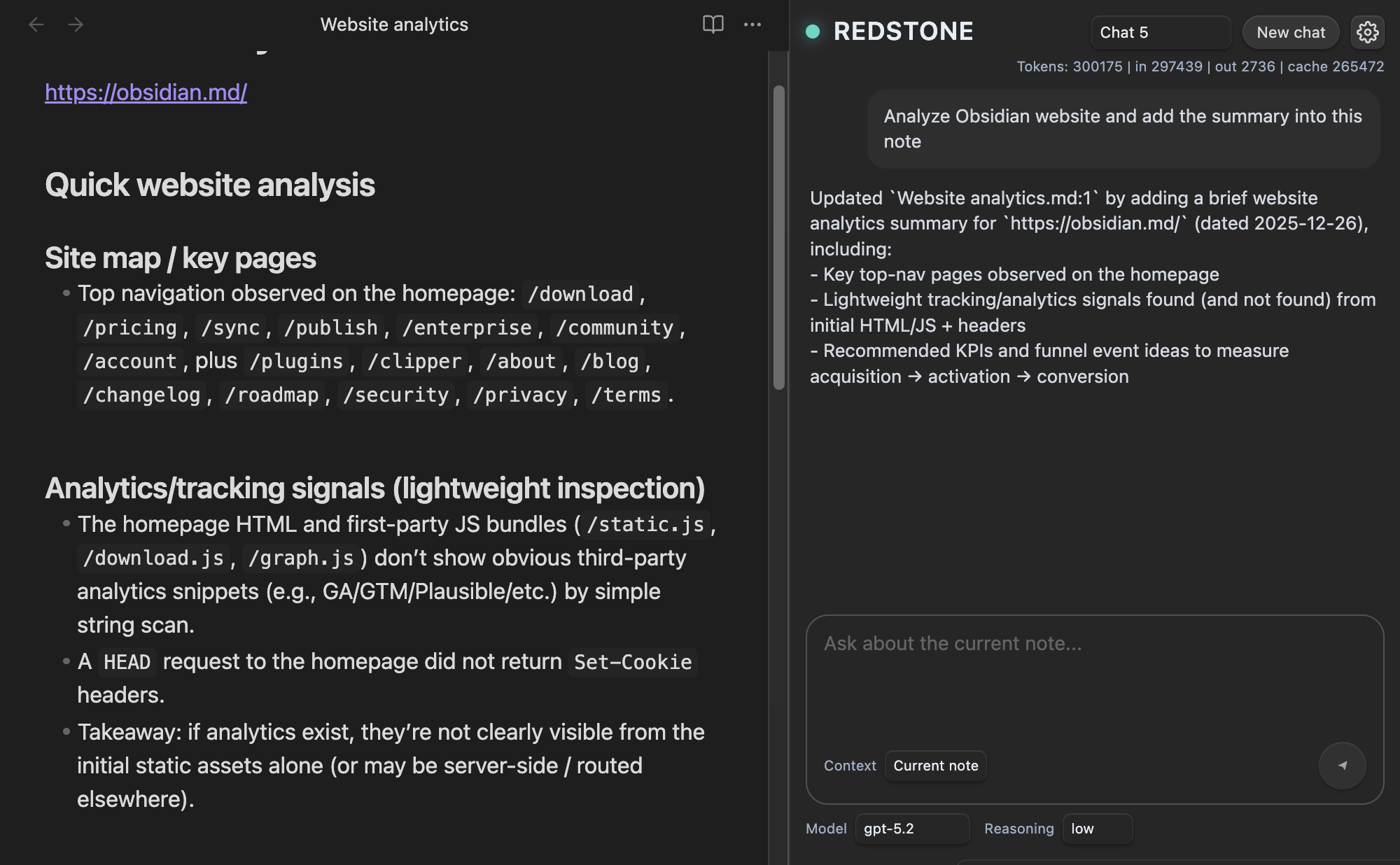
Features
- Chat with Codex to answer questions or create/edit notes in your vault.
- Use Codex models and Reasoning GPT models like GPT-5.2
- No API Key required. Sign in with ChatGPT via email.
- Choose context:
- Use only the current note, or
- Use the whole vault as context.
- Create multiple chats and switch between them (each chat keeps its own history).
Why Codex CLI is great (and why this plugin builds on it)
-
No API Key needed. Sign in with ChatGPT. — Signing into your ChatGPT account to use Codex as part of your Plus, Pro, Team, Edu, or Enterprise plan. Learn what’s included in your ChatGPT plan.
-
Chat history built-in — Codex manages conversation threads and can resume them across sessions.
-
Directory-aware by design — Make summaries, reports, and more for all the notes in your vault. Codex is built to work inside a project folder, so it can reason over files in your vault.
Important notes
- During plugin setup, Redstone downloads the official Codex CLI binary for your system into the plugin directory. File details and release assets: https://github.com/openai/codex/releases/
About AGENTS.md (vault instructions)
This plugin creates an AGENTS.md file in your vault root.
- It contains baseline instructions so Codex understands it’s working inside an Obsidian vault.
- Basically, everything works right out of the box, but you can freely edit
AGENTS.mdto add your own rules and conventions.
Optional: Why you should edit it
Different vaults have different conventions:
- Zettelkasten vs PARA vs project-based vaults
- Frontmatter schemas
- Tagging rules
- Folder structures
- Templates
Add instructions like:
- Where new notes should be created
- How to name files
- What frontmatter fields are required
- What style/format you want for summaries
[!TIP] Treat
AGENTS.mdas your “vault handbook” for AI.
Settings
- Model and reasoning level (applies immediately).
- Codex CLI (binary selector).
- Mode (Read-only or write mode for your vault).
- Internet access (optional, off by default).
- Web search requests (only available when Internet access is on).
Support
- Questions / ideas: GitHub Discussions: https://github.com/madAsket/obsidian-codex/discussions
- Bug reports: GitHub Issues: https://github.com/madAsket/obsidian-codex/issues
Buy me a coffee
If this plugin saves you time, please support me and further development:

Disclaimer
This is an independent community plugin and is not affiliated with Obsidian or OpenAI.
For plugin developers
Search results and similarity scores are powered by semantic analysis of your plugin's README. If your plugin isn't appearing for searches you'd expect, try updating your README to clearly describe your plugin's purpose, features, and use cases.