Delete Note and Attachments
pendingby Prithvi Mandava
Adds a menu option to delete a note along with all its attachments (images, files, etc.)
Delete Note and Attachments
An Obsidian plugin that adds a "Delete note and attachments" option to the file context menu. When you delete a note, all its embedded attachments (images, PDFs, videos, etc.) are automatically deleted too.
Note: This plugin currently works with single notes only. Multi-select deletion is planned for a future release.
Screenshots
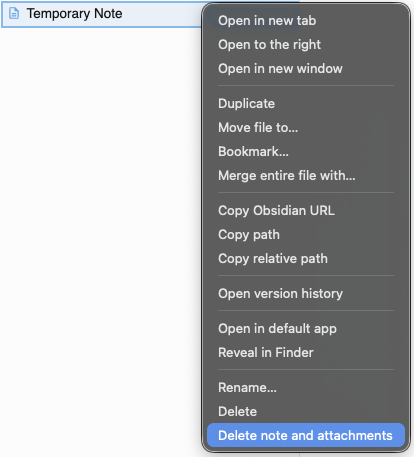
Right-click menu in file explorer
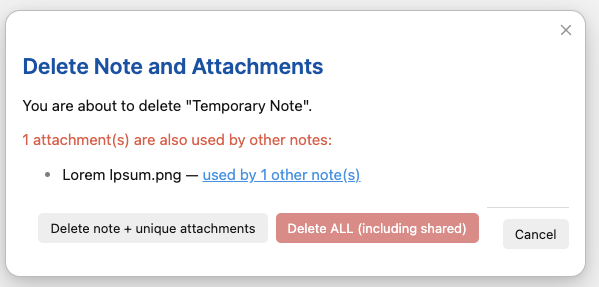
Confirmation dialog with shared attachment
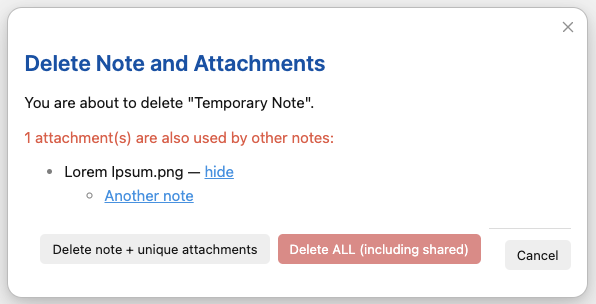
See which notes use a shared attachment
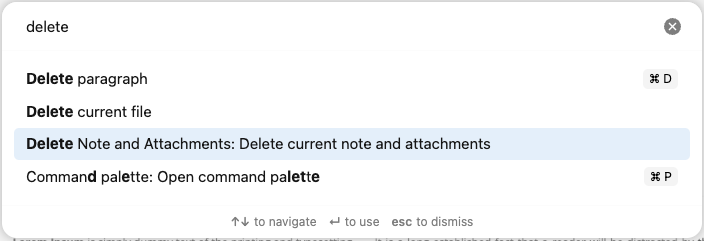
Also available in command palette
Features
- Right-click menu: Adds "Delete note and attachments" to the file explorer context menu
- Command palette: Also available via command palette for the active note
- Smart deletion: Only deletes attachments that are unique to the note being deleted
- Shared attachment handling: If an attachment is used by other notes, you get a choice:
- Delete only the note and unique attachments
- Delete everything including shared attachments
- See usage: Click to see which other notes use a shared attachment
- Confirmation dialog: Shows what will be deleted before proceeding
- Moves to trash: Uses Obsidian's trash system (system or Obsidian trash based on your settings)
Installation
From Community Plugins
- Open Obsidian Settings → Community plugins
- Click "Browse" and search for "Delete Note and Attachments"
- Install and enable the plugin
Manual Installation
- Download
main.jsandmanifest.jsonfrom the latest release - Create a folder called
delete-note-and-attachmentsin your vault's.obsidian/plugins/directory - Copy the downloaded files into this folder
- Enable the plugin in Obsidian Settings → Community plugins
Build from Source
cd delete-note-and-attachments
npm install
npm run build
Then copy main.js and manifest.json to your vault's plugins folder.
Usage
- Right-click on any markdown note in the file explorer
- Select "Delete note and attachments"
- Review the confirmation dialog showing which attachments will be deleted
- Click "Delete" to proceed or "Cancel" to abort
Or use the command palette:
- Open a note
- Press
Ctrl/Cmd + Pto open command palette - Search for "Delete current note and attachments"
How It Works
- Scans the note for all embedded (
![[]]) and linked ([[]]) non-markdown files - Checks each attachment to see if it's referenced by other notes
- Shows a confirmation dialog listing:
- Unique attachments (will be deleted)
- Shared attachments (click to see which notes use them)
- Deletes selected files to trash
License
This project is licensed under the MIT License.
For plugin developers
Search results and similarity scores are powered by semantic analysis of your plugin's README. If your plugin isn't appearing for searches you'd expect, try updating your README to clearly describe your plugin's purpose, features, and use cases.