On This Day With Calendar
pendingby tem
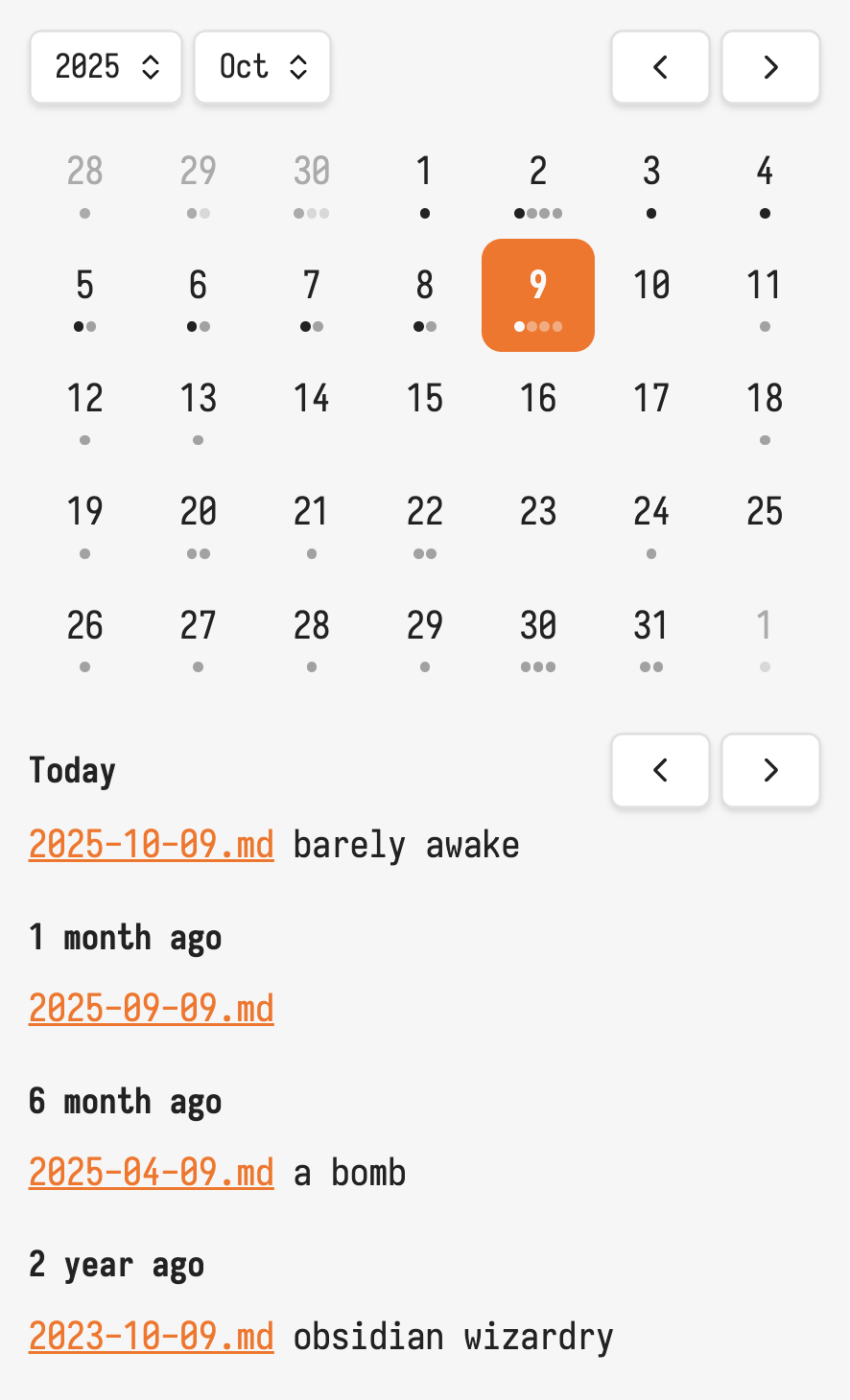
See what happened on this day in your daily notes. Inspired by Day One.
On This Day
This plugin adds a funtionality similar to Day One app. It allows seeing notes happend "on this day" a 1 2 5 years ago.
Settings
Daily Folder - The where daily notes are stored.
Which Month - For which months to show entries. For example 1,6 would show entries for 1 month ago and 6 months ago.
Which Year - For which years to show entries.
Development
npm i
npm run dev
Releasing new releases
- Update your
manifest.jsonwith your new version number, such as1.0.1, and the minimum Obsidian version required for your latest release. - Update your
versions.jsonfile with"new-plugin-version": "minimum-obsidian-version"so older versions of Obsidian can download an older version of your plugin that's compatible. - Create new GitHub release using your new version number as the "Tag version". Use the exact version number, don't include a prefix
v. See here for an example: https://github.com/obsidianmd/obsidian-sample-plugin/releases - Upload the files
manifest.json,main.js,styles.cssas binary attachments. Note: The manifest.json file must be in two places, first the root path of your repository and also in the release. - Publish the release.
You can simplify the version bump process by running
npm version patch,npm version minorornpm version majorafter updatingminAppVersionmanually inmanifest.json. The command will bump version inmanifest.jsonandpackage.json, and add the entry for the new version toversions.json
For plugin developers
Search results and similarity scores are powered by semantic analysis of your plugin's README. If your plugin isn't appearing for searches you'd expect, try updating your README to clearly describe your plugin's purpose, features, and use cases.