Read Only View
pendingby mrKazzila - Ilya Kazakov
Forces notes to open in read-only preview mode. Lock your files to prevent accidental edits with this simple editor lock tool.
Read Only View


Read Only View is an Obsidian community plugin that forces selected Markdown files to stay in Reading mode (preview). It works on both desktop and mobile (isDesktopOnly: false) using simple local rule matching with no extra runtime dependencies.
Privacy: No network requests, rules evaluated locally.
Quick Start
- Install the plugin (manual installation steps below).
- In Obsidian, open Settings → Community plugins and enable Read Only View.
- Open Settings → Read Only View.
- Make sure
Enabledis on, then add an include rule such as:project_a/**
- Open a matching
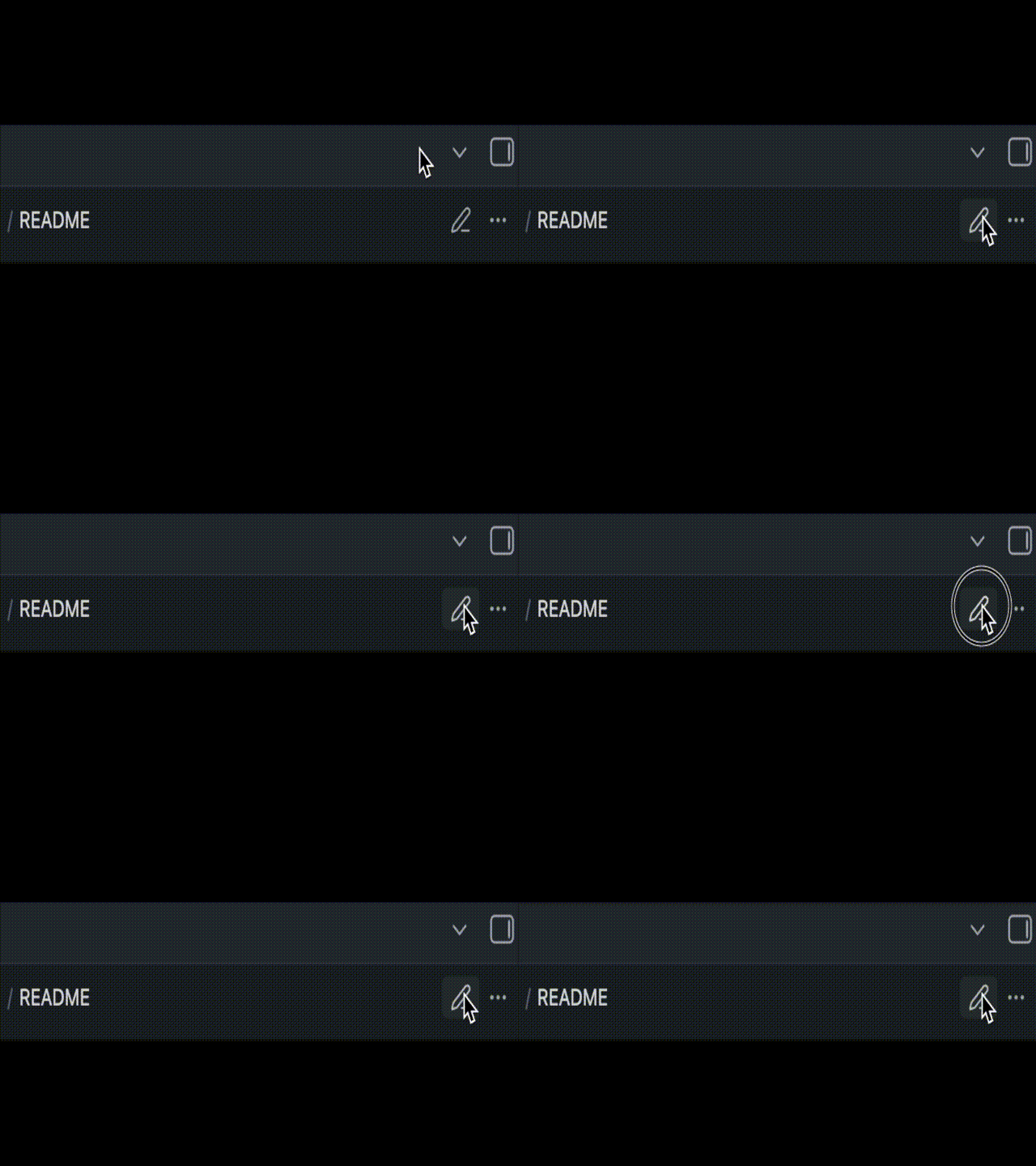
.mdnote. It should stay in Reading mode (preview).
If it does not apply immediately, run command Re-apply rules now from the Command Palette.
Installation
Community Plugins
- Not in Community Store yet.
Manual installation
- Download or build plugin files.
- Copy files into your vault:
<Vault>/.obsidian/plugins/read-only-view/- required files:
main.js,manifest.json - optional:
styles.css
- Restart Obsidian (or reload plugins), then enable Read Only View in Settings → Community plugins.
Usage
Settings overview
In Settings → Read Only View, configure:
EnabledUse glob patternsCase sensitiveDebug loggingInclude rulesExclude rules
While editing rules, the plugin autosaves with debounce (~400 ms) and shows status text: Saving..., Saved., Save failed.
If you need explicit confirmation, wait for Saved. before closing settings.
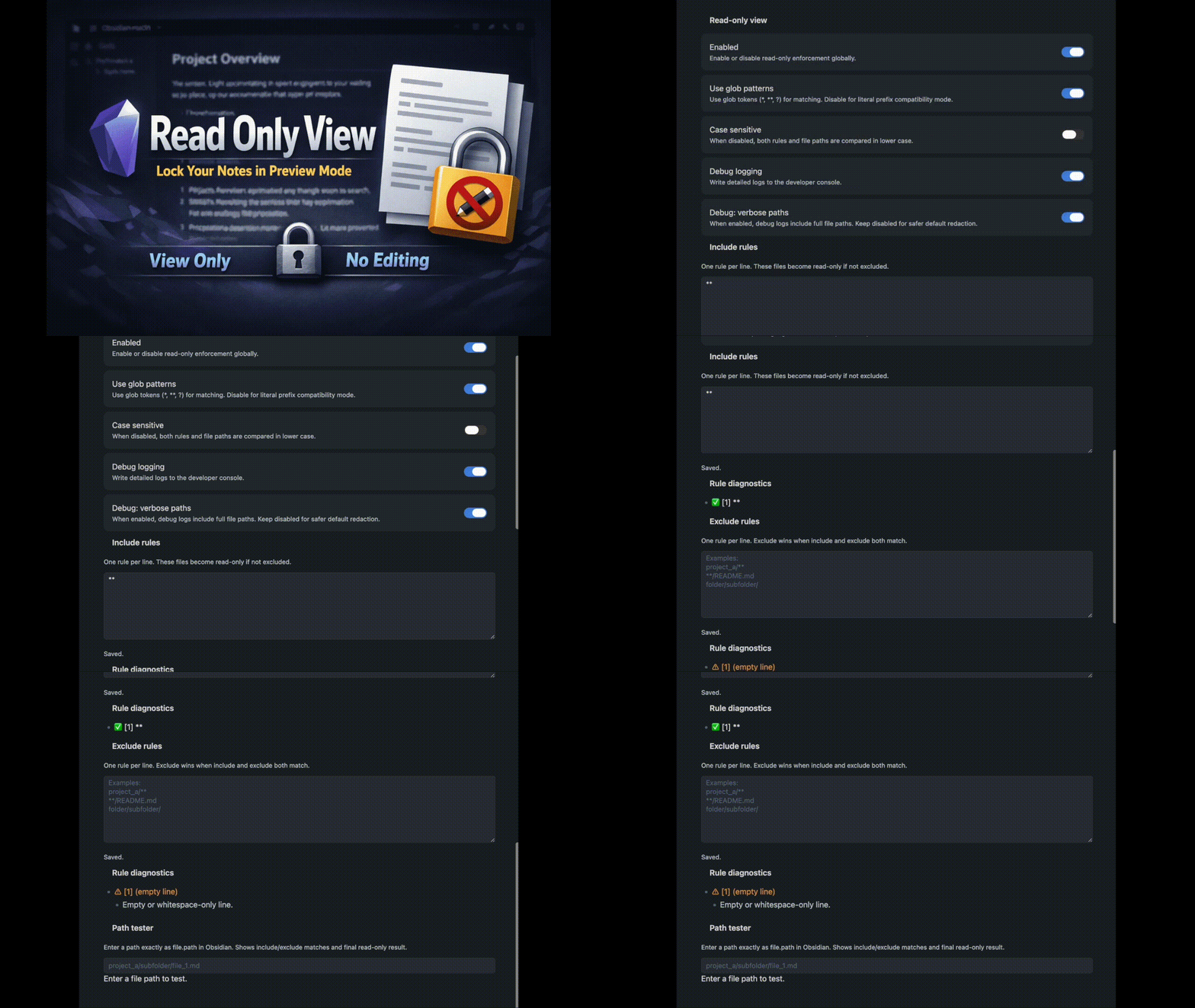
Rule volume safeguards:
- soft warning when include or exclude has more than
50effective rules - strong warning when include or exclude has more than
150effective rules - hard caps:
- include max:
200 - exclude max:
300 - total max:
400
- include max:
- when hard caps are exceeded, save still succeeds, but extra lines are ignored and marked in diagnostics (
Ignored due to rule limit.) - rules counter in settings shows effective used rules:
Include: X · Exclude: Y · Total: Zwith(+N ignored)when applicable
Rule examples
Common scenarios:
- Protect one project folder, but exclude archive subfolder:
Include:
project_a/**
**/README.md

Exclude:
project_a/archive/**
- Protect all README notes across the vault:
Include:
**/README.md

Exclude:
- Protect one specific note:
Include:
notes/policies/security.md

Exclude:
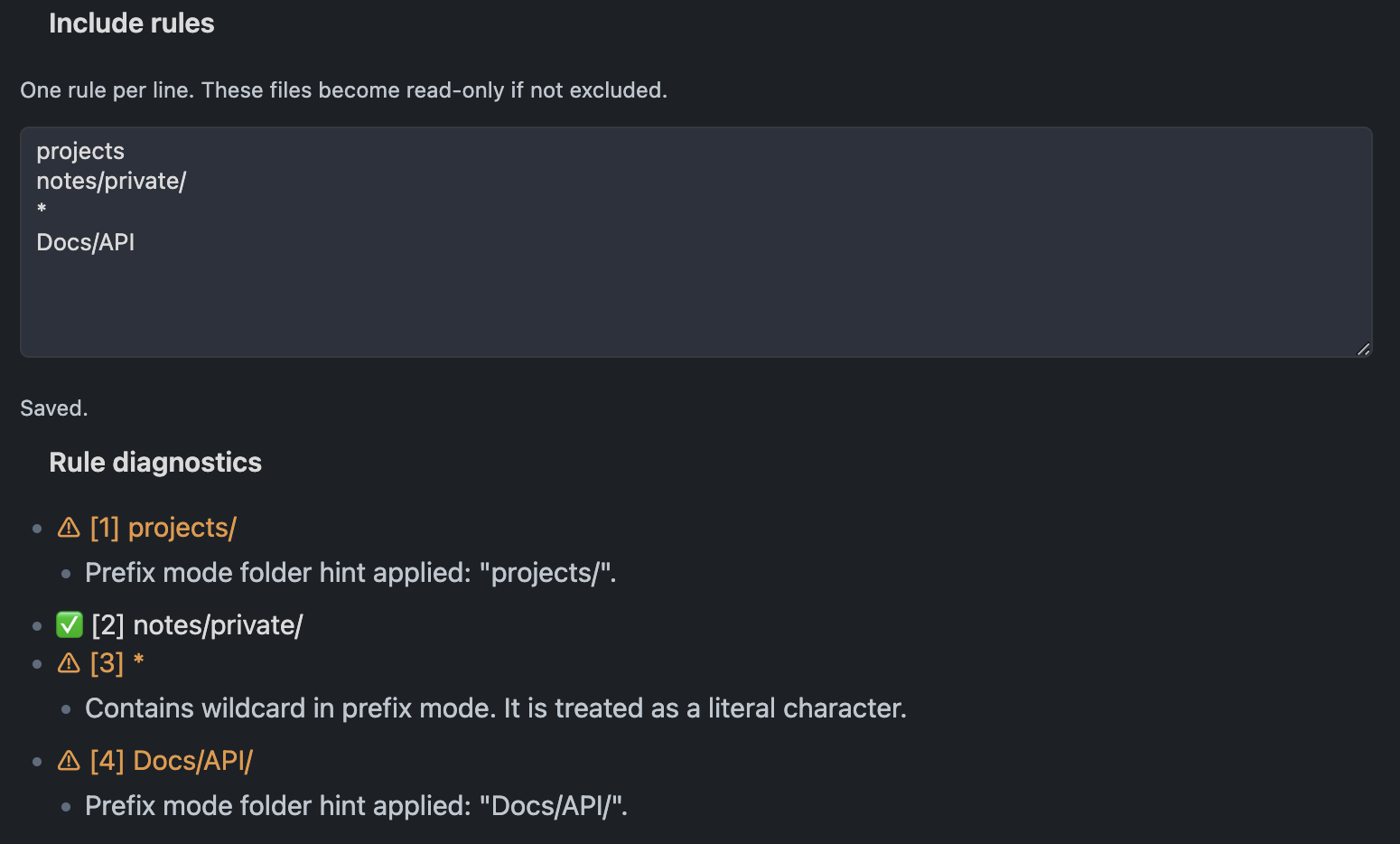
- Prefix mode folder rule (
Use glob patternsoff):
Include:
projects/

Exclude:
projects/drafts/
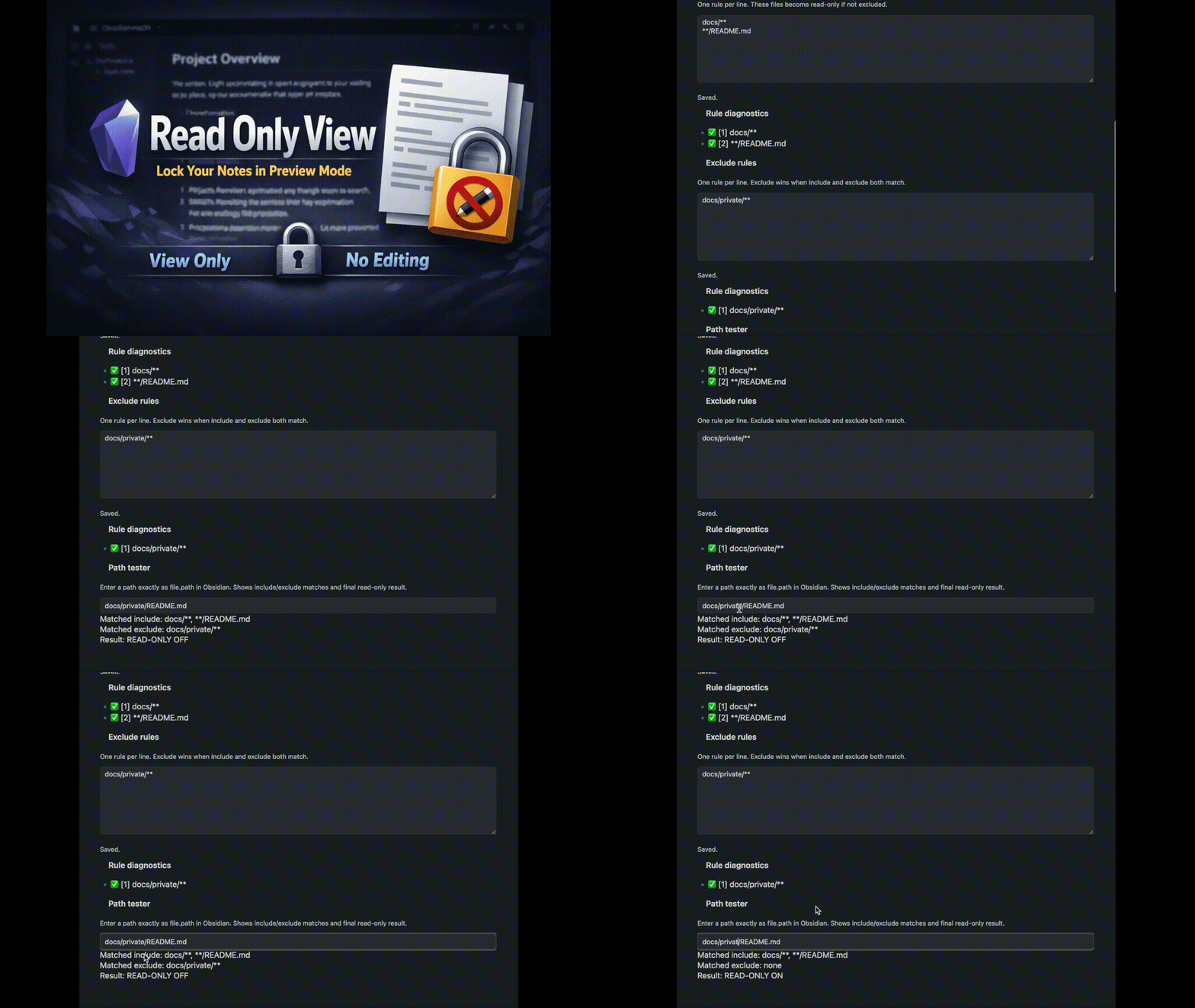
Path tester
Use Path tester to validate behavior before relying on a rule set. It shows:
- matched include rules
- matched exclude rules
- final
READ-ONLY ON/OFF
Commands
Use the Command Palette:
Enable read-only modeDisable read-only modeToggle plugin enabledRe-apply rules now
Enable read-only mode is available only when the plugin is disabled.
Disable read-only mode is available only when the plugin is enabled.
Features
- Core enforcement:
- Force matched
.mdfiles into Reading mode (preview). - Prevent switching matched files to Source mode or Live Preview.
- Force matched
- Matching:
- Include and exclude rule lists (
excludehas priority when both match). - Rule limit policy:
- include list is capped first (
200) - exclude list is capped second (
300) - if combined total still exceeds
400, tail of exclude is trimmed first (include keeps priority)
- include list is capped first (
- Two modes:
- Glob mode (
*,**,?) - Literal prefix mode (compatibility mode)
- Glob mode (
- Path normalization for reliable matching:
- trims spaces
- converts
\\to/ - removes leading
./ - collapses duplicate
/
- Include and exclude rule lists (
- Settings UX:
- Rule diagnostics:
✅valid rule⚠️suspicious/non-effective rule- warnings shown inline under each rule (no hover required)
- diagnostics area uses local scroll with capped height on small screens
- Rules editor save behavior:
- saves on typing with debounce (~400 ms)
- flushes pending save on
blur/change - shows text status (
Saving...,Saved.,Save failed.)
- Built-in path tester:
- matched include rules
- matched exclude rules
- final
READ-ONLY ON/OFF - long values wrap safely on narrow/mobile layouts
- Rule diagnostics:
- Commands:
Enable read-only modeDisable read-only modeToggle plugin enabledRe-apply rules nowEnable read-only modeis available only when the plugin is disabled;Disable read-only modeis available only when enabled
- Debug:
- Debug logging via
console.debug(optional) - file paths are redacted by default
- enable
Debug: verbose pathsto include full file paths
- Debug logging via
Limitations / Non-goals
- This plugin does not change OS-level file permissions and is not an OS-level read-only lock.
- It only affects Obsidian view mode behavior for Markdown (
.md) files. - It does not protect non-Markdown files.
- It is not a security boundary against external tools or other editors.
- Rule enforcement is app-level behavior inside Obsidian (re-applied on relevant workspace/UI events).
Troubleshooting
- File is not forced to Reading mode (preview):
- Check that plugin
Enabledis on. - Confirm the file extension is
.md(non-Markdown files are ignored). - Verify at least one include rule matches the file path.
- Verify no exclude rule matches the same file path (exclude wins).
- Check that plugin
- Rule looks correct but still does not match:
- Use the built-in Path tester with the exact
file.path. - Check
Case sensitivesetting. - In prefix mode (
Use glob patternsoff),*and?are treated literally.
- Use the built-in Path tester with the exact
- Rule matches too broadly in prefix mode:
- If you intended a folder, keep a trailing
/in the rule. - Remember: prefix mode uses
startsWith.
- If you intended a folder, keep a trailing
- Changes in rules do not appear immediately:
- Run command Re-apply rules now.
- Switch tabs or reopen the note to trigger workspace events.
- You see
Too many rules. Extra lines are ignored.:- Reduce rule count, merge similar paths, and prefer
**in glob mode for broader coverage. - Check diagnostics entries marked
Ignored due to rule limit.to see which lines are not used.
- Reduce rule count, merge similar paths, and prefer
Advanced troubleshooting
- Check normalized path form (
\vs/, leading./, duplicate/) in diagnostics. - Empty diagnostics lines are shown as
(empty line)and are not converted to/. - Warning details are rendered inline (touch-friendly), not only in hover tooltips.
- Enable
Debug loggingand inspect DevTools console output ([read-only-view]prefix). - Keep
Debug: verbose pathsdisabled unless full-path diagnostics are required. - Fallback failures include error type/message in debug logs (
ensure-preview-fallback).
Compatibility
Manual cross-platform/version compatibility checks are tracked in:
docs/compatibility-matrix.md
Development
Requirements:
- Node.js 18+
- npm
Dependency policy:
obsidianis pinned to an exact version inpackage.json(1.10.3) to keep local and CI builds reproducible.- Update policy:
- bump intentionally via
npm install obsidian@<version> - run full validation (
just lint && just test && just build) - smoke-check plugin loading in Obsidian desktop and mobile
- bump intentionally via
Install dependencies:
npm install
Build:
npm run build
Test:
npm test
Test suite note:
- includes matcher stress/perf checks for long path and wildcard workloads with conservative runtime budgets to catch obvious regressions without CI flakiness
- includes
main.tsorchestration tests for enforcement flow, observer wiring, command visibility rules, and debug-path redaction behavior
Lint:
npm run lint
Watch mode:
npm run dev
Optional just shortcuts:
just install
just build
just test
just lint
just check
just clean
At minimum before finishing changes, run:
just lintjust testjust build
Contributing
- Create a branch for your change.
- Run checks locally (
just checkrecommended; minimum is lint + test + build). - Open a pull request with a clear behavior summary and test notes.
- If behavior changes, update both
README.mdanddocs/PROJECT_STATE.md.
License
See LICENSE.
Releases
See repository Releases.
Deep Dive
How enforcement works
- On workspace events (
file-open,active-leaf-change,layout-change), the plugin coalesces bursts into one re-apply pass (150 ms window) before scanning open Markdown leaves.- If the burst contains only
active-leaf-changeand/orfile-open, the plugin applies enforcement only to the changed leaf to reduce unnecessary full-vault UI work.
- If the burst contains only
- For each Markdown file, it evaluates
shouldForceReadOnly(file.path, settings). - If the file should be protected, the plugin forces the leaf view mode to
preview. - If a user or UI action tries to switch back to edit mode, the plugin re-applies preview mode.
- A mutation observer watches popover containers (
.hover-popover,.popover) and re-applies protection only when an editor node appears there.
Matching details and semantics
Matching rules:
- Only
.mdfiles are affected. - If
enabled = false, no enforcement is applied. - Include must match first.
- Exclude then overrides include.
Glob semantics (useGlobPatterns = true):
*matches within one path segment ([^/]*)**matches across segments (.*)?matches one non-/character ([^/])- compiled glob regexes are cached with a fixed FIFO cap (
512entries) to prevent unbounded memory growth with many unique rules
Literal prefix mode (useGlobPatterns = false):
- Uses
normalizedFilePath.startsWith(normalizedPattern) - If rule has no
*/?, does not end with/, and does not end with.md, the plugin appends/automatically (folder intent).
For plugin developers
Search results and similarity scores are powered by semantic analysis of your plugin's README. If your plugin isn't appearing for searches you'd expect, try updating your README to clearly describe your plugin's purpose, features, and use cases.