All-In-One Pomodoro
pendingby Neo Vibe
A beautiful, customizable Pomodoro timer with circular progress ring, 10 themes, 12 sounds, task tracking, and floating popout window.
Pomodoro Timer
A beautiful, customizable Pomodoro timer for Obsidian with a circular progress ring, 10 themes, 12 sounds, task tracking, and a floating popout window.
No files created in your vault. No network calls. Inherits your Obsidian theme by default.
Features
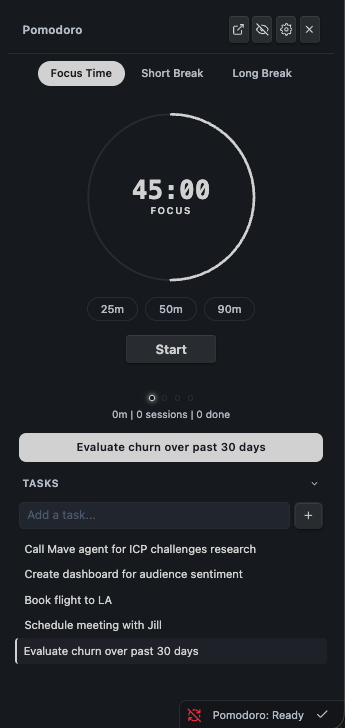
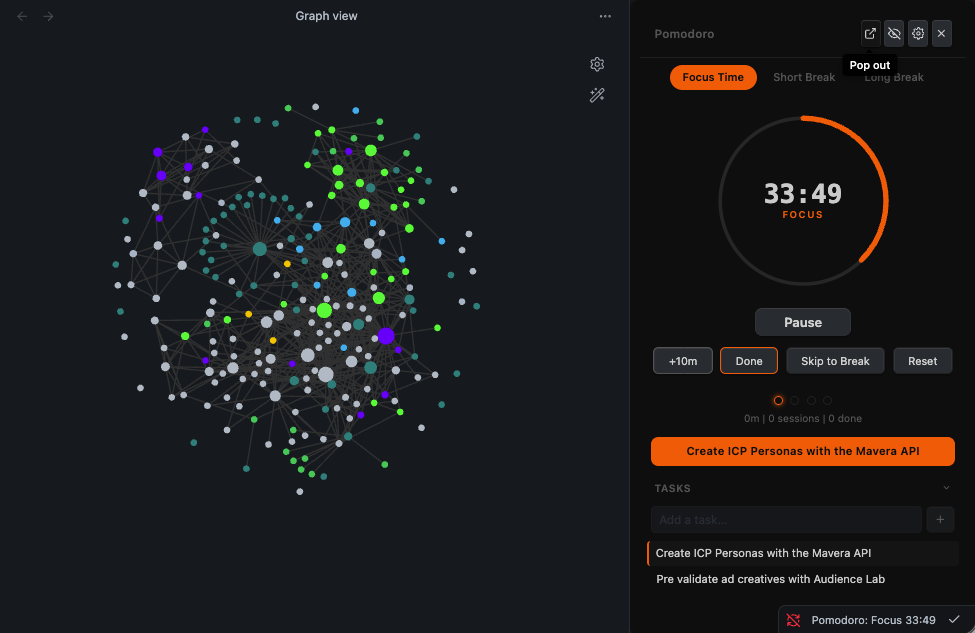
- Circular progress ring that fills as you work. Click to start, pause, or resume. Scroll to set time.
- Mode tabs: Focus Time, Short Break, Long Break with auto-cycling and configurable intervals.
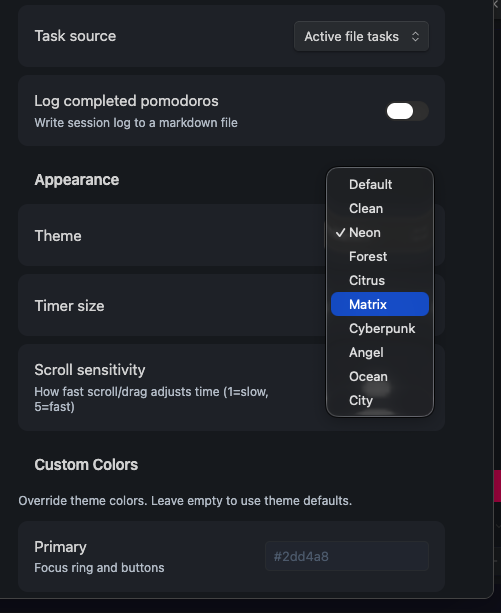
- 10 built-in themes: Default, Clean, Neon, Forest, Orange, Matrix, Cyberpunk, Angel, Ocean, City.
- 12 built-in sounds: Bell, Chime, Ding, Complete, Soft Chime, Digital, Zen Bowl, Raindrop, Level Up, Warm Tone, Alert, Success.
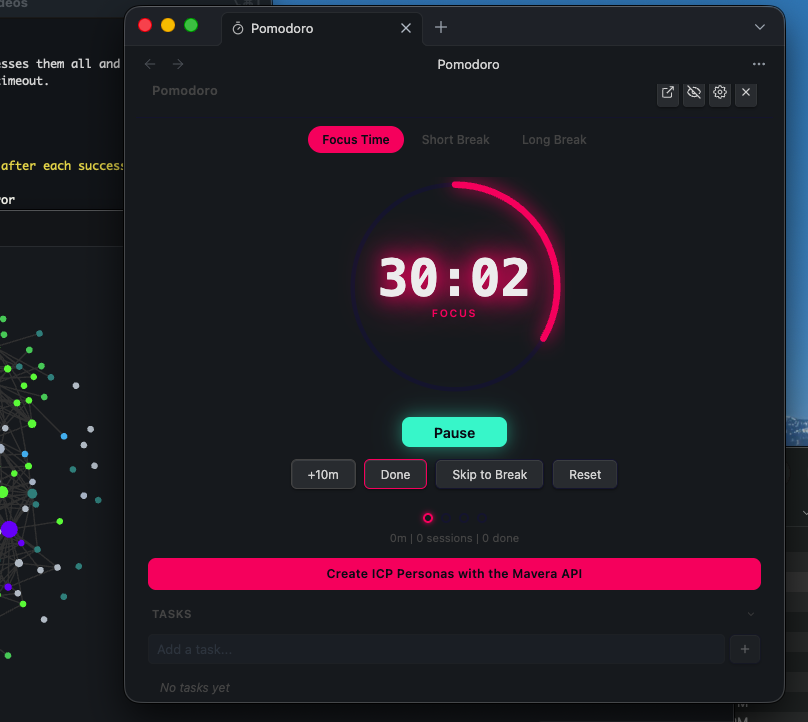
- Popout window: Float the timer over your workspace in a separate window.
- Quick task input: Add a task inline and track it during your session.
- Duration presets: 25m, 50m, 90m. Or scroll/drag to set any duration (1-90 min).
- Custom colors: Override any theme with your own primary, secondary, and accent colors.
- Status bar: Shows timer state and remaining time. Click to show/hide the panel.
- Pomodoro log: Optionally log completed sessions to a markdown file.
- Keyboard shortcuts: Start, pause, stop, skip, toggle panel, popout. All via command palette.
Screenshots
Installation
From Community Plugins
- Open Settings > Community Plugins
- Search for "All-In-One Pomodoro"
- Click Install, then Enable
Manual
- Download
main.js,manifest.json, andstyles.cssfrom the latest release - Create
pomodoro-timer/in your vault's.obsidian/plugins/directory - Copy the files into the folder
- Enable in Settings > Community Plugins
Commands
| Command | Description |
|---|---|
| Start pomodoro | Start a focus session |
| Pause pomodoro | Pause the timer |
| Stop pomodoro | Reset the timer |
| Skip to next phase | Jump to the next break or focus session |
| Open Pomodoro panel | Show the timer in the sidebar |
| Hide Pomodoro panel | Minimize to status bar |
| Toggle Pomodoro panel | Show or hide |
| Pop out to floating window | Open in a separate window (desktop) |
Task Tracking
Add [pomo:: 0/8] to any task to track pomodoros:
- [ ] Write the API documentation [pomo:: 3/8]
- [ ] Review pull requests [pomo:: 0/4]
The count updates automatically when you complete a session with that task selected.
Themes
| Theme | Vibe |
|---|---|
| Default | Teal, adapts to your Obsidian theme |
| Clean | Monochrome, thin lines |
| Neon | Hot pink + cyan, glowing |
| Forest | Earthy greens |
| Citrus | Warm amber on dark |
| Matrix | Green on black, monospace |
| Cyberpunk | Blue neon + pink, double glow |
| Angel | White and gold |
| Ocean | Teal on deep green |
| City | Grayscale + orange |
All themes support the Style Settings plugin for additional customization.
Roadmap
Planned for future releases:
- Calendar integration (show upcoming events, plan pomodoros around meetings)
- CLI companion (sync timer state with terminal tools)
- Timer state persistence (resume after restart)
- Additional themes (Catppuccin, Nord, Dracula, Solarized)
Support
If this plugin helps you focus, consider supporting development:
License
MIT. Built by NEO.
For plugin developers
Search results and similarity scores are powered by semantic analysis of your plugin's README. If your plugin isn't appearing for searches you'd expect, try updating your README to clearly describe your plugin's purpose, features, and use cases.