Minimalistic Claude Code Integration
pendingby Dmitry Protsenko
Minimalistic plugin for Claude Code connection.
Obsidian Claude Code Integration
A minimalistic Obsidian plugin that connects Claude Code to your notes.
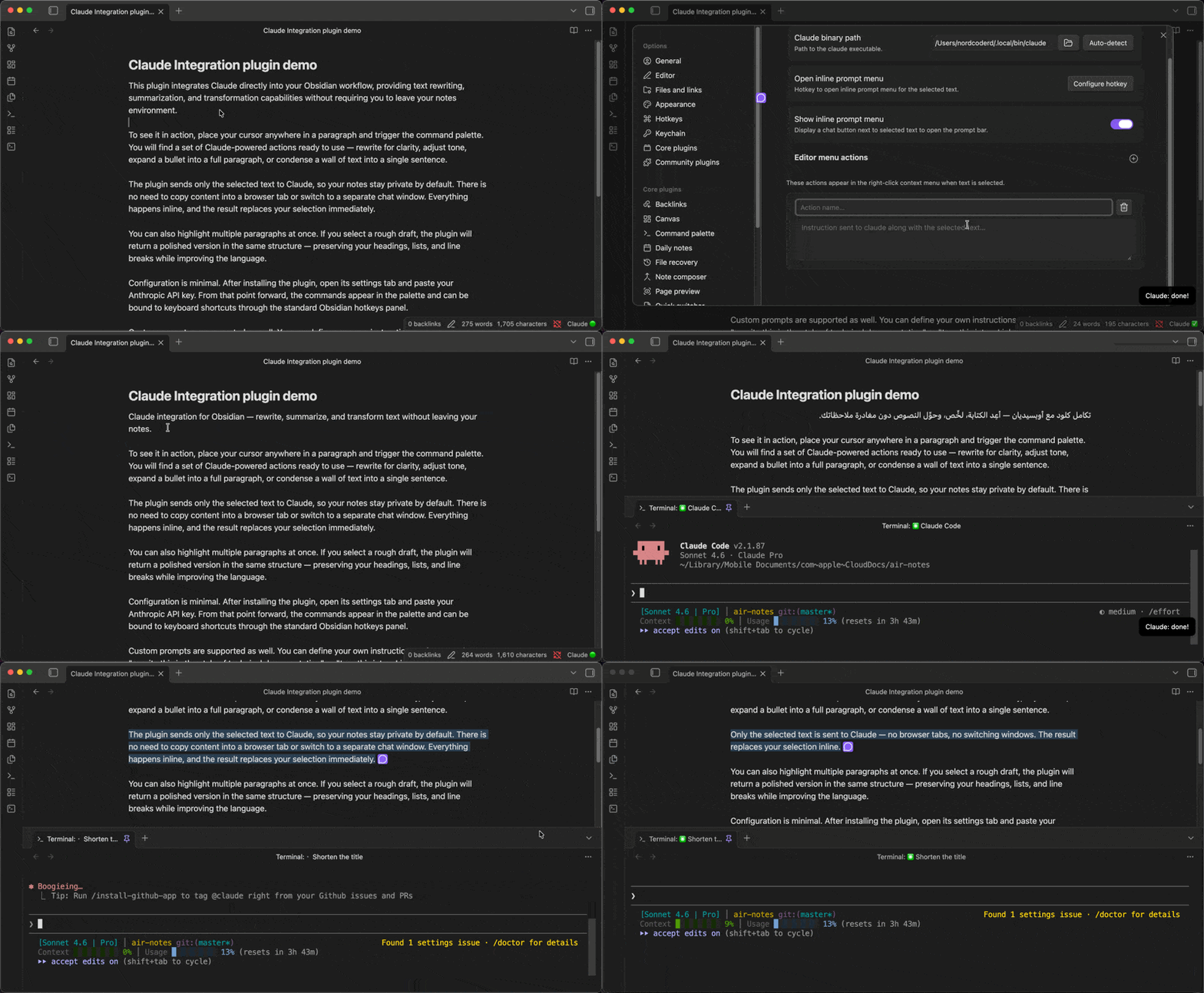
What it does
- Edit text with Claude — select any text, type an instruction in the inline prompt bar, and Claude rewrites it in place
- Context menu actions — right-click selected text to run one-click actions like Fix Grammar, Improve Writing, or your own custom prompts
- Connect Obsidian as an IDE — when Claude Code is running in your terminal, it connects to Obsidian via a local WebSocket server and can read your open files, selections, and save changes directly to your vault
Development
Prerequisites
- Node.js
- Claude Code CLI installed (
claude --version)
Build for local development
npm install
npm run dev        # watch mode, rebuilds on file changes
Deploy to your vault for testing
Create a .env file in the project root:
DEPLOY_DEST=/path/to/your/vault/.obsidian/plugins/obsidian-claude-integration
Then run:
npm run deploy # builds for production and copies files to vault
After deploying, reload the plugin in Obsidian via Settings → Community Plugins.
Other scripts
npm run build      # production build without deploying
npm run lint       # lint source files
npm run lint:fix   # lint and auto-fix
For plugin developers
Search results and similarity scores are powered by semantic analysis of your plugin's README. If your plugin isn't appearing for searches you'd expect, try updating your README to clearly describe your plugin's purpose, features, and use cases.