Advanced Search UI
pendingby PandaNocturne
A powerful search UI that provides AND/OR/NOT operators and easy access to search filters.
Advanced Search UI Plugin for Obsidian
This is a simple helper plugin for Obsidian's native search. It primarily provides a user-friendly Graphical Interface (UI) to help you build complex search queries without having to memorize syntax.
The plugin relies entirely on Obsidian's official search query syntax. For more details on what you can search, refer to the Official Obsidian Search Documentation.
[!NOTE] No configuration required! Once installed and enabled, the UI will automatically appear at the top of your Search view. No hotkeys or settings are needed.
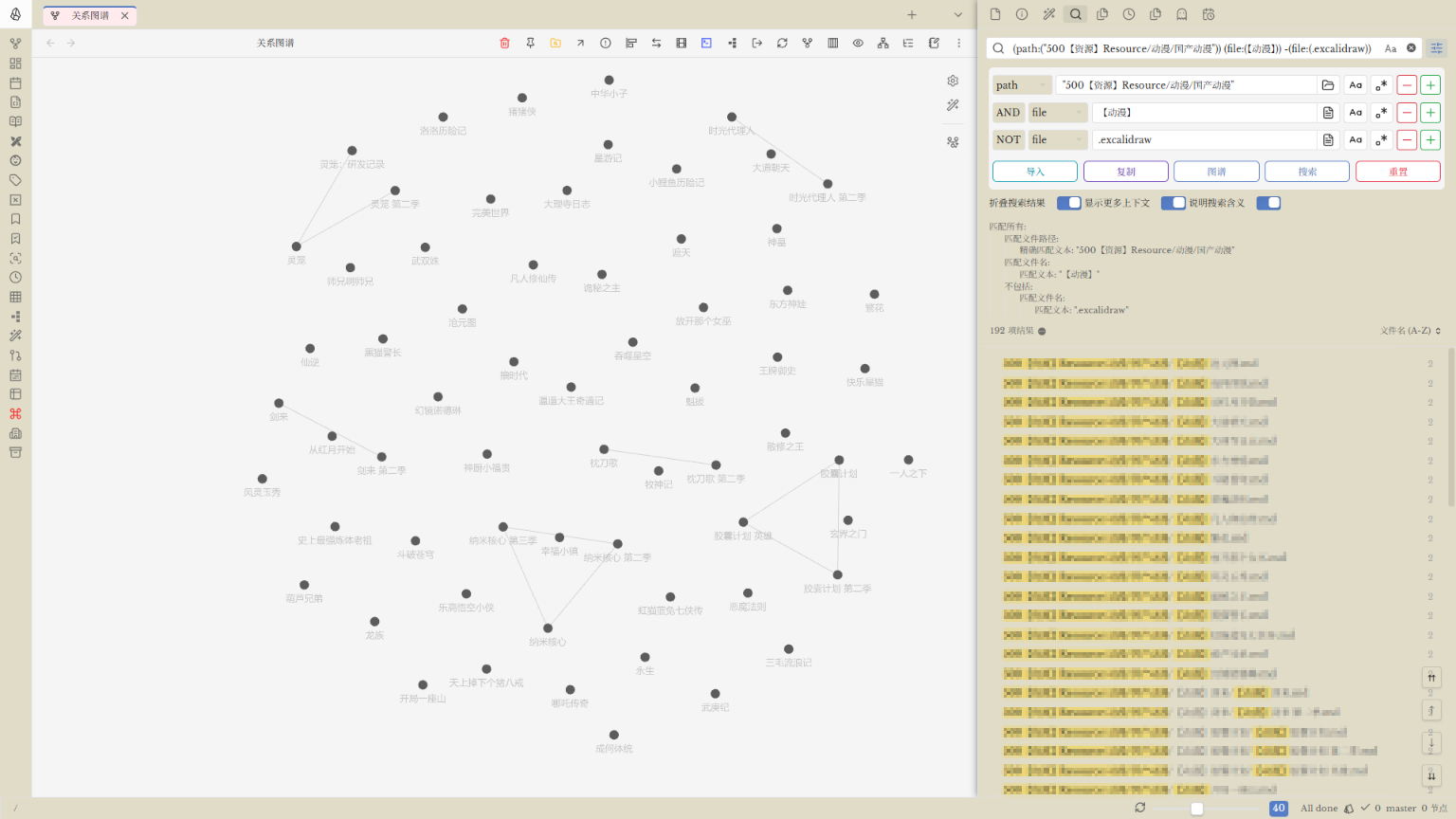
[!NOTE] To keep the interface clean, the plugin is collapsed by default below the Obsidian native search tools (e.g., sort, collapse buttons). Just click the title/header to expand.
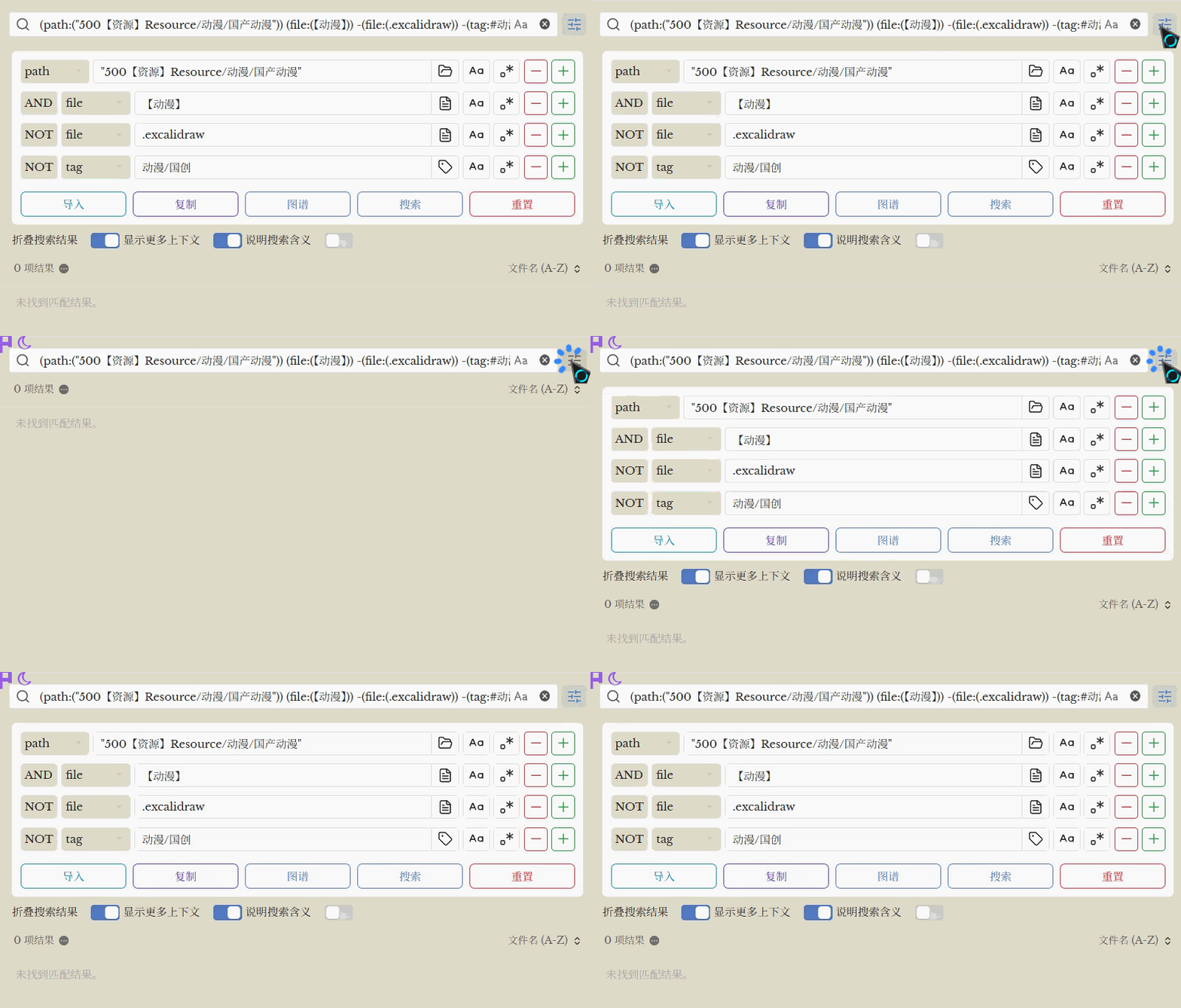
Features
- Visual Query Builder: Build complex search strings without memorizing any syntax.
- Boolean Support: Easily combine filters with
AND,OR, and-(NOT) logic. - Search Operators: Supports all standard Obsidian search prefixes:
- All (Full-text)
- File (Filename)
- Tag (Tag search)
- Path (Directory/folder search)
- Content (File content search)
- Line, Block, Section
- Task, Task-todo, Tasks-done
- Smart Suggester: Click on icons to quickly select from existing files, tags, or folders.
- Case Sensitive & Regex: Built-in toggles for matching case and using Regular Expressions.
- Dynamic Rows: Add (➕) or remove (➖) rows to create multi-step queries.
- Quick Actions:
- Search: Execute the query directly in the search sidebar.
- Copy: Copy the query as an Obsidian
querycode block. - Graph: Open the Graph View with current search filters applied.
- Import: Reverse-engineer a query from the search box into the UI.
- Reset: Clear all fields and start fresh.
Installation
Via BRAT (Recommended for Beta)
- Install the Obsidian BRAT plugin from the community plugin store.
- Open BRAT settings: Settings -> BRAT.
- Click Add Beta plugin.
- Paste the repository URL:
https://github.com/PandaNocturne/obsidian-advanced-search-ui. - Click Add Plugin.
- Enable the plugin in Community plugins.
Manual Installation
- Download
main.js,manifest.json, andstyles.cssfrom the latest release. - Create a folder named
obsidian-advanced-search-uiin your vault's.obsidian/plugins/directory. - Move the downloaded files into this folder.
- Restart Obsidian and enable the plugin in settings.
Usage
- Open the Search leaf in your Obsidian sidebar.
- You will see a new "Advanced Search" section at the top of the search view.
- Configure your criteria using the drop-downs and input fields.
- Click Search to run the query.
Development
- Clone this repository.
- Run
npm installto install dependencies. - Run
npm run buildornpm run devto compile the project.
Support
Developed by PandaNocturne.
License
For plugin developers
Search results and similarity scores are powered by semantic analysis of your plugin's README. If your plugin isn't appearing for searches you'd expect, try updating your README to clearly describe your plugin's purpose, features, and use cases.