FreeFlow Voice Notes
pendingby sagalpreet
Voice dictation with Groq AI transcription and post-processing. Record speech, transcribe instantly, and save to your vault.
FreeFlow Voice Notes
An Obsidian plugin for AI-powered voice dictation — a free, open-source alternative to Wispr Flow / Superwhisper, living natively inside your vault.
Features
- 🎙 One-click voice recording — mic button in the ribbon, status bar, or command palette
- ⚡ Groq Whisper transcription — fast, accurate speech-to-text (sub-second latency)
- 🧠 LLM post-processing — cleans filler words, fixes grammar, uses your custom vocabulary
- 📝 Configurable prompts — built-in presets (Clean & Polish, Bullet Points, Todo List, Raw) plus unlimited custom prompts with editable system prompts
- 📂 Flexible note destinations — new note, today's daily note, append to active note, or insert at cursor
- 🔒 Privacy-first — your audio goes directly to Groq's API, nothing hits any other server
Setup
- Install the plugin (Community Plugins → Browse → search "FreeFlow", or manually copy
main.js,manifest.json,styles.cssto.obsidian/plugins/freeflow-voice-notes/) - Get a free Groq API key at groq.com (free tier is very generous)
- Open Settings → FreeFlow Voice Notes and paste your API key
- Click the 🎙 mic icon in the left ribbon and start speaking!
Usage
Recording
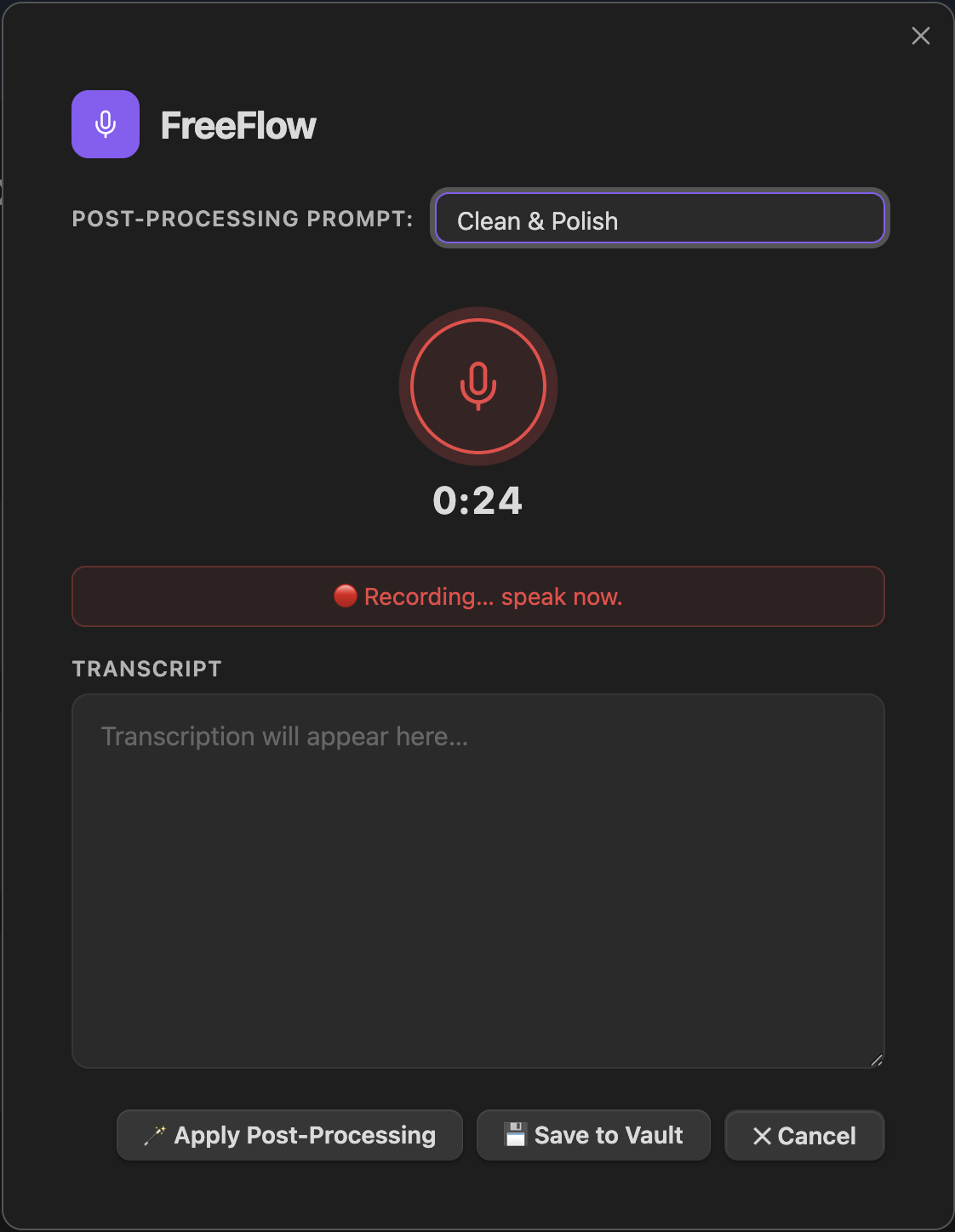
- Click the 🎙 ribbon icon to open the recording modal — it starts recording automatically
- Select the post-processing prompt from the dropdown (e.g. "Bullet Points", "Todo List")
- Click ⏹ Stop & Transcribe when done
- Review/edit the transcript in the text area
- Click 💾 Save to Vault
Commands
| Command | Description |
|---|---|
FreeFlow: Start voice recording | Open recording modal |
FreeFlow: Start voice recording (insert at cursor) | Transcribe and insert at current cursor position |
Bind these to hotkeys in Settings → Hotkeys for a FreeFlow-like experience.
Configuration
Transcription Models
| Model | Speed | Accuracy |
|---|---|---|
whisper-large-v3-turbo | ⚡ Fast | ✅ Great |
whisper-large-v3 | 🐢 Slower | 🎯 Best |
distil-whisper-large-v3-en | ⚡⚡ Fastest | 🇺🇸 English only |
Post-Processing Prompts
Built-in prompts:
- Clean & Polish — removes filler words, fixes grammar (default)
- Bullet Points — converts speech to markdown bullet list
- Todo List — extracts tasks as
- [ ]checklist items - Raw — no post-processing, use the transcript as-is
Add and edit custom prompts in the settings tab. Each prompt has a fully editable system prompt.
Note Destinations
- New note — creates a timestamped note in your configured folder
- Daily note — appends to today's daily note
- Append to active note — adds to whatever note is currently open
- Insert at cursor — types directly into the editor at cursor position
Development
git clone <this-repo>
cd freeflow_obsidian
npm install
npm run dev   # watch mode
To test locally, symlink the plugin folder into your vault:
ln -s /path/to/freeflow_obsidian ~/.obsidian-vault/.obsidian/plugins/freeflow-voice-notes
Credits
Inspired by FreeFlow by Zach Latta — a free macOS dictation app. The Groq API integration and post-processing approach are ported from that project.
License
MIT
For plugin developers
Search results and similarity scores are powered by semantic analysis of your plugin's README. If your plugin isn't appearing for searches you'd expect, try updating your README to clearly describe your plugin's purpose, features, and use cases.