Cooklang Rich Preview
pendingby Jerred Shepherd
Preview Cooklang .cook files.
Cooklang Rich Preview
An Obsidian plugin for previewing Cooklang .cook recipe files.
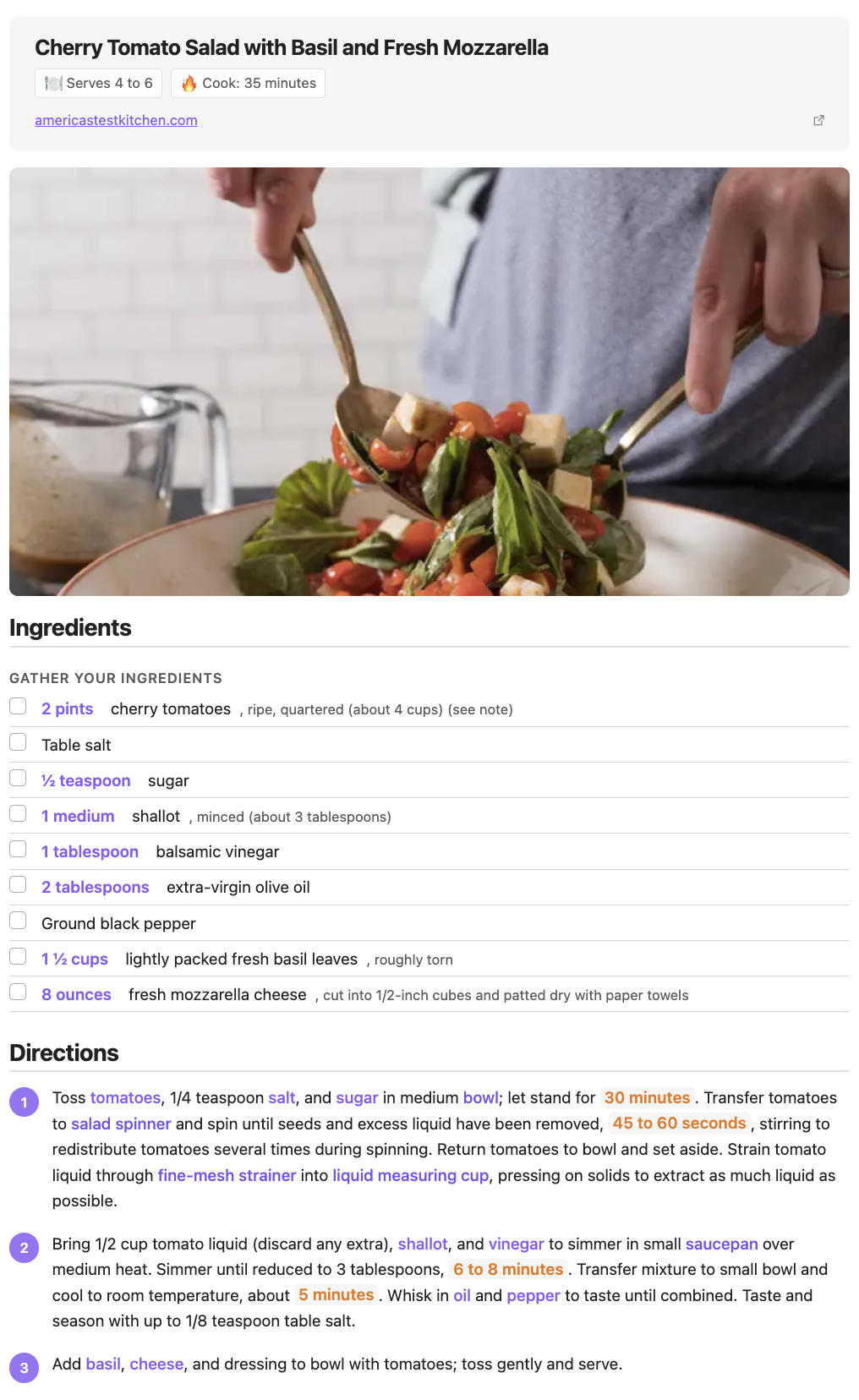
Features
- Rich recipe rendering with ingredients, cookware, and timers highlighted
- YAML frontmatter support for metadata (title, servings, prep time, etc.)
- Section-aware rendering (ingredients list, directions with step numbers)
- Inline quantity display for ingredients
- Checkbox support for ingredient lists
- Syntax highlighting for
.cookfiles - Supports both Cooklang markup and plain-text recipes
Installation
From Obsidian Community Plugins
- Open Settings > Community plugins
- Search for "Cooklang"
- Click Install, then Enable
Manual Installation
- Download
main.js,manifest.json, andstyles.cssfrom the latest release - Create a folder
cooklang-rich-previewin your vault's.obsidian/plugins/directory - Copy the downloaded files into that folder
- Restart Obsidian and enable the plugin in Settings > Community plugins
Screenshots
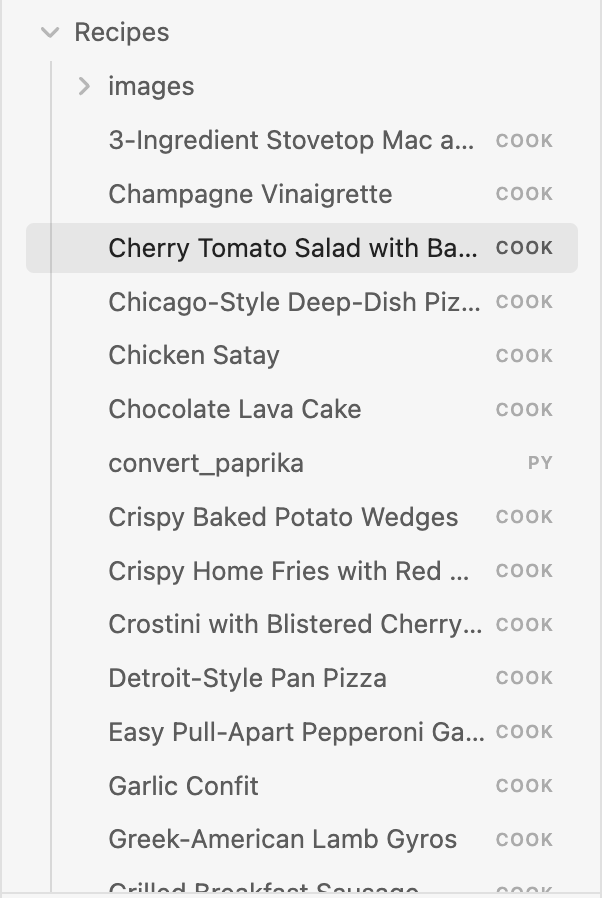
File Explorer
.cook files appear in your vault alongside your other notes.
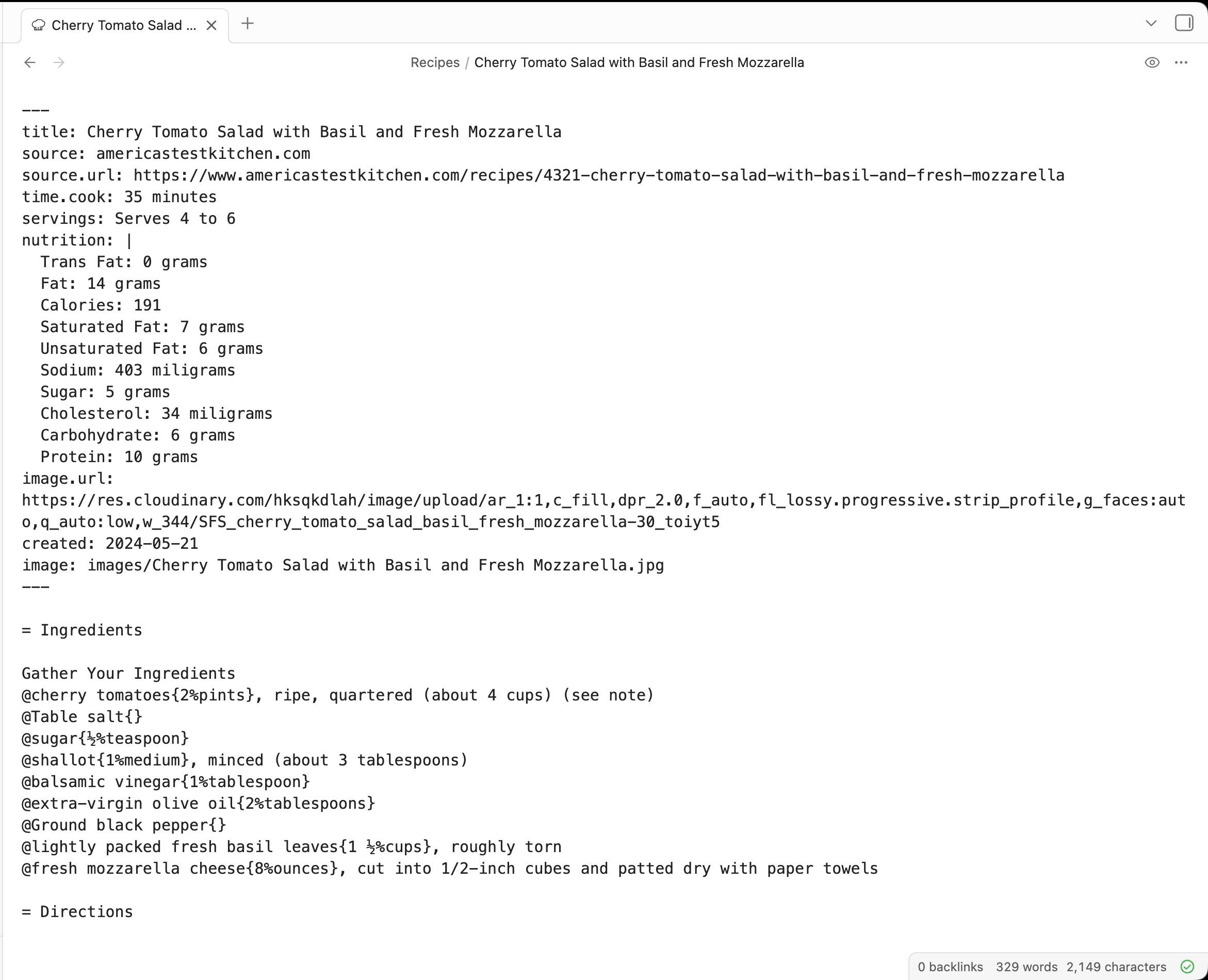
Source View
Write recipes using Cooklang syntax with YAML frontmatter for metadata.
Rich Preview
Ingredients are highlighted with quantities, directions are numbered, and timers stand out.
Cooklang Syntax
Preheat #oven{} to 350°F.

Mix @flour{2%cups} and @sugar{1%cup} in a #bowl{}.

Bake for ~{30%minutes}.
@ingredient{quantity%unit}— ingredients#cookware{}— cookware~{quantity%unit}— timers
License
GPL-3.0 — see LICENSE for details.
For plugin developers
Search results and similarity scores are powered by semantic analysis of your plugin's README. If your plugin isn't appearing for searches you'd expect, try updating your README to clearly describe your plugin's purpose, features, and use cases.