Embedding
pendingby Markcode
Semantic similarity for notes using embeddings.
Embedding (Obsidian plugin)
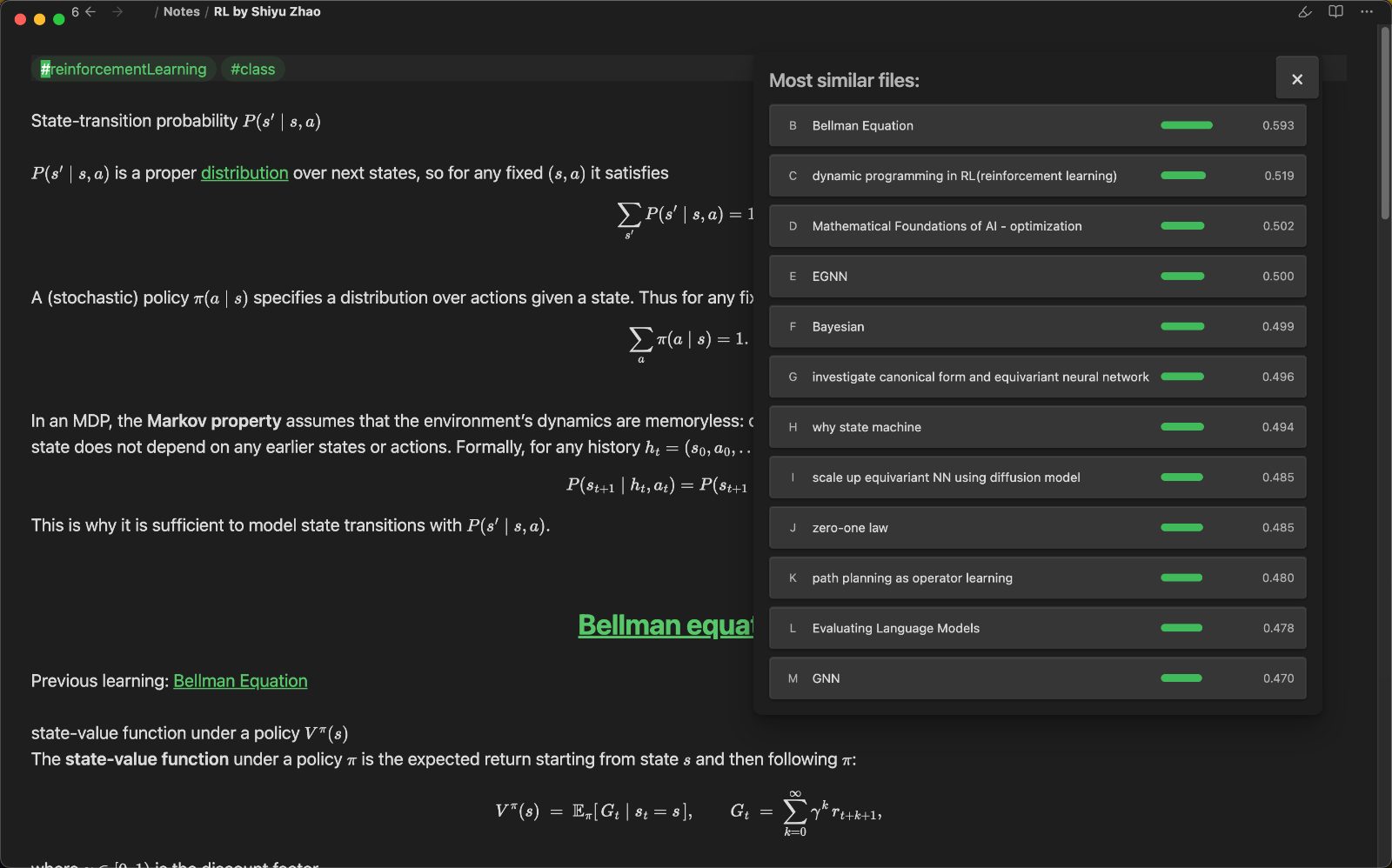
Semantic, keyboard-first navigation for your vault. This plugin builds embeddings for your notes and opens a floating pop-out panel so you can jump through related ideas without touching the sidebar.
Currently supports OpenAI embeddings via an OpenAI API key.
What it feels like
- Open the pop-out and stay on the keyboard.
aalways opens the original note.b/c/d… open ranked similar notes.zrecomputes using the currently open note as the new “original”.- Hotkeys are captured while the panel is open, so focus changes do not break navigation.
Features
- Floating similarity panel (ESC closes it)
- Single-letter navigation with deterministic hotkeys
- Batch embedding updates for all notes
- Optional auto-update on startup (same logic as manual update)
- Configurable model, dimensions, and API base URL
MCP server (optional)
Enable the MCP JSON-RPC server in settings to expose semantic search over http://127.0.0.1:<port>/mcp. Tools: semantic_search_text, semantic_search_note, fetch_note.
Commands
See connections for current noteUpdate all note vectors
Settings
- API key
- API base URL
- Model
- Dimensions
- Max input chars
- Similarity limit
- Batch size
- Auto update on startup
Installation (manual)
- Copy this folder to
YOUR_VAULT/.obsidian/plugins/embedding/ npm installnpm run build- Enable the plugin in Obsidian
Usage
- Configure your API key in settings.
- Run
Update all note vectorsonce to generateembeddings.json. - Run
See connections for current noteto open the pop-out panel.
Data
- Embeddings are stored in
embeddings.jsonat the vault root. - The file is created automatically if missing.
For plugin developers
Search results and similarity scores are powered by semantic analysis of your plugin's README. If your plugin isn't appearing for searches you'd expect, try updating your README to clearly describe your plugin's purpose, features, and use cases.