Word Progress Bar
pendingby SomeNoY
Progress bar in the status bar that shows goal of words.
Word Progress Bar for Obsidian
Track your writing progress with a miniature progress bar in the status bar.
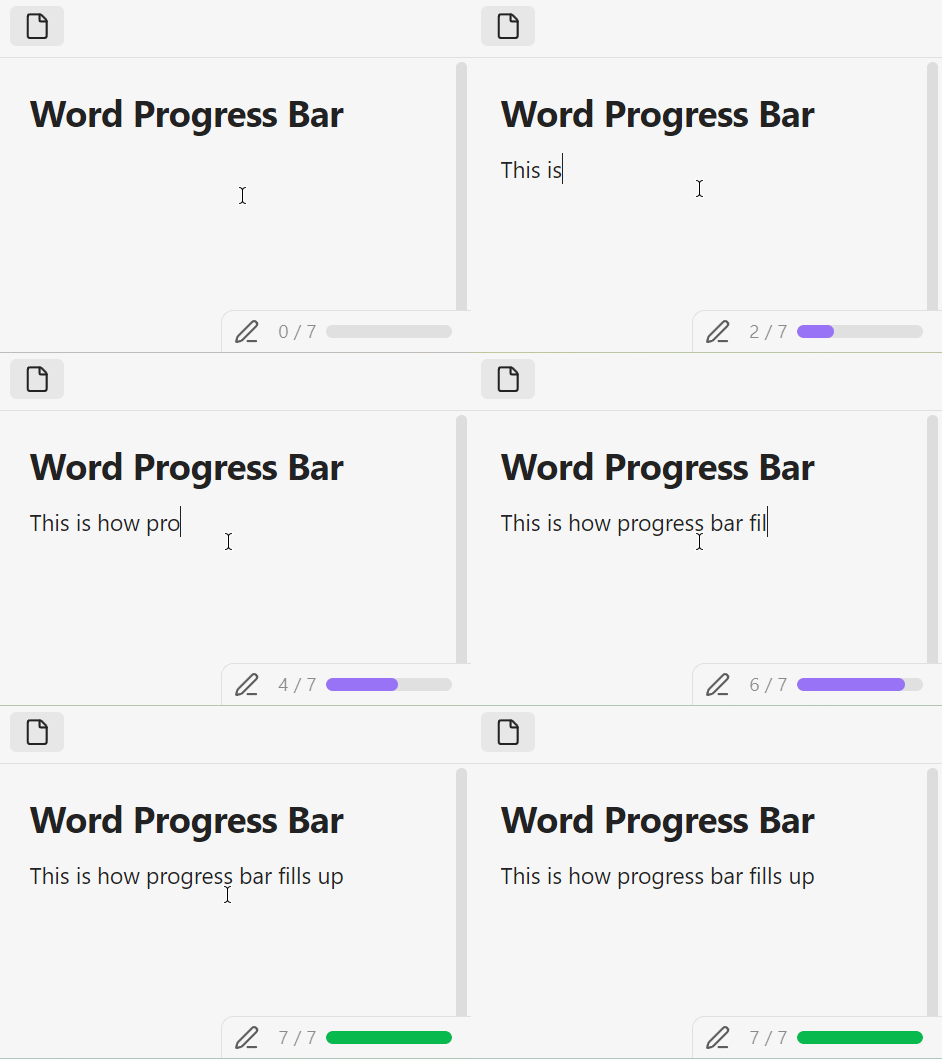
Set a word count goal and watch the bar fill up as you write. When you hit your goal, it turns green.
Usage
First, go to the settings, set Words goal for all files and toggle on Progress bar for all files. Open a note and start writing — the bar updates in real time.
🎯 Word goals for individual files and customization settings coming soon...
Installation
Manual
- Download
main.js,manifest.json, andstyles.cssfrom the latest release - Copy them to
<Vault>/.obsidian/plugins/word-progress-bar/ - Reload Obsidian and enable the plugin in Settings → Community plugins
For plugin developers
Search results and similarity scores are powered by semantic analysis of your plugin's README. If your plugin isn't appearing for searches you'd expect, try updating your README to clearly describe your plugin's purpose, features, and use cases.