Simple Progress Bar
pendingby Toby Chen
A minimal and elegant plugin that visualizes your checkbox completion with beautiful progress bars.
Simple Progress Bar
A minimal and elegant Obsidian plugin that visualizes your checkbox completion with beautiful progress bars.
Features
Section Progress Bar
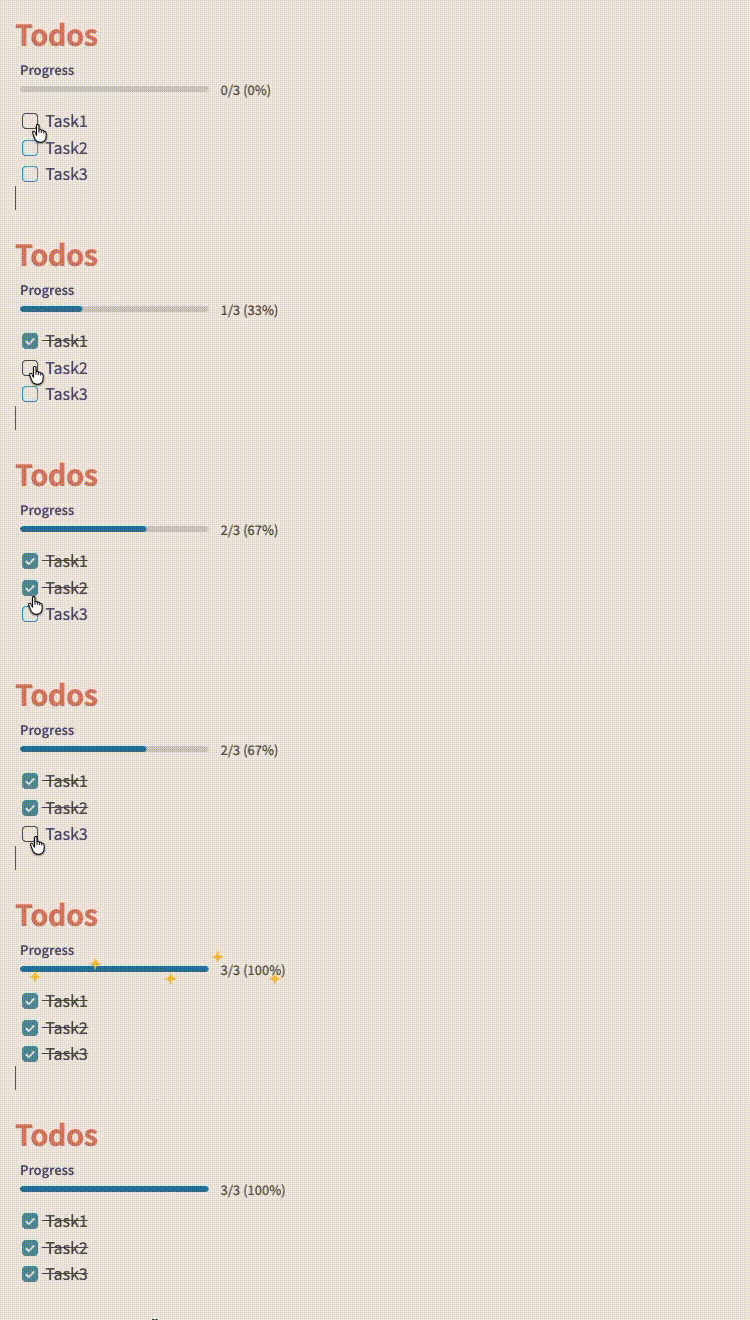 Track progress for specific sections using embedded progress bars. Simply add a code block:
```sp-bar
[YOUR TEXT]
```
The section progress bar automatically counts checkboxes within the same heading section.
Note Progress Bar
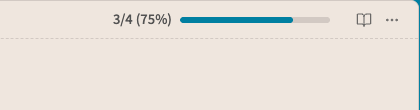
Displays a clean progress bar in the note header showing completion for all checkboxes in the current note. Updates in real-time as you check off tasks.
Usage
Automatic Note Progress
The note progress bar appears automatically in the header when your note contains checkboxes:
- [ ] Task 1
- [x] Task 2
- [x] Task 3
Embedded Section Progress
Add progress tracking to specific sections:
## Section 1
```sp-bar
Progress
```

- [ ] Task A
- [x] Task B
- [ ] Task C
The embedded bar will show: 2/3 (67%)
Settings
- Show note progress bar - Toggle the note progress bar on/off
- Show ribbon icon - Add a toggle button to the left sidebar
Commands
- Toggle Note Progress Bar - Quickly show/hide the note progress bar via command palette
Installation
Manual Installation
- Download the latest release
- Extract files to
<vault>/.obsidian/plugins/simple-progress-bar/ - Reload Obsidian
- Enable the plugin in Settings → Community plugins
Development
See DEVELOPMENT.md for instructions on building and testing locally.
Features at a Glance
- Clean, minimal design that adapts to your theme
- Real-time updates as you check/uncheck tasks
- Note-wide progress tracking in the header
- Section-specific progress bars via code blocks
- Customizable label text for embedded bars
- Zero configuration required
Known Issue
- If a note begins immediately with an
sp-barcode block on the first line, Obsidian keeps that block in edit mode and skips our processor. As a temporary workaround, the plugin will automatically insert a leading blank line for such notes so the bar renders. This is applied in-memory when the note loads; no other content is modified.
Support
Found a bug or have a feature request? Open an issue
License
MIT
For plugin developers
Search results and similarity scores are powered by semantic analysis of your plugin's README. If your plugin isn't appearing for searches you'd expect, try updating your README to clearly describe your plugin's purpose, features, and use cases.