Local LLM Hub
pendingby takeshy
Chat with local LLMs (Ollama, LM Studio) with local embeddings RAG, file encryption, edit history, slash commands, and workflow automation.
Local LLM Hub for Obsidian
Your company's security policy blocks cloud APIs. But you refuse to give up AI-powered note automation.
Local LLM Hub brings the full power of Gemini Helper's workflow automation, RAG, MCP integration, and agent skills to a completely local environment. Ollama, LM Studio, vLLM, or AnythingLLM — your data never leaves your machine.
Why Local?
Every byte stays on your machine. No API keys sent to the cloud. No vault contents uploaded anywhere. This isn't a privacy "option" — it's the architecture.
| What | Where it stays |
|---|---|
| Chat history | Markdown files in your vault |
| RAG index | Local embeddings in workspace folder |
| LLM requests | localhost only (Ollama / LM Studio / vLLM / AnythingLLM) |
| MCP servers | Local child processes via stdio |
| Encrypted files | Encrypted/decrypted locally |
| Edit history | In-memory (cleared on restart) |
If you use Gemini Helper at home but need something for work — this is it. Same workflow engine, same UX, zero cloud dependency.
Workflow Automation — The Core Feature
Describe what you want in plain language. The AI builds the workflow. No YAML knowledge required.
Create Workflows & Skills with AI
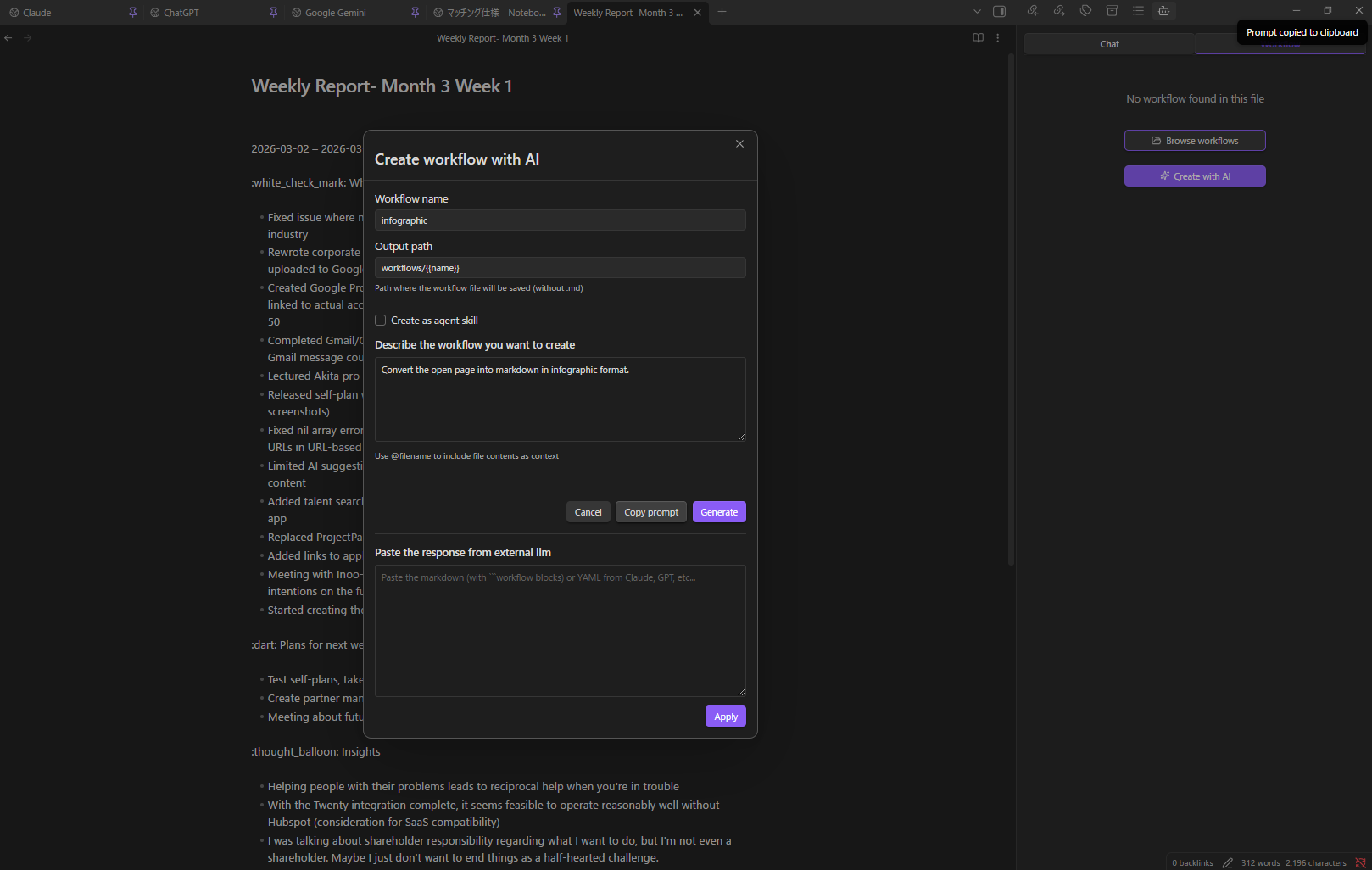
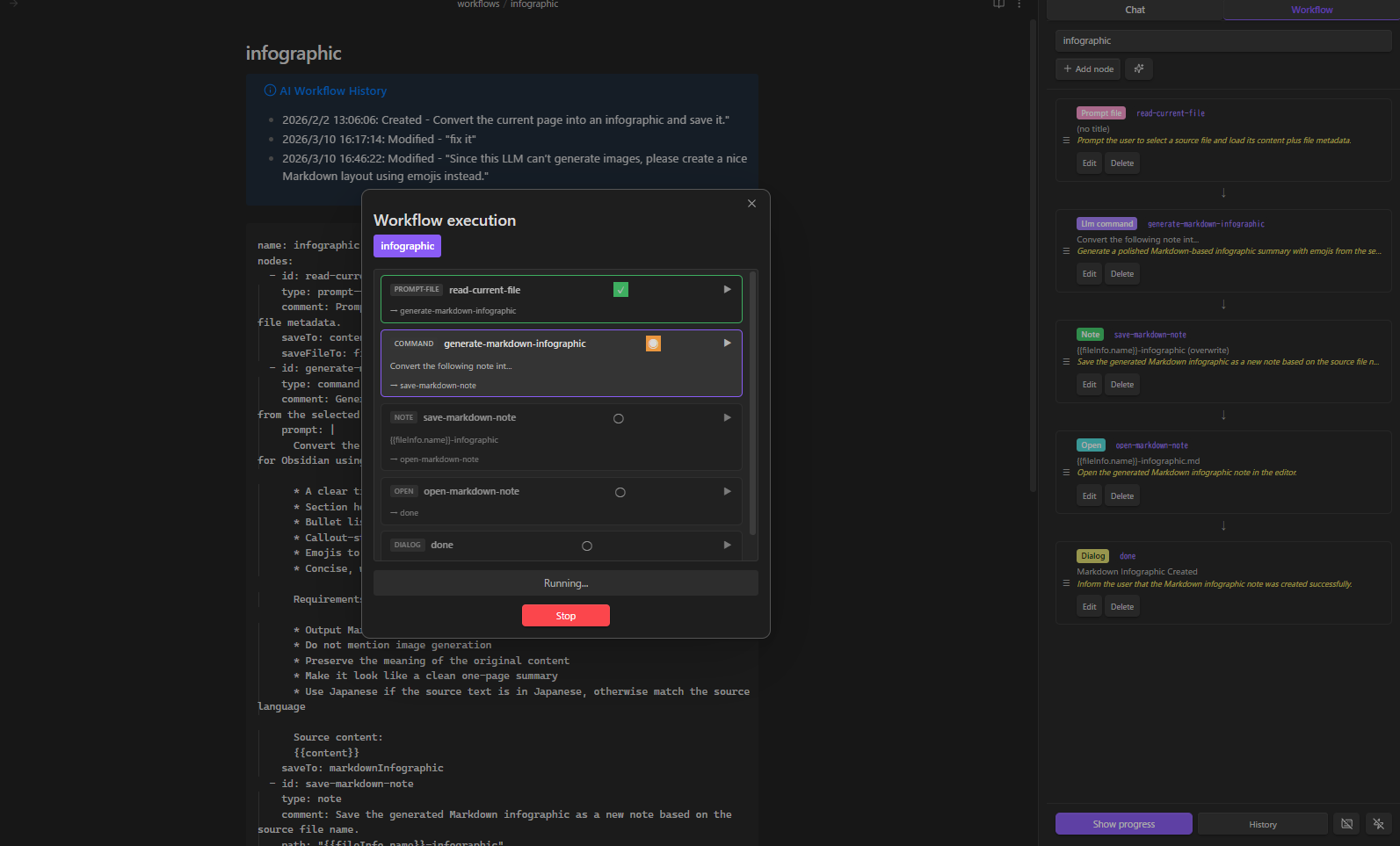
- Open the Workflow tab → select + New (AI)
- Describe: "Convert the current page into an infographic and save it"
- Check "Create as agent skill" if you want to create an agent skill instead of a standalone workflow
- Click Generate — done
Don't have a powerful local model? Click Copy Prompt, paste into Claude/GPT/Gemini, paste the response back, and click Apply.
Modify with AI
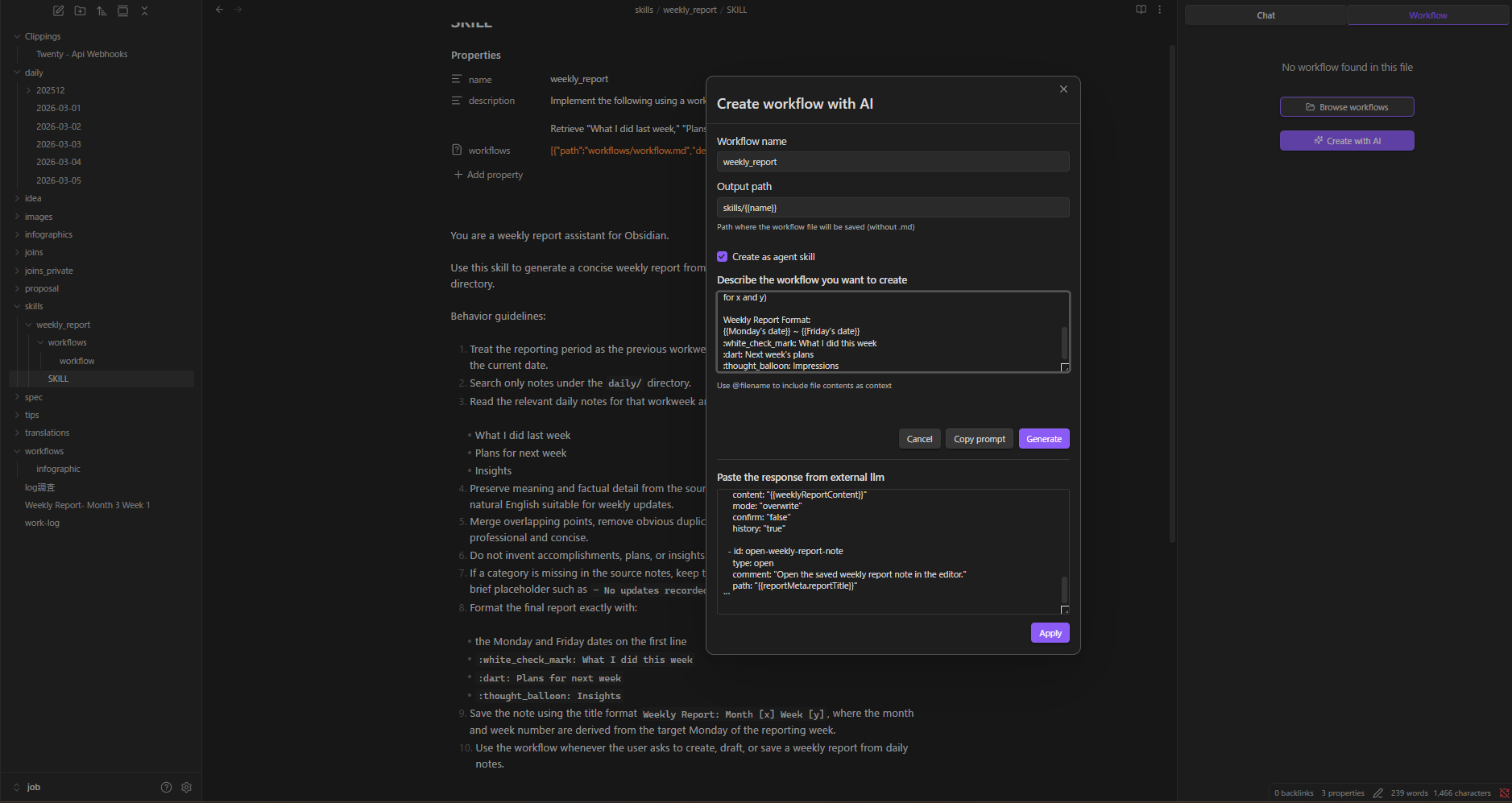
Load any workflow, click AI Modify, describe the change. Reference execution history to debug failures.
Visual Node Editor
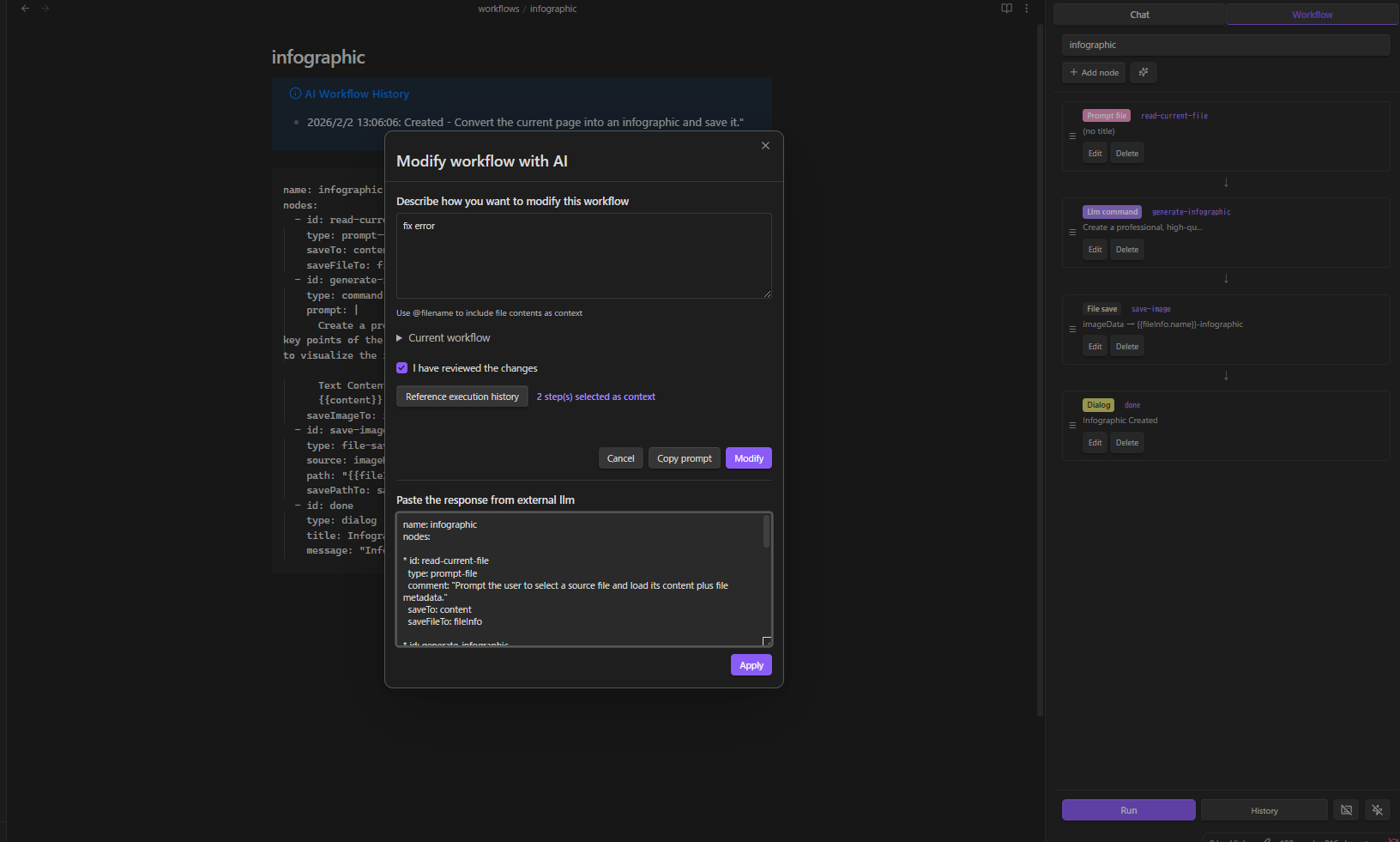
23 node types across 12 categories:
| Category | Nodes |
|---|---|
| Variables | variable, set |
| Control | if, while |
| LLM | command |
| Data | http, json |
| Notes | note, note-read, note-search, note-list, folder-list, open |
| Files | file-explorer, file-save |
| Prompts | prompt-file, prompt-selection, dialog |
| Composition | workflow (sub-workflows) |
| RAG | rag-sync |
| Script | script (sandboxed JavaScript) |
| External | obsidian-command |
| Utility | sleep |
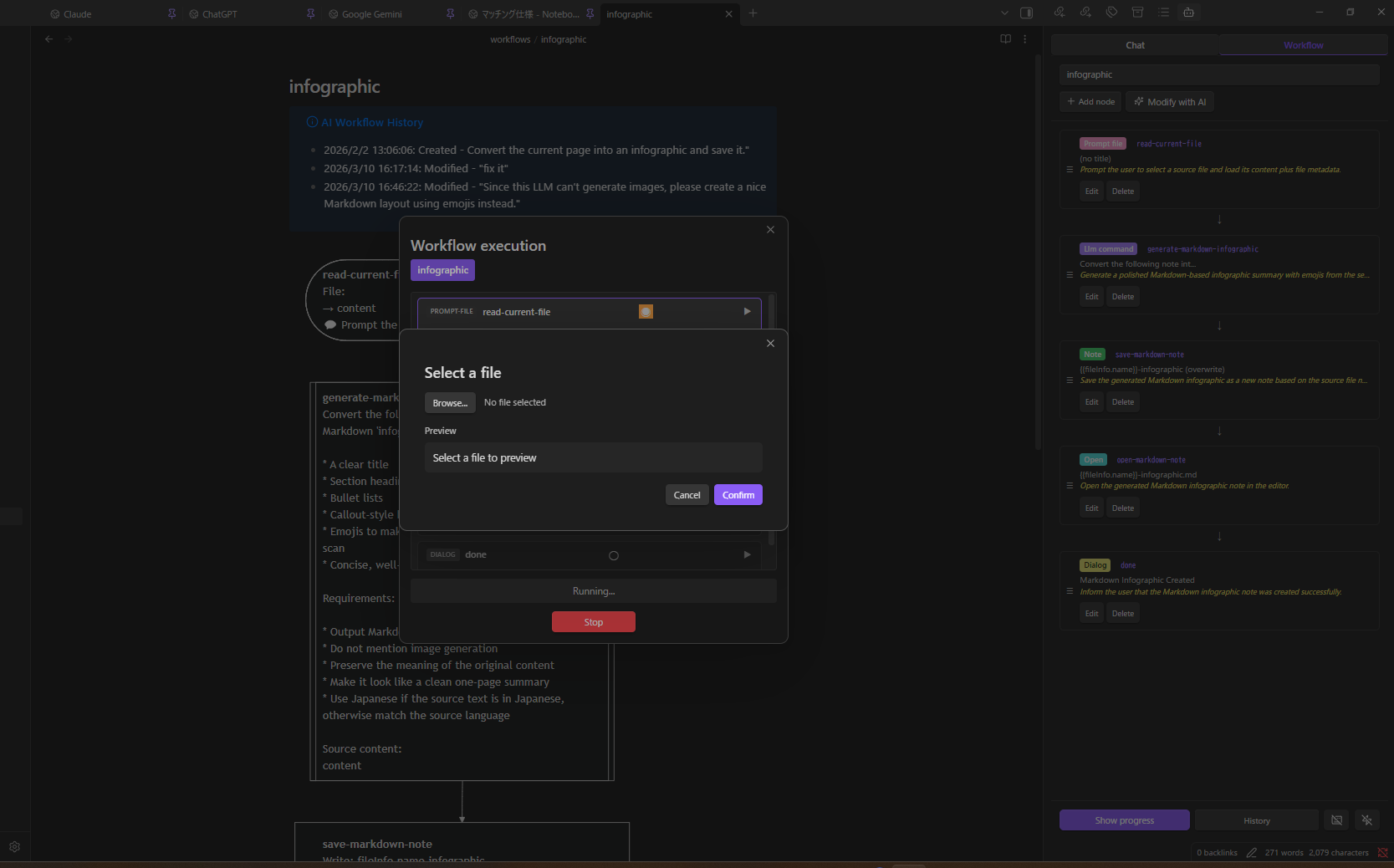
Event Triggers & Hotkeys
- Event triggers — auto-run workflows on file create / modify / delete / rename / open
- Hotkey support — assign keyboard shortcuts to any named workflow
- Execution history — review past runs with step-by-step details
See WORKFLOW_NODES.md for the complete node reference.
AI Chat
Streaming chat with your local LLM. Thinking display, file attachments, @ mentions for vault notes, multiple sessions.
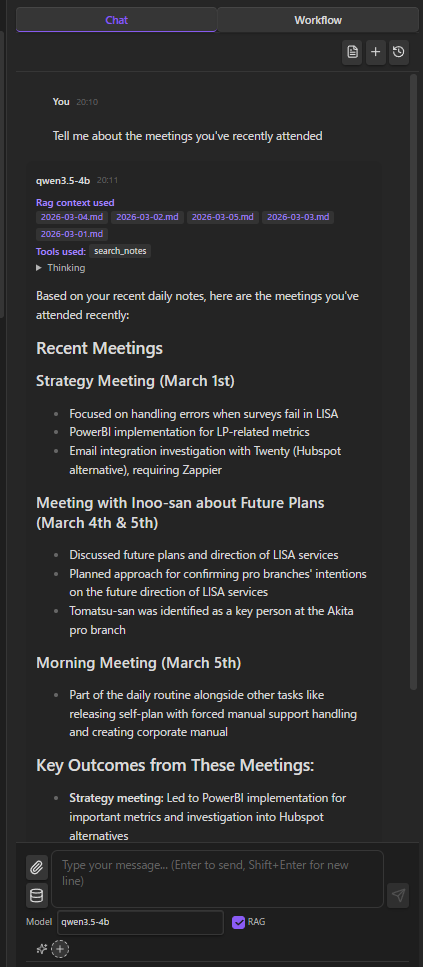
Vault Tools (Function Calling)
Models with function calling support (Qwen, Llama 3.1+, Mistral) can directly interact with your vault:
read_note · create_note · update_note · rename_note · create_folder · search_notes · list_notes · list_folders · get_active_note · propose_edit · execute_javascript
Three modes — All, No Search, Off — selectable from the input area.
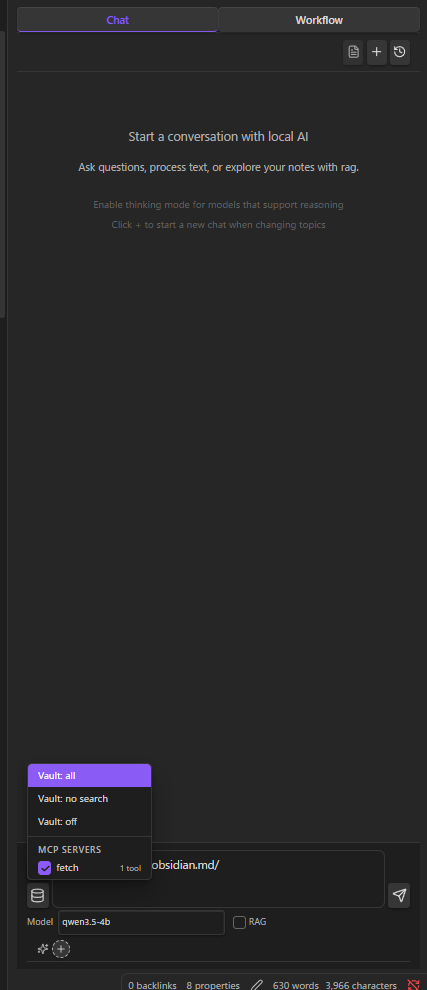
MCP Servers
Connect local MCP servers to extend the AI with external tools. MCP tools are merged with vault tools and routed via function calling — all running as local child processes.
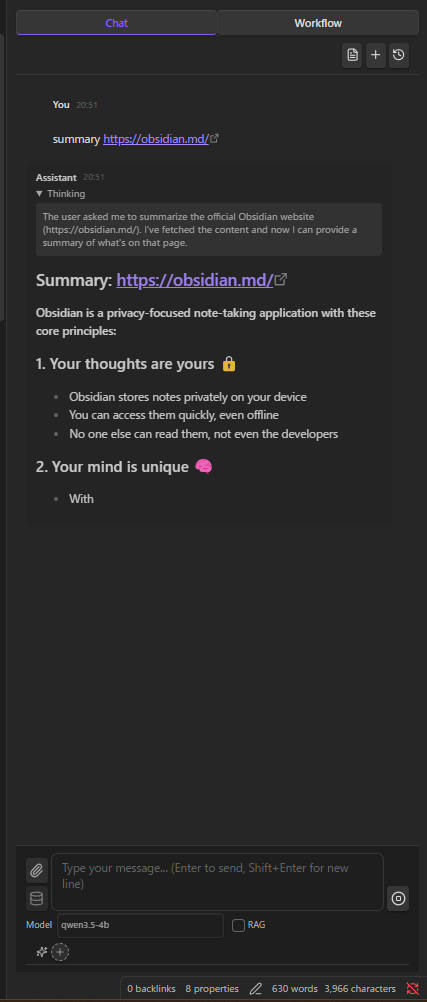
RAG (Local Embeddings)
Index your vault with a local embedding model (e.g. nomic-embed-text). Relevant notes are automatically included as context. Everything computed and stored locally.
Agent Skills
Inject reusable instructions into the system prompt via SKILL.md files. Activate per conversation. Skills can also expose workflows that the AI can invoke as tools during chat.
Create skills the same way as workflows — select + New (AI), check "Create as agent skill", and describe what you want. The AI generates both the SKILL.md instructions and the workflow.
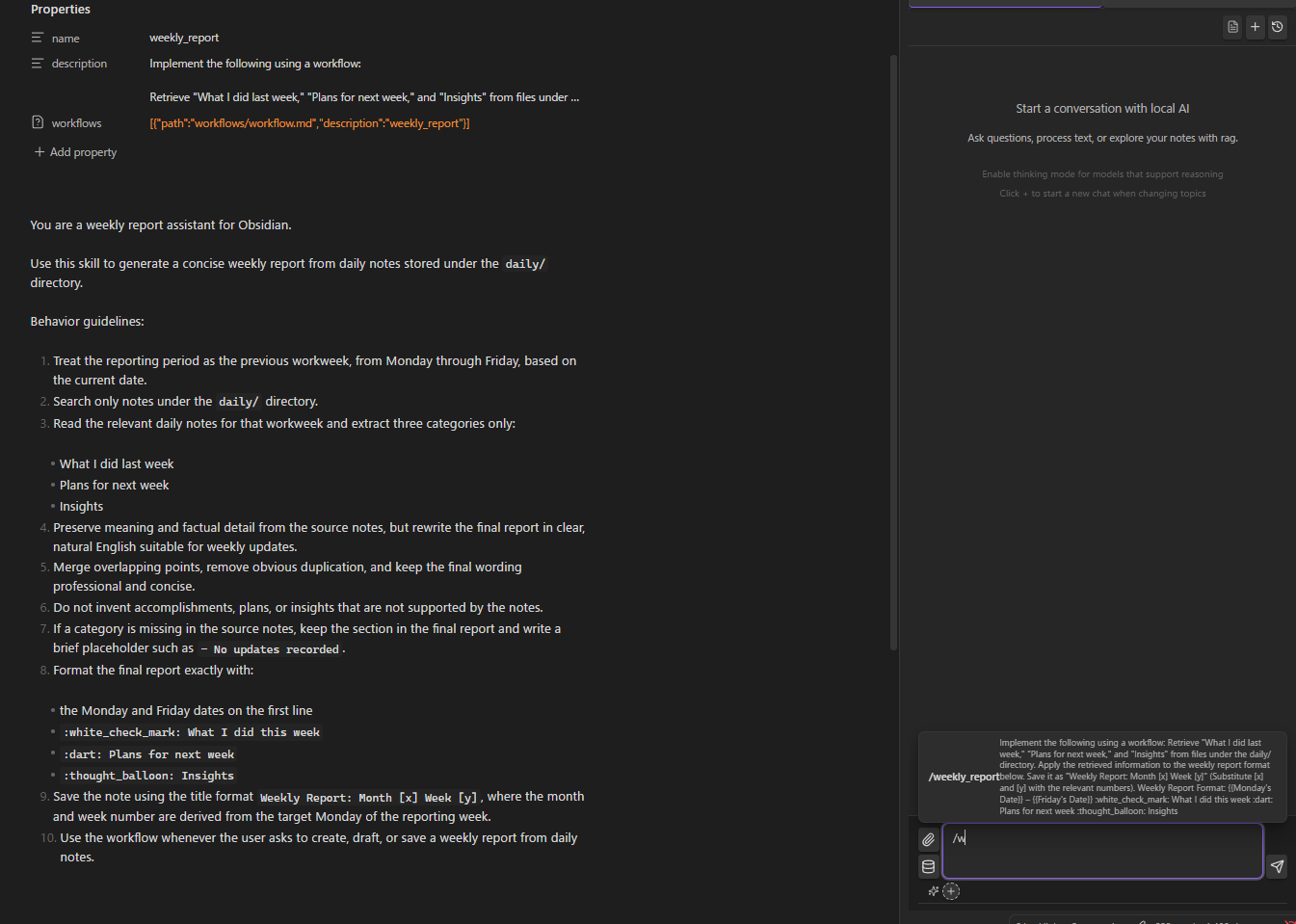
See SKILLS.md for details.
Slash Commands & Compact History
- Custom prompt templates triggered by
/ /compactto compress long conversations while preserving context
File Encryption
Password-protect sensitive notes. Encrypted files are invisible to AI chat tools but accessible to workflows with password prompt — ideal for storing API keys or credentials.
Edit History
Automatic tracking of AI-made changes with diff view and one-click restore.
Setup
Requirements
- Ollama, LM Studio, vLLM, or AnythingLLM
- A chat model (e.g.
ollama pull qwen3.5:4b) - For RAG: an embedding model (e.g.
ollama pull nomic-embed-text)
Quick Start
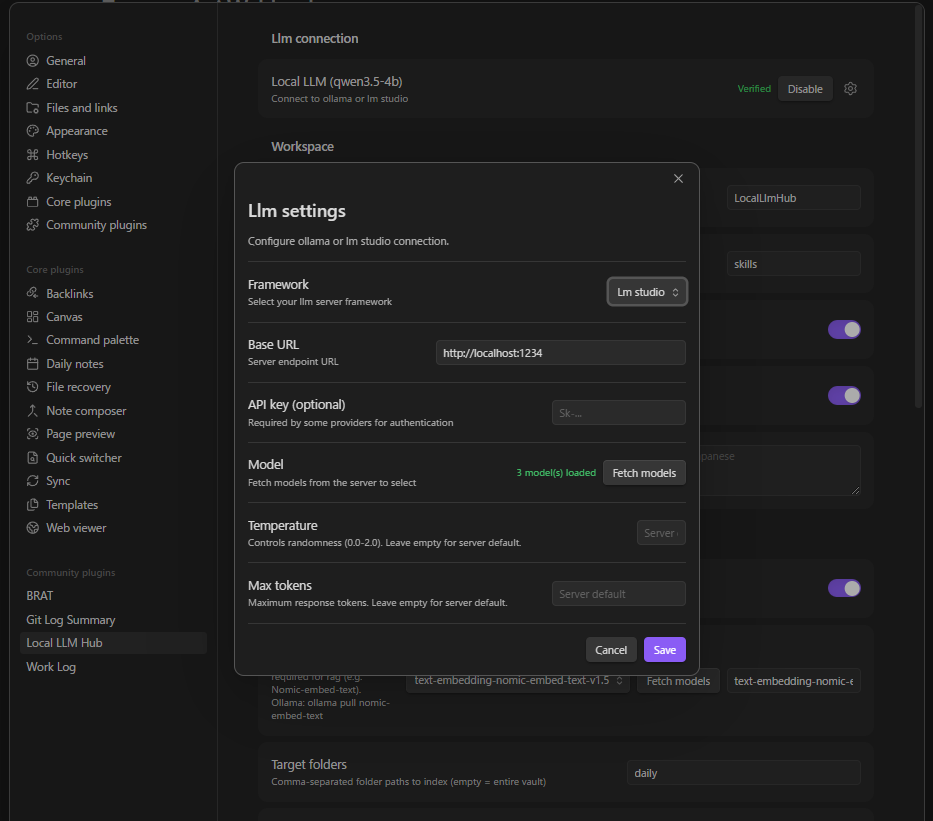
- Install and start your LLM server
- Open plugin settings → select framework (Ollama / LM Studio / vLLM / AnythingLLM)
- Set the server URL (defaults pre-filled)
- Fetch and select your chat model
- Click Verify connection
RAG Setup
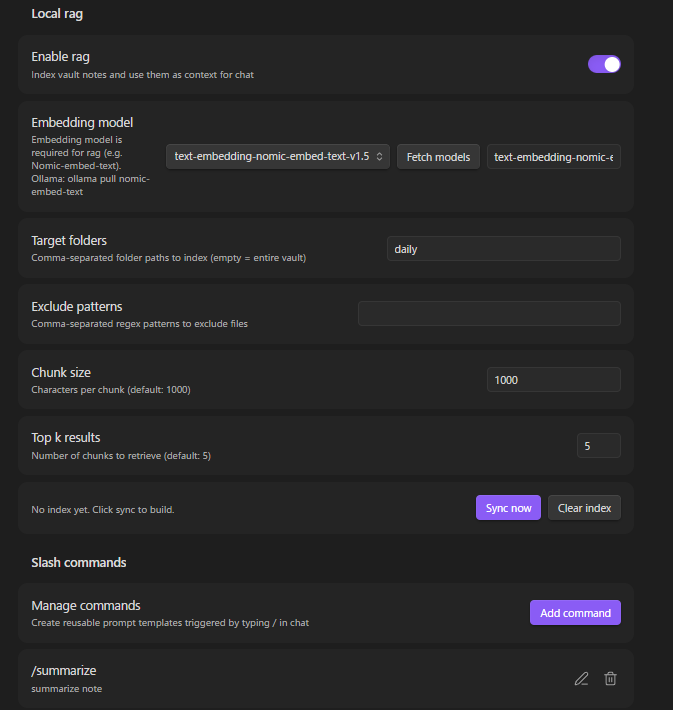
- Enable RAG in settings
- Fetch and select the embedding model
- Configure target folders (optional — defaults to entire vault)
- Click Sync to build the index
MCP Server Setup
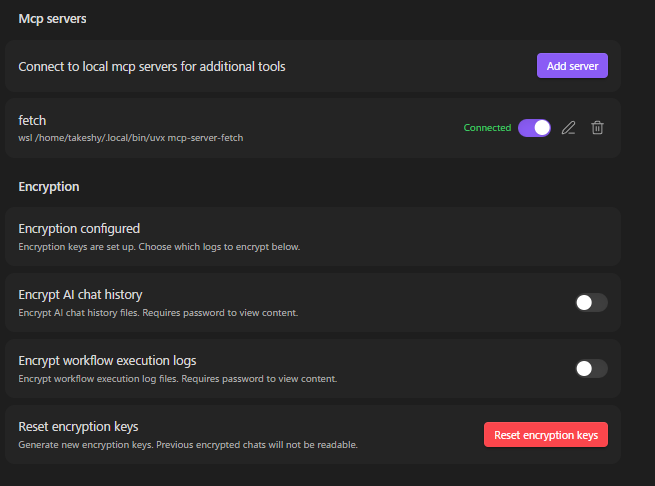
- Settings → MCP servers → Add server
- Configure: name, command (e.g.
npx), arguments, optional env vars - Toggle on — connects automatically via stdio
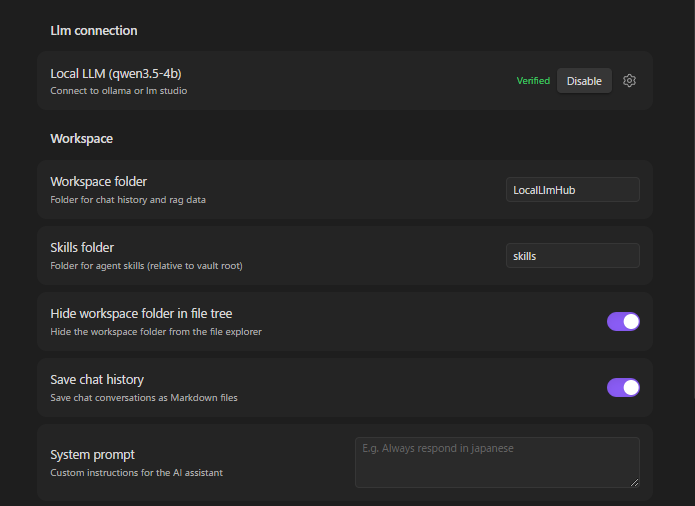
Workspace Settings
Supported Frameworks
| Framework | Chat Endpoint | Streaming | Thinking | Function Calling |
|---|---|---|---|---|
| Ollama | /api/chat (native) | Real-time | message.thinking field | tools parameter |
| LM Studio (OpenAI compatible) | /v1/chat/completions | SSE | <think> tags | tools parameter |
| vLLM | /v1/chat/completions | SSE | <think> tags | tools parameter |
| AnythingLLM | /v1/openai/chat/completions | SSE | <think> tags | tools parameter |
Using Cloud LLMs (OpenAI, Gemini, etc.)
The "LM Studio (OpenAI compatible)" framework works with any OpenAI-compatible API endpoint, including cloud services:
| Service | Base URL | API Key |
|---|---|---|
| OpenAI | https://api.openai.com | Your OpenAI API key |
| Google Gemini | https://generativelanguage.googleapis.com/v1beta/openai | Your Gemini API key |
RAG with cloud LLMs: Cloud LLMs cannot use local embedding models directly. To use RAG, configure the Embedding server URL in RAG settings to point to a local Ollama instance (e.g. http://localhost:11434) and select an embedding model like nomic-embed-text.
Installation
BRAT (Recommended)
- Install BRAT plugin
- Open BRAT settings → "Add Beta plugin"
- Enter:
https://github.com/takeshy/obsidian-local-llm-hub - Enable the plugin in Community plugins settings
Manual
- Download
main.js,manifest.json,styles.cssfrom releases - Create
local-llm-hubfolder in.obsidian/plugins/ - Copy files and enable in Obsidian settings
From Source
git clone https://github.com/takeshy/obsidian-local-llm-hub
cd obsidian-local-llm-hub
npm install
npm run build
Gemini Helper との関係 / Relationship to Gemini Helper
This plugin is the local-only sibling of obsidian-gemini-helper. Same workflow engine, same UX patterns, but designed for environments where cloud APIs are not an option.
| Gemini Helper | Local LLM Hub | |
|---|---|---|
| LLM Backend | Google Gemini API / CLI | Ollama / LM Studio / vLLM / AnythingLLM / OpenAI-compatible APIs |
| Data destination | Google servers | localhost only |
| Workflow engine | ✅ | ✅ (same architecture) |
| RAG | Google File Search | Local embeddings |
| MCP | ✅ | ✅ (stdio only) |
| Agent Skills | ✅ | ✅ |
| Image generation | ✅ (Gemini) | — |
| Web search | ✅ (Google) | — |
| Cost | Free / Pay-per-use | Free forever (your hardware) |
Choose Gemini Helper when you want cutting-edge cloud models. Choose Local LLM Hub when privacy is non-negotiable.
For plugin developers
Search results and similarity scores are powered by semantic analysis of your plugin's README. If your plugin isn't appearing for searches you'd expect, try updating your README to clearly describe your plugin's purpose, features, and use cases.