Private AI
approvedby gabosgab
Effortlessly chat with your notes using locally hosted AI. Private by design, your notes never leave the device and use locally processing only.
Private AI Chat for Obsidian



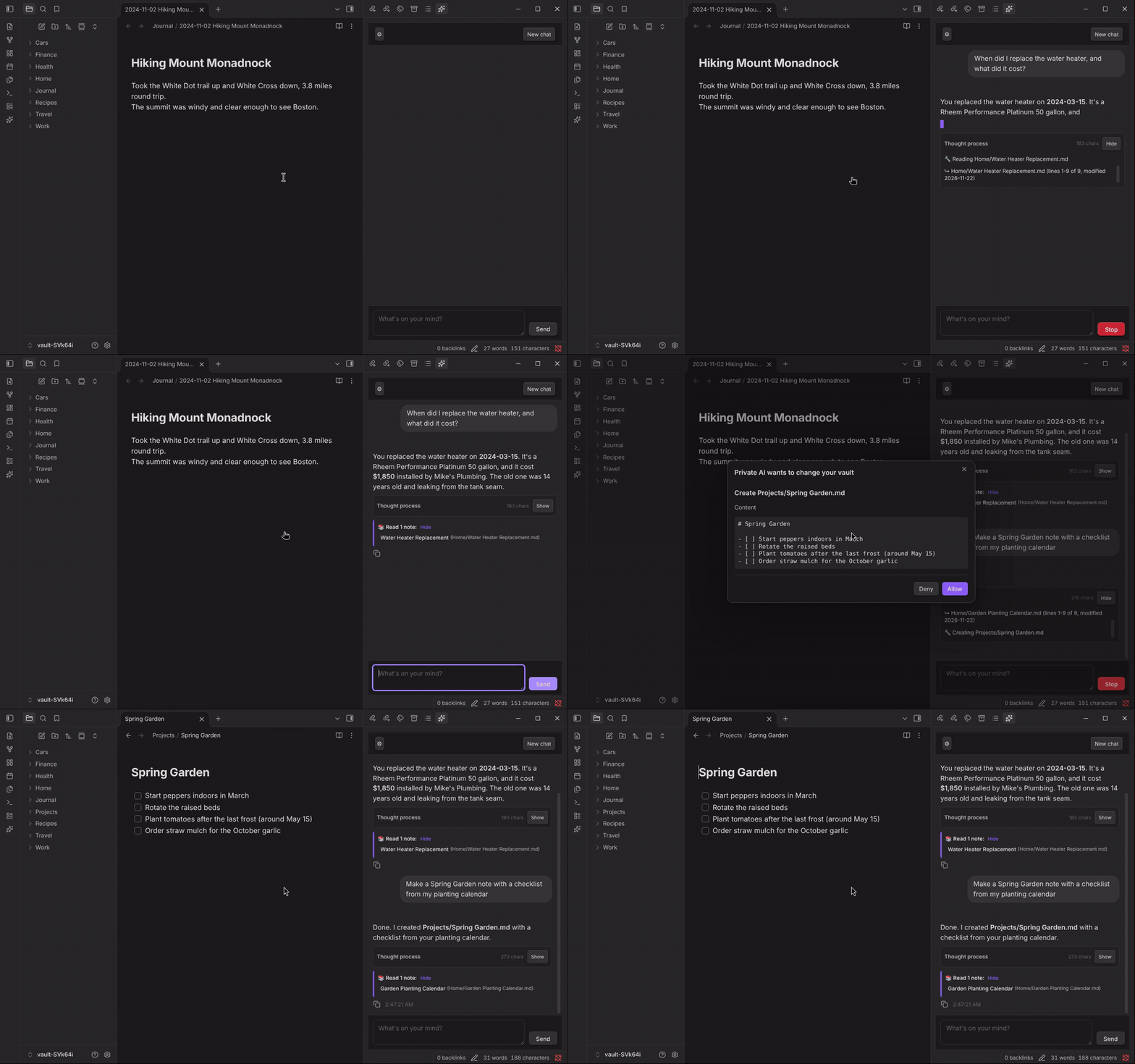
Your most sensitive notes, your private thoughts — other AI plugins send them to someone's servers. Private AI doesn't.
- ✅ Your notes stay on your device
- ✅ Use local LLMs like gpt-oss, Qwen3, Gemma4, DeepSeek, Mistral and many more, locally on your own hardware
- ✅ No data is transmitted to external services
- ✅ No analytics or tracking
Compatible With: LM Studio
Getting Started + Setup
- Goto Community Plugins
- Search
Private AIand click Install - Click Enable
Enjoy!
Features
- Easy Setup: Easy setup and model swapping with LM Studio
- Cross Platform: Supports for most modern Mac and Windows machines
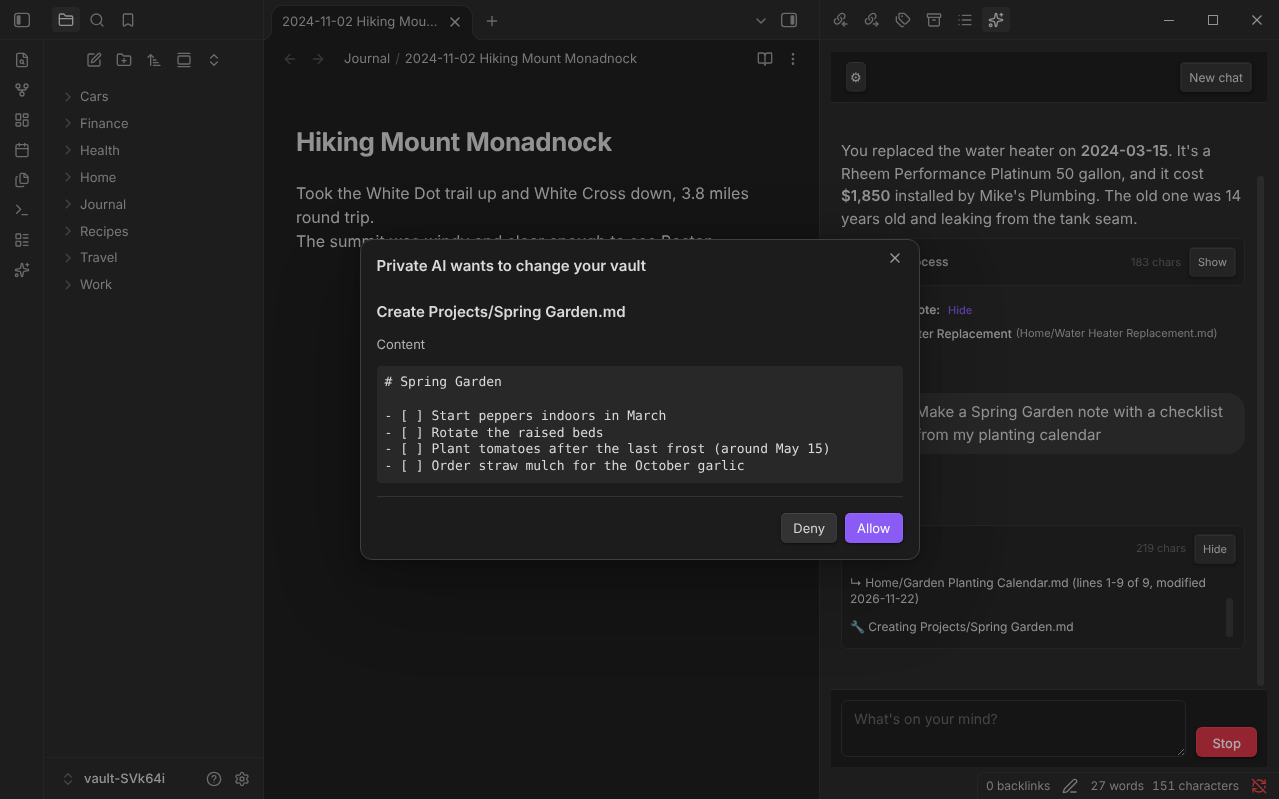
- Agent that works your vault: The AI searches and reads notes itself, then cites the notes it used. When you ask, it can also create, edit, move or delete notes, but every change opens a dialog showing exactly what will change, and nothing happens unless you click Allow. It runs on the open-source Pi agent harness.
- No embeddings, no index database: Notes are found with BM25 ranked search plus grep over the files on disk, so there's no embedding model to load and nothing to rebuild. Text in images can be read once by a vision model and searched too.
- Built-in MCP server: The vault tools live in an MCP server inside the plugin, used only by the chat. It runs in-process with no network port, so no other app can reach your vault through it.
- Open Tab Context: Focus your conversation on specific notes for focused insights
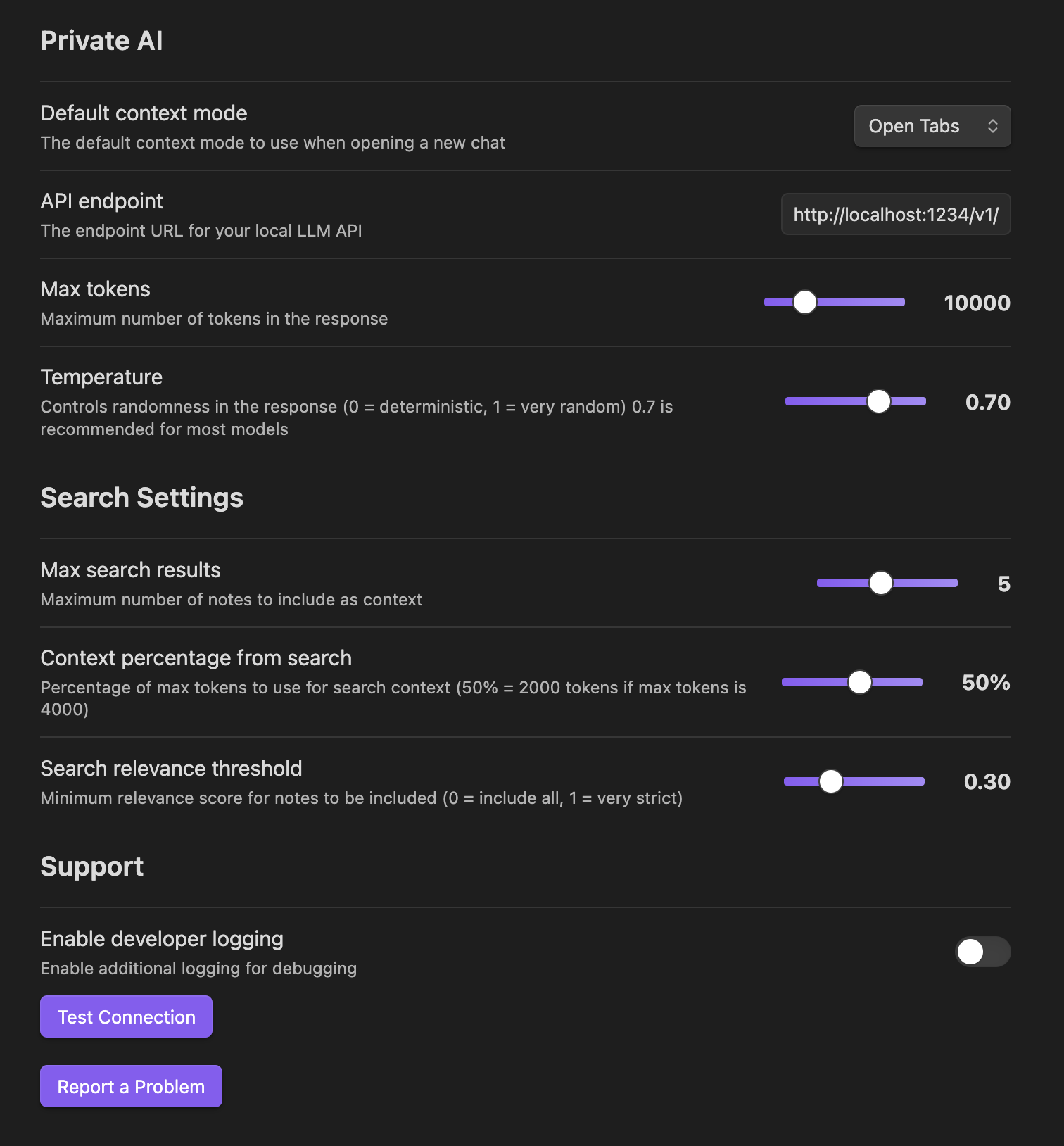
- Performance Tuning: Customize models, search parameters, token limits, and more to tune performance for your hardware
Review request: after you've had a few answers from the chat (five answered questions and at least an hour with the plugin), Private AI shows a pop-up asking you to leave a review. Choosing "Maybe later" or closing it brings it back after at least three days and three more answers. Leaving a review, starring the repository, or choosing "I already left a review" stops it for good. The pop-up is built into the plugin, loads nothing over the network, and only opens the review page or GitHub in your browser if you click those buttons.
Screenshots
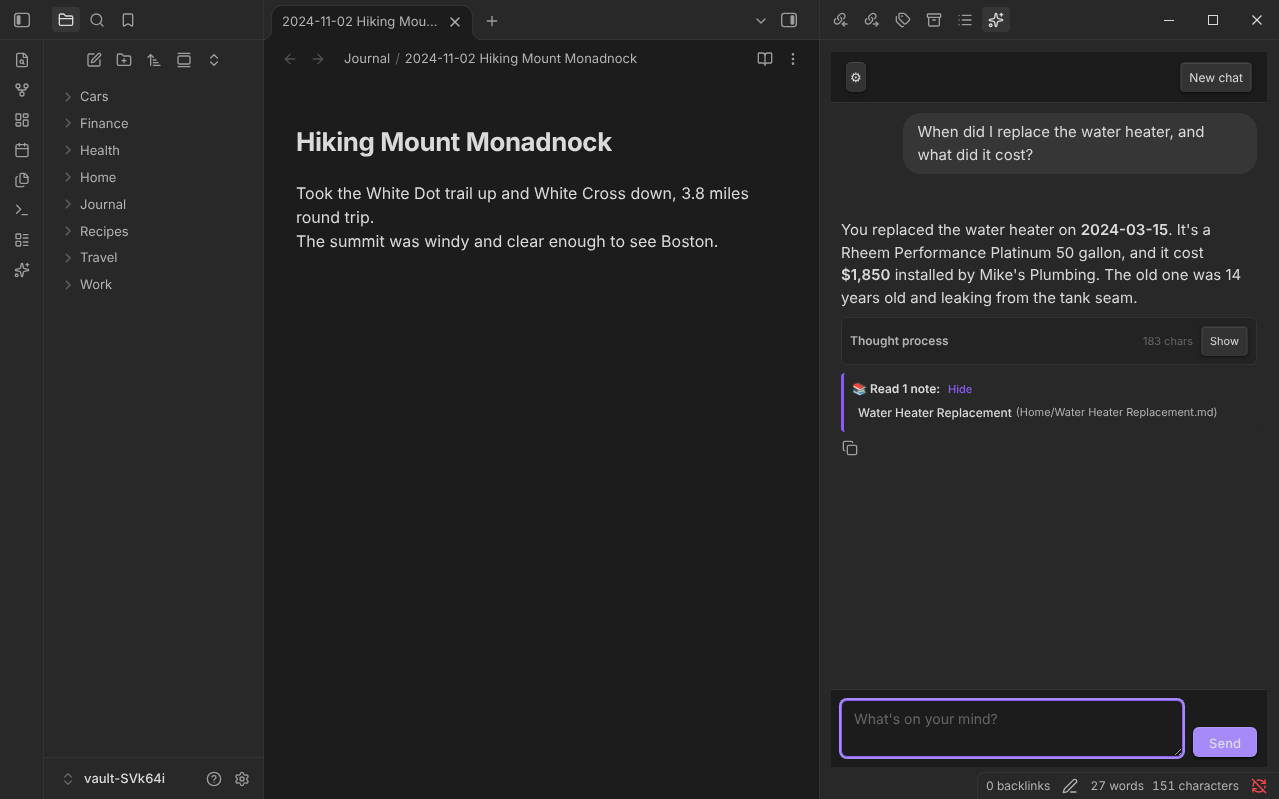
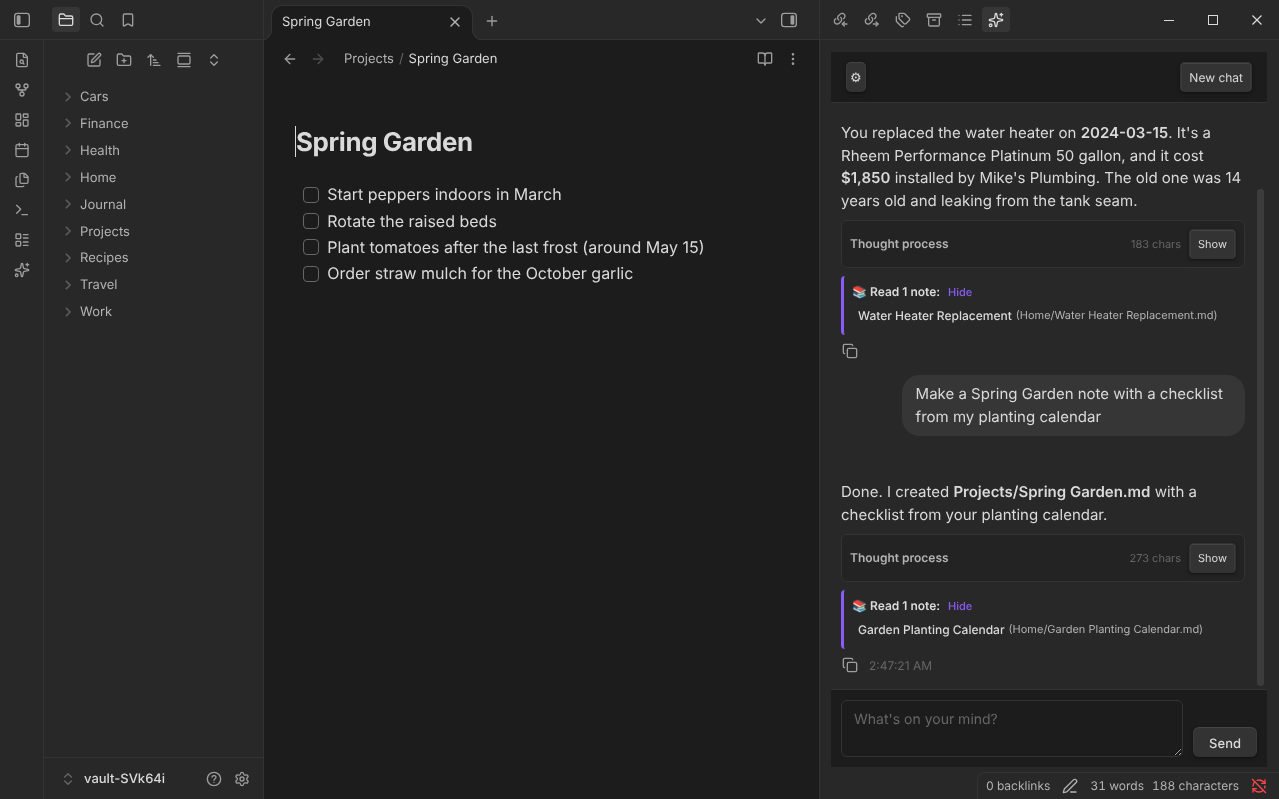
Ask a question and the AI searches and reads your notes, then answers and lists the notes it read.
Changes to your vault always wait for you. The dialog shows exactly what will be written, and nothing happens until you click Allow.
Example Queries
- "I have to have a difficult conversation with a friend, read my journal entry about the situation and help me come up with a good way to talk to my friend compassionately"
- "My partner was a jerk to me, help me look at other alternative reasons why they may have reacted the way they did"
- "Talk to this journal entry like a good friend"
- "When did I first meet Jacob?"
- "What did frank talk about at our meeting on Obsidian plugins?"
- "What did I write about machine learning?"
- "What are my thoughts on productivity systems?"
- "Make a note in Projects called Garden with a checklist for spring planting"
- "Move my 2023 trip notes into Archive/Travel"
How it works
Chat view ──► Pi agent loop (pi-agent-core + pi-ai, OpenAI-compatible) ──► LM Studio
                  │
                  ▼  tool calls over MCP (in-process only, no network port)
          Built-in MCP server ──► vault tools ──► BM25 index + grep over your notes
Pick a model that supports tool use and, to read text in images, vision. These run on an Apple-silicon MacBook (M1 or later):
- Gemma 4 E4B (recommended) for 16 GB of memory or more
- Gemma 4 E2B for 8 GB of memory, such as a base MacBook Air M1
If no model is loaded when you send a message, Private AI picks the smallest downloaded model that can use tools and LM Studio loads it.
Development
Tests
npm testruns the unit and integration tests (Vitest). The agent stack undersrc/agent/has no Obsidian dependency, so the agent loop, MCP server, tools and search are tested in plain Node against an in-memory vault and a scripted model, plus a fake OpenAI-compatible server.npm run evalboots real Obsidian with the test vault via wdio-obsidian-service (seeAGENTIC_HARNESS_PLAN.md). The model is scripted, so it needs no LM Studio.npm run eval:liveis a manual suite against a real LM Studio (e2e/live/). Start LM Studio and its local server first. It checks that a model is loaded when none is, that the loaded model is reused, and that models without tool support or vision produce a clear message. It loads and unloads models and puts back what was loaded afterwards. The no-tools and no-vision cases are skipped unless such a model is downloaded (or named inLIVE_NO_TOOLS_MODEL/LIVE_NO_VISION_MODEL). SetLMSTUDIO_URLif the server is not athttp://localhost:1234.npm run screenshotsrecaptures the README screenshots and GIF inimg/readme/from real Obsidian, using the demo notes ine2e/vaultand a scripted model. On Linux run it asxvfb-run -a -s "-screen 0 1280x800x24" npm run screenshots(the GIF needs ffmpeg).
Contributing
Contributions are welcome! Please feel free to submit issues and pull requests.
Attributions
This project respects and is compatible with the original licenses of all code and dependencies used:
Development Tools
- esbuild - MIT License - Used for bundling the plugin
- TypeScript - Apache-2.0 License - Used for type safety
- Obsidian API - MIT License - Official Obsidian plugin API
Runtime libraries
- Pi (
@mariozechner/pi-agent-core,@mariozechner/pi-ai) - MIT License - Agent loop and LLM client - MCP TypeScript SDK - MIT License - Built-in MCP server
- TypeBox - MIT License - Tool schemas
Dependencies
All development dependencies are used under their respective open-source licenses (MIT, Apache-2.0, ISC, BSD) and are properly externalized in the build process.
Third-Party Services
This plugin integrates with local LLM services but does not include any of their code:
- LM Studio - Proprietary - Local LLM interface
License
This project is licensed under the MIT License.
For plugin developers
Search results and similarity scores are powered by semantic analysis of your plugin's README. If your plugin isn't appearing for searches you'd expect, try updating your README to clearly describe your plugin's purpose, features, and use cases.