Hex Cartographer
pendingby Christoph Werner
A visual hex map editor. Create fantasy world maps with custom SVG symbols, terrain, rivers, roads, and text annotations. Features color palettes and pattern tools. Perfect for RPG campaigns, novel writing, and worldbuilding.
Hex Cartographer

Bring Your Fantasy Worlds to Life
Hex Cartographer is a visual hex map editor for Obsidian. Create detailed fantasy world maps with colored hex tiles, hand-crafted SVG symbols, rivers, roads, borders, and text annotations — all stored as plain text in your vault.
Your finished maps can be printed or exported as high-resolution PNG/JPEG images — perfect for RPG game masters, fantasy authors, and worldbuilders.
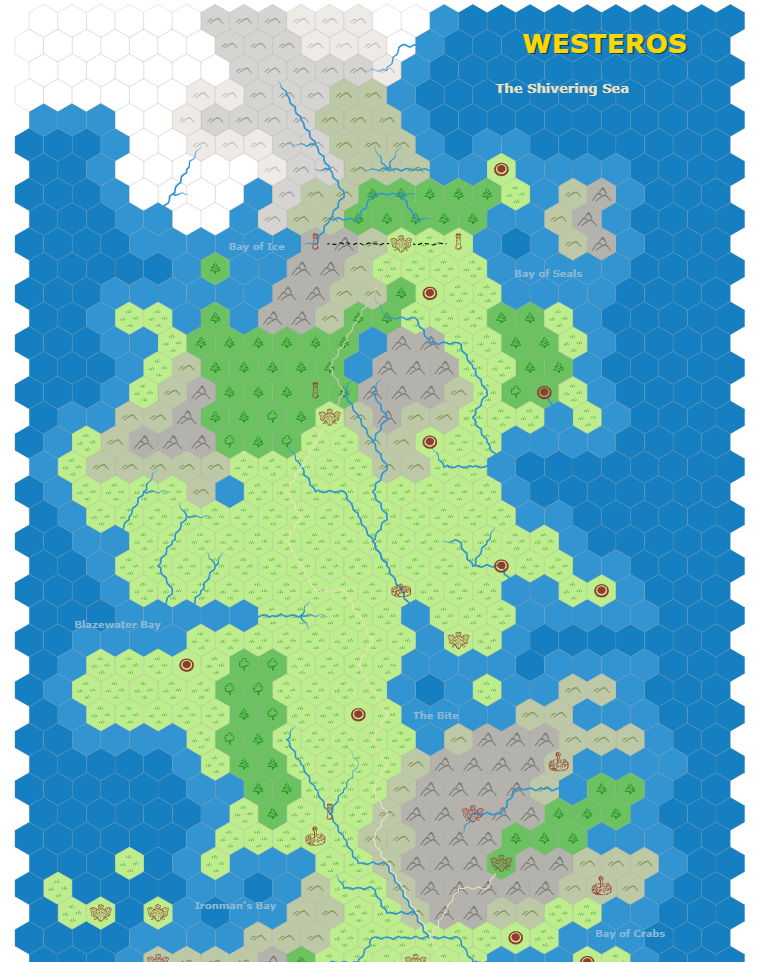
Example Map
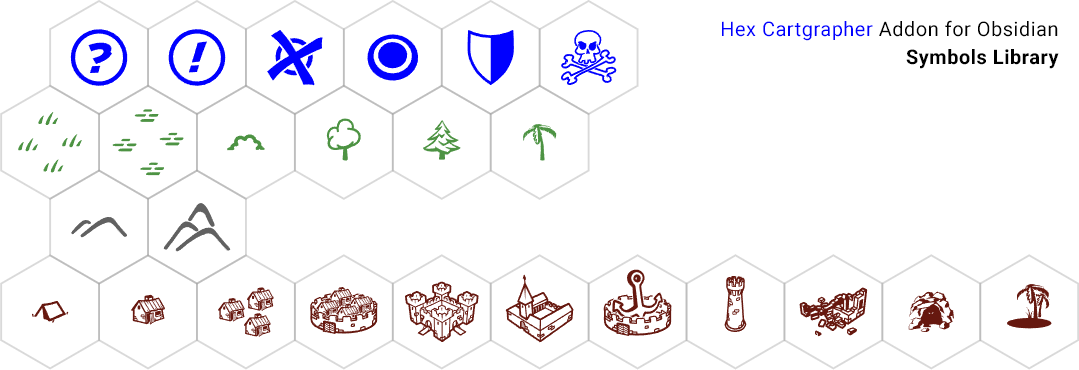
Symbols Library
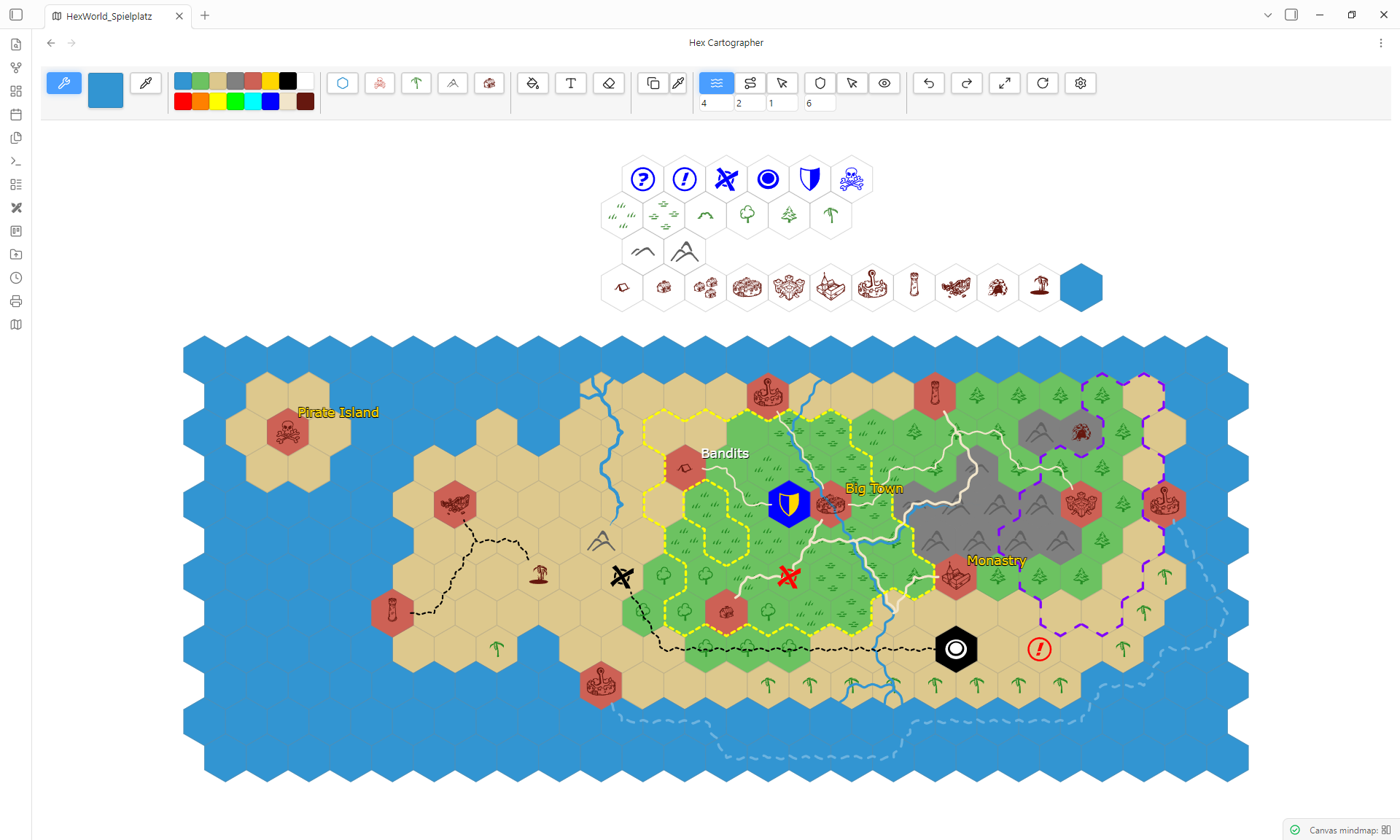
Editor
Features
Hex Grid Editor
- Infinite scrollable hex grid canvas
- Paint hexes with custom colors and palettes
- Color eyedropper to pick colors from the map
- Fill tool for quick area painting
- Pattern stamp tool to apply repeating tile layouts
Symbols & Terrain
- 25+ hand-crafted SVG symbols across 4 groups: Extras, Vegetation, Mountains, Buildings
- Symbols inherit the active master color for full flexibility
- Right-click to switch between symbol variants
Rivers, Roads & Borders
- Draw rivers and roads by placing waypoints
- Adjustable line width and dash patterns
- Rivers taper naturally at dead ends
- Draw border regions with customizable styles
- Toggle border visibility on/off
Text Annotations
- Place text labels anywhere on the map
- Customize font size, color, bold, and italic
- Link text to other notes in your Obsidian vault
Export & Print
- Export maps as high-resolution PNG or JPEG
- Print directly from the three-dot menu
- On mobile, exports are saved next to the map file
Full Mobile Support
- Touch-optimized: tap to place, swipe to draw
- Two-finger pinch to zoom, two-finger drag to pan
- Long-press on tool buttons for variant selection
Installation
- Open Obsidian Settings
- Go to Community Plugins and disable Restricted Mode
- Click Browse and search for Hex Cartographer
- Click Install, then Enable
Manual Installation
- Download
main.js,styles.css, andmanifest.jsonfrom the latest release - Create a folder
hex-cartographerin your vault's.obsidian/plugins/directory - Place the downloaded files inside
- Restart Obsidian and enable the plugin
Getting Started
- Right-click a folder in the file explorer and select Create new Hex Cartographer Map
- Toggle Edit Mode to start drawing
- Select a color from the palette and click hexes to paint terrain
- Switch tool groups in the toolbar to place symbols, draw paths, or add text
- Use Ctrl+Z / Ctrl+Y to undo and redo
Controls
| Action | Desktop | Mobile |
|---|---|---|
| Paint / Place | Left-click | Tap |
| Erase | Right-click (hold + drag for multiple) | Eraser Icon |
| Erase all | Double right-click | Eraser Icon, then double tap |
| Zoom | Mouse wheel | Two-finger pinch |
| Pan | Middle mouse / Shift+Drag | Two-finger drag |
| Symbol variant | Right-click tool button | Long-press tool button |
| Palette color | Right-click palette slot | Long-press palette slot |
| Undo | Ctrl+Z | Undo Icon |
| Redo | Ctrl+Y | Redo Icon |
Languages
Hex Cartographer supports 11 languages. The language is automatically detected from your Obsidian settings.
German, English, Chinese, Russian, Japanese, French, Portuguese, Korean, Spanish, Polish, Italian
License
This plugin is licensed under the GNU General Public License v3.0.
For plugin developers
Search results and similarity scores are powered by semantic analysis of your plugin's README. If your plugin isn't appearing for searches you'd expect, try updating your README to clearly describe your plugin's purpose, features, and use cases.