MindZJ
pendingby SuperJohn
An interactive mind map plugin with rainbow connections, drag & drop, custom styles, and 19 languages.
🗺️
MindZJ — Mind Map Plugin for Obsidian
A feature-rich, fully customizable mind mapping plugin built natively for Obsidian.
Features • Installation • Quick Start • Shortcuts • Customization • Development • License




🌐 README available in: English | 中文 | 日本語 | Français | Deutsch Español



If you find MindZJ useful, consider supporting the project
Preview
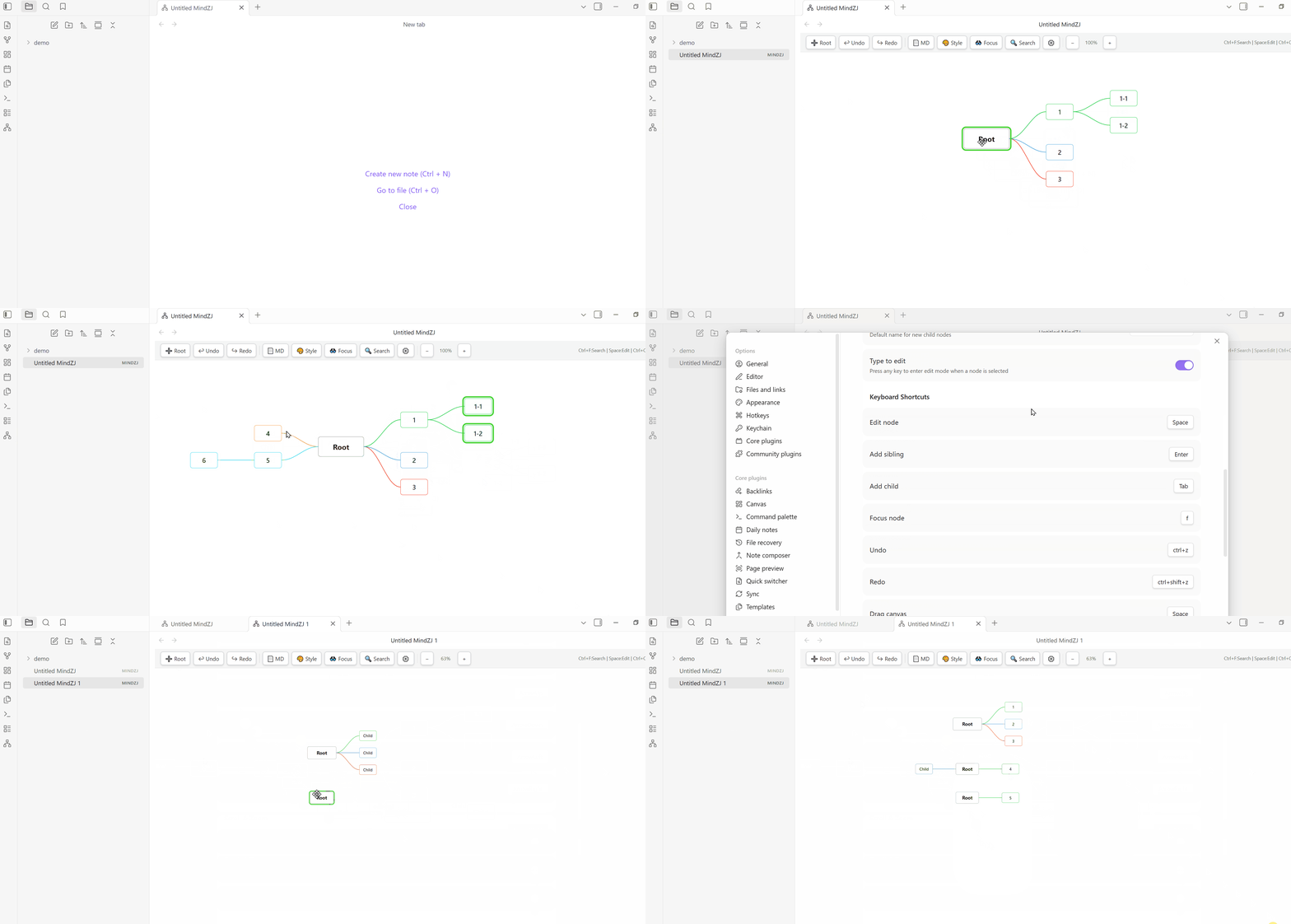
Creating nodes, editing text, drag & drop, and rainbow connections in action
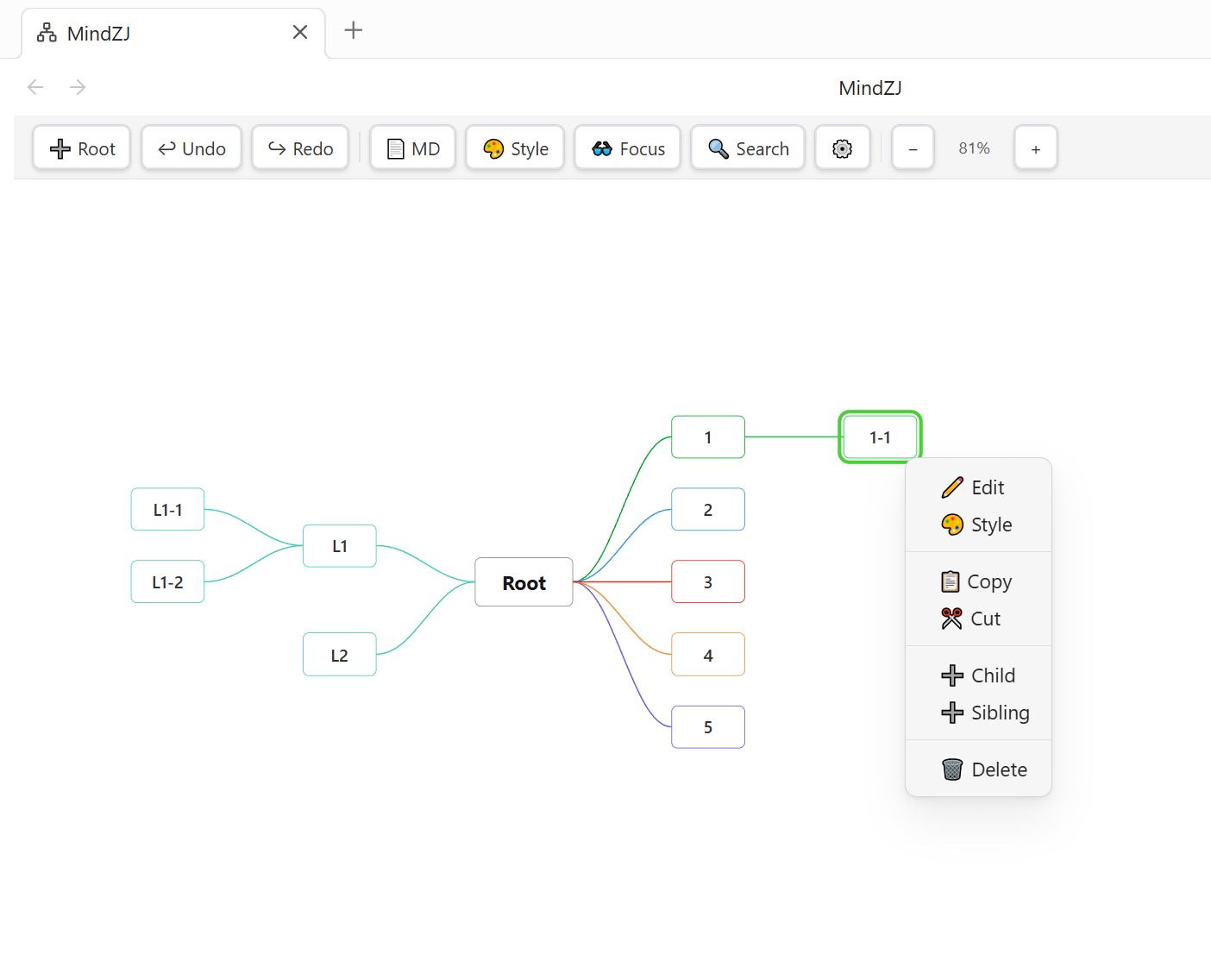
MindZJ main interface — create, edit, and style mind maps directly inside Obsidian
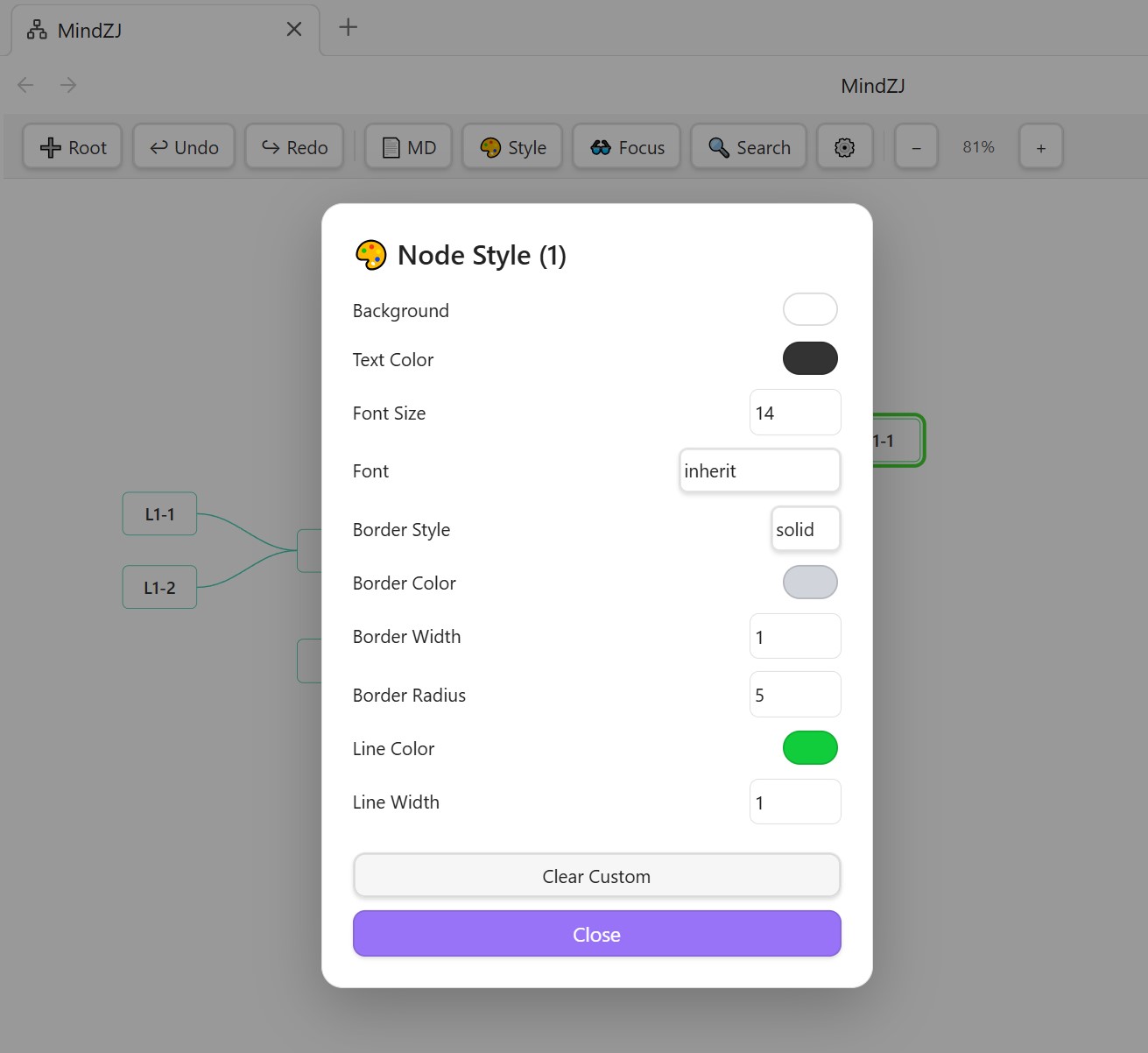
Global Style Panel — fine-tune every visual detail of your mind map
Features
Core
- Native
.mindzjfile format — files live in your vault and sync with Obsidian's file system - Unlimited root nodes — create multiple independent trees on a single canvas
- Bidirectional layout — place child nodes to the right, left, or both sides of a root
- Markdown mode — toggle between visual map view and raw Markdown text editing
- Undo / Redo — full history stack for safe experimentation
Editing
- Inline text editing — double-click or press Space to edit a node in place
- Type-to-edit — start typing while a node is selected to enter edit mode directly
- Multi-line support — Shift+Enter for line breaks within a single node
- Keyboard-driven workflow — Enter to add a sibling, Tab to add a child, arrow keys to navigate
- Multi-select — Shift/Ctrl-click or box-select to operate on multiple nodes at once
- Copy / Cut / Paste — full clipboard support for node trees, including cross-map paste
- Edit on create — optionally enter edit mode immediately when creating new nodes
Visual
- 6 connection line styles — Bezier, Straight, Curved, Step, Bracket, and Loose
- 9 built-in rainbow palettes — Classic, Pastel, Neon, Earth, Ocean, Sunset, Forest, Candy, Monochrome
- Custom rainbow palettes — define your own color sequences for connection lines
- Per-node style overrides — change background, text color, font, border, and border radius on individual nodes
- Per-node connection color & width — override the global connection color for any branch
- 10 font choices — including system fonts, serif, sans-serif, and monospace
- 5 border styles — solid, dashed, dotted, double, none
- Canvas background color — match your theme or set a custom background
Interaction
- Drag & drop — reorder siblings and reparent nodes by dragging
- Root node dragging — freely reposition root nodes on the canvas
- Zoom & pan — scroll to pan, Shift+scroll or pinch to zoom, with configurable inversion
- Focus node — press
Fto center the selected node in the viewport - Search — Ctrl+F to search all nodes by text, with result highlighting and navigation
Toolbar & Style Panel
- Customizable toolbar — position (top / bottom), padding, background, button colors, and border style
- Dedicated Style Panel — a right-side panel with every style setting organized into collapsible sections
- In-map style modal — right-click the canvas → Global Style for quick adjustments without leaving the map
- Show / hide toolbar — toggle from settings, right-click menu, or the style panel
Internationalization
- 19 languages — English, 中文, 日本語, Français, Deutsch, Español, Русский, Svenska, हिन्दी, 한국어, Português, Suomi, Norsk, Nederlands, Liechtensteinisch, Dansk, עברית, Italiano, العربية
- Custom node names — rename the default "Root" and "Child" labels per language
Settings
- Fully customizable keyboard shortcuts — rebind every action with a visual key recorder
- Scroll & zoom inversion — independent toggles for vertical scroll, horizontal scroll, and zoom direction
- Developer mode — overlay showing internal state (selection, pan, zoom, node count)
Installation
From Obsidian Community Plugins (Recommended)
Coming soon — the plugin is currently in development.
- Open Settings → Community Plugins → Browse
- Search for MindZJ
- Click Install, then Enable
Manual Installation
- Download the latest release (
main.js,manifest.json) from GitHub Releases - Create a folder in your vault:
.obsidian/plugins/mindzj/ - Copy
main.jsandmanifest.jsoninto that folder - Restart Obsidian, then enable MindZJ in Settings → Community Plugins
Quick Start
- Click the 🗺️ network icon in the left ribbon, or run the command "New MindZJ"
- A new
.mindzjfile is created and opened in map view - Double-click a node or press Space to edit its text
- Press Tab to add a child node, Enter to add a sibling
- Right-click the canvas to access the global style modal, or click 🎨 Style in the toolbar to open the style panel
From zero to a styled mind map in under 30 seconds
Keyboard Shortcuts
All shortcuts are rebindable in Settings → MindZJ → Keyboard Shortcuts.
| Action | Default Shortcut |
|---|---|
| Edit node | Space or Ctrl + Enter |
| Add sibling | Enter |
| Add child | Tab |
| Add left child | Shift+Tab |
| Focus / center node | F |
| Undo | Ctrl + Z |
| Redo | Ctrl + Shift + Z |
| Search nodes | Ctrl + F |
| Copy node | Ctrl + C |
| Cut node | Ctrl + X |
| Paste node | Ctrl + V |
| Delete node | Delete / Backspace |
| Navigate | ↑ ↓ ← → |
| Line break (in edit) | Shift + Enter |
| Zoom in | Shift + = |
| Zoom out | Shift + - |
| Reset zoom | Shift + 0 |
| Pan canvas | Hold Space + mouse drag |
Customization
Global Style
The Global Style panel controls the default appearance of all nodes and connections. Access it via:
- Toolbar → 🎨 Style button → opens the right-side panel
- Right-click canvas → 🎨 Global Style → opens an in-map modal
- Settings → MindZJ → basic style options (canvas background, theme)
Available style options include:
| Category | Properties |
|---|---|
| Child Node | Background, text color, font size, font family, border (style/color/width/radius), min width, min height |
| Root Node | Same as child node, with independent defaults |
| Connection | Style (6 types), color, width, length, direction, rainbow toggle & palette |
| Selection | Selection outline color, width, offset; edit outline color & width |
| Text | Alignment (left/center/right), padding, line height |
| Canvas | Background color |
| Toolbar | Position, padding (top/right/bottom/left), background, button background/border/text colors |
Per-Node Style
Right-click any node → 🎨 Style to override its individual appearance:
- Background color, text color, font size, font family
- Border style, color, width, radius
- Connection line color and width (for the branch leading to this node)
Rainbow Connections
Enable rainbow mode to automatically color each branch with a distinct hue. Choose from 9 built-in palettes or define a custom one with up to 12 colors.
File Format
MindZJ uses a custom .mindzj file extension. The file content is plain JSON:
{
    "rootNodes": [
        {
            "id": "uuid",
            "text": "Root",
            "x": 0,
            "y": 0,
            "width": 100,
            "height": 44,
            "children": [
                {
                    "id": "uuid",
                    "text": "Child",
                    "x": 0,
                    "y": 0,
                    "width": 80,
                    "height": 32,
                    "children": []
                }
            ],
            "isRoot": true
        }
    ]
}
Files are human-readable and version-control friendly. They sync seamlessly across devices via Obsidian Sync, iCloud, Git, or any file-based sync tool.
Development
Prerequisites
- Node.js 16+
- npm
Setup
git clone https://github.com/zjok/mindzj.git
cd mindzj
npm install
Build
# Development (watch mode — auto-rebuilds on file changes)
npm run dev

# Production (single build, no sourcemap, tree-shaken)
npm run build
Project Structure
mindzj/
├── src/
│   ├── main.ts            # Plugin entry point, commands, lifecycle
│   ├── MindMapView.ts     # Core mind map view: rendering, editing, interaction
│   ├── StylePanelView.ts  # Right-side style panel view
│   ├── SettingsTab.ts     # Plugin settings tab
│   ├── types.ts           # TypeScript interfaces, defaults, constants
│   └── i18n.ts            # 19-language translation system
├── manifest.json          # Obsidian plugin manifest
├── package.json           # npm dependencies and scripts
├── tsconfig.json          # TypeScript configuration
├── esbuild.config.mjs     # Build configuration
└── main.js                # Compiled output (generated)
Technology Stack
- TypeScript — strict typing for reliability
- esbuild — fast bundling with tree-shaking
- Obsidian API — native plugin integration (views, settings, commands, file system)
- SVG + foreignObject — hardware-accelerated rendering with HTML content inside SVG nodes
Support
If you find MindZJ useful, consider supporting the project:
License
This project is licensed under the GNU Affero General Public License v3.0 (AGPL-3.0-or-later).
Made with ❤️ by SuperJohn 2026.03
For plugin developers
Search results and similarity scores are powered by semantic analysis of your plugin's README. If your plugin isn't appearing for searches you'd expect, try updating your README to clearly describe your plugin's purpose, features, and use cases.