Photo Calendar
pendingby TSHOGX
Calendar with daily photo display from note frontmatter.
Photo Calendar
A calendar plugin for Obsidian that displays photos from your daily notes as calendar backgrounds.
Features
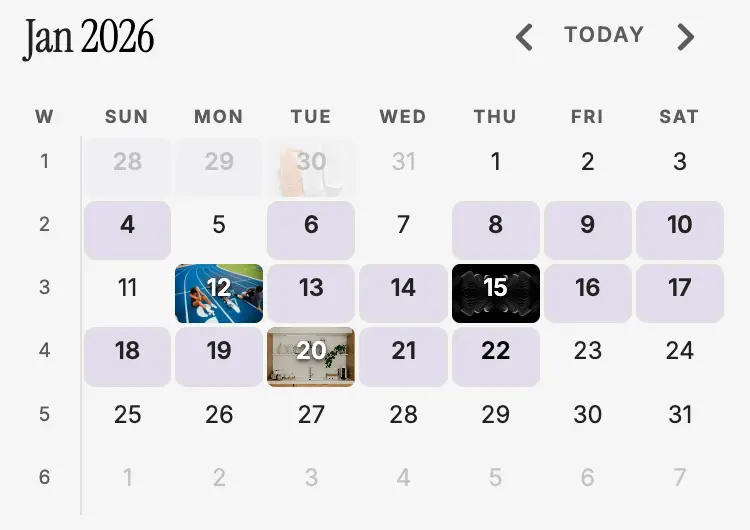
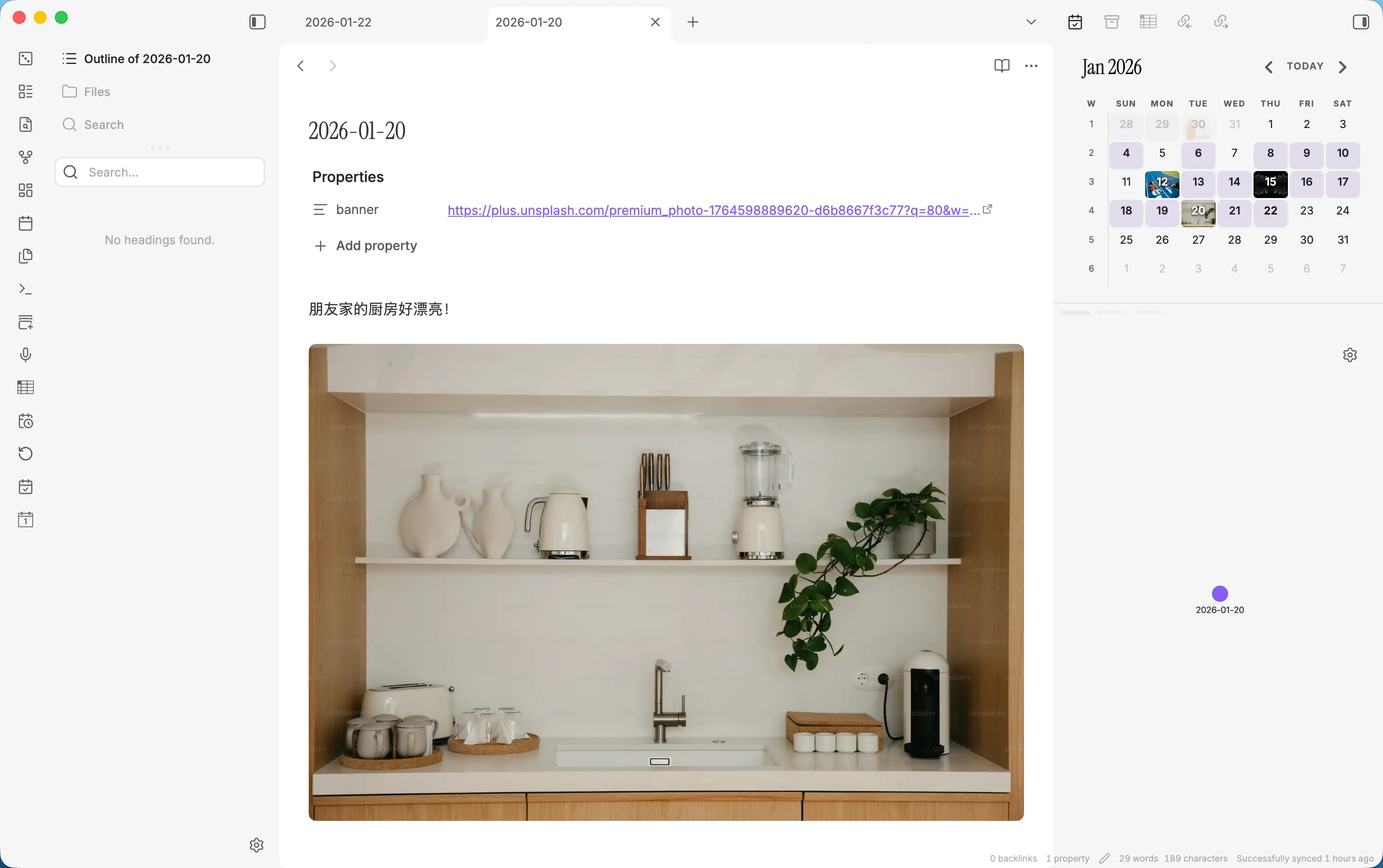
- Photo Mode: Display photos from daily note frontmatter as calendar cell backgrounds
- Photo Mode Note Background: Custom background color for dates with notes but no photos
- Adjacent-Month Photos: Show photos even for days outside the current month grid
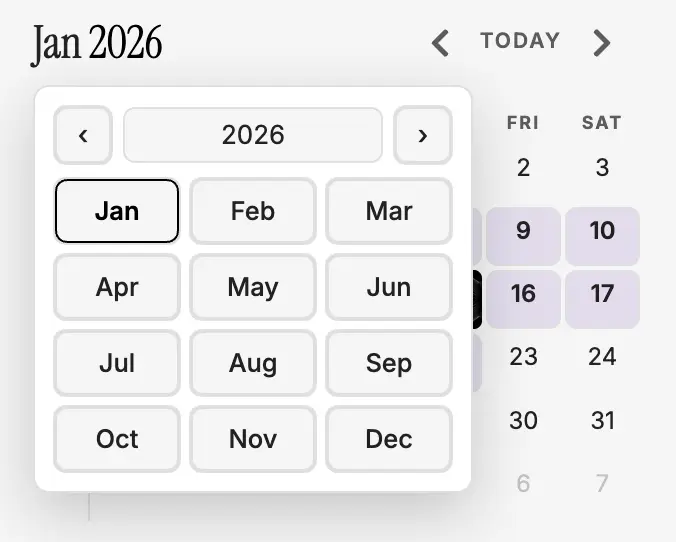
- Month Picker: Click the calendar title to jump to any month and year
- Photo Fill Mode: Choose cover (crop) or contain (fit) for calendar photos
- Word Count Dots: Visual indicators showing note length (customizable words per dot) in standard mode
- Weekly Notes: Click week numbers to create or open weekly notes
- Daily Notes Integration: Click dates to open or create daily notes
- Configurable: Customize week start, photo sources, and display preferences
Screenshots
Plugin View
Full View with Daily Note
Month Picker
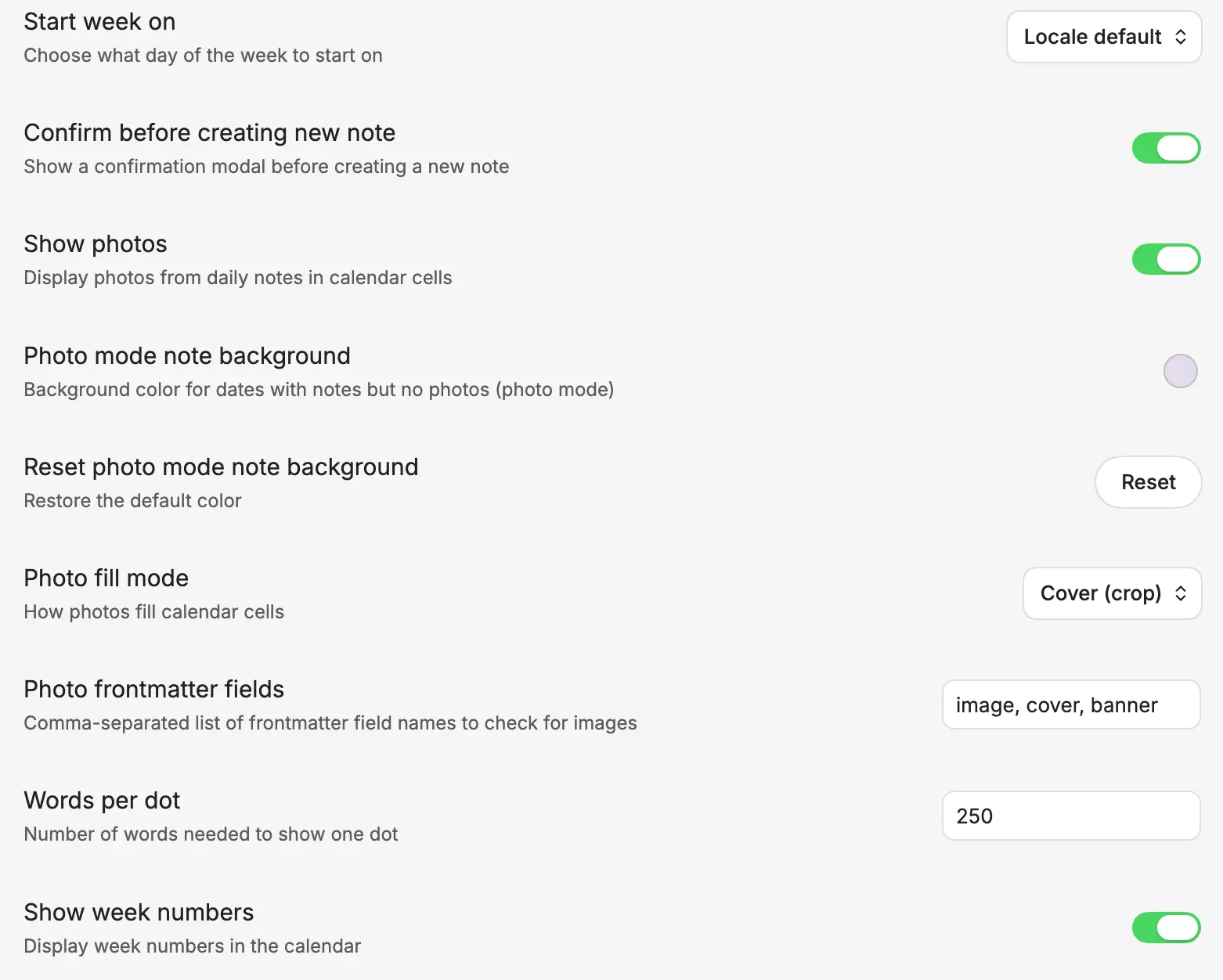
Settings
Installation
Manual Installation
- Download the latest release
- Extract the files to your vault's plugins folder:
<vault>/.obsidian/plugins/photo-calendar/ - Reload Obsidian
- Enable the plugin in Settings → Community Plugins
Development
# Install dependencies
npm install

# Build the plugin
npm run build

# Watch for changes during development
npm run dev
Usage
Add image references to your daily notes' frontmatter:
---
image: "[[photo.jpg]]"
---
The plugin supports wikilinks, URLs, and relative paths. Configure which frontmatter fields to check in settings (default: image, cover, banner).
Settings
- Show Photos: Toggle photo display mode
- Photo Mode Note Background: Background color for notes without photos (photo mode)
- Reset Photo Mode Note Background: Restore the default background color
- Photo Fill Mode: Cover (crop) or Contain (fit) photo display
- Week Start: Choose locale default, Sunday, or Monday
- Show Week Numbers: Display week numbers for weekly note navigation
- Photo Frontmatter Fields: Customize which fields to check for images
- Words per Dot: Configure how many words each dot represents
- Confirm Before Creating: Show confirmation before creating new notes
Acknowledgments
This plugin combines functionality inspired by:
- obsidian-calendar-plugin - Calendar interface and daily notes integration
- notebook-navigator - Photo display as calendar backgrounds
License
MIT
For plugin developers
Search results and similarity scores are powered by semantic analysis of your plugin's README. If your plugin isn't appearing for searches you'd expect, try updating your README to clearly describe your plugin's purpose, features, and use cases.