QuickCalendar
pendingby Scott Novis
A year-at-a-glance calendar with multiple view modes. Renders full-year calendars in your notes with daily note integration.
QuickCalendar
A year-at-a-glance calendar plugin for Obsidian. Renders full-year calendars inside your notes with four view modes, daily note integration, and weekly note support.
Features
- Four view modes — switch instantly via the in-note toolbar
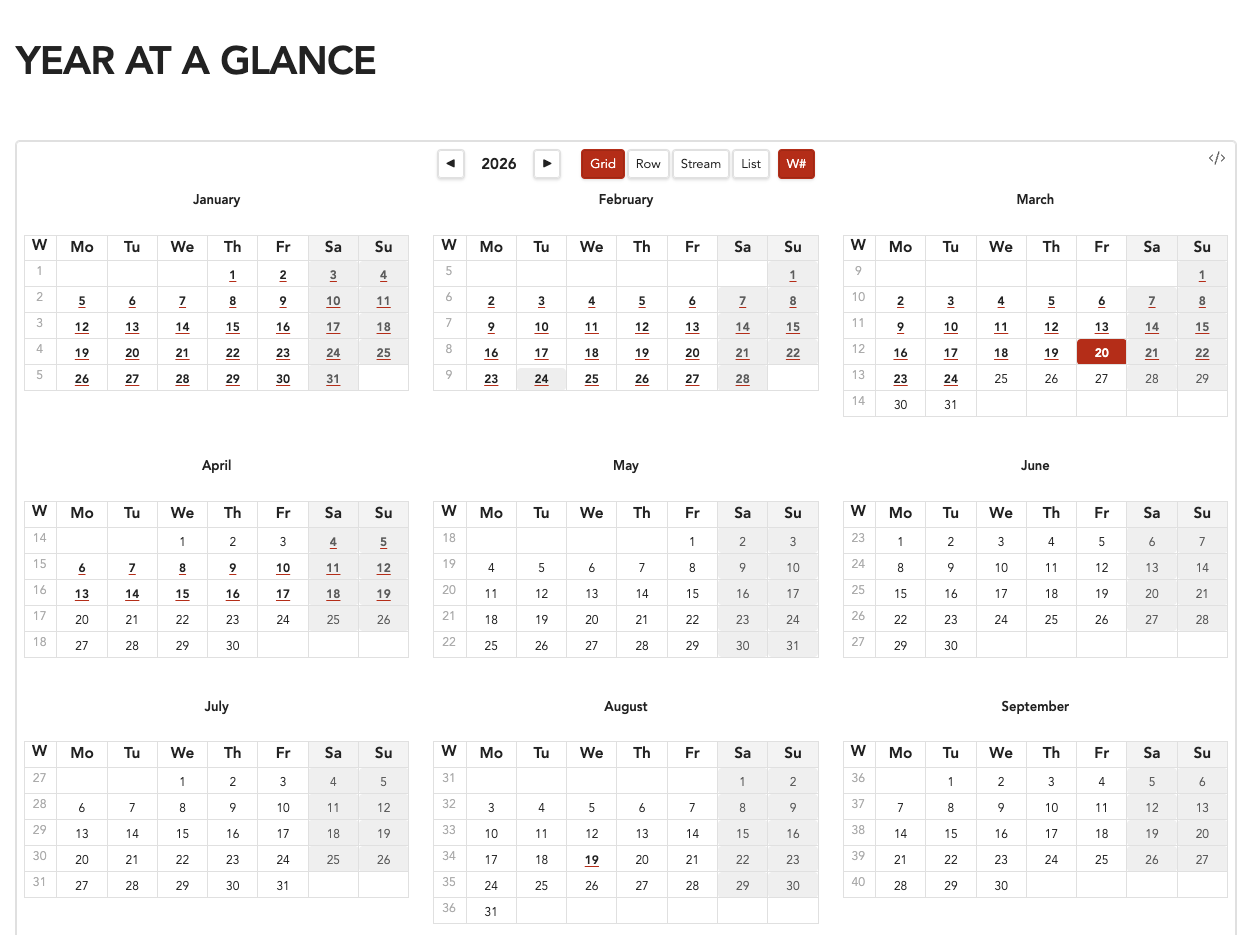
- Grid — 3×4 mini-calendar grid, compact and scannable
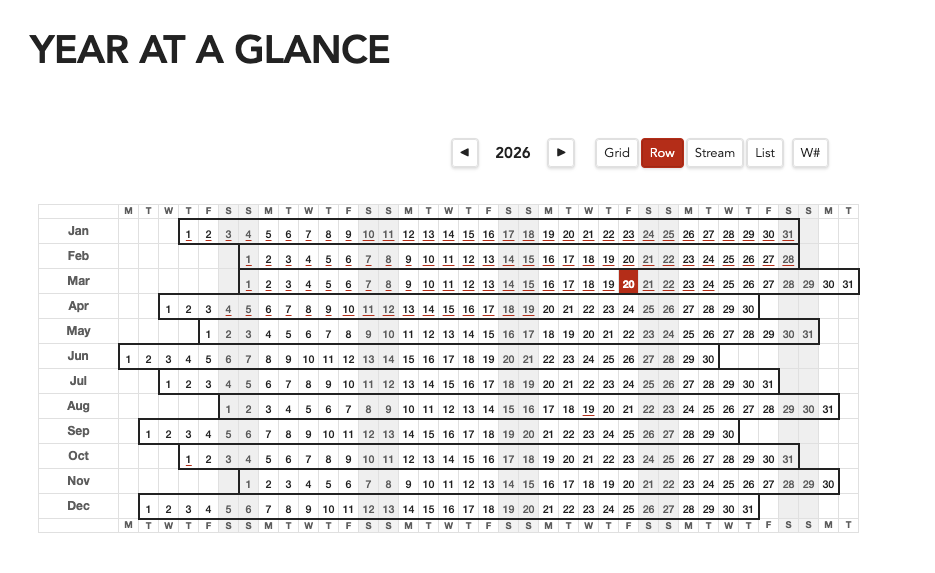
- Row — Horizontal yearly planner with day-of-week columns and month box borders
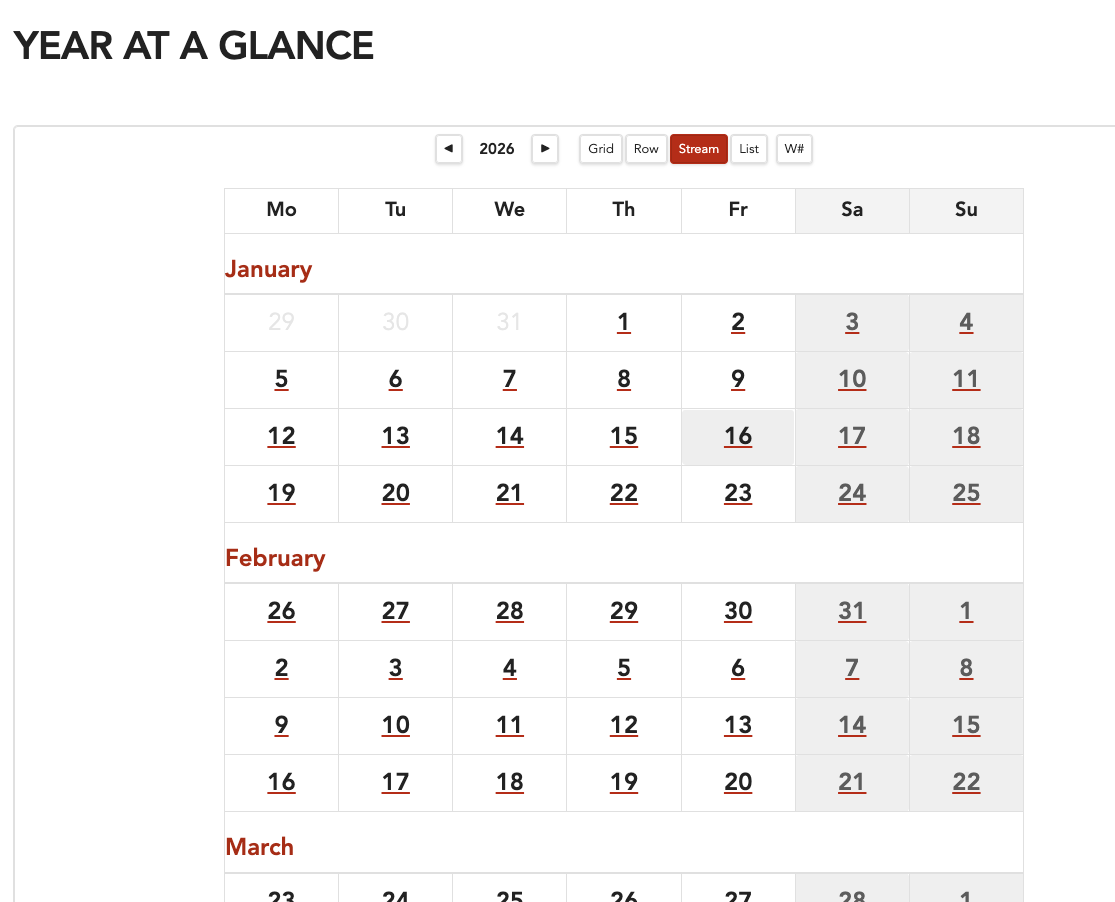
- Stream — Continuous 7-column weekly flow with month separators
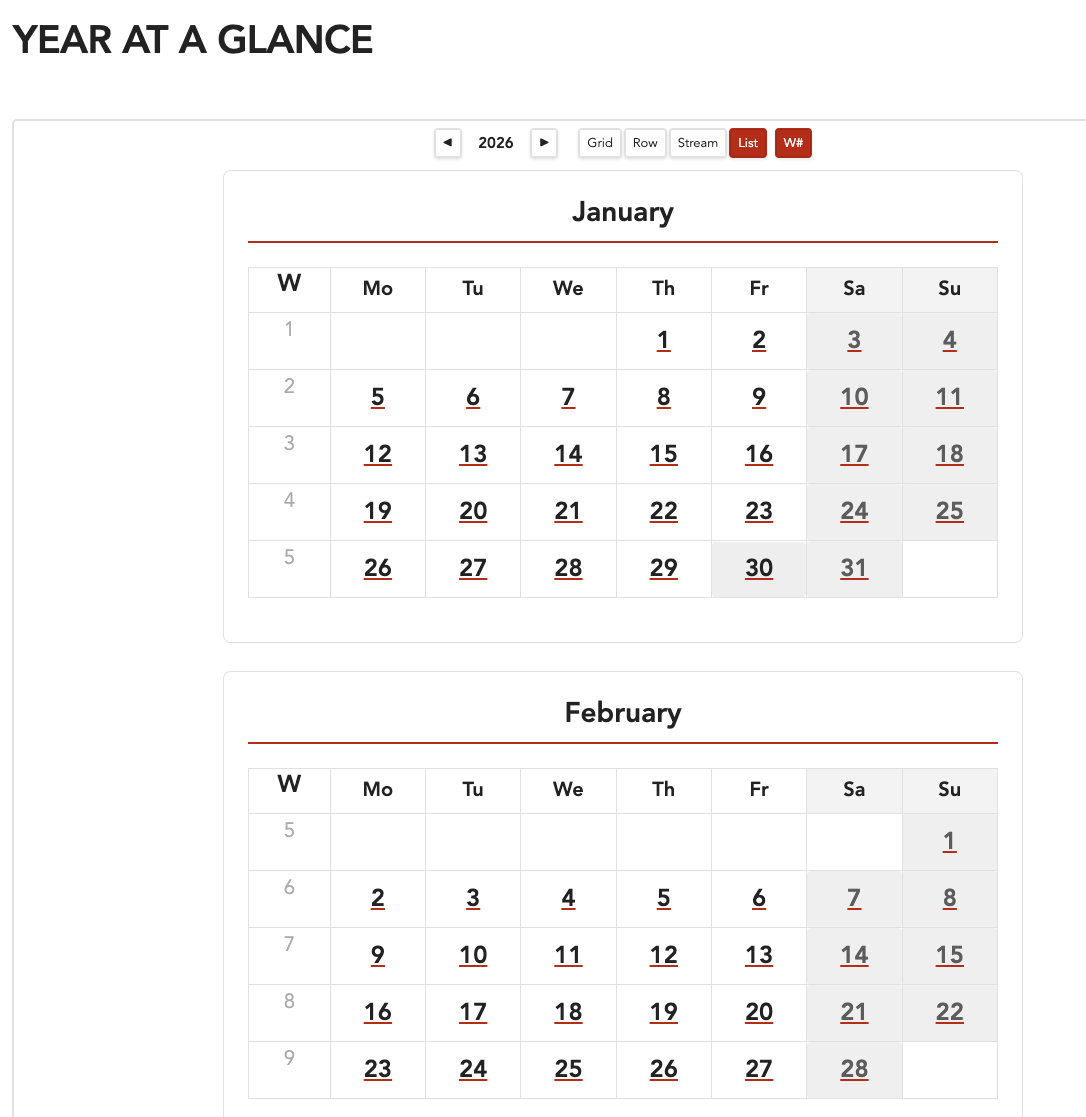
- List — 12 full-size month tables in a single column
- Daily note integration — click any date to open or create its daily note
- Weekly note integration — click a week number to open or create a weekly note
- Interactive toolbar — year navigation, view toggle, and week number toggle
- Live persistence — all toolbar changes save back to the code block automatically
- Templater support — weekly notes use Templater's template processing when available
- Theme-aware — uses Obsidian CSS variables for full light/dark theme compatibility
- Configurable start day — start weeks on any day (default: Monday)
Usage
Create a fenced code block with the quickcalendar language identifier:
```quickcalendar
{
  "year": 2026,
  "view": "grid",
  "startDay": "monday",
  "weekNumbers": true
}
```
Configuration Options
| Option | Type | Default | Description |
|---|---|---|---|
year | number | current year | Year to display |
view | string | "grid" | View mode: grid, row, stream, or list |
startDay | string | "monday" | First day of the week |
weekNumbers | boolean | false | Show ISO week numbers |
Screenshots
Grid View
Row View
Stream View
List View
Settings
In Settings → QuickCalendar, you can configure:
- Daily note folder — where daily notes are stored (auto-detected from core Daily Notes / Periodic Notes plugins)
- Daily note format — date format for filenames (default:
YYYY-MM-DD) - Daily note template — template file path for new daily notes
- Weekly note template — template file path for new weekly notes (supports Templater)
All path fields have autosuggest dropdowns for easy file/folder selection.
Installation
From Obsidian Community Plugins
Coming soon — submission pending.
Manual Installation
- Download
main.js,styles.css, andmanifest.jsonfrom the latest release - Create a folder called
quickcalendarin your vault's.obsidian/plugins/directory - Copy the three files into that folder
- Enable the plugin in Settings → Community Plugins
Building from Source
git clone https://github.com/snovis/obsidian-quickcalendar.git
cd obsidian-quickcalendar
npm install
npm run build
This produces main.js in the project root. Copy it along with styles.css and manifest.json to your vault's plugin folder.
Acknowledgments
Inspired by the Calendar plugin by Liam Cain. QuickCalendar focuses on year-level views rather than monthly sidebar navigation.
License
MIT — Scott Novis
For plugin developers
Search results and similarity scores are powered by semantic analysis of your plugin's README. If your plugin isn't appearing for searches you'd expect, try updating your README to clearly describe your plugin's purpose, features, and use cases.