Quiz blocks
pendingby Igor Strebz
Render ```quiz code blocks into interactive multiple-choice quizzes. Pick an answer, check if you’re right, and see explanations right inside your notes.
Quiz blocks 
Render ```quiz code blocks into interactive multiple-choice quizzes directly inside Obsidian notes.
How it works
You basically describe a quiz with a YAML code block.
The plugin transforms it into a nice interactive form.
Depending on the quiz type, one or multiple options can be selected.
There is a Check button that highlights right, wrong, and missed answers,
with optional feedback commentary. Great for self-education and learning notes.
Supported quiz types
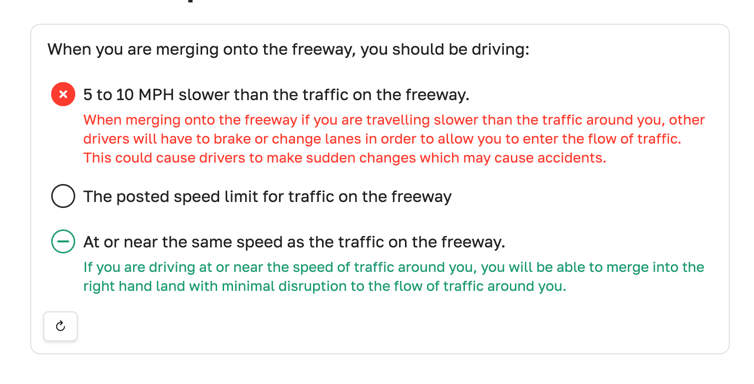
radio — single correct option
show code
```quiz
type: radio
content: >-
    When you are merging onto the freeway, you should be driving:

options:
- content: 5 to 10 MPH slower than the traffic on the freeway.
  feedback: When merging onto the freeway if you are travelling slower than the traffic around you, other drivers will have to brake or change lanes in order to allow you to enter the flow of traffic. This could cause drivers to make sudden changes which may cause accidents.

- content: The posted speed limit for traffic on the freeway
  feedback: The posted limit for any roadway is a limit and may not be a safe speed for traffic under current conditions. When merging into traffic, the most important thing is to be travelling at approximately the same speed as those around you so that you can join the flow of traffic with the least disruption.

- content: At or near the same speed as the traffic on the freeway.
  feedback: If you are driving at or near the speed of traffic around you, you will be able to merge into the right hand land with minimal disruption to the flow of traffic around you.
  correct: true
```
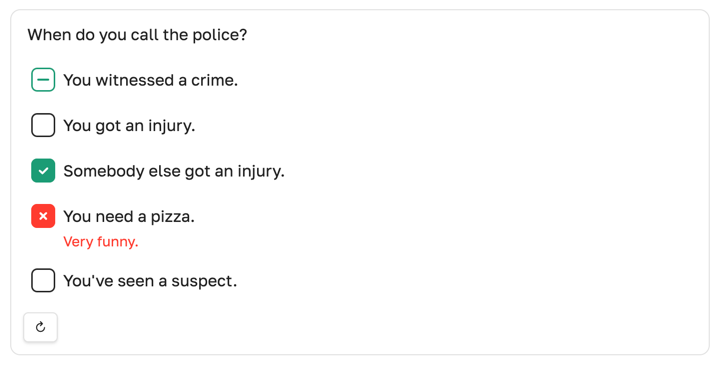
checkbox — multiple correct options
show code
```quiz
type: checkbox
content: >-
  When do you call the police?

options:
- content: You witnessed a crime.
  correct: true
- content: You got an injury.
- content: Somebody else got an injury.
  correct: true
- content: You need a pizza.
  feedback: Very funny.
- content: You've seen a suspect.
```
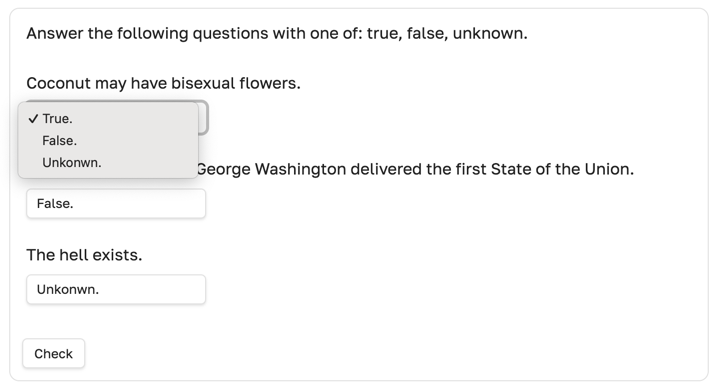
choice — multiple questions sharing the same options
show code
```quiz
type: choice
content: >-
  Answer the following questions with one of: true, false, unknown.

options:
- id: true
  content: True.
- id: false
  content: False.
- id: unknown
  content: Unkonwn.

questions:
- content: Coconut may have bisexual flowers.
  correct_option: true
- content: 1970 is the year when George Washington delivered the first State of the Union.
  correct_option: true
- content: The hell exists.
  correct_option: unknown
```
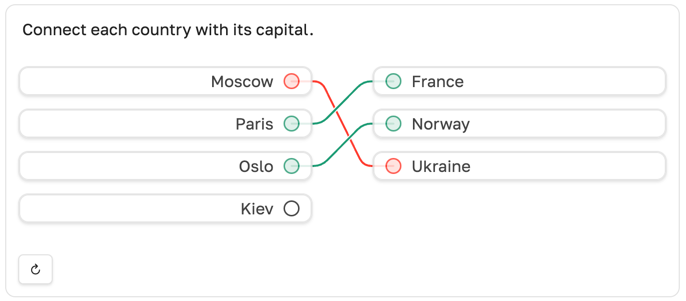
noodle — multiple questions connected with options
show code
```quiz
type: noodle
content: >-
  Connect each country with its capital.

options:
- content: Moscow
- content: Paris
- content: Oslo
- content: Kiev

questions:
- content: France
  correct: Paris

- content: Norway
  correct: Oslo

- content: Ukraine
  correct: Kiev
```
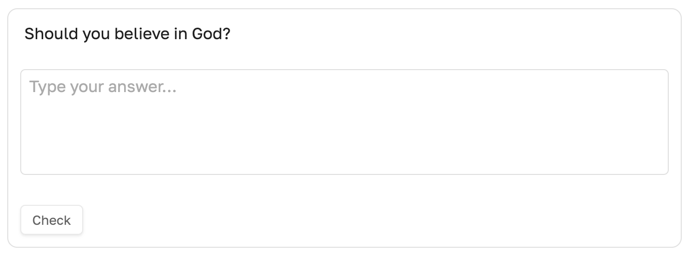
text — free text without forced validation
show code
```quiz
type: text
content: >-
    Should you believe in God?

# optional reference answer shown after pressing [Check]
correct: >-
    Well, there is no the right answer here, as it's all personal.
```
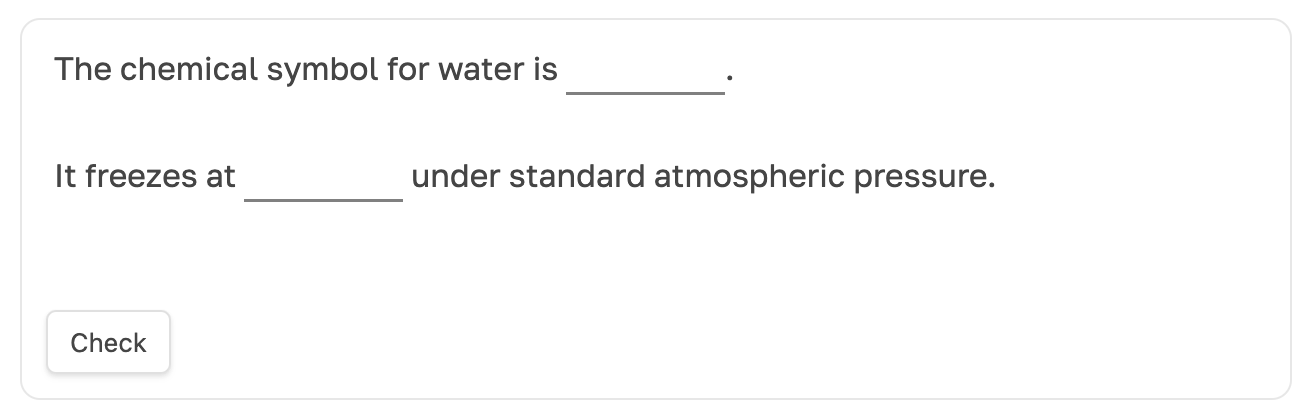
prompt — fill in the ==gaps==
show code
```quiz
type: prompt
content: |-
	The chemical symbol for water is ==H²O==.

	It freezes at ==0°C== under standard atmospheric pressure.

# optional feedback shown after pressing [check]
feedback: >-
  Use ==double equals== to hide text until you reveal the answer.
```
Installation
Quiz Blocks is currently waiting for approval to appear in the official Obsidian Community Plugins list. Until then, it can be installed and automatically updated using BRAT or manually.
Install using BRAT (beta-channel)
show steps
- Install the BRAT plugin:
- Using the link: https://obsidian.md/plugins?id=obsidian42-brat
- Click Install, then Enable
- Manually:
- Open Settings → Community plugins → Browse
- Search for BRAT
- Click Install, then Enable
- Using the link: https://obsidian.md/plugins?id=obsidian42-brat
- Open Settings → BRAT.
- Click Add Beta plugin.
- Paste this repository URL:
https://github.com/xamgore/obsidian-quiz-blocks - Click Add plugin.
- Go to Settings → Community plugins and enable Quiz Blocks.
Install by link
show steps
- Click https://obsidian.md/plugins?id=quiz-blocks
- Click Install, then Enable.
Install from Obsidian Community Plugins
show steps
- Open Obsidian.
- Go to Settings → Community plugins.
- Make sure Safe mode is disabled.
- Click Browse, search for Quiz Blocks.
- Click Install, then Enable.
Install manually (from GitHub)
show steps
- Download
obsidian-quiz-blocks.zipfrom the GitHub releases page. - Extract the downloaded ZIP file.
- Copy the extracted folder into your vault’s plugin directory:
YOUR_VAULT/.obsidian/plugins/ - Restart Obsidian or go to Settings → Community plugins and click Reload plugins.
- Enable Quiz Blocks from the list.
Features
shuffle: true
Quiz options can be shuffled to reduce pattern recognition and avoid learning answer positions. Default is false.
gated: true
Quiz content can be gated—encouraging closed-book testing and active recall. Note's text becomes hidden until you complete the quiz or stop interacting with the quiz. Default is false.
instant: true
Instant feedback after choosing an option. [Check] button is hidden.
Notes & limitations
This is an early-stage plugin, bugs are possible. Feel free to open an issue and share feedback.
To access an interactive quiz in the preview mode, you have to write some YAML code in the source mode. Unfortunately, there is no syntax highlighting to assist you (vote #3). Additionally, errors related to missing fields can be quite cumbersome (vote #4).
- Answers are ephemeral, kept until the tab is closed. If you have a good reason to keep them longer, vote #2.
shuffleandinstantare not implemented yet.- More quiz types planned:
cards.
Motivation
These are just a few examples of recurring requests and discussions in the Obsidian community around lightweight quiz functionality.
@amcasas: need some type of quiz function that you can add at the end of each note
@deleted: in such a way that a maximum of one option is choosable for each question.
@30DayThrill: looking for a quizlet-esque solution where I can create more multiple choice or question and answer style tests.
If you find this plugin useful, please consider telling others about it or starring the repository ⭐️
For plugin developers
Search results and similarity scores are powered by semantic analysis of your plugin's README. If your plugin isn't appearing for searches you'd expect, try updating your README to clearly describe your plugin's purpose, features, and use cases.