Termy
pendingby ZyphrZero
Full terminal emulator with split panes, preset scripts, multiple shells, and native Rust PTY backend.
Termy
A terminal emulator plugin for Obsidian
Full terminal emulator with split panes, preset scripts, multiple shells, and native Rust PTY backend.
English / 中文版
Key Advantages (At a Glance)
- Smaller native backend binary: Rust PTY backend keeps the runtime package lean.
- No extra third-party runtime dependency: No need to install separate bridge services or external terminal runtimes.
- Faster startup path: Native backend + direct plugin integration reduces startup overhead.
- Built for real workflows: Split panes, multi-session, preset scripts, and drag-to-paste file paths in one plugin.
Features
- Full Terminal Experience: Powered by xterm.js with Canvas/WebGL rendering
- Cross-Platform Support: Works on Windows, macOS, and Linux
- Multiple Shell Support:
- Windows: cmd, PowerShell, WSL, Git Bash
- macOS/Linux: bash, zsh, custom shells
- Advanced Features:
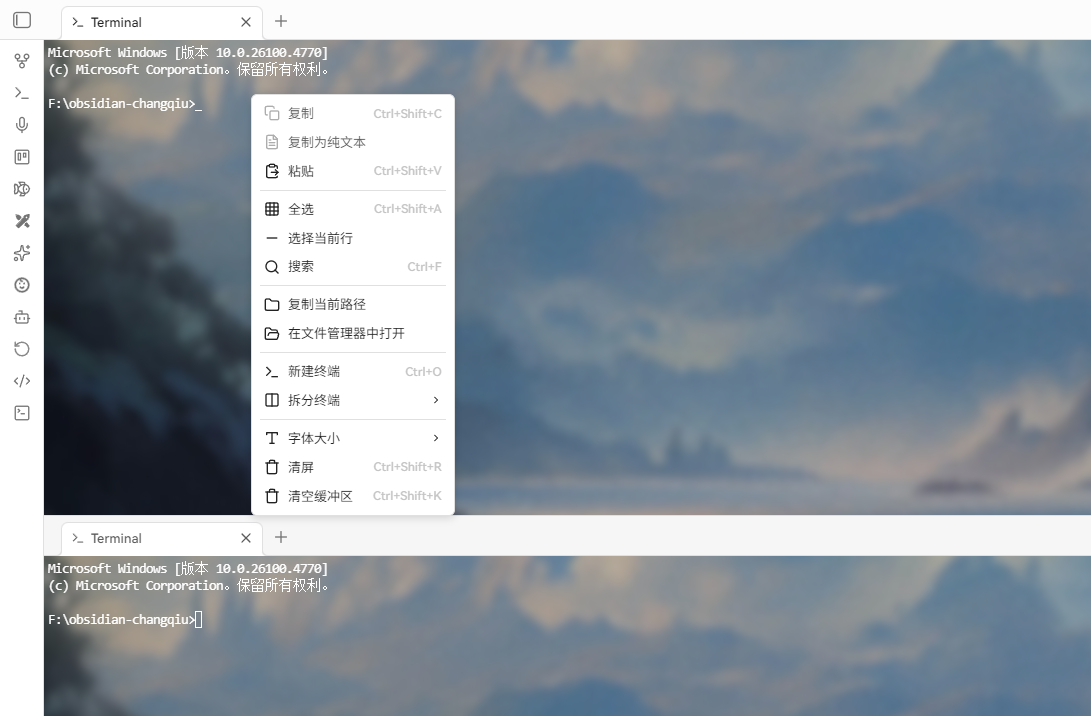
- Split panes (horizontal/vertical)
- Multiple terminal sessions
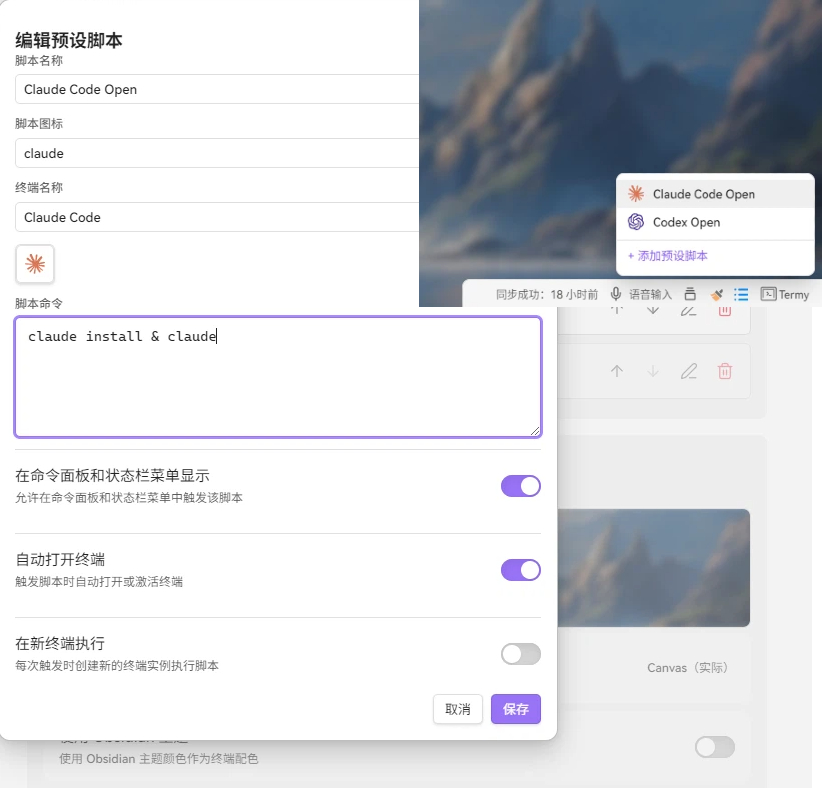
- Preset scripts
- Search functionality
- Font customization
- Theme support (Obsidian theme or custom)
- Multi-language support (English, Chinese, Japanese, Korean, Russian)
- Background images with blur effects
- Keyboard Shortcuts:
- Ctrl+O: Open terminal
- Ctrl+Shift+R: Clear screen
- Ctrl+Shift+C/V: Copy/Paste
- Ctrl+F: Search
- Ctrl+=/−/0: Zoom in/out/reset
- Ctrl+Shift+H/J: Split horizontal/vertical
Demo
Installation
Note: This plugin is currently under review and is not yet listed in the Obsidian Community Plugins marketplace. Please install it via BRAT or manual installation for now.
Using BRAT
- Install BRAT plugin first
- Open BRAT plugin settings, click "Add beta plugin"
- Enter
ZyphrZero/Termy - Click "Add plugin" to complete the installation
- Enable the plugin in Settings → Community Plugins
Manual Installation
- Download the latest release from GitHub Releases
- Extract the files to your vault's .obsidian/plugins/termy/ directory
- Reload Obsidian
- Enable the plugin in Settings → Community Plugins
License
GPL-3.0 License - see LICENSE for details.
Credits
- Built with xterm.js
- PTY backend powered by portable-pty
- Inspired by various terminal emulators and Obsidian plugins
Support
- Report issues: GitHub Issues
- Discussions: GitHub Discussions
For plugin developers
Search results and similarity scores are powered by semantic analysis of your plugin's README. If your plugin isn't appearing for searches you'd expect, try updating your README to clearly describe your plugin's purpose, features, and use cases.